Quick answer: In the DIY website vs professional decision, DIY fits very early businesses with tiny budgets and simple needs. A professional build makes sense once your site must bring in leads, because it adds strategy, conversion-focused design, speed, SEO foundations and full ownership. Count your time, subscriptions and apps before assuming DIY is cheaper.
The DIY website vs professional question usually comes up at the same moment: you need a site, you have a budget in mind, and a website builder ad promises you can launch this weekend. Sometimes that promise is exactly right. Other times the weekend turns into three months of evenings, a pile of monthly app fees and a site that looks fine but never gets a call.
This guide gives you a fair comparison. You will see when building your own website is the smart move, what DIY really costs once you count your time, what a professional build adds, and a checklist to decide which path fits your business right now.
Key Takeaways
- DIY is a reasonable choice for very early businesses that need a simple online presence and have more time than money.
- The true cost of a DIY site includes subscriptions, paid apps or plugins, and the hours you spend away from paying work.
- A professional build adds planning, conversion-focused layouts, speed work, SEO foundations and clear ownership of your site and content.
- Middle-ground options exist: start DIY and upgrade later, or choose a template-based professional build starting at $999.
- Settle the DIY website vs professional question based on what the site needs to do for your business, not only on the upfront price.
What is the difference between a DIY website vs professional build?
A DIY website is a site you build yourself, usually with a hosted website builder and a pre-made template. A professional website is one planned and built for you by a web designer or agency, based on your goals, your customers and your content.
Both can produce a site that looks good. The real difference is who does the thinking. With DIY, you make every decision about structure, copy, images, speed and search settings. With a professional build, someone who does this every week makes those decisions with you and handles the technical work.
It also helps to separate the tool from the approach. A website builder vs web designer comparison is not really about software, since many designers use builders too. We build on WordPress with Elementor Pro, for example. The question is whether you bring the experience, or you hire it.
When does building your own website make sense?
In the DIY website vs professional choice, building your own website makes sense when your needs are simple, your budget is very tight and the site is not yet a major source of customers. In that situation, a clean DIY site is better than no site at all.
DIY is often the right call if:
- You are very early stage. You are testing an idea, have few or no customers yet and may change your offer in a few months.
- Your budget is tiny. Spending a few thousand dollars on a website would stretch your cash, and that money is better spent on inventory, licensing or equipment.
- Your needs are simple. You need a few pages: what you do, where you work, how to reach you. No booking system, no store, no lead funnels.
- Most customers come from elsewhere. Referrals, a storefront or repeat clients drive the business, and the site mainly confirms you are legitimate.
- You enjoy the work. Some owners like design and writing, and have time on evenings and weekends to do it well.
If that describes you, build something simple, keep it accurate and plan to revisit the decision once the business grows. Choosing the right platform matters here, so read our comparison of Wix and WordPress for long-term growth before you commit.
What are the true costs of a DIY website?
The true cost of a DIY website is your subscription fees plus paid add-ons plus the value of the hours you put in. The monthly plan price is usually the smallest part of that total.
Subscriptions, apps and add-ons
Most website builders charge a recurring plan fee, and the plans that remove builder branding, connect a custom domain or add online payments usually cost more than the entry tier. On top of that, many owners add paid apps or plugins for forms, booking, email marketing, reviews or extra design features. Each one can be small on its own, and together they add up every month.
Before you choose, check the builder’s official pricing page and list every feature you will need in year one, not just at launch. That gives you a realistic yearly figure instead of a teaser price.
Your time
Time is the cost most owners underestimate. Picking a template is quick. Writing every page, sourcing photos, setting up forms, fixing the mobile layout, connecting your domain and learning the editor takes much longer, especially the first time.
Here is an honest way to value it. Estimate the hours you will spend, then multiply by what an hour of your time is worth to the business, such as your billable rate or what you earn on a typical job. For example, 40 hours at $50 an hour is $2,000 of time. These are illustrative numbers, so plug in your own. If your figure is higher than the cost of a professional build, DIY is not actually the cheaper option.
Opportunity cost and rework
Opportunity cost is the work you did not do because you were building the site: jobs not quoted, calls not returned, marketing not done. There is also rework risk. A DIY site that does not bring in leads often gets rebuilt later, which means paying twice. Our guide on what a small business website really costs breaks down typical budgets so you can compare fairly.
What does a professional web designer add?
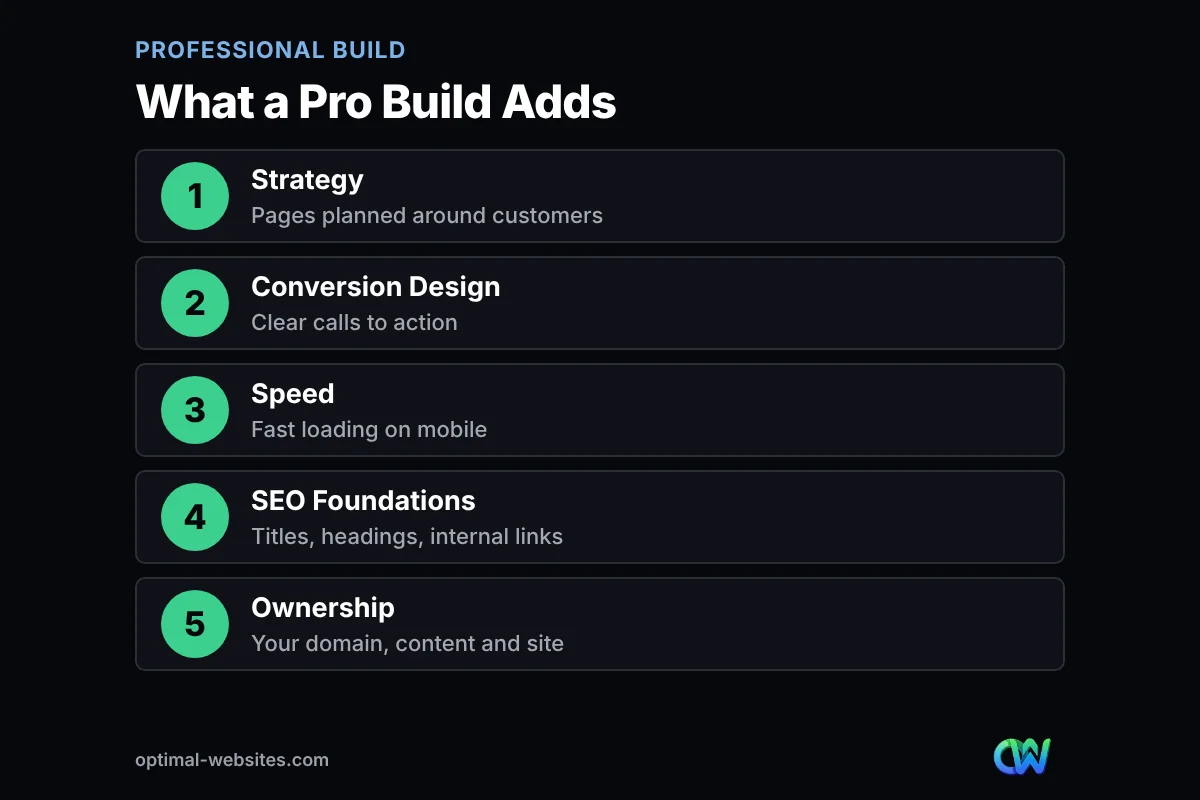
A professional web designer adds strategy, conversion-focused design, technical speed work, SEO foundations and clean ownership. Those are the pieces that turn a site from an online brochure into something that produces calls and form submissions.
Strategy
A good designer starts with questions: who are your best customers, what do they search for and what should they do on the site? That plan shapes which pages you need, what goes on the homepage and how visitors move toward contacting you.
Conversion-focused design
Conversion is the share of visitors who take an action, such as calling or filling out a form. Professionals place clear calls to action, trust signals like reviews and credentials, and short forms where visitors expect them, on desktop and mobile.
Speed and performance
Fast sites keep visitors around. Google’s web.dev guide on why speed matters explains that sites which load quickly and respond promptly engage and retain users better than slow ones. Professionals compress images, limit heavy add-ons and test performance before launch.
SEO foundations
Search engine optimization starts with structure: clear page titles, sensible headings, descriptive URLs, internal links and helpful content. Google’s SEO Starter Guide covers these basics. A professional sets them up from day one, so you are not retrofitting them after launch.
Ownership and control
Ownership means you control your domain, your content and your hosting account, and you can move the site if you change providers. WordPress itself is open source and licensed under the GPLv2, which is one reason we build on it. Clients get video tutorials and training, so they can still edit their own pages after launch.
How do DIY website vs professional costs and time compare?
A DIY website usually costs less in cash and more in time, while a professional build costs more upfront and much less of your time. The table below compares the two on the factors that matter most for a small business.
| Factor | DIY website | Professional build |
|---|---|---|
| Upfront cash | Low; mainly a builder plan and domain | Higher; Optimal Websites packages start at $999 |
| Ongoing costs | Recurring plan fees plus paid apps or add-ons | Hosting and optional maintenance or support |
| Your time | Many hours learning, writing and fixing | A few hours for content, feedback and approval |
| Time to launch | Depends on your free time; often stretches out | Most of our projects launch in 2–4 weeks |
| Strategy and structure | You plan it yourself | Planned around your customers and goals |
| Conversion design | Template defaults | Calls to action and trust signals placed on purpose |
| Speed and SEO setup | Up to you to research and configure | Built in from the start |
| Ownership | Depends on the platform’s terms | Your domain, content and site, with training to edit it |
| Best for | Very early stage, tiny budget, simple needs | Businesses that need the site to win customers |
If you are also deciding between a ready-made layout and a fully custom design, our custom website vs template guide walks through the tradeoffs.
Is it worth paying for a website? A decision checklist
Paying for a website is worth it when the site is expected to bring in customers and your time is more valuable spent running the business. Work through this checklist to settle the DIY website vs professional question for your business, and count your answers.
- Do you get, or want to get, new customers from Google searches?
- Is one new client or job worth more than a few hundred dollars to you?
- Would 30 or more hours of your time be better spent on paying work?
- Do you need forms, booking, quote requests or an online store that must work reliably?
- Are you competing against local businesses with polished, fast websites?
- Have you already tried a DIY site that looks fine but does not produce leads?
- Do you want a clear plan for pages, keywords and calls to action from day one?
If you answered yes to three or more, a professional build is likely worth it. If you answered yes to one or none, a simple DIY site is a reasonable starting point. Either way, keep a copy of our questions to ask a web designer before you hire for when you are ready to compare providers.
Is there a middle ground between a website builder vs web designer?
Yes. You do not have to choose between doing everything yourself and paying for a fully custom site. Several middle-ground options give you a better result without the top price.
Start DIY, upgrade later
Launch a simple DIY site to get online, then plan a professional build once the business has steady revenue. Keep this path smooth by owning your domain, saving your text and photos outside the builder and noting which pages get the most traffic. That content becomes a head start for the rebuild.
Template-based professional build
A template-based build uses a proven layout as the starting point, and a professional customizes it with your branding, content, calls to action and technical setup. Our Starter package at $999 works this way. You get a professional result on a smaller budget and avoid weeks of trial and error.
DIY with targeted professional help
Some owners keep their own site but pay for specific fixes, such as speed optimization, an SEO review or one high-converting landing page. This works best when the DIY site has a solid platform underneath and only needs a few improvements.
What have we learned from building WordPress sites for small businesses?
From our experience building WordPress sites, the biggest difference between a DIY website vs professional result is rarely the visual design. It is the planning and the details behind it: which pages exist, what each one asks the visitor to do and how quickly it loads on a phone.
Many owners who come to us have already tried DIY. They usually have good raw material, such as photos, service lists and customer reviews, but the site is organized around what they wanted to say rather than what customers want to find. Reorganizing that content, tightening calls to action and cleaning up the technical setup is often where the real work happens.
We have built sites for roofing contractors, law firms, engineering firms and rural businesses, from PCS Roofs and F. J. Collins Law to Rockville Fuel & Feed. The common thread is that each site was planned around how that business actually gets customers, not around a template’s defaults.
How Optimal Websites Can Help
Optimal Websites, a WordPress web design agency based in Delaware, builds fast, mobile-first websites with Elementor Pro for small businesses that have outgrown DIY or want to skip it. Our WordPress web design services cover planning, design, content structure, speed and SEO foundations, and every client gets video tutorials and training to edit their own site.
Packages are straightforward. Starter begins at $999, Professional at $1,499 and Advanced Custom at $1,999, and most projects launch in 2–4 weeks with a 50% deposit to start and the final 50% after you approve the site. You can compare the website packages starting at $999 and pick the level that fits where your business is today.
Frequently Asked Questions
Is it cheaper to build your own website or hire a web designer?
Building your own website is usually cheaper in cash but not always cheaper overall. Add up builder plan fees, paid apps and the hours you spend, valued at your hourly rate. If that total is close to or above a professional quote, hiring a web designer is often the better value, especially if the site needs to bring in leads.
When should a small business choose DIY website vs professional design?
Choose DIY when you are very early stage, have a tiny budget and only need a few simple pages. Choose a professional build when your site must win customers from search, needs forms or booking that work reliably, or when your time is worth more spent on paying work than on learning a website builder.
Is it worth paying for a website for a small business?
Yes, it is worth paying for a website when one new customer or job covers a meaningful share of the cost and you want the site to produce leads. A professional build adds strategy, conversion-focused layouts, speed and SEO foundations. If your site only confirms you exist, a simple DIY site may be enough for now.
How long does it take to build a DIY website?
A DIY website can take anywhere from a weekend to several months, depending on how many pages you need, how much writing you do yourself and how familiar you are with the builder. Most owners underestimate the time spent on copy, photos, mobile layout and setup. Track your hours so you can compare against a professional quote.
Can I start with a website builder and switch to a web designer later?
Yes, many businesses start with a website builder and move to a web designer once revenue is steady. Make the switch easier by owning your domain, keeping copies of your text and images, and noting which pages get traffic. A designer can reuse that content and set up redirects to protect any search visibility you have built.
What does a professional website include that DIY does not?
A professional website typically includes planning around your customers, conversion-focused page layouts, speed optimization, SEO setup such as titles, headings and internal links, and a clean handoff so you own your domain and content. Many providers, including Optimal Websites, also include training so you can make simple edits yourself after launch.
Ready to Get Started?
Whether you are weighing DIY or ready for a professional build, we can help you choose the right path for your budget. Request a free quote or call us at (302) 554-9497.