Quick answer: Good accounting firm website design shows prospects who you serve, what you do and how to start, then proves you are qualified and careful with their data. Build service pages by client type, a credentials-focused about page, a secure portal link, online booking and tax resources, and launch before January.
Accounting firm website design is less about looking impressive and more about answering a nervous prospect’s questions quickly. People searching for a CPA or tax preparer want to know if you handle their situation, whether you are properly credentialed, roughly how fees work and how they will send you sensitive documents.
This guide covers the pages a CPA website needs, the trust signals that matter, the security basics the IRS expects of tax professionals, local SEO for accountants and why the weeks before tax season are the best time to launch.
Key Takeaways
- Organize services by client type (individuals, small businesses, nonprofits) so visitors find their situation in one click.
- Show real credentials, licenses and memberships accurately, and never imply a credential a staff member does not hold.
- Send clients to a secure portal for documents instead of asking for tax files by email or a basic contact form.
- Local SEO, a complete Google Business Profile and steady reviews drive most new-client searches for accountants.
- Launching in November or December gives your new site time to be indexed before clients start searching in January.
What Do Clients Look for Before They Call an Accountant?
Before they call, prospective clients look for proof that you handle their specific situation, that you are qualified and that working with you will be simple and safe. Most decide within a few pages whether to contact you or go back to search results.
A website for accountants has to serve very different visitors. A W-2 employee with a rental property, a restaurant owner behind on bookkeeping and a nonprofit treasurer all land on the same homepage. Each one is scanning for a few signals:
- Fit: do you work with people or businesses like them, and in their industry?
- Qualifications: who will actually handle the work, and what credentials do they hold?
- Process: how onboarding works, how documents are exchanged and how long things take.
- Cost expectations: whether you quote flat fees, offer monthly packages or bill another way.
- Availability: whether you are taking new clients this season, and how fast you respond.
If your accounting firm website design answers those five questions clearly, the phone call becomes a confirmation rather than an interrogation. If it does not, prospects often assume the answer is no.
What Should Accounting Firm Website Design Include?
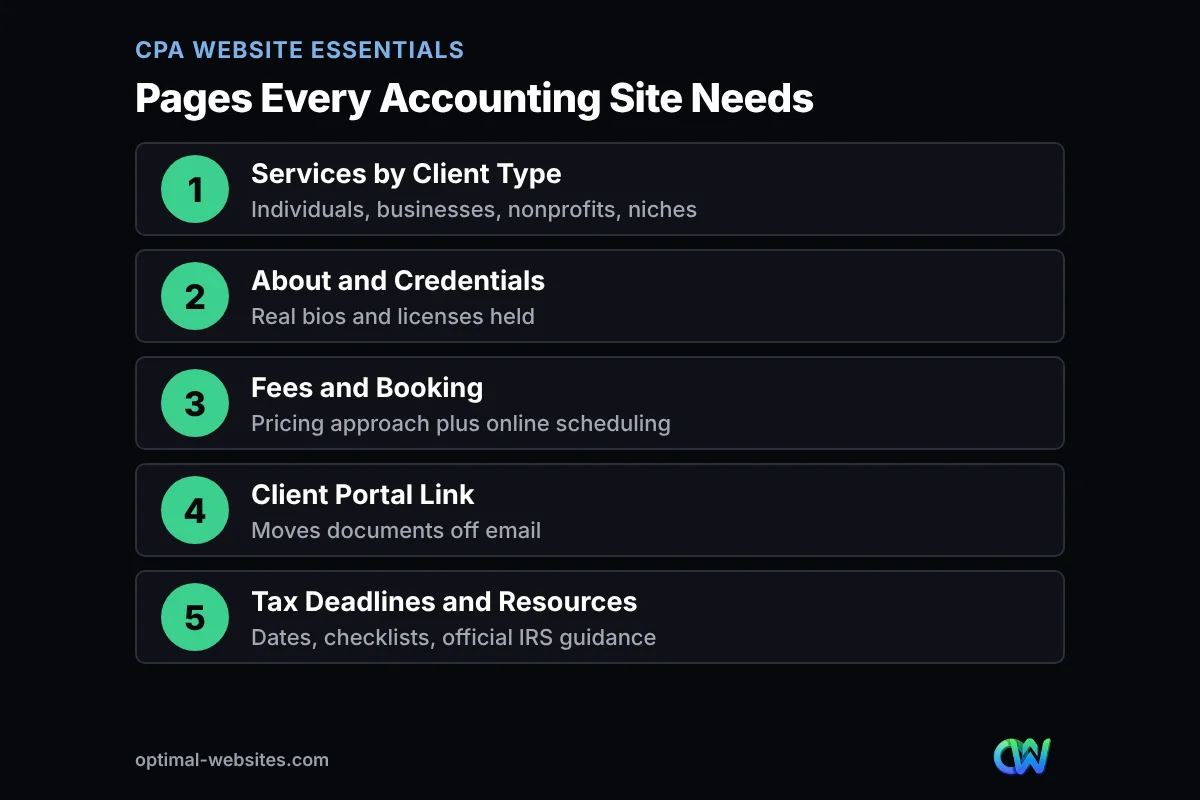
Strong accounting firm website design includes a homepage, service pages by client type, an about and credentials page, a fees and booking page, a client portal link, a tax deadlines and resources page and a contact page. Those pages cover nearly every question a new client asks before engaging a firm.
The table below shows what each page does and what it must include. Treat it as a planning checklist when you brief a designer or audit your current site.
| Page | Job it does | Must include |
|---|---|---|
| Services by client type | Lets each visitor find their situation fast | Separate pages for individuals, small businesses, nonprofits or niches you serve |
| About and credentials | Shows who does the work | Real bios, licenses held, memberships, years in practice, photos |
| Fees and booking | Sets cost expectations and turns interest into a meeting | How you price (flat, monthly, project), plus online scheduling or a short intake form |
| Client portal link | Moves documents off email | A clear Client Login button in the header and on the contact page |
| Tax deadlines and resources | Brings back clients and searchers | Key filing dates, document checklists, links to official IRS guidance |
Service pages by client type
Splitting services by audience works better than one long list of everything you do. An individual tax page, a small business bookkeeping and payroll page and a page for each niche you serve (dental practices, contractors, real estate investors) each match how people actually search. Our walkthrough on writing a service page that ranks and converts covers the structure in detail.
Fees approach and booking
You do not need to publish a full price list, but explaining how you price builds confidence. A line like ‘monthly bookkeeping packages are based on transaction volume and number of accounts’ filters poor-fit leads and reassures good ones. Pair it with online booking so a ready prospect can grab a consultation slot without calling during your busiest weeks.
How Can a CPA Website Show Credentials Without Overclaiming?
A CPA website shows credentials best by stating exactly what each person holds and linking that to the work they do. Trust signals are where accounting firm website design differs most from a generic small business site, because credentials in accounting are regulated and prospects check them.
A few distinctions keep your site honest. CPA is a license issued by a state board of accountancy, so the about page should say which state licenses the firm or individual. AICPA membership is a voluntary professional association, so list it only if the person is a current member. Enrolled agents are credentialed by the IRS, and a tax preparer website for a non-CPA firm should describe that credential plainly rather than borrowing CPA language.
- Use each person’s real name, title and credential, and update the page when staff change.
- Avoid phrases like ‘certified experts’ for staff who do not hold a certification.
- Name the industries and client types you serve, ideally with how long you have served them.
- Show memberships and recognitions with dates, and remove ones that have lapsed.
- Check your state board’s advertising rules before publishing testimonials or specialty claims.
Reviews carry a lot of weight for accountants because the work is hard for a client to judge in advance. Display reviews from Google or other platforms with the reviewer’s permission, and follow our tips on using website testimonials that convert so they read as genuine rather than cherry-picked.
What Security and Privacy Features Does a Tax Preparer Website Need?
A tax preparer website needs a secure way to exchange documents, multi-factor authentication on every login and a site that never invites clients to send Social Security numbers or tax files through an ordinary form or email. Security on the website is part of a larger data protection plan the firm is required to have.
The IRS guide Publication 4557, Safeguarding Taxpayer Data (revised June 2024) explains that under the FTC Safeguards Rule, tax return preparers must create and follow a security plan to protect client data. Its companion, Publication 5708 on creating a written information security plan, notes that tax and accounting professionals are treated as financial institutions under the Gramm-Leach-Bliley Act regardless of size. Publication 4557 also warns that identity thieves may target a firm after finding an email address on the office website.
Your web designer is not your compliance officer, but good accounting firm website design supports your plan rather than undercutting it. Here is a practical checklist:
- Link to your client portal from the header, and label it clearly so clients do not email documents instead.
- Keep contact and booking forms to non-sensitive fields (name, phone, email, general question).
- Add a short note on the contact page telling clients never to send tax documents by email.
- Turn on multi-factor authentication for WordPress admin accounts, hosting and domain logins.
- Use HTTPS sitewide, keep plugins updated and limit admin access to people who need it.
- Publish a privacy policy that describes how the site collects and uses visitor information.
- Use a role-based email address on the site rather than individual staff addresses where possible.
The IRS also keeps a Protect Your Clients; Protect Yourself resource page for tax professionals, which is worth linking from your resources section. On the WordPress side, regular updates, tested backups and limited login attempts close the most common gaps.
How Does Local SEO Work for Accountants?
Local SEO for accountants is the work of showing up when nearby people search phrases like ‘CPA near me’ or ‘tax preparer in [city]’. It depends mostly on a complete Google Business Profile, consistent business details across the web, reviews and location-relevant pages on your site.
Google says local results are based mainly on relevance, distance and prominence, and its tips to improve your local ranking stress complete business information, accurate hours, verified locations and responding to reviews. For accountants, that means choosing accurate primary and secondary categories, listing services, adding seasonal hours before tax season and posting updates when deadlines approach.
On the website itself, include your city and service area naturally on the homepage, services pages and contact page, and keep your name, address and phone number identical to your profile. Local SEO and accounting firm website design work best when planned together, so location signals are built into the pages from the start. Our local SEO starter plan for small businesses walks through citations, reviews and on-page basics step by step.
Should You Use a DIY Template or Hire a Professional for CPA Website Design?
A DIY template works for a brand-new solo practice testing the market, while a professionally built site makes more sense once you want consistent leads, multiple service pages and a setup you trust with client-facing security features. Most growing firms land on a professional build they can still edit themselves.
| Factor | DIY template builder | Industry template service | Professional custom build |
|---|---|---|---|
| Upfront cost | Lowest | Low to moderate, often monthly | Higher one-time investment |
| Time from you | High, you write and build everything | Moderate | Low, mostly content review |
| Uniqueness | Looks like many other sites | Often shared across many firms | Built around your services and brand |
| Service pages by client type | Possible but manual | Limited, generic copy | Planned and written for search |
| Local SEO setup | Up to you | Basic | Included or easy to add |
| Ownership and flexibility | Tied to the builder platform | Often tied to the vendor | Full ownership on WordPress |
Whichever route you choose, confirm you own your domain and content, and that the site can link cleanly to the portal and booking tools you already use. The same trust-first approach applies across professional services; our guide to law firm website design covers a very similar set of decisions for attorneys.
When Is the Best Time to Launch an Accounting Firm Website?
The best time to launch an accounting firm website is in the fall, before January, so it is live and indexed before clients start gathering W-2s and 1099s and searching for help. Launching in the middle of tax season adds stress for staff and misses the busiest search weeks.
A November start fits accounting firm website design well. Most of our projects launch in 2–4 weeks, which leaves December for search engines to crawl the new pages and for your team to learn the editor. A simple timeline looks like this:
- Early November: gather bios, credentials, service lists, fee approach and photos.
- Mid to late November: design, page writing and setup of portal links and booking.
- Early December: review, launch and submit the sitemap in Google Search Console.
- Mid December: update your Google Business Profile with seasonal hours and new links.
- January: publish your deadline and document checklist pages, then ask recent clients for reviews.
From our experience building WordPress sites, the step that slows accounting firm website design projects most is content, especially staff bios and credential details that need partner sign-off. Starting that list on day one keeps the launch date intact.
How Optimal Websites Can Help
Optimal Websites, a WordPress web design agency based in Delaware, builds fast, mobile-first sites for professional service firms such as law offices and engineering firms. For accounting firm website design, our WordPress web design service covers service pages by client type, credential-focused about pages, booking and portal links, and local SEO foundations.
Projects follow a 50% deposit to start and the final 50% after your approval, and you get video tutorials so your team can update deadlines and bios on your own. You can compare our website packages, starting at $999, and pick the level that fits your firm.
Frequently Asked Questions
What should an accounting firm website include?
An accounting firm website should include a homepage, service pages organized by client type, an about page with real credentials, a fees and booking page, a clear client portal link, a tax deadlines and resources page and a contact page. Together these answer the questions most prospects have before they call.
How much does accounting firm website design cost?
Accounting firm website design costs vary with the number of pages, custom features and how much writing is included. DIY builders are cheapest upfront but take the most of your time. Optimal Websites packages start at $999, $1,499 and $1,999, and we give a free quote based on the pages and features your firm needs.
Should a CPA website list prices?
A CPA website does not need a full price list, but it should explain how you price. Describe whether you use flat fees, monthly packages or project quotes, and what affects the cost. That sets expectations, filters poor-fit inquiries and makes the consultation call more productive for both sides.
Can clients upload tax documents through my website contact form?
No, a standard website contact form is not the right place for tax documents or Social Security numbers. Link to a secure client portal instead, keep contact forms to basic details and tell clients not to email sensitive files. IRS Publication 4557 explains the data protection steps expected of tax professionals.
When should an accountant launch a new website?
An accountant should launch a new website in the fall, ideally by early December. That gives search engines time to index the pages and your staff time to learn the editor before January, when clients start collecting tax forms and searching for help. Launching mid-season adds stress and misses peak searches.
How do accountants get more clients from their website?
Accountants get more clients from a website for accountants that matches what people search: clear service pages by client type, strong local SEO, a complete Google Business Profile, steady reviews and easy booking. Adding deadline reminders and document checklists also brings past visitors back each tax season.
Is WordPress a good choice for a tax preparer website?
Yes, WordPress is a good choice for a tax preparer website because you own the site, can add service and resource pages easily and can link to the portal and booking tools you already use. Keep plugins updated, use multi-factor authentication for admin logins and choose reliable hosting.
Ready to Get Started?
If you want a CPA or tax practice website that is live and ranking before your busiest season, now is the time to start. Request a free quote or call us at (302) 554-9497.