
Quick answer: Here is how to write a service page that ranks and converts: give each service its own page, open with a headline that names the service, location and outcome, explain who it is for, show your process and proof, answer common objections, and end every section with one clear call to action. Write for buyers first, then search engines.
Your service pages do the heavy lifting on a small business website. They are the pages people land on when they search for exactly what you sell, and they are the pages that decide whether a visitor calls you or hits the back button. Yet many sites have a single “Services” page with a bulleted list and a phone number. That leaves leads and rankings on the table. This guide shows you how to write a service page step by step: the structure that works, a copy template you can reuse, the service page SEO basics, and the mistakes that quietly kill conversions.
Key Takeaways
- Give every core service its own page. One page per service lets you match search intent and write specific, persuasive copy.
- Lead with the outcome the customer wants, not your company history. Visitors decide fast whether to stay.
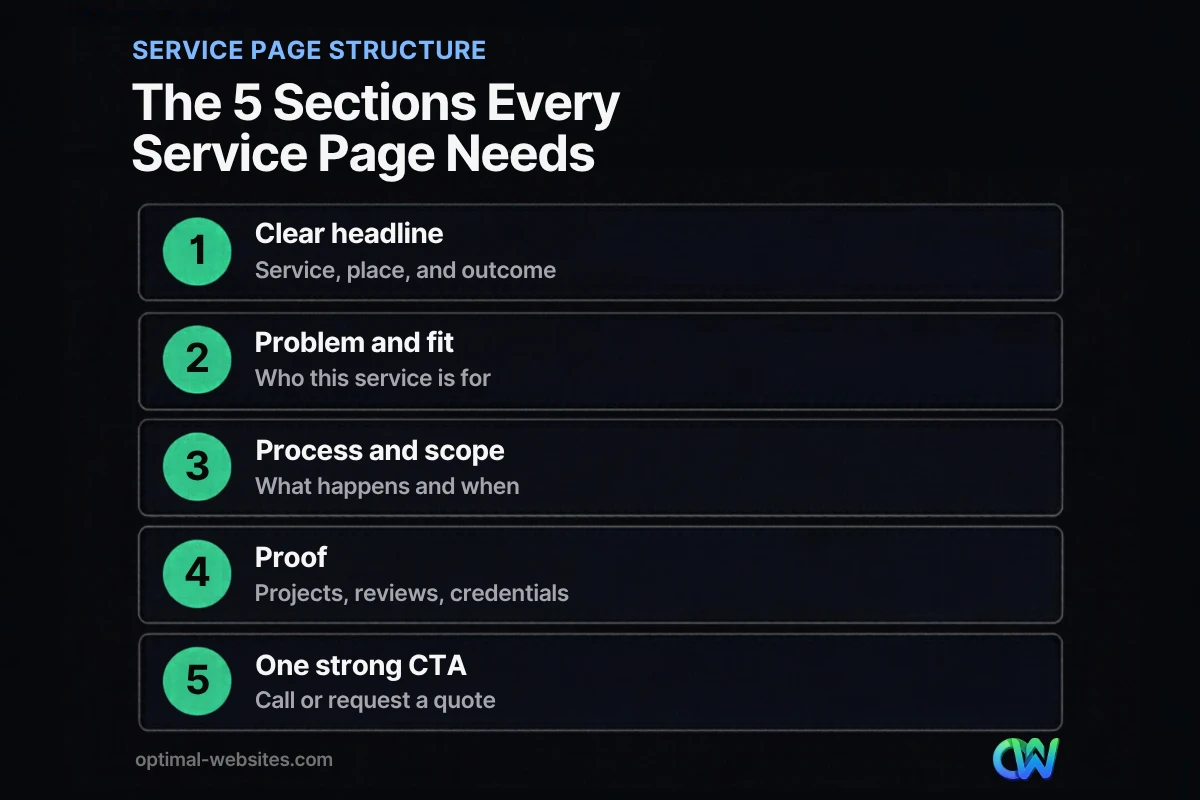
- Follow a proven service page structure: headline, problem and fit, process, proof, FAQs and one strong call to action.
- Service page SEO starts with the basics: a focused keyword, a descriptive title tag, clear headings and internal links from related pages.
- Proof beats adjectives. Real project photos, reviews and credentials do more than “best in class” ever will.
What is a service page, and why does it matter?
A service page is a dedicated page on your website that explains one specific service you offer, who it is for, and how to buy it. It is different from your homepage, which introduces the whole business, and from a blog post, which answers a question or teaches something.
Service pages matter because they match commercial search intent. Someone searching “roof replacement in Wilmington” or “estate planning attorney near me” is close to a decision. If your site sends them to a generic page, you lose relevance for search engines and clarity for the buyer. A focused page can rank for that query and answer the questions that stand between the visitor and a phone call.
Service page vs homepage vs landing page
| Page type | Main job | Traffic source | Typical length |
|---|---|---|---|
| Homepage | Introduce the business and route visitors | Brand searches, direct visits | Medium |
| Service page | Sell one service and rank for it | Organic search, internal links | Medium to long |
| Landing page | Convert one campaign audience | Paid ads, email, social | Short to medium |
| Blog post | Answer a question or teach | Organic search, social | Long |
The service page sits in the middle: detailed enough to rank and persuade, focused enough to convert.
How to write a service page, step by step
Start with research, then write in the order a buyer thinks: “Is this for me? Can they do it? Can I trust them? What do I do next?” Here is the process we follow when we write and build service pages in WordPress.
- Pick one service and one primary keyword. Look at what customers actually call the service. “Water heater installation” and “tankless water heater replacement” may deserve separate pages if the jobs, prices and customers differ.
- List the questions buyers ask on calls. Your sales calls and emails are the best keyword research you have. Every repeated question is a section or an FAQ.
- Write the headline and opening first. Name the service, the place you serve and the result. If the first screen is unclear, nothing below it gets read.
- Explain who it is for and what problem it solves. Describe the situation the customer is in, in their words.
- Show the process and scope. Walk through the steps, timeline and what is included so the buyer can picture working with you.
- Add proof. Project photos, reviews, certifications, licenses and years in business build trust faster than claims.
- Answer objections in an FAQ. Price, timing, warranties, service area and “what happens next” are the usual ones.
- Close with one clear call to action. Repeat it after key sections so a ready buyer never has to scroll to find it.
Write the headline around the outcome
A strong service page headline answers “what is this and why should I care” in one line. Compare “Our Services” with “Roof Replacement in Delaware, Done in Days, Backed by Warranty.” The second version names the service, the place and the benefit.
Keep the H1 close to how people search, then use a short subheadline to add the promise or the differentiator. Visitors make a quick call on whether a page is worth their time: Nielsen Norman Group found that people often leave a page within 10 to 20 seconds unless the page makes its value clear quickly.
Describe the problem in the customer’s words
Website copywriting for services works best when it sounds like a conversation with a customer. A homeowner does not search “comprehensive moisture remediation solutions.” They search “basement leaking after rain.” Use the words they use, describe the moment they are in, and then show how your service fixes it.
What is the best service page structure?
The best service page structure moves a visitor from relevance to trust to action. Each section should earn the next scroll.
Above the fold
- H1 with the service and location (if local)
- One-sentence promise or differentiator
- Primary call to action button, plus a click-to-call phone number on mobile
- A real photo of your team or work, not a generic stock image
Middle of the page
- Who the service is for and the problems it solves
- What is included, with a short scope list
- Your process in 3–6 steps, with realistic timing
- Proof: project gallery, reviews, credentials, guarantees
Bottom of the page
- FAQs that handle objections
- Related services and helpful articles (internal links)
- A final call to action with a short form
Readers scan before they read. Nielsen Norman Group’s eye-tracking research on the F-shaped pattern recommends front-loading key points, using visible headings, and starting headings with the most informative words. Apply that to every section: put the takeaway first and the detail second.
Is there a service page template you can copy?
Yes. Use this service page template as a starting outline and adapt the order to your buyer. It works for contractors, law firms, healthcare practices and most local service businesses.
| Section | What to write | Example prompt |
|---|---|---|
| H1 and subheadline | Service + location + outcome | “Commercial Roofing in Delaware, Built to Last” |
| Intro (2–3 sentences) | The problem and your promise | “Leaks shut down operations. We find and fix them fast.” |
| Who it is for | Ideal customers and situations | Property managers, plant owners, HOAs |
| What is included | Scope list | Inspection, report, repair, cleanup, warranty |
| Process | 3–6 steps with timing | Call, inspection, estimate, schedule, finish |
| Proof | Photos, reviews, credentials | Licensed and insured, project gallery |
| Pricing guidance | Ranges or what drives cost | “Most repairs depend on roof size and material” |
| FAQs | 4–8 real questions | Warranty, timeline, permits, financing |
| Call to action | One clear next step | “Request a free inspection” |
You do not have to publish exact prices, but explaining what drives cost answers the buyer’s biggest question and filters out poor-fit leads before they call.
How do you optimize a service page for SEO?
Service page SEO is mostly about clarity: tell search engines and people exactly what the page offers, for whom and where. Google’s guidance on people-first content asks whether content is created primarily to help people rather than to manipulate rankings, and a good service page passes that test naturally.
The on-page basics
- One primary keyword per page. Use it in the H1, the title tag, the URL and the first paragraph.
- Descriptive title tag and meta description. Write them like a mini ad: service, location, benefit.
- Clear H2s. Use headings that reflect buyer questions, such as “How much does it cost?” or “How long does it take?”
- Internal links. Link to the service page from your homepage, navigation, related services and relevant blog posts. Our on-page SEO checklist covers the full list.
- Original photos with good alt text. Real images of your work help both trust and image search.
- Fast, mobile-friendly layout. Most service searches happen on phones, so the call button and form must work perfectly there.
Avoid thin and duplicate pages
Writing one page, then copying it ten times with a different service name swapped in, creates thin content. Each page should include details only that service has: its own process, scope, questions and photos. If two services share 90% of the same copy, combine them into one stronger page.
What mistakes stop a service page from converting?
Most underperforming service pages fail for the same handful of reasons, and nearly all of them are copy and structure problems rather than design problems.
- Talking about yourself first. “Founded in 1998” is fine further down. Lead with the customer’s problem.
- Vague claims. “Quality service at fair prices” says nothing. Specific scope, timelines and proof say a lot.
- Too many calls to action. Newsletter, chat, download, call and quote buttons competing on one page create hesitation. Pick one primary action.
- No pricing context. Buyers want to know if you are in their range. Give ranges or explain cost drivers.
- Walls of text. Short paragraphs, lists and headings make the page scannable on a phone.
- Missing next step on mobile. A sticky click-to-call button or a short form near the top often matters more than any copy tweak.
How Optimal Websites Can Help
At Optimal Websites, a WordPress web design agency based in Delaware, we write and build service pages as part of every site. We plan one page per core service, write the copy around how your customers search, and build the layout in Elementor Pro with mobile-first calls to action. We have done this for roofing companies, construction firms, law firms and local service businesses, where a clear service page is often the difference between a call and a bounce.
If you need fresh copy for existing pages, our blog and website writing services cover service pages, blog posts and content updates. If the whole site needs work, see our WordPress web design service and our package pricing. For a broader view of how service pages fit with articles and email, read our guide to building a content marketing plan, or learn when it makes sense to hire a blog writer.
Frequently Asked Questions
How long should a service page be?
A service page should be long enough to answer the buyer’s main questions and no longer. For most small business services that means roughly 600 to 1,500 words, including scope, process, proof and FAQs. Competitive services in crowded markets may need more depth. Focus on covering what buyers ask, not hitting a word count.
Should each service have its own page?
Yes, in most cases. Learning how to write a service page starts with giving each core service its own URL, keyword and copy. Separate pages match search intent better, rank for more specific queries and let you speak directly to each buyer. Combine services only when they share nearly identical customers, process and pricing.
What is the difference between a service page and a landing page?
A service page is a permanent part of your site that explains one service and is built to rank in organic search. A landing page is usually built for one campaign, such as a Google Ads offer, with fewer links and a single goal. Many businesses need both, and the landing page often borrows proof from the service page.
What should I put above the fold on a service page?
Put the service name and location in the H1, a one-line promise or differentiator, a primary call to action button and a click-to-call phone number on mobile. Add a real photo of your team or work. Visitors should know what you offer, where and how to contact you without scrolling.
How do I do service page SEO without keyword stuffing?
Use your primary keyword in the H1, title tag, URL and first paragraph, then write naturally. Good service page SEO comes from covering the topic fully: scope, process, cost drivers, FAQs and related terms customers use. Add internal links from related pages and keep the page fast and mobile-friendly. Read it aloud; if it sounds robotic, rewrite it.
Should I include prices on my service pages?
Include prices when your offer is standardized, such as fixed packages. When every job is different, explain what drives cost and give typical ranges if you can. Pricing context answers the buyer’s biggest question, builds trust and filters out leads who are not a fit before they ever call you.
Can I use a service page template for every service?
Yes. A service page template keeps your site consistent and speeds up writing, but the content inside it must be unique. Reuse the structure (headline, fit, process, proof, FAQs, call to action) and write fresh details, photos and questions for each service so no two pages read like copies.
Ready to Get Started?
Want service pages that rank and bring in calls? Request a free quote or call us at (302) 554-9497. We will review your current pages and show you what to fix first.


