
Quick answer: An on-page SEO checklist is a page-by-page review of the elements you control: the title tag, meta description, H1 and header tags, URL, body copy, internal links, images and calls to action. For a service business, run it on every service and location page so each one clearly matches what a customer searches for.
You paid for a website, you offer a service people search for every day, and yet your pages sit on page three of Google. Often the problem is not your domain or your competitors. It is the pages themselves: vague titles, missing descriptions, five pages competing for the same phrase, and service pages with no internal links pointing at them. Those gaps cost you calls you never hear about. This on-page SEO checklist walks through each element of a service page in the order Google and your visitors see them, with examples for contractors, law firms and local service companies.
Key Takeaways
- On-page SEO covers everything on the page you can edit: title tags, meta descriptions, header tags, URLs, copy, images and internal links.
- Give every service page one clear job, one primary phrase and a unique title tag. Duplicate titles make pages compete with each other.
- Google rewrites titles and snippets when they do not match the page, so write them to describe the page honestly, not to stuff keywords.
- Internal linking is the most skipped step on small business sites, and one of the easiest to fix.
- Run the checklist on your most valuable service pages first, then on every new page before it goes live.
What is on-page SEO?
On-page SEO is the practice of optimizing the content and HTML of individual pages so search engines understand them and people want to click them. It is different from off-page SEO (links and mentions from other sites) and technical SEO (crawling, indexing and site speed).
For a service business, on-page work happens mostly on three page types: the homepage, service pages (“roof replacement,” “estate planning”) and location or service area pages. If those pages are thin or confusing, no amount of link building will fully make up for it. Our SEO for small business guide covers the bigger picture; this post zooms in on the page itself.
Why does on-page SEO matter for service businesses?
On-page SEO matters because it is how Google matches a specific page to a specific search. A homeowner searching “metal roof installation in Dover” needs to land on a page about metal roofs in Dover, not on a generic homepage that lists eleven services.
Service businesses also have an advantage here. Your customers search in plain, predictable language: the service, the problem, the city. When each page answers one of those searches clearly, you compete on relevance instead of budget. That is also why on-page fixes are usually the first thing we recommend before spending on ads or content.
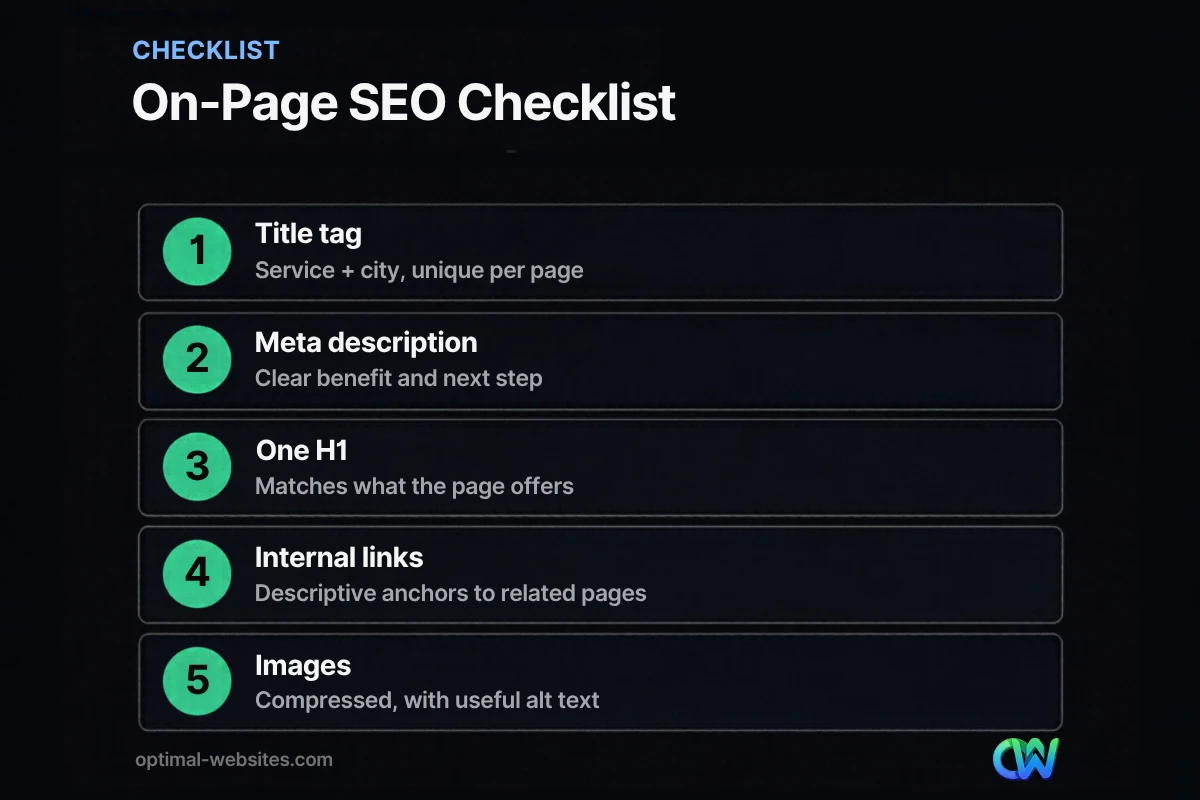
The on-page SEO checklist, element by element
Work through this on-page SEO checklist one page at a time. Start with the pages that bring in your most profitable jobs.
1. Pick one primary keyword per page
Every page should have one main phrase it is built to rank for, plus a few close variations. A roofing company might use “roof replacement” for one page and “roof repair” for another, instead of mixing both on the same page. If two pages target the same phrase, merge them or give each a distinct angle.
2. Write a unique, descriptive title tag
The title tag is the HTML `title` element, the clickable headline Google usually shows in results. Lead with the service and location, then add your brand: “Roof Replacement in Wilmington, DE | Your Company.”
Google’s guidance on title links asks for titles that are descriptive and concise, distinct for every page, and free of keyword stuffing. It also notes there is no hard character limit, but long titles get truncated to fit the device width. In practice, keep the important words in the first 50 to 60 characters.
3. Write a meta description that earns the click
A meta description is the short summary in your page’s HTML that Google may show under the title. It does not directly affect rankings, but it affects whether people click.
According to Google’s documentation on snippets and meta descriptions, Google builds snippets mainly from page content and uses your meta description when it describes the page more accurately. Identical descriptions across pages are not helpful, so write a unique one for each key page. Aim for roughly 140 to 160 characters: the service, the area, one benefit, and a next step.
4. Use one H1 and logical header tags
Header tags (H1, H2, H3) structure the page for readers and search engines. Use one H1 that states what the page offers, then H2s for the main questions a buyer has: cost, process, timeline, service area, FAQs.
Google’s SEO Starter Guide says there is no magic number of headings and that heading order does not matter for Google Search, though a semantic order helps screen reader users. So focus on headings that help a skimming reader find answers fast.
5. Keep the URL short and readable
Use a short slug with real words: `/roof-replacement/` beats `/services/page-id-4471/`. Google’s starter guide notes that useful words in a URL help users, while keywords in the URL have little ranking effect on their own. If a page already ranks, do not change its URL without setting up a 301 redirect.
6. Answer the searcher’s question early
The first 100 words should confirm the visitor is in the right place: what you do, where you do it, and why they should keep reading. Then cover the details buyers actually compare, such as process, materials, pricing approach, timelines and guarantees. Thin pages with 150 words of generic copy rarely rank for competitive local services.
7. Add internal links with descriptive anchors
Internal linking means linking from one page of your site to another. It helps Google discover pages and understand how they relate, and it helps visitors move toward a quote.
Link from your homepage and related blog posts to each service page, and from each service page to related services and your contact page. Use anchor text that describes the destination (“storm damage roof repair”), never “click here.” Google’s starter guide explains that anchor text tells both users and Google what the linked page is about.
8. Optimize images
Compress images, use descriptive file names and add alt text that explains what the image shows. Real project photos also build trust in a way stock photos cannot. Our image SEO post covers file formats, sizing and alt text in detail.
9. Make the call to action obvious
On-page SEO brings the visitor; the call to action turns them into a lead. Every service page needs a visible phone number (tap-to-call on mobile), a short quote form or button, and trust signals such as reviews, licenses or certifications near the form.
10. Check mobile layout and speed
Most local service searches happen on phones. Check that text is readable without zooming, buttons are easy to tap, and the page loads quickly. A beautifully written page that takes eight seconds to load still loses the visitor.
How do you write title tags and meta descriptions for service pages?
Write them for the specific service and area the page targets, then read them as a customer would. If the title and description would make you click over a competitor, they are doing their job.
Here is a simple before-and-after for a law firm’s practice area page:
| Element | Weak version | Stronger version | |
|---|---|---|---|
| Title tag | Services | Personal Injury Lawyer in Dover, DE \ | Firm Name |
| Meta description | Welcome to our website. We offer many legal services. | Injured in Dover? Our personal injury lawyers handle car, truck and slip-and-fall claims. Free case review, no fee unless we win. | |
| H1 | Our Services | Personal Injury Lawyer in Dover, Delaware | |
| URL | /services-2/ | /personal-injury-lawyer-dover/ | |
| Anchor text pointing here | Click here | personal injury representation in Dover |
Only promise what the business actually offers. If your firm does not work on contingency, do not say “no fee unless we win.” Accuracy keeps Google from rewriting your snippet and keeps visitors from bouncing.
What on-page SEO mistakes do service businesses make most?
The most common mistakes are duplicate titles, one page trying to rank for every service, and service pages with no internal links. Each one is quick to spot and fix.
- Same title on every page. Many themes default to “Home | Company Name” or reuse one title site-wide.
- One “Services” page for everything. A single page listing ten services cannot be the best answer for any of them. Give each core service its own page.
- Keyword stuffing. Repeating “best roofer near me” ten times reads badly and goes against Google’s spam policies.
- Orphan pages. Pages with no internal links pointing to them are hard for Google to find and rarely rank.
- Missing or generic alt text. “IMG_4471.jpg” tells nobody anything.
- Changing URLs without redirects. Redesigns often break rankings this way.
If a page still does not show up at all after these fixes, the issue may be indexing rather than on-page content. Our post on why a website is not showing up on Google walks through those checks.
How often should you run an on-page SEO checklist?
Run it on every new page before it goes live, and review your key service pages at least twice a year. Also rerun it whenever you add a service, expand into a new area, or redesign the site.
A practical routine for a small team:
- Before publishing: run the full checklist on the new page.
- Monthly: check Google Search Console for pages with impressions but few clicks. Those usually need a better title or description.
- Twice a year: review your top five service pages for outdated information, broken links and missing internal links.
- After a redesign: confirm titles, descriptions, headings and redirects carried over correctly.
What we see when building service business websites
Most of the WordPress sites we rebuild for contractors, roofing companies and law firms have the same pattern: a strong homepage, then thin service pages that were written in an afternoon and never touched again. The homepage gets all the attention, but the service pages are where buyers decide.
When we build with Elementor Pro, we set up each service page with a clear H1, a unique title and meta description in the SEO plugin, structured H2 sections for the questions buyers ask, and internal links from the homepage and related services. We also make the quote button and phone number visible on mobile without scrolling. None of this is complicated, but doing it consistently on every page is what separates sites that get found from sites that just exist.
How Optimal Websites Can Help
If you would rather not audit every page yourself, our SEO services include on-page reviews of your service and location pages, rewritten titles and descriptions, and an internal linking plan. Optimal Websites, a WordPress web design agency based in Delaware, can also rebuild thin service pages so they answer the questions your customers actually ask.
If your site needs more than a tune-up, you can compare our website packages and pricing. Every build includes on-page SEO basics from day one, plus training videos so your team can keep pages updated.
Frequently Asked Questions
What should an on-page SEO checklist include?
An on-page SEO checklist should cover the primary keyword, title tag, meta description, H1 and header tags, URL, body content, internal links, image alt text and file size, the call to action, and mobile usability. For service businesses, add the service area and trust signals such as reviews or licenses on every service page.
How long should a title tag be?
Google does not set a hard limit for title tags, but it truncates long titles to fit the device width. In practice, keep the most important words, usually the service and city, within the first 50 to 60 characters. Make every title unique and avoid repeating the same keyword several times.
Do meta descriptions affect rankings?
Meta descriptions do not directly improve rankings, but they influence whether people click your result. Google may show your meta description when it accurately describes the page, or build a snippet from your content instead. Write a unique description of about 140 to 160 characters for each important page, with a clear benefit and next step.
How many H1 tags should a page have?
Use one H1 per page in most cases. It should state what the page offers, such as “Roof Replacement in Wilmington, DE.” Google says heading order is not a ranking issue, but one clear H1 followed by logical H2 and H3 header tags makes the page easier to scan for visitors and screen reader users.
What is internal linking in SEO?
Internal linking means adding links from one page on your site to another. It helps Google discover and understand your pages and helps visitors reach the information they need. Link from your homepage and blog posts to service pages, use descriptive anchor text, and make sure no important page is left without internal links.
Is on-page SEO enough to rank a local business?
On-page SEO is the foundation, but it is rarely enough by itself for competitive local searches. You also need a complete Google Business Profile, reviews, consistent business information, a fast mobile site and some links or mentions from other local sites. Fixing on-page issues first makes every other effort more effective.
Can I do on-page SEO myself in WordPress?
Yes. In WordPress, an SEO plugin lets you edit title tags and meta descriptions for each page, and the editor lets you set headings, alt text and links. Use this on-page SEO checklist page by page. If you have many pages or no time, a professional review can prioritize the fixes with the biggest impact.
Ready to Get Started?
Want a second set of eyes on your service pages? Request a free quote or call us at (302) 554-9497, and we will tell you which on-page fixes will make the biggest difference for your business.


