
Last updated: October 15, 2026
Quick answer: SEO for small business is the work of helping search engines understand your website and business so local customers find you when they search. For most service businesses it is worth it, but results build over months. Start with Google Business Profile, a fast mobile-friendly site, helpful service pages, and steady reviews.
You have probably heard “you have to do SEO” from a vendor or a cold email. The harder question is whether SEO for small business actually pays off, or whether your money is better spent on ads. Getting this wrong is expensive either way: skip search and competitors collect the customers who are already looking for you; overspend on the wrong tactics and you burn months with nothing to show. This guide explains what SEO is, how long it takes, what to do first, and how it compares to paid ads, so you can decide with clear eyes.
Key Takeaways
- SEO helps search engines understand your content and helps customers choose you. It is a long-term channel, not a switch.
- Google says some changes take effect in hours while others take several months, and no one can guarantee a #1 ranking.
- For local businesses, the first wins usually come from Google Business Profile, reviews, and a fast, clear website.
- Paid ads buy immediate visibility; SEO builds visibility you keep. Many small businesses use both.
- AI Overviews in Google Search use the same SEO fundamentals. There is no separate trick to appear in them.
What is SEO for a small business?
SEO, short for search engine optimization, is the practice of making your website easy for search engines to crawl, understand, and show to the right people. For a small business, that mostly means showing up when someone nearby searches for the service you sell.
Google’s own SEO Starter Guide describes SEO as helping search engines understand your content and helping users find your site and decide whether to visit it. Ranking only matters if the page then convinces a real person to call or book.
The parts of SEO that matter most
- Technical basics: a site that loads quickly, works well on phones, and can be crawled and indexed.
- Content: clear pages for each service and location you serve, written for customers first.
- Local signals: an accurate Google Business Profile, consistent business details, and reviews.
- Reputation: other trustworthy sites mentioning or linking to you because you earned it.
Is SEO worth it for small business?
For most local service businesses, yes, because people who search “roofer near me” or “estate planning attorney in Wilmington” already want to hire someone. SEO puts you in front of that demand without paying for every single click.
It is worth it when customers search online before they buy, you can wait a few months for results, and your website turns visitors into calls and form submissions. If your site is slow or confusing, more traffic only means more people leaving; we cover that in more depth in our post on why website optimization matters.
SEO is a weaker fit when you need leads this week or almost nobody searches for what you sell.
To do or not to do: a quick decision check
If you answer “yes” to most of these, SEO deserves a place in your plan.
- Do customers search Google for your service or your city plus your service?
- Do competitors with weaker offers show up above you?
- Is a single new customer worth enough to justify months of steady effort?
- Can you or a partner keep your site, profile, and reviews current?
How long does SEO take to work?
Expect months, not days. Google itself notes that some changes might take effect in a few hours while others could take several months, and that depends on how often Google crawls your site and how competitive your market is.
New websites usually take the longest. Be wary of anyone promising guaranteed rankings by a date: Google’s guidance on hiring an SEO states plainly that no one can guarantee a #1 ranking on Google. That same page suggests asking any SEO provider what results they expect, in what timeframe, and how they measure success. Those are good questions to put in writing.
What should a small business do first for SEO?
Start with the work that helps both rankings and conversions: your Google Business Profile, your site’s technical health, a clear page for each service, and a steady stream of reviews. These four steps cover most of the ground for a local business.
- Claim and complete your Google Business Profile. Add your correct name, address or service area, phone, hours, categories, services, and real photos. Google explains how Google ranks local results: mainly by relevance, distance, and prominence. Complete, accurate information improves relevance, and Google states there is no way to pay for a better local ranking.
- Fix the technical basics. Make sure your site is on HTTPS, loads quickly, and works well on a phone. Check it in Google Search Console and PageSpeed Insights, and watch the Core Web Vitals: LCP (loading), INP (responsiveness, which replaced FID in March 2024), and CLS (visual stability). See our guide to making your site work for mobile search.
- Build one strong page per service. A page called “Roof Repair in Dover, DE” that answers price factors, timelines, and common questions beats a single “Services” page listing everything.
- Ask every happy customer for a review. Google notes that more reviews and positive ratings can help your local ranking, and reviews also persuade the person reading them. Reply to them, including critical ones.
Local SEO basics checklist
- [ ] Google Business Profile verified, with categories and services filled in
- [ ] Business name, address, and phone identical on your site and major directories
- [ ] A dedicated page for each core service and main service area
- [ ] Click-to-call phone number and a short quote form on every page
- [ ] Descriptive alt text on images, so search engines and screen readers understand them
- [ ] Google Search Console set up, with your sitemap submitted
SEO do’s and don’ts that still hold up
Good SEO is mostly about being useful and avoiding shortcuts. These lessons from the original version of this post still apply.
Do: write for people, not keyword counts
Search engines understand context and synonyms, and Google’s starter guide says keyword stuffing is against its spam policies. Write naturally and cover the questions customers actually ask.
Do: research what customers search
Google Search Console shows the queries people already use to find you. Specific, longer phrases like “emergency water heater repair Newark” often bring fewer visitors but better leads.
Don’t: buy links or copy content
Buying backlinks, joining link networks, and copying large sections from other sites violate Google’s spam policies and risk your visibility. Earn mentions instead through useful content, local partnerships, and industry associations.
Don’t: ignore the page after it ranks
Revisit important pages a few times a year, update outdated details, and check Search Console for pages losing clicks.
SEO vs paid ads: which is better for a small business?
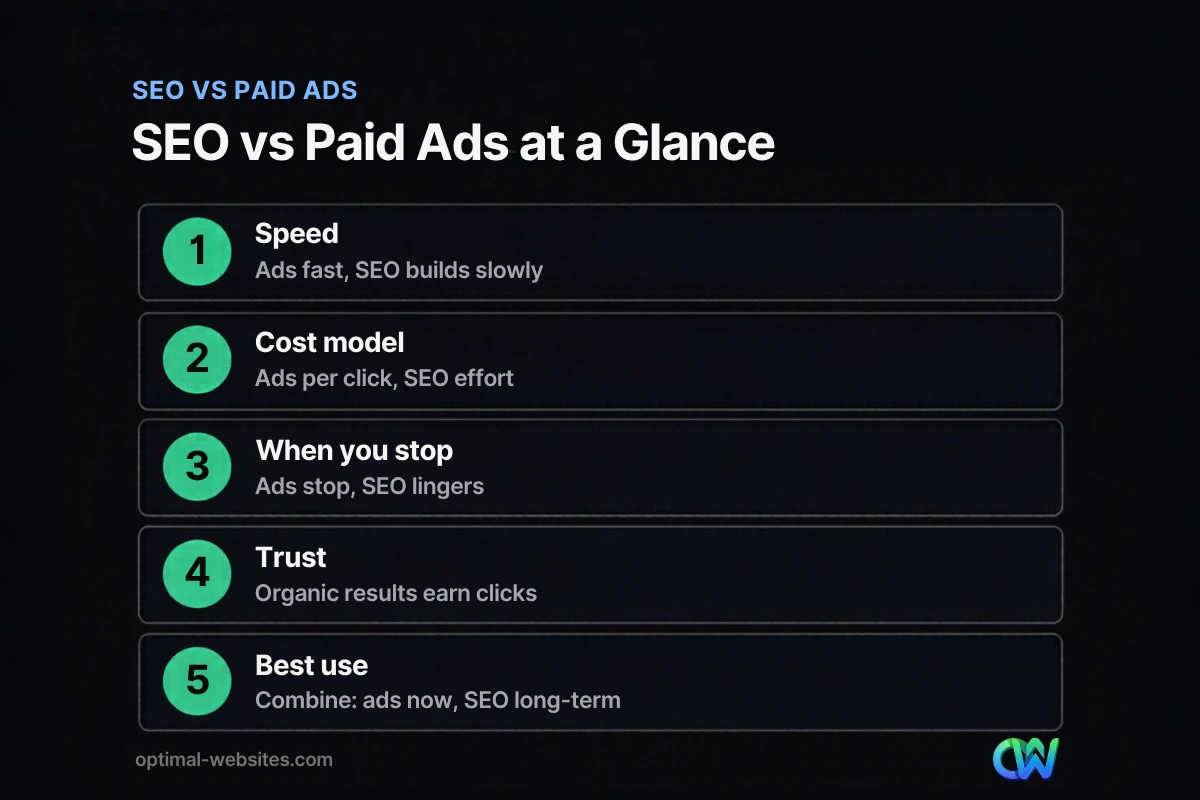
Neither wins in every case. Paid ads deliver visibility right away and stop when you stop paying; SEO takes longer but keeps working. Many small businesses use ads for immediate leads while SEO builds.
| Factor | SEO | Paid ads (Google Ads, social ads) |
|---|---|---|
| Speed to results | Builds over months | Can start the same day |
| How you pay | Time, content, and expertise | Per click or per impression |
| When you stop spending | Visibility fades slowly | Visibility stops almost immediately |
| Where you appear | Organic results, local map pack | Sponsored placements |
| Control over messaging | Indirect; Google picks the snippet | High; you write the ad |
| Best for | Long-term, steady lead flow | Launches, promotions, testing offers |
A practical approach: run ads on your highest-value services while you build service pages and reviews, and use the ad data to learn which searches convert. For more channel ideas, see our list of ways to get more inbound leads.
How much does SEO cost for a small business?
SEO cost depends on how much needs fixing, how competitive your market is, and whether you do the work yourself or hire help. Rather than a single number, think about the cost in three buckets.
- Your time: Managing your profile, requesting reviews, and writing about your services can be done in house.
- Website fixes: A slow, outdated site or missing service pages is often a one-time project, and sometimes a rebuild beats patching.
- Ongoing help: Content, monitoring, and reporting from a provider is usually recurring. Ask what is included and whether you keep the content if you part ways.
Be cautious of very cheap packages that promise fast rankings; cleaning up low-quality links can cost more than doing it right.
Do AI Overviews change SEO for small businesses?
Not in the fundamentals. Google’s AI Overviews and AI Mode draw on pages that are indexed and eligible to appear in Search with a snippet, and Google says there are no additional requirements or special optimizations needed to appear in them.
According to Google’s documentation on AI features in Search, the same SEO best practices remain relevant, and site owners do not need new machine-readable files or special markup. In plain terms, the clear, well-organized service pages that help you rank are the same pages AI answers can draw from. Answering common questions directly near the top of a page helps both people and machines.
What we see when building small business websites
At Optimal Websites, a WordPress web design agency we build fast, mobile-first sites in WordPress with Elementor Pro for contractors, roofers, law firms, healthcare providers, and other local service businesses. The most common SEO problems we find on older sites are slow pages, a single crowded “Services” page, missing or vague page titles, phone numbers that are not tappable on mobile, and Google Business Profiles that were never completed.
Fixing those basics during a rebuild gives search engines a clear structure and visitors an easy path to call. It also makes later SEO work, like service area pages or blog posts, far simpler.
How Optimal Websites Can Help
If you want a website that search engines can understand and customers can act on, we can help. Our SEO services focus on the fundamentals covered here: technical health, clear service pages, and local visibility. If your current site is holding you back, our website packages and pricing show what a mobile-first WordPress rebuild includes. Most projects launch in 2–4 weeks, and every client gets video training to edit their own site.
Frequently Asked Questions
Is SEO worth it for small business owners on a tight budget?
Yes, if your customers search online for what you sell. The lowest-cost steps, like completing your Google Business Profile, asking for reviews, and writing clear service pages, take mostly time rather than money. Start there, measure calls and form submissions, and add paid help only when the basics are in place and you know what is working.
How much does SEO cost for a small business?
How much SEO costs depends on your site’s condition, your market’s competition, and how much you do in house. Many owners handle their profile and reviews themselves and pay for website fixes or ongoing content. Ask any provider for a written scope, how they measure results, and who owns the work, and avoid offers that guarantee rankings.
How long does it take for SEO to work?
Usually several months. Google says some changes can take effect within hours while others take several months, depending on crawling and competition. New sites tend to take longer than established ones. Track progress in Google Search Console through impressions, clicks, and the queries you appear for, rather than checking a single keyword every day.
Can I do SEO myself?
Yes, many small business owners handle the basics themselves. You can set up Google Business Profile, request reviews, connect Google Search Console, and write pages for each service. The harder parts are technical fixes, site speed, and site structure, which is where a web developer or SEO provider usually saves time and avoids mistakes.
What are local SEO basics?
Local SEO basics are the steps that help you appear in map results and nearby searches. They include a complete Google Business Profile, consistent name, address, and phone details across the web, dedicated service and location pages, and a steady flow of genuine reviews. Google ranks local results mainly by relevance, distance, and prominence.
Should I choose SEO vs paid ads for my small business?
Choose based on timing. Paid ads bring visibility right away but stop when your budget stops. SEO takes months but keeps bringing visitors after the work is done. Many small businesses run ads on their most valuable services while building SEO, then lean more on organic traffic as rankings improve.
Do I need special optimization for Google AI Overviews?
No. Google states there are no additional requirements or special optimizations needed to appear in AI Overviews or AI Mode. Your page must be indexed and eligible to show with a snippet. Clear, accurate, helpful pages that follow normal SEO best practices are the best preparation.
Ready to Get Started?
Want to know what is holding your website back in search? Get a free quote and we will review your site and recommend practical next steps, or call us at (302) 554-9497.


