
Last updated: October 15, 2026
Quick answer: To figure out how to get more leads from your website, start with the basics buyers check first: a clear offer above the fold, a tap-to-call phone number, a short form, visible reviews and badges, and fast mobile pages. Then add local SEO, focused landing pages, a useful lead magnet and same-day follow-up.
Your website gets visitors, but the phone stays quiet and the contact form collects mostly spam. That gap costs real money: every visitor who leaves without calling is a job that probably went to a competitor down the street. Most small business sites lose leads for the same fixable reasons. This guide explains how to get more leads from your website, with a “problem > fix” table, a 12-step checklist, and notes from the WordPress sites we build for contractors, law firms and local service companies.
Key Takeaways
- Most websites that don’t generate leads have a clarity problem, not a traffic problem. Visitors can’t tell what you do, where, or what to do next.
- Mobile visitors want to call. A tap-to-call button and a short form usually beat a long “tell us everything” questionnaire.
- Trust signals (reviews, recognized badges, real project photos) answer the question “can these people actually deliver?”
- Speed matters for leads: in a web.dev case study, Vodafone saw a 15% lift in its lead rate after improving page load.
- Leads go cold fast, so website lead generation includes a same-day follow-up plan.
Why isn’t my website generating leads?
A small business website usually fails to generate leads because visitors can’t quickly see what you offer, trust that you can deliver, and find an easy next step. Traffic is rarely the first problem. Conversion is.
A homeowner looking for a roofer opens three or four sites on their phone, gives each a few seconds, and calls the one that feels clear and credible. A vague slogan, a slow slider and a phone number hidden in the footer lose that comparison before it starts.
Your website conversion rate is the percentage of visitors who take the action you want, such as calling or filling out a form. Raising it is usually cheaper than buying more traffic.
The “problem > fix” table
These are the problems we see most often on sites that aren’t producing leads.
| Problem | What visitors experience | Fix |
|---|---|---|
| Vague headline | “We don’t know what you do or where” | State service + location + next step above the fold |
| Phone number hard to find | Can’t call from mobile | Sticky header with tap-to-call button |
| Long contact form | Gives up halfway | Cut to 3–5 fields; collect details later |
| No proof | “Are they legit?” | Reviews, badges, real project photos near CTAs |
| Slow mobile pages | Leaves before the page loads | Compress images, trim plugins, pass Core Web Vitals |
| One generic page for everything | Can’t find their exact service | Dedicated service and landing pages |
| Not showing up locally | Never finds you at all | Optimize Google Business Profile and local pages |
| Slow replies | Hires whoever called back first | Instant alerts and a same-day response rule |
How do I get more leads from my website’s homepage?
Make the top of your homepage answer three questions in about five seconds: what you do, where you do it, and how to get started. Everything above the fold should support that.
Lead with a clear offer above the fold
“Above the fold” is the part of the page visible before anyone scrolls. A strong headline names the service and area, such as “Roof Replacement and Repair in Wilmington, DE,” and one primary button says what happens next: “Get a Free Roof Estimate” beats “Learn More.”
Make calling effortless with click-to-call
For local service businesses, a phone call is often the highest-value lead. Put a tap-to-call number in a sticky header so it stays visible while people scroll. On the mobile-first Elementor Pro sites we build, the call button is one of the first elements we design, not an afterthought.
Show the solution, not just the service list
People buy when they feel you understand their problem. Instead of only listing services, describe the situations your customers are in (“storm damage,” “a contract dispute”) and show how you solve each one. Two or three clear options, such as repair versus replacement, let visitors feel in control.
What makes lead capture forms convert better?
Lead capture forms convert better when they are short, clearly labeled and easy to finish on a phone. Every field you add is another reason to quit.
Nielsen Norman Group’s form design guidelines recommend removing any field you can collect later or skip entirely, placing labels close to their fields, using a single column, and writing specific error messages. For most small businesses, a quote form needs only name, phone or email, service needed and a short message.
A few practical tips:
- Tell people what happens next. “We’ll call you within one business day” reduces hesitation.
- Put the form where the decision happens, on service pages, not only the Contact page.
- Offer a choice. Some people prefer a form, others a call or text.
Which trust signals help a small business website get more leads?
Trust signals are proof that you are real, experienced and reliable. They include customer reviews, recognized industry badges, licenses and certifications, real photos of your team and projects, and clear contact details.
Place them near your calls to action, not buried on an About page. A short review next to a quote form, or a row of badges under your headline, answers doubts at the moment someone decides whether to reach out. Recognition from platforms like Clutch or DesignRush, or from industry associations, works because someone other than you is vouching for your work. And a real photo of your crew on a job site beats any stock image of handshakes.
Does website speed affect lead generation?
Yes. Slow pages lose visitors before they ever see your offer, and that hits leads directly. Faster sites keep people engaged long enough to call or fill out a form.
Google measures real-world page experience through Core Web Vitals. According to the Core Web Vitals thresholds in Google Search Central, a good experience means Largest Contentful Paint (LCP) within 2.5 seconds, Interaction to Next Paint (INP) under 200 milliseconds, and Cumulative Layout Shift (CLS) under 0.1. INP replaced First Input Delay as a Core Web Vital in March 2024.
In the Vodafone case study on web.dev, a 31% improvement in LCP led to 8% more sales and a 15% better lead-to-visit rate. Your numbers will differ, but speed supports conversions. Test your pages in PageSpeed Insights, then use our step-by-step guide to improving page speed for fixes like image compression and caching.
How does local SEO help increase inbound leads?
Local SEO helps you increase inbound leads by putting your business in front of people searching for your service in your area, which are often the visitors most ready to hire.
Start with your Google Business Profile. Google explains that local results are based on relevance, distance and prominence, and it notes that more reviews and positive ratings can help your local ranking. Keep your categories, hours, service areas and photos current, and ask happy customers for reviews regularly.
On your website, create a page for each core service and main service area, and use the same name, address and phone number everywhere. Our guide to SEO basics for small businesses covers the fundamentals, and Google Search Console shows which searches bring visitors in.
Do landing pages and lead magnets still work?
Yes, when they are focused. A landing page is a single page built around one offer and one action, usually for a paid ad, email or specific campaign. A lead magnet is something useful you give away in exchange for contact details.
Build landing pages for your best offers
If you run Google or Facebook ads, don’t send that traffic to your homepage. Send it to a page that matches the ad’s promise, drops distracting navigation, and repeats one call to action. One service, one location, one action.
Offer a lead magnet that solves a real problem
The best lead magnets help people make a decision: a roofer’s “storm damage checklist” or a law firm’s “what to do after a car accident” guide. Keep it short and specific, then follow up with a helpful email or call. Selling to other businesses works differently; see our B2B lead generation ideas if that is your market.
How fast should I follow up on website leads?
Follow up on website leads as fast as you can, ideally within minutes during business hours and the same day at the latest. The first company to respond often wins the job.
Website lead generation doesn’t end when the form is submitted. Set up instant email or text alerts, decide who owns the response, and keep a simple reply template. When you call back, listen first and ask questions to understand the real problem. Then lay out clear options, the timeline, what you need from the customer, and the cost. Being upfront beats a hard sell.
How to get more leads from your website: a 12-step checklist
Work through these in order; the first steps are quick wins.
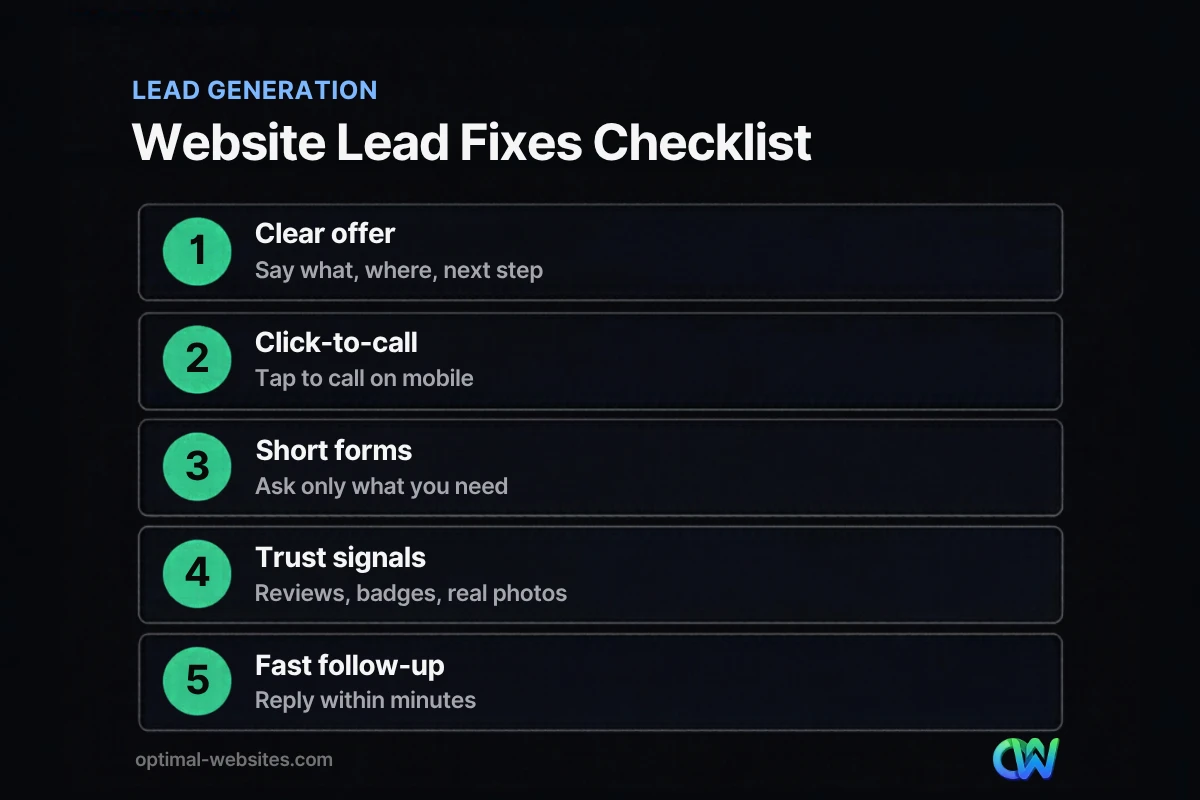
- Rewrite your headline to name your service, location and main benefit.
- Add one primary call to action above the fold, such as “Get a Free Quote.”
- Put a tap-to-call phone number in a sticky header on mobile.
- Shorten your lead capture forms to 3–5 essential fields.
- Add forms to service pages, not just the Contact page.
- Show reviews and badges next to every major call to action.
- Replace stock photos with real images of your team and projects.
- Test speed in PageSpeed Insights and fix anything failing Core Web Vitals.
- Update your Google Business Profile and request reviews from recent customers.
- Create dedicated pages for each core service and main service area.
- Launch a focused landing page or lead magnet for your best offer.
- Set up instant lead alerts and a same-day follow-up rule.
How Optimal Websites Can Help
If your site gets traffic but not calls, the fix is usually clearer messaging and faster pages. Optimal Websites, a WordPress web design agency builds fast, mobile-first, conversion-focused websites with Elementor Pro for contractors, roofers, law firms, healthcare providers and other local businesses. Projects like PCS Roofs and F. J. Collins Law show the kinds of industries we work with.
Our lead generation services cover the pieces in this guide, from call-friendly layouts to landing pages. Most projects launch in 2–4 weeks, with video training so you can update your own site. You can see our website packages and pricing, which start at $999.
Frequently Asked Questions
How can I get more leads from my website without more traffic?
Improve your website conversion rate before buying more traffic. Clarify your headline, add a tap-to-call button, shorten forms and place reviews near your calls to action. Small changes like these turn more of your existing visitors into calls and form submissions, which is usually cheaper than paying for additional clicks through ads or chasing new rankings.
How many fields should a lead capture form have?
Most small business lead capture forms work best with three to five fields: name, phone or email, the service needed and a short message. Ask only what you need to respond. Details like budget, address and timeline can wait for the first conversation, when the prospect is already engaged and more willing to share.
Why do people visit my website but not contact me?
Visitors usually leave without contacting you because they can’t quickly tell what you offer, don’t trust you yet, or can’t find an easy way to reach you. Common causes include vague headlines, hidden phone numbers, long forms, missing reviews and slow mobile pages. Fixing those basics is the fastest way to increase inbound leads.
Do reviews really help website lead generation?
Yes. Reviews help website lead generation in two ways. On your site, they reassure visitors at the moment they are deciding to call. On Google, more reviews and positive ratings can help your local ranking, according to Google’s own Business Profile guidance. Ask satisfied customers for reviews consistently, and respond to every review professionally.
Should I use a landing page or my homepage for ads?
Use a dedicated landing page for ads whenever possible. A landing page matches the ad’s message, focuses on one service and one action, and removes distracting navigation. Your homepage has to serve many audiences at once, so it usually converts paid traffic less effectively than a page built specifically for that campaign.
How quickly should I respond to a website lead?
Respond as quickly as possible, ideally within minutes during business hours and no later than the same day. People who fill out a form are often contacting several businesses at once, and the first helpful reply frequently wins. Set up instant alerts so new leads never sit unnoticed in an inbox.
Ready to Get Started?
Want a website that brings in calls and quote requests instead of just visits? Request a free quote or call us at (302) 554-9497. Your consultation is free.


