
Last updated: October 15, 2026
Quick answer: To learn how to improve website speed, start by testing your pages in PageSpeed Insights. Then compress and resize images (WebP or AVIF), turn on page and browser caching, use quality hosting with a CDN, remove unused plugins and scripts, limit web fonts, and reserve space for images so your Core Web Vitals pass.
A slow site quietly costs you calls, form fills and sales, because visitors on phones will not wait for a heavy homepage. If you have been wondering how to improve website speed without rebuilding everything, the good news is that most slowdowns come from a short list of fixable causes: oversized images, missing caching, weak hosting and plugin bloat. This guide walks through each fix in the order we use on client sites, explains the Core Web Vitals targets you are aiming for, and points out the WordPress settings that make the biggest difference.
Key Takeaways
- Measure first with PageSpeed Insights so you fix the real bottleneck, not a guess.
- Images are the most common culprit; resizing and converting to WebP or AVIF is usually the fastest win.
- Caching, good hosting and a CDN reduce server response time for every page at once.
- A slow WordPress site is often a plugin and script problem, not a WordPress problem.
- Aim for “good” Core Web Vitals: LCP of 2.5 seconds or less, INP of 200 ms or less, CLS of 0.1 or less.
What Is Website Speed, and How Do You Measure It?
Website speed is how quickly a page loads, becomes usable and settles into a stable layout for a real visitor. You measure it with PageSpeed Insights, which combines real-user field data with a simulated lab test.
For why speed affects revenue, see the business case for website optimization. This article covers what to change and in what order.
Field data vs. lab data in PageSpeed Insights
Field data comes from the Chrome User Experience Report and reflects real visitors over the previous 28 days. Lab data comes from Lighthouse, which simulates a load on a mid-tier phone over a mobile network.
Field data shows what customers experience; lab data is better for debugging because it lists specific problems such as “properly size images.” Low-traffic sites may lack field data, so lean on the lab diagnostics and Google Search Console’s Core Web Vitals report.
What Are the Core Web Vitals Thresholds?
Core Web Vitals are three Google metrics that measure loading, responsiveness and visual stability. A page passes when at least 75% of visits, measured separately on mobile and desktop, meet the “good” threshold for all three.
These are the Core Web Vitals thresholds published on web.dev:
| Metric | What it measures | Good | Needs improvement | Poor |
|---|---|---|---|---|
| Largest Contentful Paint (LCP) | How fast the main content appears | 2.5 s or less | 2.5–4.0 s | Over 4.0 s |
| Interaction to Next Paint (INP) | How quickly the page responds to taps and clicks | 200 ms or less | 200–500 ms | Over 500 ms |
| Cumulative Layout Shift (CLS) | How much the layout jumps while loading | 0.1 or less | 0.1–0.25 | Over 0.25 |
INP replaced First Input Delay (FID) as the responsiveness metric on March 12, 2024, so ignore older guides that still talk about FID. Google Search Central’s Core Web Vitals guidance recommends that site owners achieve good scores as part of a good overall page experience.
Many sites still fall short. According to HTTP Archive’s 2025 Web Almanac, 48% of mobile websites and 56% of desktop websites had good Core Web Vitals in its July 2025 data. Passing on mobile still puts you ahead of about half the web.
How to Improve Website Speed: 10 Steps in Order
The fastest way to improve website speed is to fix the biggest bottleneck first, then work down the list. Here is the order we follow when we tune a site.
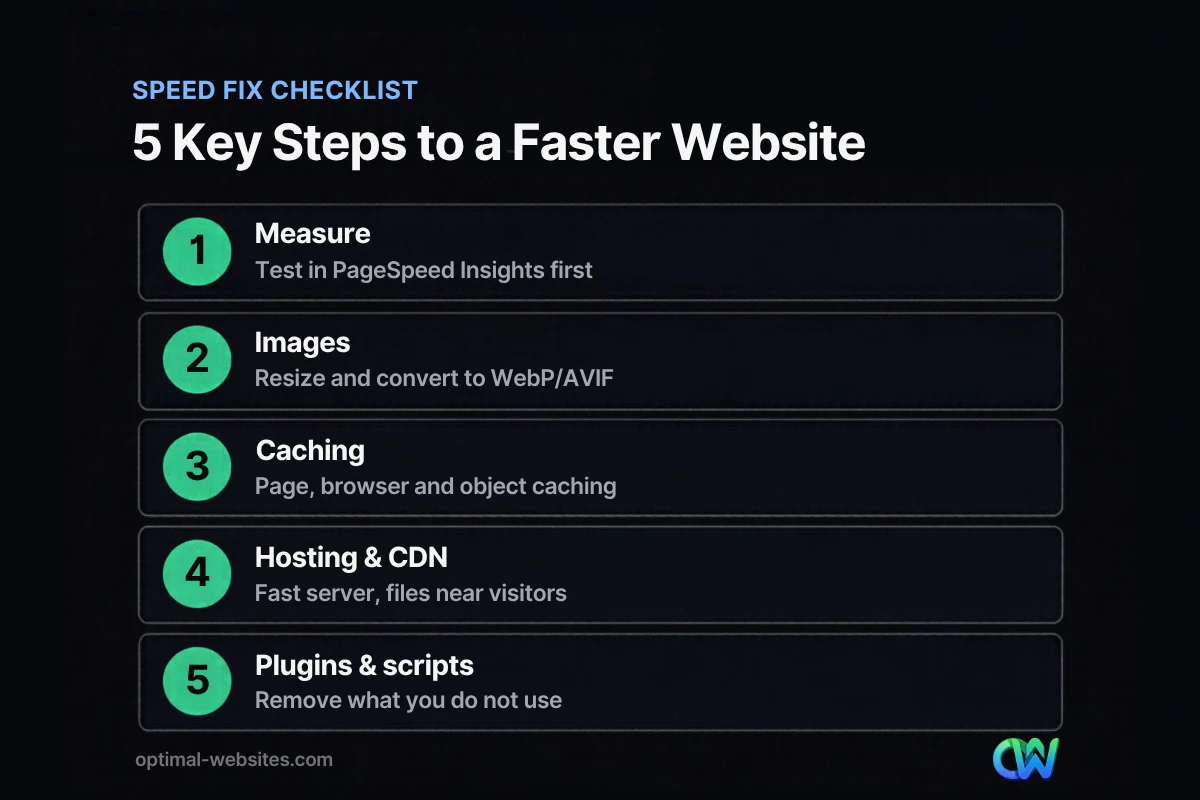
- Run a baseline test. Test your homepage and top landing pages in PageSpeed Insights on mobile, and record LCP, INP and CLS.
- Resize and compress images. Scale every image to the size it actually displays at, then compress it.
- Convert images to WebP or AVIF. Modern formats generally compress better than JPEG and PNG and are supported by all modern browsers.
- Turn on page caching. Serve prebuilt HTML instead of building each page from the database on every visit.
- Enable browser caching and compression. Let visitors reuse downloaded files, and compress text with Gzip or Brotli.
- Upgrade hosting and add a CDN. A fast server and a content delivery network cut the time before anything appears.
- Audit plugins and third-party scripts. Remove what you do not use and delay what is not needed right away.
- Lazy load below-the-fold media, but never the hero image. Load offscreen images and videos only when visitors scroll to them.
- Streamline fonts and code. Use fewer font families and weights, and minify CSS and JavaScript.
- Prevent layout shifts, then retest. Reserve space for images, embeds and banners, and compare your new scores to the baseline.
How Do You Optimize Images for a Faster Website?
Resize images to their display size, compress them and serve them as WebP or AVIF. On most small business sites, nothing helps LCP more.
Phone photos are far larger than any layout needs. Uploading a 1200 x 1200 photo to display as a 120 x 120 thumbnail forces the browser to download the full file and shrink it on every visit.
The 2025 Web Almanac found that about 76% of mobile pages have an image as their LCP element, so your hero photo is very likely what Google is timing.
Practical image checklist
- Export images at no more than about twice their largest display width.
- Convert photos to WebP or AVIF; keep SVG for logos and icons.
- Use WordPress’s built-in responsive image sizes so phones get smaller files.
- Give the hero image a high fetch priority and do not lazy load it.
How Does Caching Speed Up a Slow WordPress Site?
Caching stores ready-made copies of pages and files so the server and browser do less work on each visit. It is one of the most effective fixes for a slow WordPress site.
WordPress builds pages on the fly from the database. Page caching saves the finished HTML and serves it instantly, while browser caching lets visitors reuse CSS, JavaScript, fonts and images on the next page.
Most WordPress sites use a caching plugin or caching built into the host. Pick one and never stack two caching plugins. Also confirm text compression (Gzip or Brotli) is on. Modern servers use HTTP/2 or HTTP/3, so older advice about Keep-Alive or combining every file into one is now mostly handled for you.
If you build with Elementor, review the Performance and Features tabs in its settings. Elementor’s performance features documentation describes options such as Optimized Image Loading (high fetch priority for the LCP image and lazy loading below the fold), Lazy Load Background Images, Inline Font Icons and Element Caching. Test after enabling each, since some are experimental.
Does Web Hosting Affect Website Speed?
Yes. Hosting determines how fast your server responds, and every other metric waits on that first response.
Budget shared hosting packs many sites onto one server, so your pages slow down when neighbors get busy. Managed WordPress hosting or a well-configured VPS usually responds faster. If you are comparing options, our guide to choosing the right web hosting for a small business covers what to look for.
Add a CDN
A content delivery network (CDN) serves copies of your images, CSS, JavaScript and fonts from servers close to each visitor. It helps even local sites by taking load off your main server, and many hosts include one.
How Do Plugins and Scripts Slow Down a Website?
Every plugin, tracking tag and widget can add CSS, JavaScript and server work to each page, slowing both loading and responsiveness.
Plugin bloat is the most common cause of a slow WordPress site we see. A plugin added for one landing page may load files sitewide, and chat widgets, heatmaps and duplicate analytics tags compete for the browser’s main thread, which hurts INP.
To audit them, delete plugins you no longer use, replace single-purpose plugins with features your theme or page builder already has, load scripts only where needed and delay nonessential ones. The PageSpeed Insights “reduce unused JavaScript” diagnostic points to the worst offenders.
Should You Use Lazy Loading?
Yes, for media below the fold, but not for the main image visitors see first. Lazy loading delays offscreen media until the visitor scrolls near it.
WordPress adds native lazy loading to most images. The risk is lazy loading the LCP image by accident; the 2025 Web Almanac reports about 16–17% of pages still do, so check your hero image. Embedded videos and maps work well as click-to-load placeholders.
How Do Fonts and Code Affect Page Speed?
Web fonts and unminified code add file weight and can delay text from appearing or cause it to shift. Keeping both lean improves LCP and CLS.
Each font family and weight is a separate download, so most business sites need two families at most. Host fonts locally, preload the main one and use `font-display: swap` so text shows immediately.
Minify CSS, HTML and JavaScript, and keep styles in external files the browser can cache. Also fix missing files: 404 errors waste server resources, and a periodic crawl with an external link checker finds them without another plugin.
How Do You Fix Layout Shift (CLS)?
Reserve space for everything before it loads. Layout shift happens when images, ads, embeds or fonts appear late and push content around.
Common causes, per web.dev, are images without set dimensions, fonts that render at a different size than their fallback, and widgets that resize themselves. Set width and height on every image, give embeds a fixed container and never insert banners above existing content. These fixes also help on phones, which ties into optimizing your site for mobile search.
What Slows Down Small Business Websites Most?
In our experience, it is oversized photos, years of accumulated plugins and missing page caching.
At Optimal Websites, a WordPress web design agency we build mobile-first sites with Elementor Pro, and we see these patterns across contractors, roofers, law firms and local service businesses.
For roofing and construction sites, compressing portfolio galleries is usually our first fix. For law firms, trimming tracking scripts and chat widgets tends to matter more. Either way, we measure before and after.
How Optimal Websites Can Help
If you would rather not tune caching settings and audit plugins yourself, our Website Speed Optimization service handles the testing, fixes and follow-up measurement for you. We can tune an existing WordPress site or build a new one on a lean Elementor Pro setup.
New builds start with the Starter package at $999, and most projects launch in 2–4 weeks. You can compare options on our website packages and pricing page, and every client gets video tutorials for editing their own site.
Frequently Asked Questions
What is a good page load time for a website?
A good target is a Largest Contentful Paint of 2.5 seconds or less on mobile, Google’s “good” Core Web Vitals threshold. LCP measures when the main content appears, which matters more to visitors than when every background file finishes. Test key pages in PageSpeed Insights and aim to pass all three metrics.
Why is my WordPress site so slow?
A slow WordPress site is usually caused by oversized images, too many plugins, no page caching or cheap shared hosting. WordPress itself can be very fast. Start by checking PageSpeed Insights for the top diagnostics, then remove unused plugins, compress images, enable caching and review your hosting plan. Those four fixes solve most WordPress speed problems we encounter.
How do I check my website speed for free?
Use Google’s PageSpeed Insights, which is free and shows both real-user field data and a Lighthouse lab test with specific recommendations. Google Search Console also has a free Core Web Vitals report that groups your URLs by status. Test on mobile first, since that is where most small business sites struggle.
Does website speed affect SEO?
Yes, website speed affects SEO as part of page experience. Google’s Search Central documentation recommends achieving good Core Web Vitals because they reflect real user experience, which its ranking systems aim to reward. Speed will not outrank better content on its own, but it removes a disadvantage against similar competitors.
What replaced First Input Delay in Core Web Vitals?
Interaction to Next Paint (INP) replaced First Input Delay as a Core Web Vital on March 12, 2024. INP measures how quickly a page responds to all clicks, taps and key presses, not just the first. A good INP is 200 milliseconds or less. Heavy JavaScript and third-party scripts are the most common causes of poor INP.
Is WebP or AVIF better for website speed optimization?
Both are better than JPEG and PNG for website speed optimization, and all modern browsers support them. AVIF often produces smaller files at similar quality, while WebP encodes faster and is widely supported by WordPress tools. Either is a clear improvement over unoptimized JPEGs, so use whichever your image tools handle reliably.
Ready to Get Started?
Want a faster site that turns more visitors into calls and leads? Request a free quote or call us at (302) 554-9497, and we will show you exactly what is slowing your site down.


