
Last updated: October 15, 2026
Quick answer: Image SEO is the practice of making your website’s images easy for Google to find, understand and load fast. The essentials are descriptive file names, clear alt text, modern formats like WebP or AVIF, correct sizing, lazy loading for below-the-fold images, real HTML image tags, and an image sitemap for images Google might miss.
Most small business websites are full of photos, yet many are oversized, named “IMG_4821.jpg” and missing alt text. That costs you twice. Heavy images slow your pages, which hurts rankings and conversions, and unlabeled images never show up when customers search Google Images or see visual results in regular search. Good image SEO fixes both problems at once. This guide walks you through what Google actually recommends, which file formats to use, how to write alt text and file names, and a checklist you can apply to your WordPress site this week.
Key Takeaways
- Image SEO helps Google discover, understand and rank your images, and it makes your pages load faster.
- Use descriptive file names and plain-language alt text. Never stuff keywords into either.
- Serve WebP or AVIF instead of large JPEGs and PNGs, and size images to the space they fill.
- Lazy-load images below the fold, but never your hero or main above-the-fold image.
- Use real `<img>` tags, place images near relevant text, and add an image sitemap if Google might miss some images.
What Is Image SEO and Why Does It Matter?
Image SEO is the set of practices that help search engines find, understand and display your images, while keeping them light enough that they do not slow your pages down. It matters because images affect both visibility in search and the speed of every page they sit on.
Images can bring traffic from Google Images and from image results inside regular search. Someone searching “metal roof colors” is often browsing visually before calling anyone, and well-labeled project photos can send that visitor to your site.
The second benefit is speed. On most service business pages, the largest element on screen is a photo. That makes images a major factor in Largest Contentful Paint (LCP), one of Google’s Core Web Vitals. A 4 MB hero photo can drag down a page that is otherwise well built. If speed is a known issue on your site, our guide on how to improve website speed covers the bigger picture.
What Does Google Recommend for Image SEO?
Google’s guidance comes down to three things: make images discoverable, give them clear context, and keep them fast. All of it is published in Google’s image SEO best practices on Search Central.
Here are the points that matter most for a typical business site:
- Use HTML image elements. Google finds images in the `src` attribute of `<img>` tags. Google states it does not index CSS background images, so any photo you want found in search should not be a CSS background.
- Place images near relevant text. An image of a finished deck sitting next to a paragraph about deck construction has strong context. The same image dropped into a generic footer does not.
- Write descriptive alt text. Google treats alt text as the most important piece of metadata for understanding an image, and it warns against filling alt attributes with keywords.
- Use short, descriptive file names. Google recommends file names that are short but describe the subject.
- Provide responsive images. The `srcset` attribute lets you serve different image sizes for different screens. Keep a `src` fallback for crawlers and browsers that do not support it.
- Use a supported format. Google Search supports BMP, GIF, JPEG, PNG, WebP, SVG and AVIF.
There is no hidden trick here. If you are building your overall search foundation, our guide to SEO for small business is a good companion to this one.
Which Image Format Is Best for SEO: WebP, AVIF, JPEG or PNG?
For most photos on a business website, WebP is the safest choice and AVIF is the smallest. Both are supported by Google Search and by current versions of all major browsers. JPEG and PNG still work, but they are usually much heavier for the same visual quality.
According to Google’s WebP compression documentation, WebP lossless images are 26% smaller than PNGs, and WebP lossy images are 25–34% smaller than comparable JPEGs at equivalent quality. AVIF often compresses even further, and per web.dev it has been supported in Chrome since 2020, Firefox since 2021 and Safari since 2022.
WordPress supports both. WebP uploads arrived in WordPress 5.8 (July 2021), and AVIF support was added in WordPress 6.5 (April 2024), as long as your server’s image library can process it.
| Format | Best for | Transparency | Typical trade-off |
|---|---|---|---|
| WebP | Most photos and graphics | Yes | Small files, very broad support |
| AVIF | Large hero and gallery photos | Yes | Smallest files, slower to encode |
| JPEG | Fallback for older tools | No | Larger files at the same quality |
| PNG | Screenshots, simple graphics needing lossless quality | Yes | Very large for photos |
| SVG | Logos and icons | Yes | Not suitable for photos |
A practical rule we use on client builds: SVG for logos and icons, WebP or AVIF for everything photographic, and nothing over a few hundred kilobytes unless there is a strong reason.
How Do You Write Alt Text for SEO?
Good alt text describes what is in the image in plain language, as if you were explaining it to someone over the phone. It should be specific, short and accurate. Alt text serves two audiences: people using screen readers and search engines trying to understand the image.
Alt text examples
- Weak: `alt=””` on a key project photo, or `alt=”image1″`
- Keyword-stuffed: `alt=”roofing roofer roof repair best roofing company Delaware”`
- Good: `alt=”Crew installing a standing seam metal roof on a two-story home”`
Alt text rules of thumb
- Describe the subject and the action or setting.
- Include a location or service term only when it is genuinely part of the image.
- Keep it to roughly one sentence.
- Use empty alt text (`alt=””`) for purely decorative images, so screen readers skip them.
In WordPress, alt text lives in the Media Library. Set it there once and it carries into most places the image is used, including Elementor image widgets.
How Should You Name Image Files?
Name image files with a few hyphenated words that describe the subject, such as `standing-seam-metal-roof-install.webp`. Do this before you upload, because renaming files after they are published is awkward in WordPress.
Generic camera names like `DSC_0042.jpg` tell Google nothing. Descriptive names are a small signal, but they add up and keep your Media Library manageable. Use lowercase and hyphens, and avoid stuffing keywords.
Does Lazy Loading Help or Hurt Image SEO?
Lazy loading helps when it is applied to images below the fold, because the browser only downloads them as the visitor scrolls. It hurts when it is applied to the main image at the top of the page, because that delays your Largest Contentful Paint.
The web.dev guide to browser-level lazy loading is clear on this: do not lazy-load images that are likely to be in view when the page loads, especially the LCP image. It also recommends adding `width` and `height` attributes to every `<img>` tag so the browser can reserve space and avoid layout shift, which protects your Cumulative Layout Shift (CLS) score.
WordPress has added `loading=”lazy”` to images by default since version 5.5. Themes, page builders and caching plugins also change how lazy loading is applied, so it is worth checking your hero image in PageSpeed Insights. If it is flagged as lazy-loaded, turn lazy loading off for that one image.
Do You Need an Image Sitemap?
You need an image sitemap only if Google might not find some of your images on its own, for example images loaded by JavaScript sliders or galleries. For a standard WordPress site with images in normal `<img>` tags, your regular sitemap is usually enough.
According to Google’s image sitemap documentation, each page entry can list up to 1,000 images, and the only required tags are `<image:image>` and `<image:loc>`. Google removed older optional tags such as caption, title and license from its documentation, so you do not need them. Images hosted on a CDN or another domain can be included, as long as you verify both domains in Google Search Console.
Most SEO plugins for WordPress can add images to your sitemap automatically. Check that the setting is on, then submit the sitemap in Search Console.
Can Structured Data Improve Image SEO?
Structured data can make your images eligible for richer treatment in search, but it does not guarantee it. Two types matter most for small businesses.
Page-level structured data
When a page has Product, Recipe or Article markup, the `image` property tells Google which image represents the page. Google notes that this property is required for some image badges and rich results. For online stores, accurate product images in Product markup are especially worth getting right.
Image license metadata
If you license your own photography, `ImageObject` structured data or embedded IPTC metadata can make an image eligible for a “Licensable” badge in Google Images. Most service businesses can skip this.
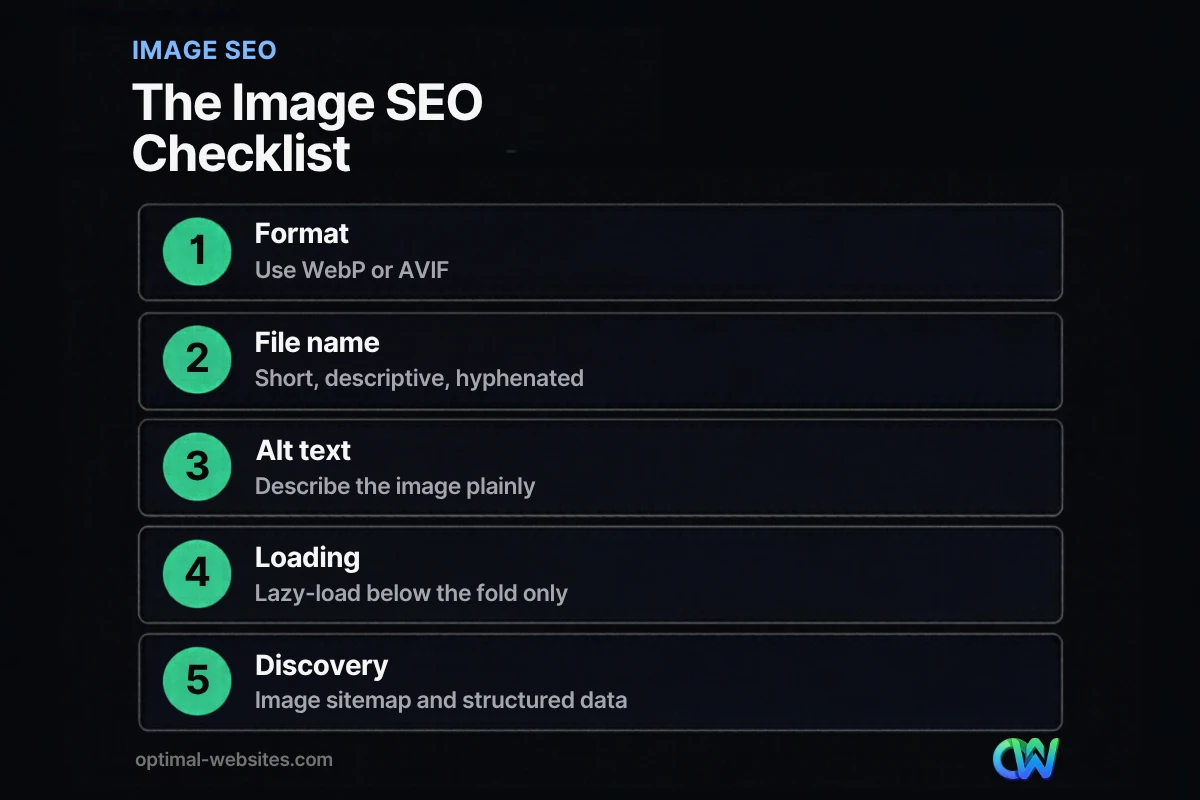
What Is the Complete Image SEO Checklist?
Use this image SEO checklist every time you add or refresh a page.
- [ ] Resize the image to the largest size it will actually display (a 6,000-pixel photo in a 1,200-pixel slot wastes bandwidth).
- [ ] Convert photos to WebP or AVIF.
- [ ] Rename the file with short, hyphenated, descriptive words.
- [ ] Upload it and write plain-language alt text in the Media Library.
- [ ] Place the image near the text it supports.
- [ ] Use an `<img>` element, not a CSS background, for any image you want in search.
- [ ] Confirm `width` and `height` attributes are present.
- [ ] Lazy-load below-the-fold images, and make sure the hero image is not lazy-loaded.
- [ ] Check that images are in your sitemap and the sitemap is submitted in Search Console.
- [ ] Add or verify the `image` property in Product, Article or other structured data where relevant.
- [ ] Run the page through PageSpeed Insights and fix any image warnings.
If you are working through older content, pair this checklist with our process to update old blog posts for SEO, since outdated posts often carry the heaviest, least-labeled images.
How Optimal Websites Can Help
At Optimal Websites, a WordPress web design agency based in Delaware, image handling is part of every build rather than an afterthought. Our sites are built mobile-first with Elementor Pro, and we set up modern image formats, proper sizing, alt text and sensible lazy loading from day one. Contractors, roofers, construction firms and law firms rely heavily on project and team photos, so getting images right matters for both speed and search.
If your current site feels slow or your photos never show up in search, our SEO services and website speed optimization can help. You can also compare our website packages and pricing, which start at $999 for Starter sites, with most projects launching in 2–4 weeks.
Frequently Asked Questions
What is image SEO?
Image SEO is the process of optimizing your website’s images so search engines can find, understand and display them, while keeping pages fast. It covers file names, alt text, image formats, compression, sizing, lazy loading, sitemaps and structured data. Done well, it can bring visitors from Google Images and visual search results, and it improves Core Web Vitals scores such as Largest Contentful Paint.
Does alt text help SEO?
Yes. Google describes alt text as the most important metadata it uses to understand an image, so it directly affects whether your images appear in relevant searches. Good alt text also makes your site accessible to people using screen readers. Write a short, accurate description of what the image shows, and avoid stuffing it with keywords, which Google specifically advises against.
Is WebP or AVIF better for SEO?
Both are supported by Google Search, so neither has a ranking advantage on its own. The benefit comes from smaller files and faster pages. AVIF usually produces the smallest files, while WebP encodes faster and is extremely well supported. For most small business sites, WebP is a reliable default, with AVIF a good option for large hero and gallery photos.
Should I lazy-load all images?
No. Lazy-load images that sit below the fold, but never the main image visible when the page first loads. Lazy-loading the hero image delays Largest Contentful Paint and can hurt your Core Web Vitals. WordPress lazy-loads images by default, and page builders and plugins also affect it, so check your hero image in PageSpeed Insights.
Do image file names matter for SEO?
They matter a little, and they are easy to get right. Google recommends short, descriptive file names, so `brick-patio-installation.webp` gives more context than `IMG_4821.jpg`. File names are a minor signal compared with alt text and surrounding page content, but across a whole site they add useful context. Rename files before uploading, since changing them afterward is harder.
How do I get my images to show up in Google Images?
Use real HTML image tags, place images near relevant text, write descriptive alt text and file names, and make sure the pages are indexed. Add images to your sitemap and submit it in Google Search Console. Strong image SEO also depends on the page itself being useful, since Google ranks images partly on the quality and relevance of the page they appear on.
Does image size affect Google rankings?
Image size affects page speed, and page speed is part of Google’s page experience signals through Core Web Vitals. Oversized images are one of the most common causes of slow Largest Contentful Paint on small business sites. Resize images to the dimensions they display at, compress them, and use WebP or AVIF so pages load quickly on mobile connections.
Ready to Get Started?
Want your project photos working as hard as your sales team? Get a free quote or call us at (302) 554-9497 to talk through your site’s image SEO and performance.


