
Quick answer: A roofing landing page is a single, focused page built for one campaign, such as storm damage or roof replacement ads. To turn clicks into jobs, match the headline to the ad, show local proof, keep the form short, put a click-to-call button on every screen and make the page load fast on phones.
When a hailstorm or high winds hit your area, homeowners grab their phones and search for help. Your ads and listings may get the click, but the page they land on decides whether they call you or hit the back button. Many roofers send that traffic to a busy homepage, where the storm offer is buried under every service they provide. A dedicated roofing landing page fixes that. This guide covers when you need one, the layout that converts on mobile, what to write, which trust signals matter, how to set up the form and call tracking, and the mistakes that waste ad spend during storm season.
Key Takeaways
- Send ad and storm traffic to a dedicated page, not your homepage.
- The headline should repeat the promise in the ad and name your service area.
- Use real reviews, licenses, insurance details and local job photos as proof.
- Keep the form to four or five fields and make calling one tap away.
- Fast mobile loading and a clear page help both conversions and Google Ads Quality Score.
What is a roofing landing page?
A roofing landing page is a standalone web page designed to turn visitors from one campaign into leads. It focuses on a single offer, such as a free storm damage inspection or a roof replacement estimate, and removes distractions like full navigation menus.
It differs from a service page. A service page explains a service to anyone browsing your site and is built to rank in search. A landing page is built for a specific audience coming from a specific ad, email or mailer, and its only job is to get a call or form submission. Our guide to landing page design covers the general principles; this post applies them to roofing.
When do roofers need one?
You need a dedicated page when you run:
- Google Ads or Local Services campaigns for storm damage or roof replacement
- Facebook or Instagram ads after a storm
- Door hanger, postcard or yard sign campaigns with a URL or QR code
- Seasonal promotions, such as financing offers or gutter bundles
What should a roofing landing page include?
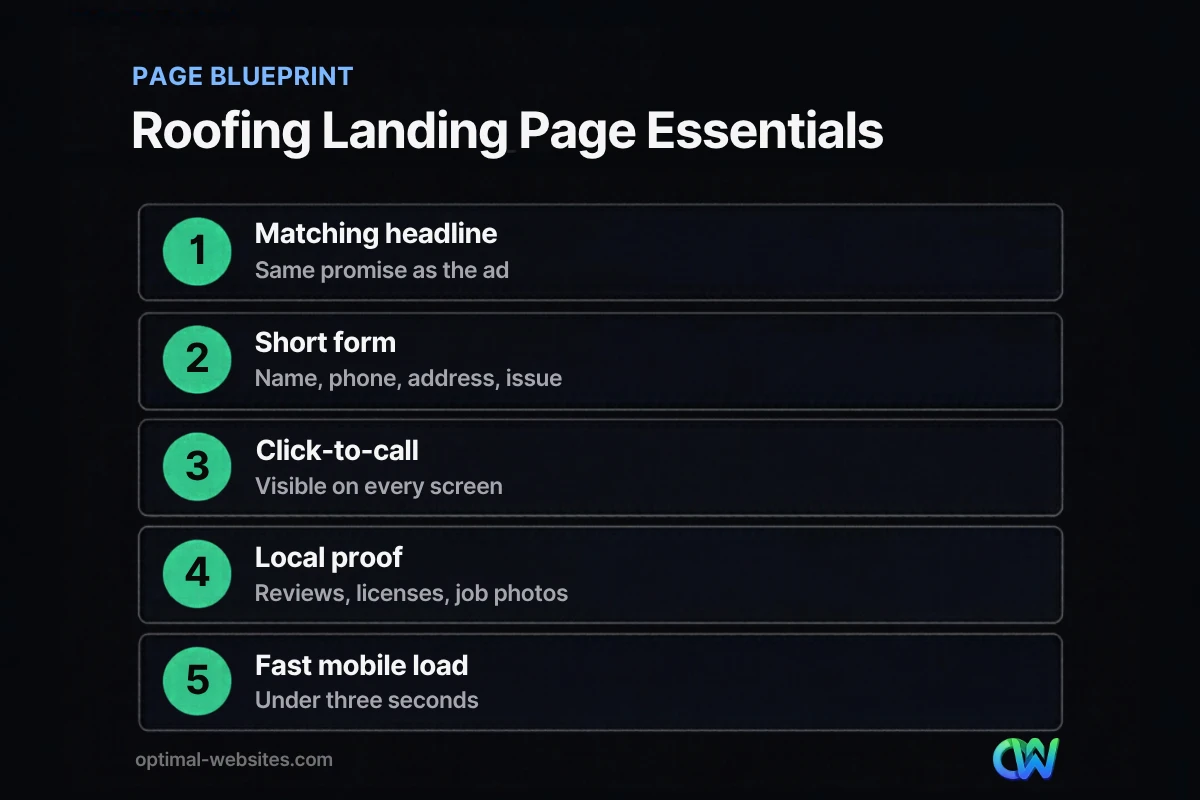
A high-converting roofing landing page includes a matching headline, a clear offer, a short form, click-to-call, local proof and a simple explanation of what happens next. Everything else is optional.
| Section | What to include | Why it matters |
|---|---|---|
| Headline | The ad’s promise plus your service area | Confirms visitors landed in the right place |
| Offer | Free inspection, estimate or insurance claim help | Gives a reason to act now |
| Form | Name, phone, address, short description | Low effort on a phone |
| Call button | Click-to-call in the header and near the form | Many storm leads prefer to call |
| Proof | Reviews, years in business, licenses, insurance, photos | Builds trust fast |
| Process | Three or four steps from inspection to repair | Removes uncertainty |
| FAQs | Insurance, timing, cost, warranties | Answers objections before the call |
Write a headline that matches the ad
If your ad says “Free Storm Damage Roof Inspection in Dover,” the page headline should say the same. Message match tells visitors they are in the right place. It also supports landing page experience, which Google lists as one of the three components of Google Ads Quality Score, alongside expected click-through rate and ad relevance.
Make the offer specific
“Contact us” is not an offer. “Free 20-point roof inspection with photos, usually within 48 hours” is. Only promise what your crew can actually deliver during a busy storm week.
How do you build trust on a storm damage landing page?
Trust comes from proof that you are local, licensed, insured and experienced. After a storm, homeowners are wary of out-of-town contractors, so local details carry extra weight on a storm damage landing page.
Strong trust signals for roofers include:
- Real reviews from local customers, with first names and towns where permitted.
- License and insurance details, stated clearly.
- Manufacturer certifications you actually hold.
- Photos of your crews and completed roofs in the area, not stock images.
- Years in business and a local address or service area map.
- Warranty details in plain language.
Never invent or buy testimonials. The FTC’s final rule on fake reviews and testimonials, announced in August 2024, bans fake reviews and testimonials, including ones attributed to people who do not exist or never used your service.
How should a roofing ads landing page work on mobile?
Most storm-related searches happen on phones, often outside or in a hurry. A roofing ads landing page should load fast, show the offer and call button immediately and keep the form easy to fill with a thumb.
- Speed. Aim for the Core Web Vitals targets: main content visible within 2.5 seconds, quick response to taps and no layout jumps. Compress photos and avoid heavy sliders.
- Sticky call button. A small bar at the bottom of the screen with “Call Now” works well, as long as it does not cover the form.
- Form fields. Use the right input types so phones show a number pad for phone and ZIP fields.
- No full navigation. Remove the site menu so visitors are not pulled away from the offer. Keep your logo and phone number.
How do you set up forms and call tracking for roofing PPC?
Track every lead source so you know which campaigns pay for themselves. For roofing PPC, that means tracking both form submissions and phone calls, and recording which ones become signed jobs.
- Set up form submission tracking as a key event in Google Analytics 4 and import it into Google Ads.
- Use call tracking numbers on the landing page so you can attribute calls to campaigns.
- Send form leads by text and email to the person who responds, not to a general inbox.
- Respond fast. Storm leads often contact several roofers at once.
- Record outcomes (inspection booked, estimate sent, job signed) so you can judge cost per job, not just cost per lead.
Roof replacement page vs storm page
Run separate pages for separate intents. A roof replacement page speaks to homeowners planning a project, with financing, materials and timelines. A storm page speaks to urgent damage and insurance claims. Mixing both on one page weakens each message.
What mistakes waste roofing ad spend?
The most common mistakes are sending ads to the homepage, using generic headlines, asking for too much information and slow mobile pages. Each one lowers conversions and can raise your cost per click.
Other mistakes to avoid:
- Promising insurance outcomes you cannot guarantee
- Using stock photos of roofs that are clearly not in your region
- Hiding the phone number or making it an image instead of a tappable link
- Forgetting to update the page when the storm offer ends
- Running ads without tracking which leads become jobs
What we see on roofing projects
We build WordPress sites with Elementor Pro for roofing and construction companies, including PCS Roofs, which you can see in our portfolio. On roofing sites, the elements that matter most are consistent: a click-to-call number in the header, a short inspection form near the top, real crew and project photos and service area details. Landing pages built in Elementor reuse the site’s design system, so they stay on brand and can be launched quickly when the weather turns.
For the bigger picture, see our guides to roofing website design and roofing SEO, which cover the organic side of getting found after a storm.
How Optimal Websites Can Help
Optimal Websites, a WordPress web design agency based in Delaware, designs landing pages and full websites for roofing contractors that load fast on phones, track every call and form, and make it easy to request an inspection. Our lead generation services focus on the pages and forms that bring in jobs, and landing pages can be added to any of our website packages.
Frequently Asked Questions
What makes a good roofing landing page?
A good roofing landing page has one clear offer, a headline that matches the ad, a short form, a click-to-call button, local reviews and photos, and license and insurance details. It loads quickly on phones and removes distractions like the full site menu, so visitors focus on requesting an inspection or estimate.
Should roofing ads go to my homepage or a landing page?
Roofing ads should usually go to a dedicated landing page. A homepage covers every service and audience, while a landing page focuses on the single offer in the ad, such as storm damage inspections. That focus tends to improve conversions and supports landing page experience, a component of Google Ads Quality Score.
What should a storm damage landing page say?
A storm damage landing page should name the storm type and service area, offer a free inspection, explain the steps from inspection to repair, show local proof and answer insurance questions honestly. Avoid promises you cannot keep, such as guaranteed claim approval, and update the page when the storm offer ends.
How many form fields should a roofing lead form have?
Most roofing lead forms work best with four or five fields: name, phone, address or ZIP code and a short description of the problem. Email can be optional. Fewer fields mean less effort on a phone, and you can gather the rest of the details when you call the homeowner back.
How do I track leads from roofing PPC campaigns?
Track roofing PPC leads by setting up form submissions as key events in Google Analytics 4, importing them into Google Ads and using call tracking numbers on the page. Then record which leads became inspections and signed jobs, so you can measure cost per job and adjust budgets to the campaigns that pay.
Do I need a separate roof replacement page?
Yes, if you advertise both storm repairs and planned roof replacements. A roof replacement page speaks to homeowners comparing materials, financing and timelines, while a storm page speaks to urgent damage and insurance. Separate pages keep each message focused and usually convert better than one combined page.
Ready to Get Started?
Ready to turn storm season clicks into signed roofing jobs? Get a free quote or call (302) 554-9497.


