
Quick answer: A website care plan is a monthly service that keeps your site updated, backed up, secure and running fast, usually with some support time for small edits. You need one if your website brings in leads or sales and nobody on your team has the time or skill to handle WordPress updates, backups and fixes safely.
Most business websites launch looking great and then slowly drift. Plugins go out of date, backups stop running, a form quietly breaks and nobody notices until a customer mentions it. A website care plan exists to stop that drift. It is one of the most common add-ons web designers offer, and also one of the least understood. Some plans are excellent value, others are little more than an automatic update button with a monthly fee. This guide explains what a WordPress care plan should include, who needs one, what it typically replaces and how to compare a managed website service against doing it yourself.
Key Takeaways
- A care plan bundles updates, backups, security monitoring, uptime checks and a small amount of support time.
- It matters most for sites that generate leads or sales, use several plugins or are edited by non-technical staff.
- Ask how updates are tested, where backups are stored and whether a restore has ever been tested.
- Compare the plan to the real cost of doing it yourself, including your time and the risk of downtime.
- A care plan is different from hosting. Some hosts handle server updates, but not your plugins, forms or content.
What is a website care plan?
A website care plan is an ongoing service, usually billed monthly, in which a developer or agency maintains your website so it stays secure, current and working. For WordPress sites, it covers the software layers you are responsible for: WordPress core, your theme and your plugins.
It is sometimes called a website support plan, a managed website service or a maintenance retainer. The names vary, but the purpose is the same: someone qualified is watching the site and fixing problems before customers find them.
Care plan vs hosting
Hosting is where your site lives: the server, storage and network. A care plan looks after the site itself. Many managed hosts update the server and sometimes WordPress core, but they rarely test plugin updates against your design, check your forms or make content edits. Our guide to WordPress website maintenance explains the full split of responsibilities.
What should a WordPress care plan include?
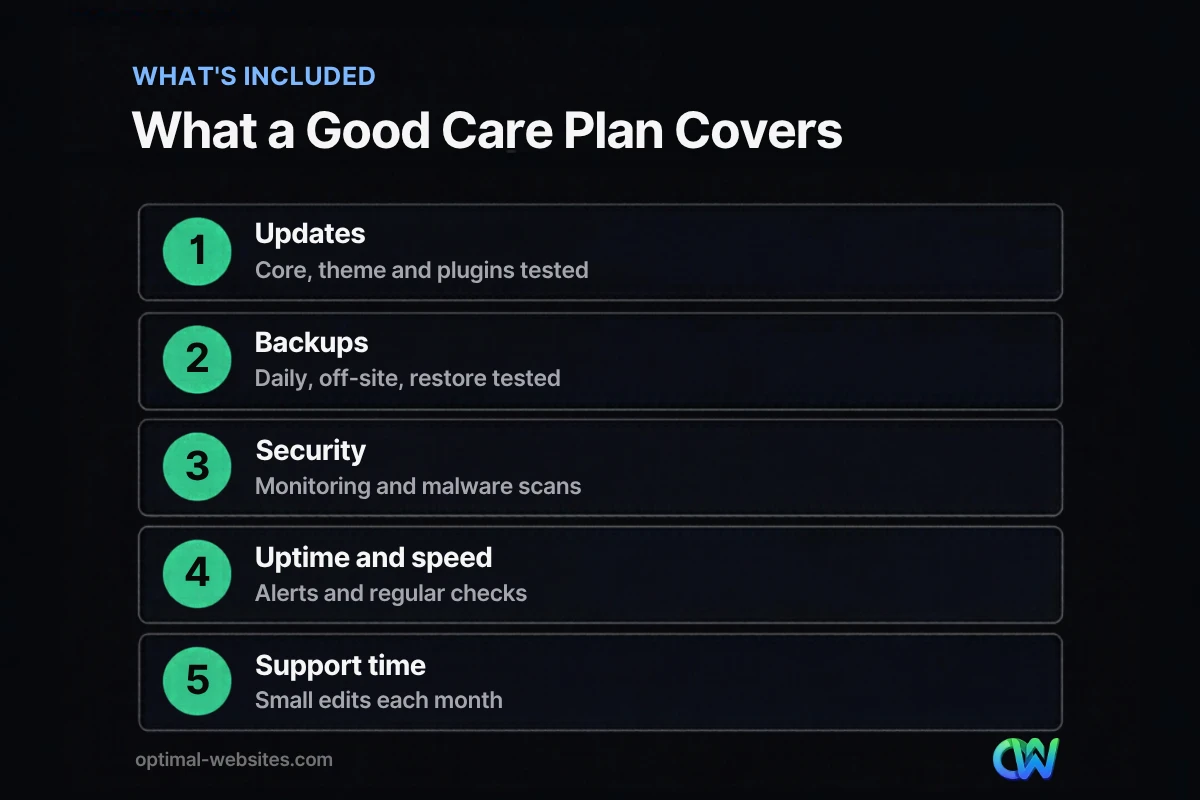
A good WordPress care plan includes tested updates, reliable backups, security monitoring, uptime and performance checks, and a defined amount of support time. Anything less is only partial coverage.
| Service | What good looks like | Red flag |
|---|---|---|
| Updates | Core, theme and plugins updated on a schedule, checked after each update | “Auto-updates enabled” with no checks |
| Backups | Daily backups stored off-site, with tested restores | Backups only on the same server |
| Security | Malware scanning, login protection, alerts | No monitoring, only a plugin installed |
| Uptime | Monitoring with alerts and a response process | Nobody notices until a customer calls |
| Performance | Periodic speed checks and cleanup | No measurement at all |
| Support time | A set number of minutes or tasks per month | Every small edit billed separately |
| Reporting | A short monthly summary of what was done | No visibility into the work |
Updates
WordPress, themes and plugins release updates to fix bugs and security issues. WordPress’s own update guide recommends backing up the site before you update, so that you can restore it if something goes wrong. A care plan should follow that order every time and check key pages and forms afterward.
Backups
The WordPress backup documentation points out that your database holds every post, page and setting, and that it can be lost or corrupted for reasons you cannot always control. Backups should run automatically, be stored away from your hosting server and be tested by restoring them from time to time.
Security
Security monitoring watches for malware, suspicious logins and file changes. The WordPress hardening guide stresses keeping WordPress up to date because older versions are not maintained with security fixes. For more on protecting your site, see our guide to WordPress website security.
Who needs a website care plan?
You need a website care plan if your site is a real business tool and no one in-house can maintain it reliably. You may not need one if the site is very simple, rarely changes and you are comfortable doing updates and backups yourself.
A care plan is usually worth it if:
- Your site generates leads, bookings or online sales.
- It runs on WordPress with several plugins, a page builder or an online store.
- Staff edit content, but no one is responsible for updates and backups.
- A day of downtime would cost you calls or orders.
- You work in a field where trust matters, such as legal, healthcare or construction.
You might skip it if your site is a small brochure site with few plugins, you update it yourself every week and you keep your own off-site backups.
How much does a website care plan cost?
Care plan pricing depends on the size of the site, the number of plugins, whether it runs an online store and how much support time is included. Plans with more hands-on testing and support cost more than basic update-only plans.
Rather than comparing price alone, compare what is included per month: update testing, backup storage, security monitoring, response times and support minutes. For a detailed breakdown of the factors that drive monthly fees, see our guide to website maintenance cost.
Doing it yourself vs paying for a plan
Doing it yourself is cheaper on paper. In practice, count:
- Your time each month for updates, checks and backups.
- The learning curve when an update breaks a layout or form.
- The cost of downtime if the site is broken for a day or two.
- Cleanup costs if the site is hacked and has to be repaired.
If those add up to more than a plan costs, the plan is the better deal.
What questions should you ask before choosing a care plan?
Ask questions that reveal how the provider actually works, not just what the plan is called. A clear provider will answer each one in plain language.
- How often do you update WordPress, the theme and plugins, and how do you test afterward?
- Where are backups stored, how long are they kept and when did you last test a restore?
- What security monitoring do you use and what happens if malware is found?
- How do you monitor uptime and how fast do you respond to an outage?
- How much support time is included and what counts as a support task?
- Do I get a monthly report?
- Can I cancel, and do I keep full access to my site, hosting and domain?
That last question matters. You should always own your domain, hosting account and site admin login, whether or not you keep the plan.
What we see on real projects
On the WordPress and Elementor Pro sites we build for contractors, law firms and local service businesses, the most common problems we are asked to fix are not dramatic hacks. They are broken contact forms after an update, expired licenses on premium plugins and backups that were never set up. Each one is easy to prevent with a regular routine.
How Optimal Websites Can Help
Optimal Websites, a WordPress web design agency based in Delaware, builds and supports WordPress sites made with Elementor Pro, and we offer hosting, support and maintenance for the sites we build. Every project also includes video tutorials so your team can handle everyday content edits without waiting on anyone.
Learn more about our WordPress web design and support, or see our website packages if you are planning a new site.
Frequently Asked Questions
What is a website care plan?
A website care plan is a monthly service where a developer or agency keeps your website updated, backed up, secure and working. It usually includes WordPress core, theme and plugin updates, off-site backups, security monitoring, uptime checks and a small amount of support time for edits, plus a short report of the work done.
Is a WordPress care plan worth it?
A WordPress care plan is worth it when your site brings in leads or sales and nobody in-house can maintain it safely. It prevents broken forms, outdated plugins and missing backups, which can cost far more to fix after the fact. Very simple sites maintained by a confident owner may not need one.
What is the difference between a care plan and hosting?
Hosting provides the server where your website lives. A care plan maintains the website itself: plugin and theme updates, backups, security monitoring and fixes. Some managed hosts handle server and core updates, but they usually do not test plugins against your design, check forms or make content changes for you.
How often should a website be updated?
Most WordPress sites should be checked for updates at least weekly, with security updates applied promptly. Updates should be done after a fresh backup and followed by a quick check of key pages and forms. A website support plan handles this schedule for you and documents what changed each month.
Can I cancel a website care plan?
You should be able to cancel a care plan, and a fair provider will say so clearly. Before you sign, confirm that you own your domain, hosting account and admin login, and that you can download a full backup. That way, leaving the plan never means losing your website.
Does a care plan include website changes?
Many care plans include a set amount of support time each month for small changes, like updating text, swapping photos or adding a staff bio. Larger work, such as new pages or a redesign, is usually quoted separately. Ask exactly what counts as a support task before choosing a maintenance retainer.
Ready to Get Started?
Want a website that stays fast, secure and working without the worry? Get a free quote or call (302) 554-9497.


