
Quick answer: An AI agent ready website is one that software agents, such as ChatGPT agent or Google’s agentic features in AI Mode, can read and use on a customer’s behalf. It states key facts in plain text, uses simple labeled forms and real buttons, adds structured data and keeps a human confirmation step before any booking or payment.
Customers are starting to hand small tasks to AI. Instead of clicking through five websites to find an open appointment, they ask an assistant to find one and book it. In July 2025 OpenAI launched ChatGPT agent, which browses and fills out forms in its own virtual browser, and in August 2025 Google added agentic features to AI Mode, starting with restaurant reservations. An AI agent ready website lets those tools find your prices, hours and availability and complete a request without getting stuck. This guide explains how agents use websites, what trips them up and the practical fixes that also make your site better for people.
Key Takeaways
- AI agents read your pages and click through them much like a person, so clarity and simple flows matter most.
- Put prices, hours, service areas and policies in plain text, not only in images or PDFs.
- Accessible markup (labeled fields, real buttons, logical headings) helps both agents and people using assistive tech.
- Structured data gives agents and search engines confirmed facts about your business.
- Keep a human step before anything binding, like payments or final bookings.
What is an AI agent ready website?
An AI agent ready website is a site that automated assistants can understand and operate: find information, compare options, fill out forms and start a booking for a user. It does not need special AI code. It needs clear content, predictable navigation and forms that work without guesswork.
Agentic browsing is the term for AI tools that act on the web for a user, not just summarize it. The agent opens pages, reads them, clicks buttons and types into fields. If a human would struggle with your booking flow, an agent will too, and it will often give up and move to a competitor.
How this differs from AI search
AI search, which we covered in our guide to Google AI Mode, is about being quoted in answers. Agents go one step further: they try to complete a task. That makes your forms, calendars and checkout as important as your content.
How do AI agents use business websites?
AI agents use websites by reading the visible page and its underlying structure, then interacting with links, buttons and form fields to reach a goal the user set, such as “book a cleaning next Tuesday morning.”
Google’s announcement of agentic capabilities in AI Mode describes searching across multiple reservation platforms and websites to find real-time availability that matches a user’s constraints, starting with restaurant reservations and expanding to local service appointments and event tickets. OpenAI’s ChatGPT agent works in a similar way, with the user able to take over or stop the task, and it asks for permission before actions that have consequences.
For a local service business, the most likely agent tasks look like this:
- “Find a plumber near me who is open Saturday and get a quote.”
- “Book a consultation with a family law attorney next week.”
- “Compare roof inspection prices from three local companies.”
- “Schedule a dental cleaning for my son after 3 p.m.”
What makes a website hard for AI agents to use?
Websites are hard for agents when key facts are hidden, forms are confusing or the interface relies on visual tricks that do not translate into clear structure. Most of these problems also frustrate human visitors.
| Problem | Why it blocks agents | Fix |
|---|---|---|
| Prices or hours only in images | Agents may not read text inside images reliably | Put facts in real HTML text |
| Unlabeled form fields | Agent cannot tell which box is phone vs email | Use visible labels tied to each field |
| Clickable divs instead of buttons | Agent may not recognize the element as clickable | Use real buttons and links |
| Pop-ups and overlays on load | Covers content and interrupts the flow | Delay or remove non-essential pop-ups |
| CAPTCHAs on every step | Agents are designed to stop at bot checks | Use them only where spam is a real problem |
| Booking only by phone | Agent cannot complete the task online | Offer an online request or booking option |
| Vague service pages | Agent cannot confirm you offer the service | One clear page per service with specifics |
How do you make your website ready for AI agents?
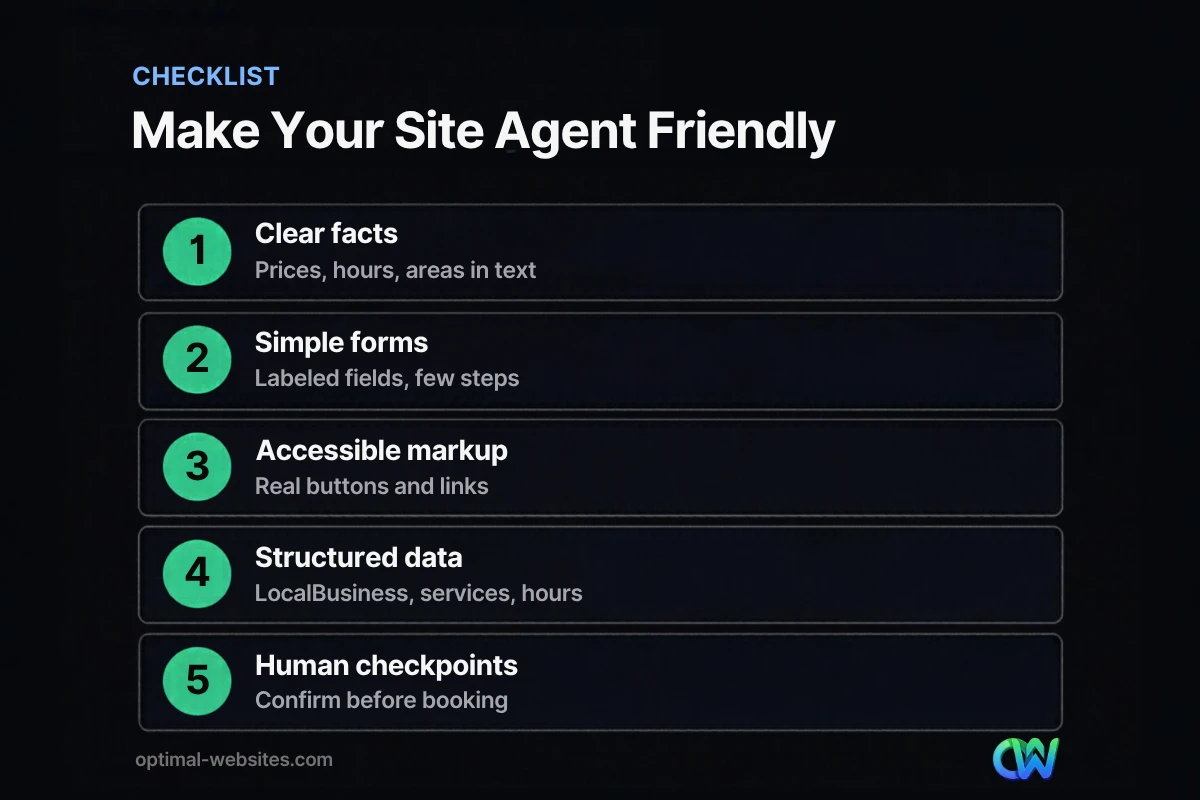
Make your website ready for AI agents by publishing clear facts, simplifying forms, using accessible markup, adding structured data and keeping human checkpoints. Each step also improves the site for customers.
1. Publish the facts agents look for
Agents need answers to decide. List starting prices or price ranges, service areas, hours, response times, cancellation policies and accepted payment or insurance on the relevant pages, in plain text.
2. Simplify forms and booking flows
Keep forms short with clear labels and helpful error messages. Avoid multi-step wizards unless each step is necessary. If you use an online booking tool, make sure available time slots are shown as selectable options, not just as a picture of a calendar.
3. Use accessible, semantic markup
Agents rely heavily on the same structure that screen readers use. Following Web Content Accessibility Guidelines (WCAG) 2.2 for labels, headings, link text and keyboard access makes your site easier for agents and for people with disabilities.
4. Add structured data
Structured data describes your business in a machine-readable way: name, address, phone, hours, services and more. Google’s LocalBusiness structured data documentation lists the properties to include, and our guide to local business schema shows how to set it up on WordPress. Keep it accurate and matching the visible page.
5. Keep a human in the loop
Agents should be able to start a request, but a person should confirm anything binding. Send a confirmation email or text before an appointment is final, and never let an unverified form trigger a charge.
Should you block AI agents from your site?
Most small businesses should not block AI agents, because those agents are acting for real potential customers. Blocking them can mean losing a booking to a competitor whose site works.
There are reasonable limits. Protect login areas, client portals and payment pages as you normally would. Use spam protection on forms, but avoid putting a bot challenge in front of every visitor. Watch your form submissions and analytics for unusual patterns, and adjust if automated traffic becomes a problem.
What should you do first?
Start with the pages that drive bookings: your main service pages, contact or quote page and booking flow. Test them yourself on a phone, then try asking an AI assistant to find your hours or request a quote and see where it gets stuck.
A quick first-week checklist:
- Move any prices, hours or service areas out of images and into text.
- Check every form field has a visible label.
- Replace generic “Click here” links with descriptive text.
- Remove pop-ups that appear before a visitor can read the page.
- Validate your structured data with Google’s Rich Results Test.
- Make sure booking confirmations go to a real person.
What we see when building sites
On the WordPress and Elementor Pro sites we build for contractors, law firms and local service businesses, the same habits that help accessibility and speed help with agents: real headings, labeled forms, text instead of image-based content and one clear booking path per service. You do not need a separate “AI version” of your site.
For a broader look at how AI is changing design and development, see our guide to AI in web design.
How Optimal Websites Can Help
Optimal Websites, a WordPress web design agency based in Delaware, builds fast, accessible, mobile-first websites with clean markup, structured data and simple booking and quote flows. That foundation works for customers today and for the AI assistants they are starting to use.
Learn more about our WordPress web design services or compare our website packages, which start at $999.
Frequently Asked Questions
What is an AI agent ready website?
An AI agent ready website is a site that AI assistants can read and operate on a user’s behalf. It shows key facts like prices, hours and service areas in plain text, uses labeled forms and real buttons, includes accurate structured data and keeps a human confirmation step before bookings or payments become final.
What is agentic browsing?
Agentic browsing is when an AI tool visits websites and takes actions for a user, such as comparing options, filling out forms or starting a booking. Examples include ChatGPT agent, launched in July 2025, and the agentic features Google added to AI Mode in August 2025, starting with restaurant reservations.
Can AI booking agents schedule appointments on my website?
AI booking agents can start or complete appointment requests if your booking flow is simple and accessible. They work best with clear time slots, labeled fields and no unnecessary pop-ups or bot checks. Keep a confirmation step, such as an email or text to the customer, so a person verifies the final appointment.
Does structured data help AI agents?
Structured data helps AI agents and search engines confirm facts about your business, such as name, address, phone, hours and services. It is not a magic switch, but accurate LocalBusiness markup that matches your visible content reduces guesswork. Validate it after any changes to hours, locations or services.
Is it safe to let AI agents use my website?
Generally yes, because agents act for real customers and use the same public pages people do. Keep normal protections in place: secure login and payment pages, spam filtering on forms and human confirmation for anything binding. Monitor submissions for unusual patterns and tighten settings if automated abuse becomes a problem.
Do I need a new website to be AI agent ready?
Not always. Many sites can become agent friendly by moving facts into text, fixing form labels, simplifying booking and adding structured data. If your site relies heavily on images, outdated plugins or a confusing layout, a rebuild may be faster and cheaper than patching every problem one by one.
Ready to Get Started?
Want a website that works for customers and the AI assistants they use? Request a free quote or call (302) 554-9497.


