
Last updated: October 15, 2026
Quick answer: AI in web design means using artificial intelligence tools to draft layouts, copy, images and code, and to speed up testing. AI speeds up drafts and routine tasks, but strategy, brand, accuracy and conversion still need a human designer. AI search features like Google AI Overviews also raise the bar for clear, trustworthy content.
Every week another tool promises a full website in 30 seconds. If you run a small business, that raises fair questions: should you build your next site with AI, keep paying a designer, or both? Getting it wrong costs money either way, through a generic site that does not convert or a budget spent on work a tool could have handled. Meanwhile, Google now answers many searches with AI summaries, which changes what your site has to do to win the click. This guide explains AI in web design in plain terms: what AI does well, where people still matter, and what your website needs now that AI answer engines are part of search.
Key Takeaways
- AI is a speed tool, not a strategy. It drafts layouts, text, images and code quickly, but it does not know your customers, your market or your margins.
- The best results come from AI plus a human designer: AI handles first drafts and repetitive tasks, people handle brand, accuracy and conversion.
- Google AI Overviews (U.S. launch May 14, 2024) and AI Mode (opened to all U.S. users at Google I/O on May 20, 2025) answer many questions directly on the results page.
- Google says there are no special requirements to appear in its AI features. The same fundamentals apply: crawlable pages, clear text, good page experience and accurate business information.
- Your website now has to earn the click by offering what a summary cannot: proof, specifics, pricing guidance and an easy way to contact you.
What Is AI in Web Design?
AI in web design is the use of machine learning and generative AI tools to help plan, create, test and improve websites. That includes tools that generate page layouts, write draft copy, create or edit images, suggest code and flag problems before launch.
It helps to separate two ideas. AI-assisted design means a designer uses AI inside their normal workflow, for example inside WordPress with Elementor. AI-generated websites means a builder produces a whole site from a short prompt with little human input. The first is now standard practice. The second is useful for a placeholder or a quick test, but it rarely produces a site that sells.
Where AI shows up in a typical website project
- Planning: turning a business description into a draft sitemap and page outline.
- Layout: generating starting sections, containers and wireframes.
- Copy: drafting headlines, service descriptions, meta descriptions and FAQs.
- Images: generating, editing or cleaning up graphics and product photos.
- Code: writing custom CSS or small snippets.
- Quality checks: spotting broken links, missing alt text and layout issues across screen sizes.
Elementor, the page builder we use, now builds many of these features directly into WordPress. According to Elementor’s AI help documentation, its AI covers writing text, generating and editing images, adding custom code and CSS, and planning an entire site structure. For a closer look at the tool itself, see how Elementor AI works inside WordPress.
What Are the Real Advantages of AI in Web Design?
The biggest advantage of AI in web design is speed on repetitive work. Tasks that once took hours, like drafting ten service page outlines or resizing a set of images, can take minutes, which frees time for the decisions that actually affect sales.
Faster first drafts
A blank page is the slowest part of any project. AI can produce a rough layout or three headline options in seconds, and a designer keeps what works. The draft is a starting point, never the final product.
Personalization and recommendations
AI can adjust what a visitor sees based on behavior, such as recommending related products in an online store. For most local service businesses, clear paths for each service are enough.
Chatbots and instant answers
AI chat tools can answer common questions after hours, collect lead details and point visitors to the right page. They work best when trained on your real service information and connected to a human follow-up, not left to guess about prices or availability.
Automated testing and quality checks
Testing used to be slow and manual. AI-assisted tools can now scan pages for broken links, missing image descriptions, contrast issues and layout bugs across devices. They catch more problems earlier, though a person still needs to confirm each fix, especially for accessibility.
Content and image support
AI can draft product descriptions, blog outlines and alt text, and it can tag and organize image libraries so files are easier to find. Every AI draft still needs human review for accuracy, tone and claims. A wrong license number, service area or price on a contractor or law firm site is a real business risk.
AI vs a Human Web Designer: Which Do You Need?
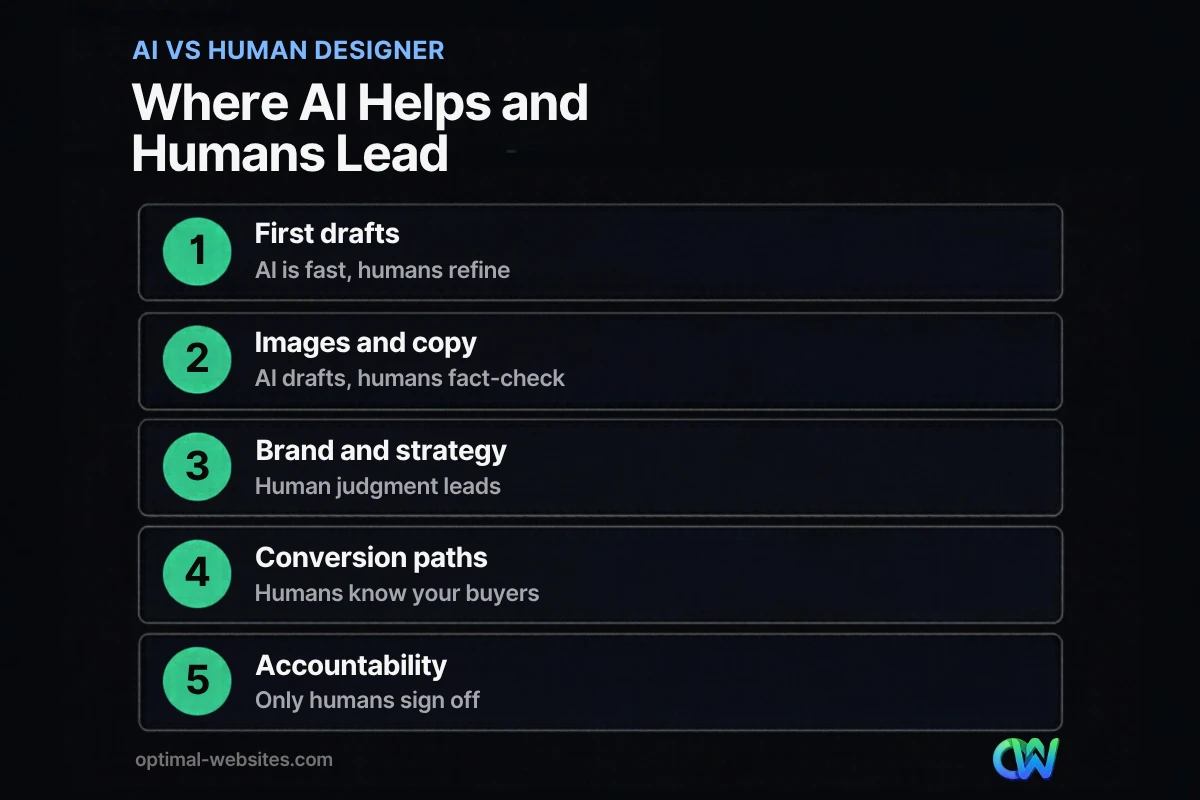
Most businesses need both: AI for speed and a human designer for strategy, accuracy and results. The table below shows where each one fits.
| Task | AI tools | Human web designer |
|---|---|---|
| First layout draft | Very fast, generic starting point | Shapes it around your services and buyers |
| Copywriting | Quick drafts, can be vague or inaccurate | Writes from real customer questions and verified facts |
| Brand and visual identity | Follows common patterns | Creates a look that sets you apart |
| Conversion strategy | Suggests standard best practices | Plans calls to action, forms and trust signals for your market |
| Images | Generates or edits on demand | Chooses real photos of your team and work that build trust |
| SEO structure | Suggests keywords and meta text | Plans pages around real search demand and local intent |
| Testing | Flags issues at scale | Confirms fixes and tests real user flows |
| Accountability | None | Owns the outcome and supports you after launch |
| Cost | Low monthly fee | Higher upfront, built to generate leads |
A good rule: if a task is repetitive and easy to check, let AI speed it up. If a task requires judgment about your customers, your reputation or your legal exposure, keep a person in charge.
How Do AI Overviews and AI Mode Change What Websites Need?
AI answer engines summarize information directly on the search results page, so your website has to give people a reason to click through and give Google clear, trustworthy content to draw from. The fundamentals did not change, but the cost of a thin or vague site went up.
A quick timeline
- May 14, 2024: Google launched AI Overviews for U.S. users on May 14, 2024, saying hundreds of millions of people would have access that week.
- March 2025: Google began testing AI Mode, a conversational search experience, in Search Labs.
- May 20, 2025: At Google I/O, Google announced AI Mode was rolling out to everyone in the U.S., no Labs sign-up required.
What the data says about clicks
According to a July 2025 Pew Research Center analysis of real browsing data from 900 U.S. adults, users clicked a traditional search result on 8% of visits when an AI summary appeared, compared with 15% when it did not. Only about 1% of those visits included a click on a link inside the summary itself. In that study, about 18% of searches produced an AI summary.
Simple questions will send fewer clicks. Searches where people need to compare options, check credentials or get a quote still lead to websites, and those visits turn into customers.
What Google says you need to do
Google’s guidance on AI features and your website is direct: there are no additional requirements to appear in AI Overviews or AI Mode, and you do not need special AI files or special schema markup. To be eligible, a page must be indexed and able to show a snippet in regular Search. Google’s listed best practices include:
- Allow crawling in robots.txt and in any CDN or hosting firewall.
- Use internal links so important pages are easy to find.
- Provide a good page experience on mobile and desktop.
- Keep important content in text, not only in images or video.
- Support content with quality images and videos.
- Make sure structured data matches what is visible on the page.
- Keep your Google Business Profile and Merchant Center information current.
Traffic from these AI features is included in the Search Console Performance report under the “Web” search type, so you can keep measuring results with tools you already have.
Practical changes for small business websites
- Answer questions clearly and early. Start each service page and article with a direct, factual answer, then expand.
- Show proof a summary cannot. Project photos, licenses, service areas, process details and reviews give people a reason to click.
- Be specific. Name your services, cities, typical timelines and starting prices where you can. Vague pages are easy to summarize and easy to skip.
- Keep business facts consistent. Your website, Google Business Profile and directory listings should match.
- Make contact effortless. When someone does click, a clear phone number and short quote form should be one tap away.
These are the same steps covered in our guide to SEO for small business, and they matter more now, not less. For a broader view of where design is heading, read about the web design trends worth paying attention to.
Will AI Replace Web Designers?
No. AI replaces many of the slow, repetitive tasks in web design, but not the judgment behind a site that brings in business. What changes is how designers spend their time: less on pushing pixels, more on strategy, content accuracy and conversion.
On the Elementor Pro sites we build for contractors, roofers, law firms and local service businesses, the parts that matter most are rarely the parts AI does best. A roofing company needs its service area, warranty details and real job photos front and center. A law firm needs careful wording, attorney bios and a fast way to request a consultation. Those choices come from understanding the customer, not from a prompt.
AI also cannot take responsibility. If an AI tool invents a statistic, publishes the wrong phone number or creates a layout that fails accessibility checks, the business owner pays the price. A designer who reviews, tests and supports the site after launch is the safeguard.
How Should a Small Business Use AI on Its Website?
Use AI to work faster on tasks you can easily check, and keep people in charge of anything that affects trust, accuracy or sales. Here is a simple checklist.
- [ ] Use AI to brainstorm page outlines, headlines and FAQ questions, then edit them in your own voice.
- [ ] Fact-check every AI-written claim, number, price and service detail before it goes live.
- [ ] Use real photos of your team, projects and location wherever trust matters.
- [ ] Add a chatbot only if it is trained on accurate information and hands off to a person.
- [ ] Run automated checks for broken links, speed and accessibility, then have someone confirm the fixes.
- [ ] Review Google Search Console monthly to see which pages earn impressions and clicks.
- [ ] Update key pages when your services, prices or service areas change.
How Optimal Websites Can Help
Optimal Websites, a WordPress web design agency based in Delaware, builds fast, mobile-first, conversion-focused websites with Elementor Pro. We use modern tools, including AI where it saves time, while keeping strategy, copy accuracy and quality checks in human hands.
Our web design and development services cover everything from planning to launch, and our SEO services help your pages stay clear, crawlable and competitive as search keeps changing. Packages start at $999, most projects launch in 2–4 weeks, and every client gets video tutorials to edit their own site. See website packages and pricing for details.
Frequently Asked Questions
How is AI used in web design?
AI in web design is used to draft layouts, write first-pass copy, generate or edit images, suggest code and run quality checks. Designers use these tools to finish repetitive tasks faster, then apply their own judgment to brand, content accuracy and conversion. In WordPress, tools like Elementor AI bring these features directly into the page editor.
Can AI build a complete website for my business?
AI website builders can produce a complete-looking site from a short prompt, but the result is usually generic. It will not know your services, service area, pricing or what makes customers choose you. For a site that needs to generate leads, use AI for drafts and have a designer shape the strategy, content and calls to action.
Is AI web design cheaper than hiring a designer?
AI tools cost less upfront, often a low monthly fee. The hidden cost is time and results: you still have to write accurate content, choose images, set up SEO and fix problems yourself. A professionally built site costs more at the start, but it is planned to convert visitors into calls and quote requests.
Do I need to optimize my website for Google AI Overviews?
Google says there are no additional requirements to appear in AI Overviews or AI Mode. Your pages need to be indexed and eligible for a snippet in regular Search. The best preparation is solid SEO: crawlable pages, clear text answers, good mobile experience, consistent structured data and an up-to-date Google Business Profile.
When did Google launch AI Overviews and AI Mode?
Google launched AI Overviews for U.S. users on May 14, 2024, at Google I/O. AI Mode began as a Search Labs experiment in March 2025, and on May 20, 2025, Google announced at I/O that it was rolling out to everyone in the U.S. Both features summarize answers on the results page and link to sources.
Will AI replace web designers?
AI will not replace web designers, but it changes their work. AI in web design handles repetitive drafting and testing, while designers focus on strategy, brand, accuracy and conversion. Businesses still need someone who understands their customers, reviews every claim and takes responsibility for how the site performs after launch.
Ready to Get Started?
Want a website that uses modern tools without losing the human touch that wins customers? Request a free quote or call us at (302) 554-9497 for a free consultation.


