
Last updated: October 15, 2026
Quick answer: The web design trends that matter most for small business sites are speed (passing Core Web Vitals, including INP), accessibility, mobile-first layouts, and clear, well-structured content that both people and AI search can understand. Dark mode is optional. Heavy 3D, AR, and flashy animation are usually not worth the budget.
Every year brings a new list of web design trends, and most of them were written for tech brands with big budgets. If you run a roofing company, a law firm, or a local service business, chasing the wrong trend costs you twice: once to build it and again when it slows your site and drives leads away. This guide sorts the trends that actually move revenue from the ones you can safely ignore. You will get a clear “worth it or skip” table, plain definitions, and a practical order for updating your site without starting over.
Key Takeaways
- Performance is the most valuable trend: Google’s Core Web Vitals now measure responsiveness with INP, which replaced FID in March 2024.
- Accessibility is no longer optional polish. Most home pages still fail basic checks, and low-contrast text is the most common problem.
- Google says there is no special optimization needed for AI Overviews or AI Mode. Strong fundamentals are the “AI trend” that pays off.
- Offer dark mode only as an option, never as the default.
- Skip AR, 3D scenes, and heavy parallax unless your product truly needs them.
Which web design trends actually matter for small businesses?
The trends that matter are the ones that make your site faster, easier to use, and easier to find. For most small businesses, that means performance, accessibility, mobile-first design, and clear content structure, in that order.
A web design trend is a widely adopted change in how websites look, behave, or are built. Some trends are driven by technology and search engines, like Core Web Vitals. Others are purely visual, like oversized typography. The first kind affects rankings and conversions directly. The second kind is a matter of taste and brand fit.
Here is how we rate the most talked-about website design trends for small business sites in 2026.
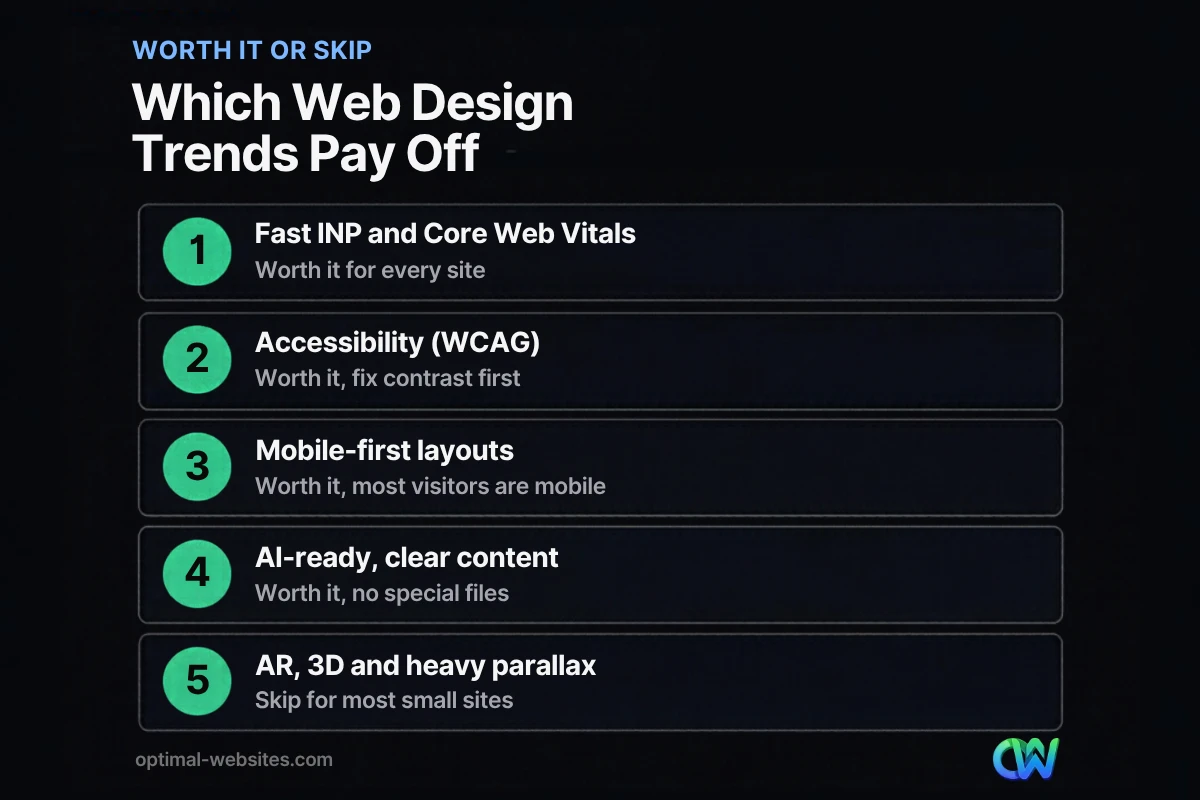
| Trend | Verdict | Why |
|---|---|---|
| Fast loading and good INP (Core Web Vitals) | Worth it | Affects user experience, page experience signals, and conversions on every page |
| Accessibility (WCAG contrast, alt text, labels) | Worth it | Reaches more customers and reduces legal risk |
| Mobile-first layouts | Worth it | Most local searches and calls happen on phones |
| Clear, structured, AI-ready content | Worth it | Helps both Google Search and AI answers, no extra files needed |
| Bold typography and custom brand visuals | Worth it, in moderation | Builds trust and recognition if text stays readable |
| Subtle micro-interactions | Worth it, if lightweight | Confirms actions like form submits without slowing pages |
| AI chat assistants | Depends | Useful with real FAQs and fast follow-up; harmful if it gives wrong answers |
| Dark mode toggle | Optional | Nice for content-heavy sites; should not be the default |
| Personalization by visitor | Mostly skip | Needs traffic and data most small sites do not have |
| AR, VR, 3D scenes, heavy parallax | Skip for most | Expensive, slow on phones, rarely tied to leads |
Why are Core Web Vitals and INP the top trend to adopt?
Because speed and responsiveness affect every visitor on every page. Core Web Vitals are Google’s metrics for real-world user experience: how fast the main content loads, how quickly the page responds to taps and clicks, and how stable the layout is while loading.
According to Google’s Core Web Vitals thresholds on web.dev, a page is “good” when, at the 75th percentile of visits:
- Largest Contentful Paint (LCP) is 2.5 seconds or less.
- Interaction to Next Paint (INP) is 200 milliseconds or less.
- Cumulative Layout Shift (CLS) is 0.1 or less.
INP is the newer metric. It replaced First Input Delay (FID) in March 2024 and is stricter, because it looks at responsiveness across the whole visit, not just the first tap. Sites loaded with sliders, pop-ups, chat widgets, and tracking scripts often pass LCP but struggle with INP.
What hurts INP on small business sites
In our WordPress and Elementor Pro builds, the usual culprits are the same: too many plugins loading scripts on every page, third-party widgets, oversized hero videos, and animation libraries added for a single effect. Removing or delaying those often helps more than any visual redesign. Our step-by-step guide to improving website speed walks through the fixes, and you can check your own numbers for free in PageSpeed Insights or the Core Web Vitals report in Google Search Console.
Is website accessibility a trend or a requirement?
It is closer to a requirement. Website accessibility means people with disabilities can perceive, navigate, and use your site, including people using screen readers, keyboards, or zoom.
The gap is still large. The WebAIM Million 2026 report, which tested the home pages of one million websites using February 2026 data, found detected WCAG 2 failures on 95.9% of them, with an average of 56.1 errors per page. The most common issues were:
- Low-contrast text (83.9% of home pages)
- Missing alternative text on images (53.1%)
- Missing form input labels (51%)
- Empty links (46.3%)
The U.S. Department of Justice’s web accessibility guidance on ADA.gov states that businesses open to the public must make their goods and services accessible, including online, and points to the Web Content Accessibility Guidelines (WCAG) as helpful technical guidance. For a contractor or law firm, the practical takeaway is simple: fix contrast, label every form field, add meaningful alt text, and make sure your quote form works with a keyboard. Those fixes also tend to improve conversions for everyone.
Does mobile-first design still matter?
Yes. Mobile-first design means planning the phone layout first and then expanding it for larger screens, instead of shrinking a desktop design down. It is no longer a trend so much as the baseline.
For local service businesses, the phone is where the lead happens. Someone searching for a roofer after a storm wants a fast page, a visible phone number, and a short form they can fill in with one thumb. Responsive design, adaptive images, and tap-friendly buttons all came from the older trend lists, and they are still the foundation. If you want a checklist, here is what makes a mobile-friendly website.
Mobile-first checklist
- Click-to-call phone number in the header
- Primary call to action visible without scrolling
- Buttons and links large enough to tap easily
- Images sized for phones, not 4,000-pixel originals
- Forms with as few fields as possible
- No pop-ups that cover the whole screen
How is AI changing web design trends?
AI is changing how people find websites more than how websites should look. The most useful response for a small business is to make your content clear, accurate, and easy for both people and machines to read.
Google is direct about this. In Google’s guidance on AI features and your website, it says there are no additional requirements or special optimizations needed to appear in AI Overviews or AI Mode. A page needs to be indexed and eligible to show with a snippet. Google also says you do not need to create new machine-readable files or AI text files to appear in those features. Its recommendations are the fundamentals: allow crawling, use internal links, provide a good page experience, keep important content in text, and make structured data match what is on the page.
Where AI features are worth it on your site
- AI-assisted content workflows: helpful for drafting, as long as a person who knows your business checks every claim.
- AI chat assistants: worth testing if they answer from your real FAQs, hand off to a person, and do not slow the page. A chatbot that guesses prices or promises timelines you cannot meet hurts trust.
- Smart search on large sites: useful for ecommerce stores with many products, rarely needed on a 10-page service site.
The older prediction that AI would “adapt content in real time to rankings” has not turned into something small businesses need. Clear service pages that answer real questions still win.
Should my website have dark mode?
Usually as an option, not a default. Dark mode is a color scheme with light text on a dark background, often switched on automatically when a visitor’s phone or computer is set to dark.
Nielsen Norman Group’s research on dark mode found that people with normal vision generally read better in light mode, especially with smaller text, while some users with certain vision conditions prefer dark mode. Their advice: do not make dark mode the default, but let users switch if they want to. For most service businesses, a well-designed light theme with strong contrast is the better investment. Dark mode is worth adding for content-heavy sites, portals, or brands where it truly fits the identity.
Which visual web design trends are worth it?
Visual trends are worth it when they make your brand clearer and your content easier to scan. They are not worth it when they hide the phone number or slow the page.
Worth it
- Bold, readable typography: large headings and generous spacing help visitors scan services quickly.
- Real photography: photos of your crew, projects, and office build more trust than generic stock.
- Custom brand visuals: a consistent color system and simple illustrations make a small business look established. If you are weighing this, compare a custom website or a template before you commit.
- Micro-interactions: small feedback cues, like a button changing state after a form submit, reassure visitors without adding weight.
Usually skip
- AR and VR product previews: impressive for furniture or eyewear retailers, overkill for most service businesses.
- Heavy parallax and 3D scenes: they look great on a designer’s laptop and often feel sluggish on mid-range phones.
- Autoplay background video: large files, distracting, and often hurting LCP.
- Visitor-level personalization: needs real traffic and data to be meaningful.
How should you prioritize web design trends on a budget?
Start with the changes that affect every visitor, then add visual updates once the foundation is solid. A full redesign is not always necessary.
- Measure first. Run your key pages through PageSpeed Insights and check Search Console’s Core Web Vitals report.
- Fix speed and INP. Remove unused plugins, compress images, and delay non-essential scripts.
- Fix accessibility basics. Contrast, alt text, form labels, and keyboard navigation.
- Tighten mobile layouts. Click-to-call, short forms, and visible calls to action.
- Clarify content. One clear service page per service, with direct answers to common questions.
- Refresh visuals. Typography, real photos, and brand consistency.
- Test optional features. Dark mode, a chat assistant, or light animation, one at a time.
This order is how we approach refreshes for contractors, construction firms, and law firms. The goal is a site that loads fast, reads clearly, and makes it easy to call or request a quote.
How Optimal Websites Can Help
Optimal Websites, a WordPress web design agency based in Delaware, builds fast, mobile-first, conversion-focused sites with Elementor Pro. We focus on the trends that pay off: performance, accessibility, clear content, and clean design, not effects that slow your pages down.
If your current site needs a fresh start, our custom WordPress web design packages cover design, mobile layouts, and training so you can edit your own site. If the design is fine but the site feels slow, our website speed optimization service targets Core Web Vitals directly. You can see our website packages and pricing: Starter starts at $999, Professional at $1,499, and Advanced Custom at $1,999, and most projects launch in 2–4 weeks.
Frequently Asked Questions
What are the biggest web design trends right now?
The biggest web design trends for business sites are fast performance measured by Core Web Vitals, accessibility, mobile-first layouts, and clear content that works for both Google Search and AI answers. Visual trends like bold typography and real photography are popular too, but they matter less than speed and usability for generating leads.
Are web design trends worth following for a small business?
Some are. Trends that improve speed, accessibility, and mobile usability are worth adopting because they affect every visitor and every lead. Purely visual trends are optional and should fit your brand. Expensive features like AR, 3D scenes, or heavy animation rarely pay off for a local service business and can slow your site down.
What is INP and why does it matter for my website?
INP, or Interaction to Next Paint, measures how quickly your page responds when someone taps, clicks, or types. Google considers 200 milliseconds or less good. It replaced First Input Delay as a Core Web Vital in March 2024. Slow INP makes a site feel unresponsive, which frustrates visitors trying to call or submit a form.
Do I need to optimize my website for AI search?
Not with special files or tricks. Google says there are no additional requirements to appear in AI Overviews or AI Mode beyond being indexed and eligible for a snippet. The best preparation is solid SEO: crawlable pages, clear text content, internal links, good page experience, and structured data that matches what visitors see.
Should my business website use dark mode?
Dark mode works best as an optional setting, not the default. Research from Nielsen Norman Group shows most people read better in light mode, though some users prefer dark mode. For most service businesses, a high-contrast light design is the better investment. Consider a dark mode toggle for content-heavy sites or portals.
How often should I update my website design?
Review your site at least once a year and check Core Web Vitals and accessibility more often, ideally after any major plugin or content change. A full redesign is usually needed only when the site is slow, hard to edit, or no longer reflects your business. Many sites improve a lot from targeted updates instead.
Is a website accessibility fix expensive?
It depends on the site, but the most common problems are often inexpensive to fix: low-contrast text, missing image alt text, unlabeled form fields, and empty links. Addressing those basics during a design refresh is far cheaper than retrofitting later, and it helps more visitors complete your forms.
Ready to Get Started?
Want a site that follows the web design trends that actually bring in leads? Request a free quote or call us at (302) 554-9497 for a free consultation.


