
Last updated: October 15, 2026
Quick answer: What does a business website need? At minimum: a clear homepage, services, about, contact and privacy pages, plus click-to-call contact options, a mobile-first layout, fast load times, HTTPS security, analytics, a link to your Google Business Profile and basic accessibility. Together, these turn visitors into calls, quote requests and sales.
Most small business owners know they need a website. The harder question is what belongs on it. A site with a nice logo can still lose leads every day if visitors cannot find your phone number, the page crawls on mobile, or the browser flags it “Not secure.” So what does a business website need to earn its keep? This guide gives you an essential pages table, a must-have features checklist and the content that builds trust. Use it to audit your current site or plan a new one.
Key Takeaways
- Every business website needs five core pages: Home, Services, About, Contact and a Privacy Policy. Most also benefit from reviews, a portfolio and an FAQ.
- Contact options must be one tap away on mobile, because Google indexes and ranks the mobile version of your site.
- Speed, HTTPS and accessibility are not extras. They affect rankings, trust and who can use your site at all.
- Analytics and a linked Google Business Profile tell you what is working and help local customers find you.
What Does a Business Website Need to Be Useful?
A business website needs to do three jobs: tell visitors what you do, prove you are trustworthy, and make it easy to contact or buy from you. If any one of those fails, the site becomes an online brochure instead of a sales tool.
A useful business website answers a visitor’s main questions within seconds and points to one next step: “Get a free estimate” for a roofer, “Schedule a consultation” for a law firm, “Add to cart” for a store.
Clear, consistent branding
Your logo, colors, fonts and tone should match your trucks, business cards and social profiles, so people instantly know they are in the right place.
Simple navigation and structure
Visitors should reach any important page in one or two clicks. Keep the main menu short, use plain labels like “Services,” and put your phone number and primary button in the header.
What Are the Essential Website Pages for a Small Business?
The essential website pages for a small business are Home, Services, About, Contact and Privacy Policy. Most businesses should add a reviews or testimonials section, a portfolio or projects page and an FAQ as soon as they have the material.
Here is what each page is for and what it must include.
| Page | Purpose | Must include |
|---|---|---|
| Home | Explain what you do and for whom in five seconds | Clear headline, service area, primary CTA, phone number, trust signals |
| Services | Show exactly what you offer | One section or page per service, who it is for, process, CTA on each |
| About | Build trust in the people behind the business | Your story, team photos, years in business, licenses or credentials |
| Contact | Make reaching you effortless | Click-to-call phone, short form, email, address or service area, hours, map |
| Reviews / Testimonials | Prove other customers were happy | Real client reviews, names or initials, link to your Google reviews |
| Portfolio / Projects | Show the quality of your work | Photos of real projects, project type, location, short description |
| FAQ | Answer objections before they become calls | Pricing approach, timelines, service area, payment and warranty questions |
| Privacy Policy | Explain how you handle visitor data | What data forms and analytics collect, how it is used, how to contact you |
Give each service its own page
A common gap we see is one “Services” page that lists everything in a paragraph. A contractor who does roofing, siding and gutters should give each service its own page, headline and call to action. Separate pages match what people search for and give Google more to rank.
Don’t skip the Privacy Policy
If your site has a contact form, analytics or ad tracking, you collect visitor data and should explain how you use it. Link the policy in the footer and next to your forms.
What Are the Must-Have Website Features?
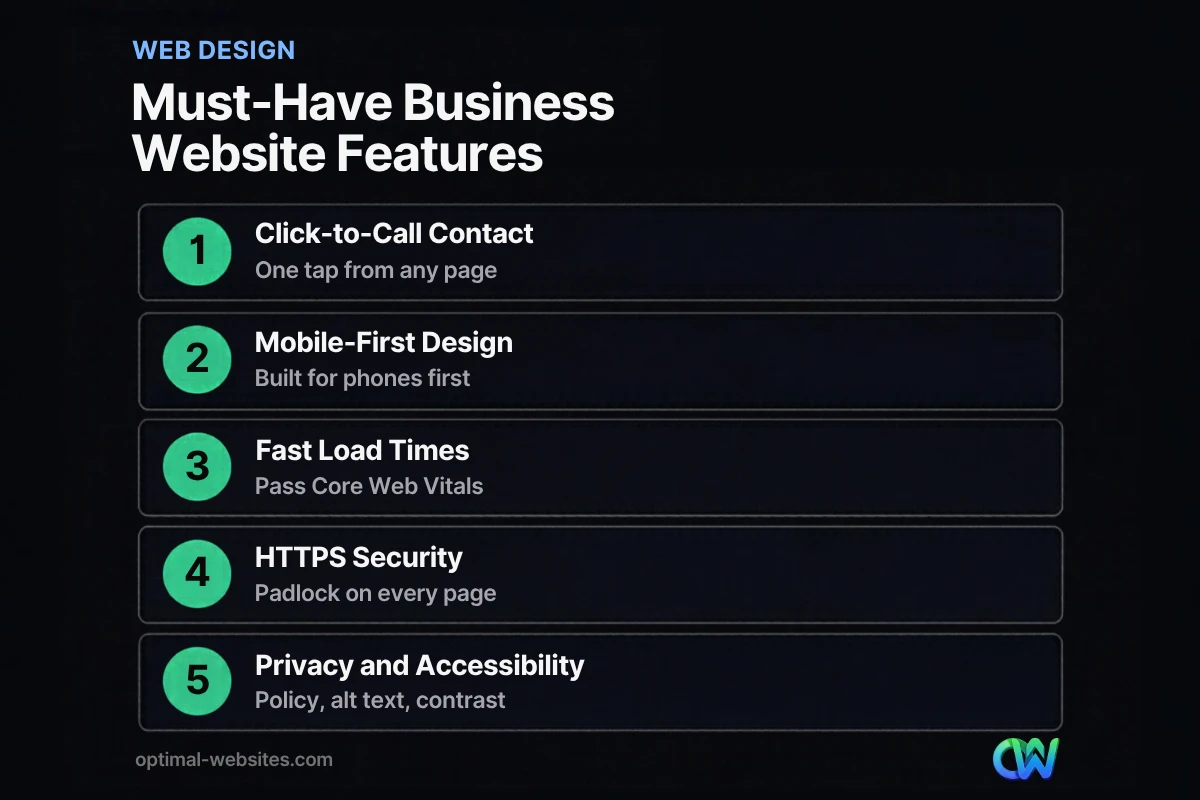
The must-have website features are click-to-call contact options, a mobile-first design, fast load times, HTTPS security, analytics, a link to your Google Business Profile, a privacy policy and basic accessibility. Use this small business website checklist to see where your current site stands.
- [ ] Contact and click-to-call: Phone number in the header, tappable on mobile (a `tel:` link), plus a short contact form with three to five fields.
- [ ] Mobile-first design: Layout, text and buttons designed for phones first, then scaled up to desktop.
- [ ] Fast load times: Pages pass Core Web Vitals, with compressed images and lean code.
- [ ] HTTPS security: A valid SSL certificate on every page, with no “Not secure” warnings.
- [ ] Analytics: Google Analytics 4 and Google Search Console connected and tracking form submissions and calls.
- [ ] Google Business Profile link: Your site links to your profile, and your profile links back to your site with matching name, address and phone.
- [ ] Privacy policy: Linked in the footer and near every form.
- [ ] Accessibility basics: Alt text on images, readable color contrast, labeled form fields and full keyboard navigation.
Mobile-first design
Mobile-first design means building the phone version of a page first and then adapting it for larger screens. It matters for rankings as well as usability: according to Google’s mobile-first indexing documentation, Google uses the mobile version of a site’s content for indexing and ranking. If key content or buttons are hidden on mobile, Google may not see them either.
At Optimal Websites, every build starts with the mobile layout in Elementor Pro, so the phone number and primary button sit above the fold on a small screen. For more, see our guide on how mobile-friendly websites win more customers.
Fast load times
Page speed is how quickly your content appears and responds after someone clicks. Google measures this with Core Web Vitals. The Core Web Vitals thresholds on web.dev define a good experience as Largest Contentful Paint (LCP) within 2.5 seconds, Interaction to Next Paint (INP) of 200 milliseconds or less, and Cumulative Layout Shift (CLS) of 0.1 or less.
Check your scores free in PageSpeed Insights or Google Search Console. Oversized images, too many plugins and cheap hosting are the usual culprits. Our article on practical ways to improve website speed walks through the fixes.
HTTPS security
HTTPS encrypts the connection between a visitor’s browser and your website. Without it, browsers show a “Not secure” warning, which drives people away from your forms. Secure delivery is also part of Google’s page experience guidance, and Search Console has an HTTPS report showing which pages need fixing.
Analytics and tracking
Analytics show who visits, where they come from and what they do. Install Google Analytics 4 and verify Google Search Console at launch, then track form submissions and phone clicks as conversions. Without this data, you are guessing.
Google Business Profile link
For local businesses, your Google Business Profile is often seen before your website. Link the two both ways and keep your name, address and phone identical in both places. Learn how to optimize your Google Business Profile so it sends more traffic to your site.
Accessibility basics
Website accessibility means people with disabilities can use your site, including those who rely on screen readers or keyboards. The ADA.gov guidance on web accessibility explains that the ADA applies to businesses open to the public and lists common barriers such as poor color contrast, missing alt text on images, videos without captions, unlabeled form fields and mouse-only navigation.
What Content Should a Business Website Have?
A business website should have content that answers customer questions, shows proof of your work and gives search engines a reason to rank you. That means clear service descriptions, real photos, reviews and, ideally, helpful articles.
Clear, specific service copy
Instead of “We provide quality solutions,” say what you do, where and what happens next: “We repair residential roofs across New Castle County. Call for a free inspection.” Specific copy converts and ranks better because it matches real searches.
Real photos and proof
Real images of your team and finished projects build far more trust than stock photos. Pair them with genuine reviews and any licenses or certifications you hold.
A blog that answers real questions
A blog lets you answer the questions customers ask every week. Each helpful article is another page that can rank and another chance to show expertise.
Calls to action on every page
A call to action (CTA) is the button that tells a visitor what to do next. Give every page one primary CTA, such as “Get a Free Quote,” near the top and bottom. For more ideas, read our guide to turning more visitors into leads.
How Do You Check If Your Website Has Everything It Needs?
You can audit your own site in under an hour with free tools and a phone. Work through these steps and note anything that fails.
- Open your site on your phone. Can you find and tap your phone number within five seconds? Is the text readable without zooming?
- Run PageSpeed Insights. Enter your homepage and one service page and check whether they pass Core Web Vitals.
- Look at the address bar. Confirm every page shows the padlock and loads on `https://`.
- Check Google Search Console. Look for indexing errors, mobile usability issues and the HTTPS report.
- Submit your own contact form. Make sure the message arrives, the confirmation appears and analytics records the conversion.
- Tab through a page with your keyboard. Every link and field should be reachable without a mouse.
If several of these fail, a rebuild on a modern, mobile-first platform is often faster than patching an outdated site.
How Optimal Websites Can Help
Optimal Websites, a WordPress web design agency based in Delaware, builds fast, mobile-first, conversion-focused websites with Elementor Pro. Every site we launch includes the essential pages and must-have features in this guide, from click-to-call buttons and HTTPS to analytics setup and accessibility basics.
Our clients include contractors, roofers and law firms such as PCS Roofs, Care Facilities Construction and F. J. Collins Law. Most projects launch in 2–4 weeks, and you get video tutorials so you can update your own content. Explore our web design and development services or compare our transparent website packages and pricing, with plans starting at $999.
Frequently Asked Questions
What does a business website need at a minimum?
At a minimum, a business website needs a homepage, a services page, an about page, a contact page and a privacy policy. It also needs a tappable phone number, a mobile-friendly layout, HTTPS security and analytics, so customers can understand your offer, trust you and reach you quickly.
How many pages should a small business website have?
Most small business websites start with five to ten pages: Home, About, Contact, Privacy Policy and one page per main service, plus reviews, portfolio and FAQ pages when you have the content. There is no ideal number. Each page just needs a clear purpose and a call to action.
What should be on a small business website checklist?
A small business website checklist should cover essential pages, click-to-call contact options, mobile-first design, fast load times that pass Core Web Vitals, HTTPS, Google Analytics 4 and Search Console, a Google Business Profile link, a privacy policy and accessibility basics like alt text and color contrast. Review it at launch and again at least once a year.
Does a small business website need a privacy policy?
Yes. If your website uses a contact form, analytics, cookies or ad pixels, it collects visitor data, and you should explain what you collect and how you use it. A privacy policy builds trust and may be legally required depending on where visitors live, so ask a legal professional about your situation.
What are the most important must-have website features?
The most important must-have website features are easy contact options, a mobile-first design and fast load times. If visitors cannot reach you quickly on their phone, nothing else matters. Next, prioritize HTTPS, analytics, a Google Business Profile link and accessibility basics.
How often should I update my business website?
Update content whenever your services, team or contact details change, and add new reviews and projects regularly. Keep WordPress core, themes and plugins updated for security, and plan a full review of design, speed and features every two to three years.
Ready to Get Started?
Not sure whether your current site has everything it needs? We will review it and tell you honestly what to fix or rebuild. Request a free quote or call us at (302) 554-9497 to talk through your project.


