
Quick answer: WordPress website maintenance is the routine work that keeps a site secure, fast and working: updating WordPress core, themes and plugins, running and testing backups, monitoring security, checking speed, and fixing broken links and forms. Most small business sites need weekly backups and update checks, plus a monthly review of performance and content.
A WordPress site is not a brochure you print once. It is software, and software needs care. Plugins release updates, security issues are discovered, forms quietly stop sending, and pages slow down as content piles up. When nobody is watching, small problems turn into a hacked site, a broken checkout or weeks of lost leads. WordPress website maintenance prevents that. This guide explains exactly what maintenance includes, how often each task should happen, what can go wrong when it is skipped, and how to decide between doing it yourself and using a WordPress maintenance plan.
Key Takeaways
- WordPress website maintenance covers updates, backups, security, performance and content checks.
- WordPress recommends keeping core and plugins up to date and backing up before updating.
- A complete backup includes both the database and the files, with copies stored in more than one place.
- Remove plugins you do not use, use strong passwords and turn on two-step authentication.
- A maintenance plan makes sense when your site produces leads or sales and you do not have time to test updates.
What is WordPress website maintenance?
WordPress website maintenance is the ongoing set of tasks that keep a WordPress site secure, stable, fast and accurate after launch. It is the difference between a site that keeps working for years and one that slowly breaks.
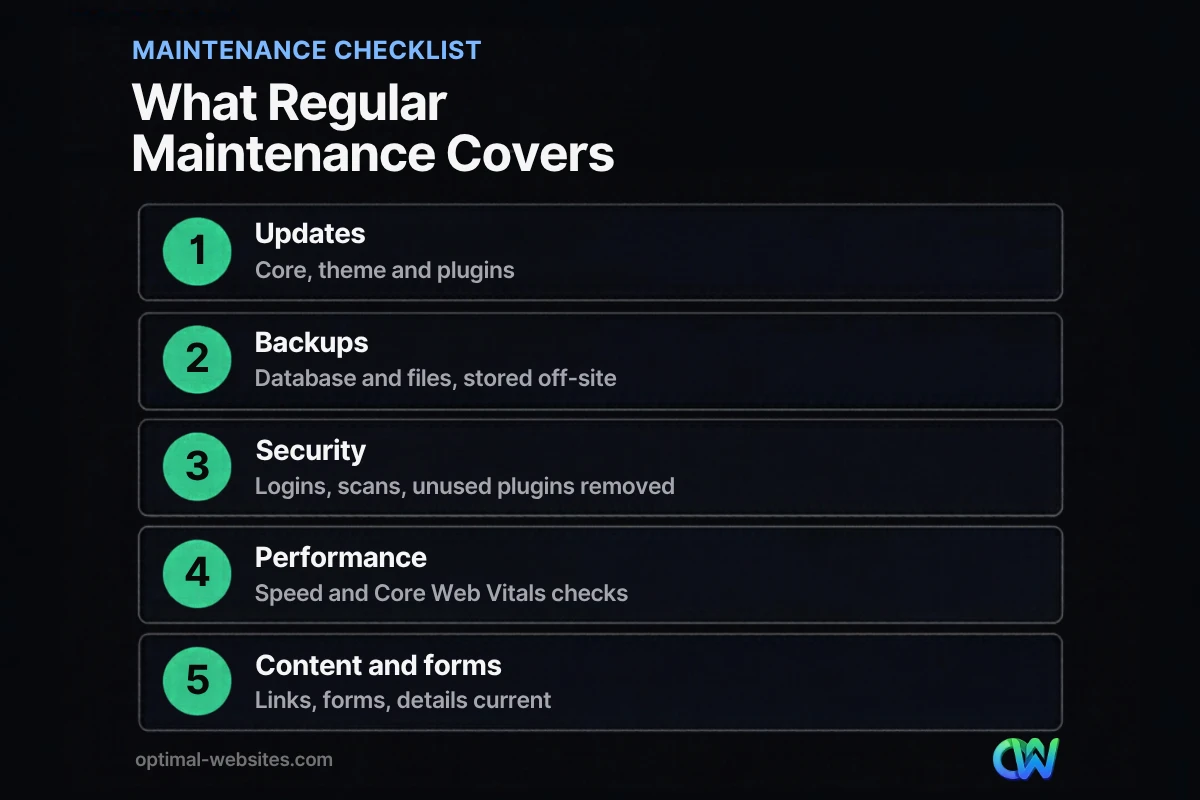
Maintenance usually falls into five areas:
- Updates: WordPress core, the theme, plugins and the PHP version on the server.
- Backups: regular copies of the database and files, stored off-site and tested.
- Security: login protection, malware scanning, user review and removing unused software.
- Performance: speed checks, image optimization, caching and database cleanup.
- Content and functionality: forms, links, contact details, business hours and legal pages.
Why do WordPress updates matter?
WordPress updates matter because they fix security vulnerabilities, resolve bugs and keep plugins compatible with each other and with your server. Running outdated software is one of the most common ways small business sites get compromised.
WordPress’s official update guide says you should always update WordPress to the latest version and recommends backing up your website before you start. It also explains that since WordPress 3.7, most sites apply minor and security releases automatically in the background, while major releases still need someone to click “Update Now.”
Core, theme and plugin updates
- Core updates change WordPress itself. Minor releases are usually safe to apply quickly; major releases deserve a quick test.
- Theme updates can change how pages look, especially if someone edited theme files directly instead of using a child theme or a page builder.
- Plugin updates are the most frequent and the most likely to conflict with each other. A page builder, form plugin and caching plugin updating in the same week can produce surprises.
Why updates sometimes break sites
Updates rarely break well-built sites, but they can when plugins are abandoned, when custom code relies on old functions, or when the server runs an outdated PHP version. That is why good maintenance tests updates and keeps a fresh backup ready.
How often should you back up a WordPress site?
Back up a WordPress site at least weekly for smaller sites and daily for sites that change often, such as stores or busy blogs, plus before every update. That matches the guidance in the official WordPress backup documentation.
The same documentation explains that a full backup has two parts:
- The database, which stores your posts, pages, settings and form entries.
- The files, including WordPress core, themes, plugins, uploaded images and configuration files.
It also recommends keeping several recent backups with copies stored in different locations, such as your hosting server, cloud storage and a local computer. A backup that only lives on the same server as your site will not help if that server fails or is compromised.
Test your restores
A backup you have never restored is a guess. At least a few times a year, restore a backup to a staging site and confirm everything works.
What does WordPress security maintenance include?
WordPress security maintenance includes keeping software updated, protecting logins, removing what you do not use and watching for signs of trouble. Most attacks on small business sites are automated, so basic hygiene blocks a large share of them.
The WordPress hardening guide recommends keeping WordPress and plugins updated, deleting plugins you are not using, using strong passwords and enabling two-step authentication. In practice, a security routine looks like this:
- Review user accounts and remove anyone who no longer needs access.
- Enforce strong passwords and two-step authentication for administrators.
- Delete inactive plugins and themes rather than leaving them installed.
- Run malware scans and check for unexpected file changes.
- Confirm your SSL certificate is valid and renewing.
For a deeper look, see our guide to WordPress website security.
How does maintenance affect website speed?
Maintenance affects website speed because sites slow down over time as images, plugins, scripts and database entries accumulate. Regular performance checks catch the slowdown before visitors and search engines feel it.
A monthly performance routine might include:
- Running key pages through PageSpeed Insights and checking Core Web Vitals.
- Compressing new images uploaded since the last check.
- Clearing and reviewing caching settings after updates.
- Cleaning up post revisions, spam comments and expired temporary data in the database.
- Reviewing whether any new plugin or script is slowing pages down.
Hosting plays a big part too. If performance problems persist after cleanup, your hosting plan may be the bottleneck. Our article on choosing hosting for a small business explains what to look for.
What should a WordPress maintenance checklist look like?
A WordPress maintenance checklist should group tasks by how often they need to happen. Here is a practical schedule for a typical small business site.
| Frequency | Tasks |
|---|---|
| Weekly | Backups (or daily for busy sites), check for core, theme and plugin updates, review security alerts |
| Monthly | Apply and test updates, test contact and quote forms, check speed and Core Web Vitals, scan for broken links |
| Quarterly | Test a backup restore, review users and passwords, remove unused plugins, review PHP version with your host |
| Yearly | Renew domain and SSL, review content accuracy, update legal pages, assess whether the design still fits the business |
Forms deserve special attention. A contact form that silently stops sending email can cost weeks of leads before anyone notices. Submit a test entry every month.
Should you do WordPress maintenance yourself or use a maintenance plan?
You can do WordPress maintenance yourself if your site is simple, you are comfortable in the dashboard and you have time to test updates. A WordPress maintenance plan makes more sense when the site produces leads or sales and downtime would cost real money.
Doing it yourself works when
- The site has few plugins and little custom functionality.
- You have a reliable backup system and know how to restore it.
- You can set aside time every week and act quickly if something breaks.
A maintenance plan works better when
- The site is a main source of new customers.
- It uses a page builder, forms, booking or e-commerce plugins that need careful updates.
- Nobody on your team has the time or skills to troubleshoot conflicts.
Whichever route you choose, keep a short list of the must-have WordPress plugins you actually need. Fewer plugins means fewer updates, fewer conflicts and a smaller attack surface.
What we see when sites go unmaintained
Some of the sites we are asked to rebuild were not badly designed at launch. They simply went years without updates. The usual pattern: dozens of outdated plugins, a few abandoned ones, no recent backups, a contact form that stopped sending, and pages that load slowly on phones. By that point, a careful update can be riskier and costlier than routine maintenance would have been.
How Optimal Websites Can Help
Optimal Websites, a WordPress web design agency based in Delaware, builds sites on WordPress with Elementor Pro and offers support and maintenance after launch so updates, backups and checks happen on schedule. If your current site needs more than maintenance, our WordPress web design and support service can rebuild it on a clean, lightweight foundation that is easier to keep healthy.
Frequently Asked Questions
What does WordPress website maintenance include?
WordPress website maintenance includes updating WordPress core, themes and plugins, running and testing backups, monitoring security, checking speed and Core Web Vitals, and testing forms and links. It also covers reviewing user accounts, removing unused plugins, renewing SSL and domain registrations, and keeping business details and content accurate over time.
How often should WordPress plugins be updated?
Check for plugin updates at least weekly and apply them soon after release, especially security fixes. Back up the site before updating, and test important pages and forms afterward. On busy or complex sites, apply major plugin updates on a staging copy first so conflicts can be fixed before they reach visitors.
What happens if I do not maintain my WordPress site?
If you do not maintain your WordPress site, outdated software becomes a security risk, plugins start conflicting, pages slow down and forms can stop working without warning. Over time the site may be hacked, flagged by browsers or lose search visibility. Fixing a neglected site is usually far more expensive than routine maintenance.
Do I need a WordPress maintenance plan?
You need a WordPress maintenance plan if your site brings in leads or sales and you lack the time or skills to back up, update, test and troubleshoot it regularly. Simple sites with few plugins can be maintained in-house. A plan provides scheduled updates, monitored backups and someone to call when something breaks.
Are automatic WordPress updates safe?
Automatic updates for minor and security releases of WordPress core are generally safe and have been standard since WordPress 3.7. Automatic plugin and theme updates are convenient but can occasionally cause conflicts. Pair them with daily backups and regular checks, and consider manual updates for critical plugins such as page builders and e-commerce tools.
How do website backups work in WordPress?
Website backups in WordPress copy two things: the database, which stores content and settings, and the files, which include themes, plugins and uploads. Backups can run through your host or a backup plugin. Keep several recent copies in different locations, such as cloud storage, and test restoring one periodically.
Ready to Get Started?
Want your WordPress site kept secure and up to date? Request a free quote or call (302) 554-9497 to talk about support and maintenance.


