
Quick answer: Good contractor website design starts with the right pages: a homepage that says who you build for and where, one page per service or trade, a projects portfolio, an about page with licenses and insurance, reviews, service area pages and a simple bid request page. Each page should prove capability and make it easy to ask for a quote.
Most contractors win work through referrals, relationships and reputation. Then the person who was referred looks you up online. If your website is a single page with a phone number and a stock photo of a hard hat, it does little to confirm the referral, and nothing to win the bids that come from search. Contractor website design is about giving homeowners, property managers and general contractors enough evidence to pick up the phone. This guide covers the pages every contractor site needs, what to put on each one, the trust signals that matter most and the lead features that turn visitors into bid requests.
Key Takeaways
- Every contractor website needs a clear homepage, individual service pages, a project portfolio, an about page with credentials, reviews, service areas and a bid request page.
- Project pages with photos, scope and location are the strongest proof a contractor can offer.
- Licenses, insurance, bonding and safety information belong where visitors can find them quickly.
- Different buyers need different paths: homeowners, commercial clients and general contractors look for different things.
- Make requesting a bid simple: short forms, visible phone numbers and clear next steps.
What makes good contractor website design?
Good contractor website design makes capability obvious and the next step easy. Visitors should understand what you build, where you work, how big a job you take on and how to request a bid within a few seconds of landing on the site.
That comes down to three things:
- Clarity. A headline that names your trade and service area, such as “Commercial and residential concrete contractor serving northern Delaware.”
- Proof. Real projects, credentials and reviews, not generic claims about quality and integrity.
- Action. A visible phone number and a “Request a Bid” or “Get an Estimate” button on every page.
Design style matters less than structure. A clean, fast site with the right pages will outperform a flashy one that buries the information buyers need.
Which pages does a contractor website need?
A contractor website needs a homepage, one page per service, a projects portfolio, an about page with credentials, a reviews page, service area pages and a contact or bid request page. Larger firms often add careers and safety pages.
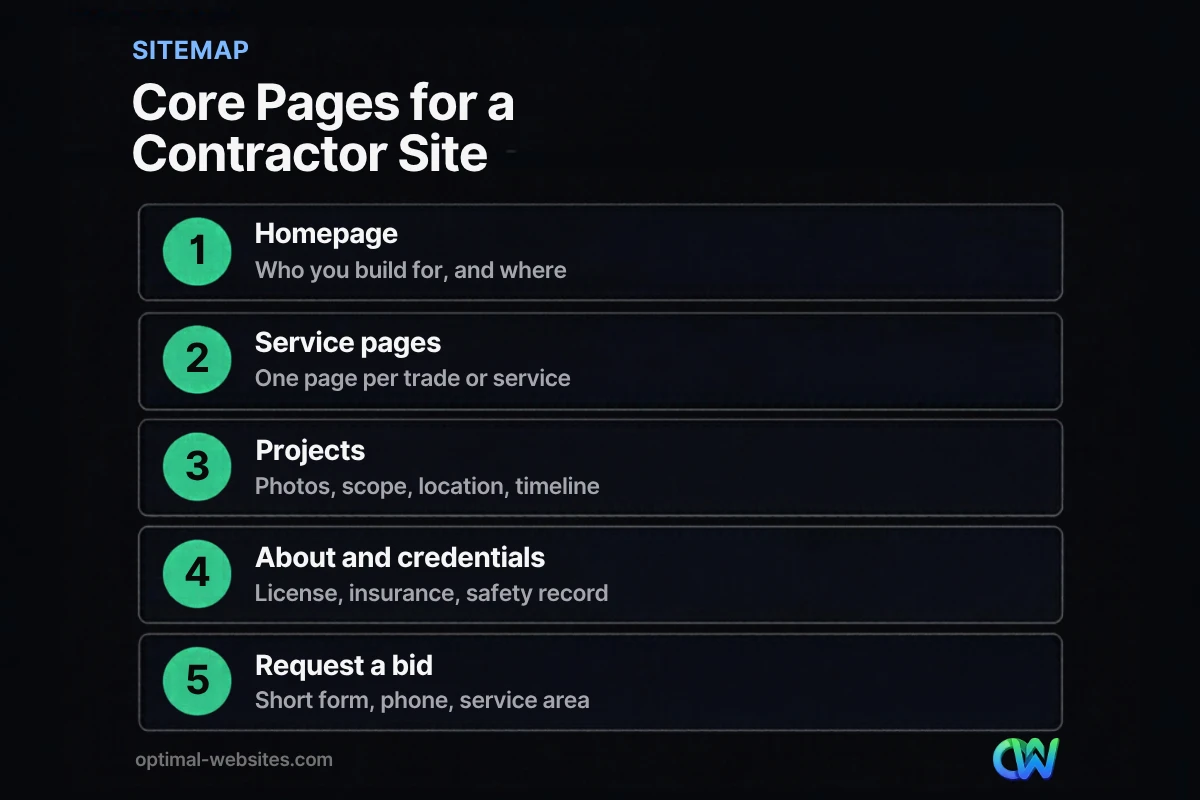
| Page | Who it serves | What to include |
|---|---|---|
| Homepage | Everyone | Trade, service area, top services, featured projects, reviews, bid button |
| Service pages | Buyers with a specific need | Scope, process, materials, typical timelines, related projects, FAQs |
| Projects | Buyers comparing contractors | Photos, project type, location, scope, size, duration |
| About | Buyers checking trust | History, team, licenses, insurance, bonding, certifications |
| Reviews | Homeowners and property managers | Recent genuine reviews, links to Google reviews |
| Service areas | Local searchers | Towns and counties served, nearby projects |
| Request a bid | Ready buyers | Short form, phone, what happens next, response time |
| Careers | Job seekers | Open roles, benefits, how to apply |
| Safety | Commercial clients and GCs | Safety program, training, certifications |
For a broader list of pages and features any business site should have, see what every business website needs. Below are the contractor-specific details that make each page work.
What should a contractor homepage include?
A contractor homepage should state your trade and service area, show your best work, prove credibility and offer a clear way to request a bid. It is a summary that sends each visitor to the right page.
Order matters. A common structure that works well:
- Headline with trade and location, plus a “Request a Bid” button and phone number.
- Short list of core services linking to each service page.
- Three to six featured projects with photos.
- Credentials strip: license, insurance, bonding, years in business, associations.
- Two or three recent reviews.
- Service area summary with a link to the full list.
- Final call to action.
How should contractor service pages be built?
Contractor service pages should each focus on one service or trade and explain it in enough detail that a buyer feels confident you have done it many times. One dedicated page per service also gives search engines a clear page to rank for that work.
A strong service page includes:
- What the service covers and what it does not.
- Your process from first visit to final walkthrough.
- Materials, systems or brands you work with.
- Typical project timelines and the factors that change them.
- Photos from related projects, linked to full project pages.
- Frequently asked questions in plain language.
- A bid request form or button.
A single “Services” page that lists everything in bullet points gives visitors and search engines very little to go on.
How do you show projects on a contractor website?
Show projects on a contractor website as individual case pages or detailed gallery entries with photos, project type, location, scope and duration. Project pages are often the most persuasive content a contractor has.
For each project, aim to include:
- Before, during and after photos taken on your own jobs.
- Project type and location (town or county, not a client’s street address).
- Scope of work and key materials.
- Size, duration and any special challenges solved.
- A short client review, if the client agrees.
Add new projects regularly. A portfolio that stopped updating years ago suggests a company that has slowed down.
Which trust signals matter most for a general contractor website?
The trust signals that matter most for a general contractor website are licensing, insurance, bonding, safety credentials, real project photos and genuine reviews. Commercial clients and property managers often check these before they will even invite you to bid.
Credentials
State your license numbers where your state requires them, confirm your insurance coverage, mention bonding capacity if relevant, and list industry certifications and association memberships accurately.
Reviews
Show recent reviews on the homepage, service pages and near your bid form, and link to your Google reviews. Keep them genuine. On August 14, 2024, the FTC announced a final rule banning fake reviews and testimonials, including reviews from people who never used the business and undisclosed reviews from insiders.
Real people
Team photos, the owner’s story and photos of your crews on site make a company feel real and accountable.
How does contractor web design support local search?
Contractor web design supports local search by giving Google clear signals about what you do and where you do it. Your website and your Google Business Profile reinforce each other.
Google says local results are based mainly on relevance, distance and prominence. Your site helps with relevance through dedicated service pages and with prominence through links, reviews and an established online presence. A few practical steps:
- Keep your business name, address and phone number identical on your site and your profile.
- Create service area pages with genuine local content, such as projects completed in that town.
- Add LocalBusiness structured data so Google can read your hours and business details reliably.
- Earn links from suppliers, trade associations and local organizations you work with.
How do you turn contractor website visitors into bid requests?
Turn contractor website visitors into bid requests by making the next step obvious, short and reassuring. Most lost leads come from friction: hidden phone numbers, long forms or uncertainty about what happens after submitting.
- Put a phone number and “Request a Bid” button in the header of every page.
- Keep the first form short: name, phone, email, project type, location and a brief description.
- Allow photo or plan uploads for buyers who have them.
- Explain what happens next and how quickly you respond.
- Offer a separate path for commercial clients and general contractors, such as a “Commercial Projects” page with its own contact form.
Our guide on how to get more leads from your website covers forms, calls to action and follow-up in more depth.
What we see building websites for contractors
Optimal Websites, a WordPress web design agency based in Delaware, has built sites for construction companies, engineering firms and service contractors. You can see construction and engineering projects in our portfolio, including Care Facilities Construction and E & S Construction Engineers. A pattern we often see is a contractor with years of excellent work and almost none of it on the website. Gathering project photos and short descriptions before the build is the single most valuable preparation a contractor can do. The same principles apply to specialty trades, as our roofing website design guide shows.
How Optimal Websites Can Help
We build contractor websites on WordPress with Elementor Pro, with service pages, project portfolios, credential sections and bid request forms designed for phones first. Our WordPress web design for contractors and builders starts at $999, most projects launch in 2–4 weeks, and you get training to add new projects yourself. For the standards behind every build, see our guide to small business website design.
Frequently Asked Questions
What pages should a contractor website have?
A contractor website should have a homepage, one page for each main service or trade, a projects portfolio, an about page with licenses and insurance, a reviews page, service area pages and a bid request or contact page. Larger firms often add careers and safety pages to support recruiting and commercial bids.
What makes a good website for contractors?
A good website for contractors makes it clear what you build, where you work and how to request a bid. It shows real projects with photos and details, displays licenses, insurance and reviews, loads quickly on phones and keeps a phone number and bid button visible on every page.
How much does contractor website design cost?
Contractor website design cost depends on the number of service pages, service areas, project galleries and features such as file uploads or online scheduling. At Optimal Websites, professional WordPress packages start at $999, $1,499 and $1,999, and most launch in 2–4 weeks. Ongoing costs include hosting, domain renewal and maintenance.
Should a general contractor website target homeowners or businesses?
A general contractor website should serve whichever buyers you want more of, and many need both. Create separate paths: residential service pages for homeowners and a commercial section for property managers, developers and other contractors, each with relevant projects, credentials and a dedicated contact form so every buyer finds what they need.
How many project photos should a contractor website show?
Show enough project photos to prove range and quality without slowing the site down. A good starting point is several projects per main service, each with a handful of compressed before, during and after photos and a short description. Update the portfolio regularly so it reflects your current work.
Do contractors need SEO for their website?
Yes, most contractors benefit from SEO because many buyers search for services and contractors by town. Contractor web design that includes dedicated service pages, service area pages, consistent business details, structured data and genuine reviews gives your site a much better chance of appearing in local results and Google Maps.
Ready to Get Started?
Ready for a contractor website that brings in more bid requests? Request your free quote or call (302) 554-9497 to talk about your trade and service area.


