
Quick answer: A holiday ecommerce checklist is a short list of fixes to finish before peak season: test speed on mobile, simplify checkout, publish shipping cutoff dates, launch sale pages early, back up the store and freeze big changes. For Black Friday on November 27, 2026, aim to finish most of it by early November.
Every year, some online stores spend money on holiday ads and then lose the sale at the last step: a slow product page, a surprise shipping fee, a checkout that breaks on a phone. The traffic shows up, but the revenue does not. A holiday ecommerce checklist keeps that from happening by putting the important fixes on a calendar while there is still time to make them. This guide walks through what to check, in what order, and when to stop changing things. It covers speed, checkout, shipping cutoffs, sale pages, inventory and backups, with a timeline that works back from Black Friday and Cyber Monday.
Key Takeaways
- Black Friday falls on November 27, 2026 and Cyber Monday on November 30, 2026, so start your holiday sales prep in early October.
- Baymard Institute puts the average cart abandonment rate at 70.22%, and high extra costs are the top reason US shoppers give for leaving checkout.
- Speed, checkout and shipping clarity matter more than new design features in the weeks before peak season.
- Publish your holiday shipping cutoff dates on the site, based on your carriers’ own published dates.
- Back up the store, then freeze plugin updates and major edits during your busiest weeks.
When Should You Start Preparing Your Store for the Holidays?
Start holiday sales prep at least six to eight weeks before Black Friday, which means early October for most stores. That leaves time to fix problems, test them and let Google crawl new sale pages before shoppers start searching.
The 2026 calendar is a little tight. Thanksgiving is November 26, Black Friday is November 27 and Cyber Monday is November 30. After that, the shipping deadlines arrive quickly in mid-December. If you wait until November to test checkout or update plugins, any fix you make lands right when traffic is highest and mistakes cost the most.
Here is a simple timeline you can copy:
| When | What to do |
|---|---|
| Early October | Run speed tests, audit checkout, review plugins and hosting |
| Mid October | Build sale pages, set up promotions, confirm stock and shipping rules |
| Late October | Test everything on mobile, place test orders, train whoever answers support |
| Early November | Final backups, publish shipping cutoff dates, start the change freeze |
| Black Friday to Cyber Monday | Monitor orders, uptime and stock; make only urgent fixes |
| Mid December | Switch messaging to gift cards and in-store or digital options after cutoffs |
What Belongs on a Holiday Ecommerce Checklist?
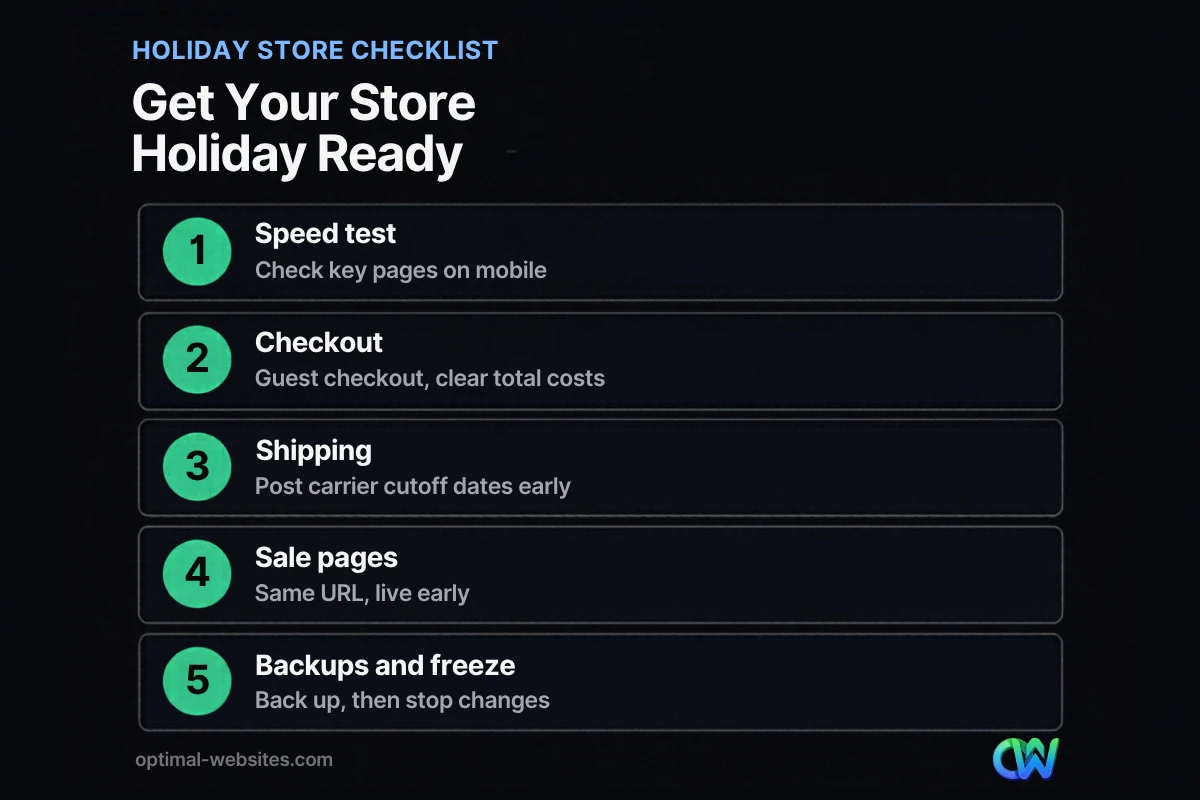
A holiday ecommerce checklist should cover five areas: speed, checkout, shipping, sale pages and site stability. Each one removes a reason a ready-to-buy visitor might leave without ordering.
Think of it as a pre-flight check, not a redesign. Peak season is the wrong time to rebuild your theme or switch platforms.
1. Test site speed on mobile
Ecommerce site speed for holidays starts with your most visited pages: the homepage, top category pages, best-selling product pages, cart and checkout. Test each one on mobile with PageSpeed Insights and look at the Core Web Vitals: Largest Contentful Paint (LCP), Interaction to Next Paint (INP) and Cumulative Layout Shift (CLS).
Common holiday slowdowns include oversized banner images, extra tracking scripts added for promotions, and countdown or popup plugins that load on every page. If your store runs on WooCommerce, our guide on how to speed up WooCommerce covers caching, hosting and database fixes in detail.
2. Check that hosting can handle a traffic spike
Your hosting plan should handle several times your normal traffic without slowing down. Ask your host what happens during spikes, whether there are resource limits on your plan, and how fast support responds on a holiday weekend.
If you expect a big email or ad push, tell your host in advance.
3. Remove friction from checkout
Checkout is where holiday sales are won or lost. Baymard Institute’s latest list of reasons US shoppers abandon checkout includes:
- 40% said extra costs such as shipping, tax or fees were too high
- 20% said delivery was too slow
- 19% did not trust the site with their card information
- 18% did not want to create an account
- 17% found checkout too long or complicated
- 17% ran into errors or crashes
Each of those is something you can address before November. Show shipping costs or a free shipping threshold early, on product and cart pages. Offer guest checkout. Remove form fields you do not need. Add the payment options your customers already use, and make sure trust signals such as a secure checkout notice and your return policy are visible. The full data is in Baymard Institute’s cart abandonment research.
4. Place real test orders
Before the rush, place test orders on a phone and a desktop, with every payment method you accept. Try a discount code, a free shipping threshold and a gift card if you sell them.
Then check the follow-through: the confirmation email, the admin notification, inventory changes and any shipping label or fulfillment integration. A coupon that silently fails is one of the most common holiday surprises.
5. Review product pages
Holiday shoppers compare quickly, so product pages need clear photos, honest descriptions, visible pricing and shipping information. Gift details such as sizing notes and “ships by” messages help too.
If your product pages need more than a quick refresh, start with our product page best practices and fix your best sellers first.
How Do You Set Holiday Shipping Cutoff Dates?
Set your holiday shipping cutoff by starting from your carrier’s published dates, then subtracting your own processing time. Publish the result on the site so customers know the last day to order for delivery by the holiday.
For 2026, the USPS holiday shipping dates recommend sending by December 17 for USPS Ground Advantage and First-Class Mail, December 18 for Priority Mail and December 19 for Priority Mail Express, for addresses in the lower 48 states. Alaska, Hawaii and U.S. territories can take longer, and USPS lists separate guidance for those addresses. If you ship with UPS or FedEx, check their own holiday pages for current dates.
Those are send-by dates, not order-by dates. If it takes your team two business days to pack an order, your order cutoff needs to be two business days earlier. Build in extra margin for the busiest week.
Where to show your holiday shipping cutoff:
- A site-wide banner or notice bar with the last order date for standard and faster shipping
- Product pages, near the Add to Cart button
- The cart and checkout pages
- Your shipping policy page and order confirmation emails
After the cutoff passes, change the message. Promote gift cards, digital products, local pickup or expedited shipping instead of letting shoppers find out at checkout that their gift will be late.
How Do You Build a Black Friday Website Checklist for Sale Pages?
A Black Friday website checklist starts with a dedicated sale page that stays at the same URL every year. Google’s guidance recommends creating dedicated pages for Black Friday and Cyber Monday, reusing the same URL each year and creating the pages early so Google can index them.
Google’s best practices for deals pages also suggest putting the event name in the page title, linking to the sale page from your homepage and including a relevant image. If your deals stay secret until the day of the sale, publish general information about the event in advance, then ask Google to recrawl the page once you update it.
A practical setup looks like this:
- Create a permanent page such as /black-friday/ and keep it live all year with a short “coming soon” or “last year’s deals” message.
- Add event details, dates and featured categories in October.
- Link it from the homepage, main menu or a banner as the sale approaches.
- Update the offers on launch day and request indexing in Google Search Console.
- After the sale, keep the page live and update it for next year instead of deleting it.
For category pages, product schema and internal links, see our ecommerce SEO tips.
How Do You Keep Your Store Stable During Peak Season?
Keep your store stable by backing it up, updating software before the busy weeks and then freezing major changes until the rush is over. Most holiday outages come from changes, not traffic alone.
Update first, then freeze
Update WordPress, your theme and plugins in October, on a staging site first if you have one. Fix anything that breaks. Then, from early November until mid-December, apply only security patches and urgent fixes. A plugin update on Black Friday morning is a risk with very little upside.
Back up and know how to restore
Take a full backup of files and database before the freeze, and confirm your backup plugin or host keeps daily copies through the season. A backup only counts if you know how to restore it, so test a restore on staging.
Monitor the store
Set up uptime monitoring so you hear about downtime before customers email you. During the peak days, check orders, payment notifications and stock levels a few times a day.
Watch inventory and promotions
Confirm stock counts, low-stock alerts and backorder settings before the sale. Double-check that discount rules start and end at the right times, in the right time zone, and do not stack in ways you did not plan for.
What Do We Check When We Prepare WordPress Stores?
When we build online stores on WordPress with WooCommerce and Elementor Pro, the same small items come up again and again before peak season. They are rarely glamorous, but they are where sales leak.
We look at mobile layouts first, because a promotional banner that looks fine on desktop can push the Add to Cart button below the fold on a phone. We check that popups and countdown widgets do not cover key buttons or slow the page. We confirm that sale prices display correctly on category pages, product pages and in the cart, and that transactional emails carry the right holiday messaging. And we make sure the client knows how to edit banners and notices themselves, so a cutoff date change does not have to wait for a developer.
If you are still deciding how your store should be set up, our guide to building a WordPress ecommerce website explains the core pieces.
What Should You Do After the Holiday Rush?
After the holidays, review what happened while it is still fresh: which products sold, where shoppers dropped off, which promotions worked and what broke. That review becomes next year’s holiday ecommerce checklist.
Look at your analytics for checkout drop-off, compare mobile and desktop conversion, and read through support emails for repeated questions. Schedule fixes for January, when traffic is calmer.
How Optimal Websites Can Help
Optimal Websites, a WordPress web design agency based in Delaware, builds fast, mobile-first WordPress sites with Elementor Pro, including online stores. If your store needs a speed cleanup, a simpler checkout or better product pages before the holidays, we can review it and tell you what is worth fixing now and what should wait until January.
For new stores or bigger rebuilds, see our WordPress web design and online store builds and compare our website packages and pricing. Most projects launch in 2–4 weeks, and every client gets training videos so they can update banners, products and notices on their own.
Frequently Asked Questions
When should I start my holiday ecommerce checklist?
Start your holiday ecommerce checklist in early October, about six to eight weeks before Black Friday. That gives you time to test speed, fix checkout issues, build sale pages and let Google index them. Aim to finish backups and updates by early November, then freeze major changes until mid-December so nothing breaks during your busiest weeks.
When is Black Friday and Cyber Monday in 2026?
Black Friday is Friday, November 27, 2026, the day after Thanksgiving on November 26. Cyber Monday follows on Monday, November 30, 2026. Many stores start promotions earlier in November, so plan for your sale pages, discount codes and shipping messages to be ready and tested before the middle of the month, not the week of the sale.
What should be on a Black Friday website checklist?
A Black Friday website checklist should include mobile speed tests, a test order with every payment method, working discount codes, a dedicated sale page at a permanent URL, clear shipping costs and cutoff dates, a full backup and uptime monitoring. It should also include a change freeze, so no major plugin or theme updates go live during the sale weekend.
How do I make my ecommerce site faster for the holidays?
Improve ecommerce site speed for holidays by testing your top pages in PageSpeed Insights, compressing large banner and product images, removing unused plugins and scripts, and confirming your page caching works. Check that your hosting plan can handle traffic spikes. Avoid adding heavy popups or countdown widgets that load on every page, since promotional add-ons often slow stores down.
What is a holiday shipping cutoff?
A holiday shipping cutoff is the last day a customer can order and still expect delivery before the holiday. You set it by taking your carrier’s recommended send-by date and subtracting your own processing time. For 2026, USPS recommends sending Ground Advantage by December 17 for the lower 48 states, so your order cutoff should come earlier.
Should I reuse the same URL for my Black Friday sale page?
Yes. Google recommends reusing the same URL for Black Friday and Cyber Monday pages each year and creating them early so they can be indexed. A permanent URL keeps any links and ranking signals it has built up. Keep the page live after the sale with a short message, then update it for the next event.
Should I update plugins right before Black Friday?
No, avoid major plugin, theme or WordPress updates in the days before Black Friday. Update everything in October, test the store, then freeze changes until mid-December. The exception is a security patch for an active vulnerability. If you must apply one, take a fresh backup first and test checkout right after the update.
Ready to Get Started?
If you want a second set of eyes on your store before the holiday rush, we are happy to help. Request a free quote or call us at (302) 554-9497 to talk through your holiday sales prep.


