
Last updated: October 15, 2026
Quick answer: The most useful ecommerce SEO tips are to fix technical crawl issues, write unique product and category content, add product schema with price, availability, shipping and returns, keep pages fast on mobile, control faceted navigation, and share product data with Google Merchant Center. Small stores win by doing these basics well and consistently.
Most small online stores don’t have a traffic problem. They have a findability problem. Your products exist, but Google can’t tell which pages matter, shoppers see thin descriptions, and filter pages pile up into thousands of near-duplicate URLs. These ecommerce SEO tips fix that. Every product page that ranks is a salesperson that works around the clock without ad spend, so better organic visibility usually shows up in revenue. Below you’ll get 12 practical tips, a product page checklist, and specific notes for WooCommerce stores, written for owners who want clear priorities rather than theory.
Key Takeaways
- Ecommerce SEO for small business starts with technical health: clean URLs, an auto-updating XML sitemap, and no duplicate product pages.
- Product page SEO depends on original descriptions, strong images, and visible shipping, returns and reviews.
- Product schema can make your pages eligible for rich results that show price, availability and ratings in Google.
- Faceted navigation (filters) can waste crawl time; decide which filter pages deserve indexing and block the rest.
- WooCommerce SEO works well when your theme, plugins and hosting are configured together, not bolted on later.
What is ecommerce SEO and why does it matter for small stores?
Ecommerce SEO is the practice of making your category and product pages easy for search engines to crawl, understand and rank, so shoppers find them when they search for what you sell. For small stores, it’s one of the few channels that keeps paying off after the work is done.
Paid ads stop when the budget runs out; a well-built category page can bring in buyers for years. That’s why ecommerce SEO for small business is less about tricks and more about pages that answer a shopper’s questions better than competitors do.
Google publishes dedicated ecommerce best practices from Google Search Central covering URL structure, site structure, pagination, structured data and how to share product data. The tips below follow that guidance and translate it into plain steps. If you’re new to search in general, start with our SEO basics for small businesses.
What are the best ecommerce SEO tips for small stores?
The best ecommerce SEO tips focus on the pages that make money: categories and products. Work through this list in order; the early items unblock everything after them.
- Run a technical audit first. Check Google Search Console for unindexed pages, crawl errors and duplicates. Common culprits: duplicate product URLs, broken redirects and messy URL structures.
- Keep your XML sitemap automatic. Your sitemap should add new products and categories as you publish them and drop deleted ones.
- Use clean, readable URLs. A URL like `/womens-running-shoes/trail-runner-2/` tells shoppers and Google what the page is. Keep one URL per product.
- Build a logical category structure. Group products the way shoppers think: Home > Category > Subcategory > Product.
- Research keywords for categories, not just products. Category pages often target broader, higher-volume searches (“leather work boots”), while product pages target specific ones (“steel toe leather work boot size 11”). Map one primary keyword to each page.
- Write original product descriptions. Rewrite manufacturer copy around real buyer questions: who it’s for, sizing, materials and care.
- Add useful copy to category pages. A short intro above the grid and helpful copy below it give Google context.
- Add product schema. Structured data tells Google each product’s price, availability, shipping and returns. More below.
- Control faceted navigation. Filters can create thousands of URLs. Decide which deserve indexing.
- Make every page fast on mobile. Compress images, limit heavy scripts, and watch your Core Web Vitals (LCP, INP and CLS) in PageSpeed Insights.
- Handle out-of-stock and discontinued products carefully. Keep temporarily out-of-stock pages live and mark them as out of stock. For permanently discontinued items, redirect to the closest replacement or category instead of leaving a dead page.
- Share product data with Google Merchant Center. Free listings let eligible products appear across Google surfaces such as Search, Images, Lens, YouTube and the Shopping tab at no cost. Placement isn’t guaranteed, but it’s free.
How do you optimize a product page for SEO?
Product page SEO means giving each product a unique, descriptive page that answers every question a buyer has before they hit “Add to cart.” If the page helps the shopper decide, it usually helps Google too.
Write titles and descriptions for buyers
Lead the title tag with the product name and a key attribute, and give the meta description a reason to click. Then write a body description that goes beyond specs: explain benefits, include dimensions and care details, and answer the questions your customer service team hears most.
Use images that sell and get found
Show the product from several angles and in use. Use descriptive file names and alt text, and compress every image (WebP is a good default).
Put trust details on the page
Shipping costs, delivery times, return policy and reviews should be visible on the product page, not buried in the footer. Google’s merchant listing features can display these same details when you mark them up.
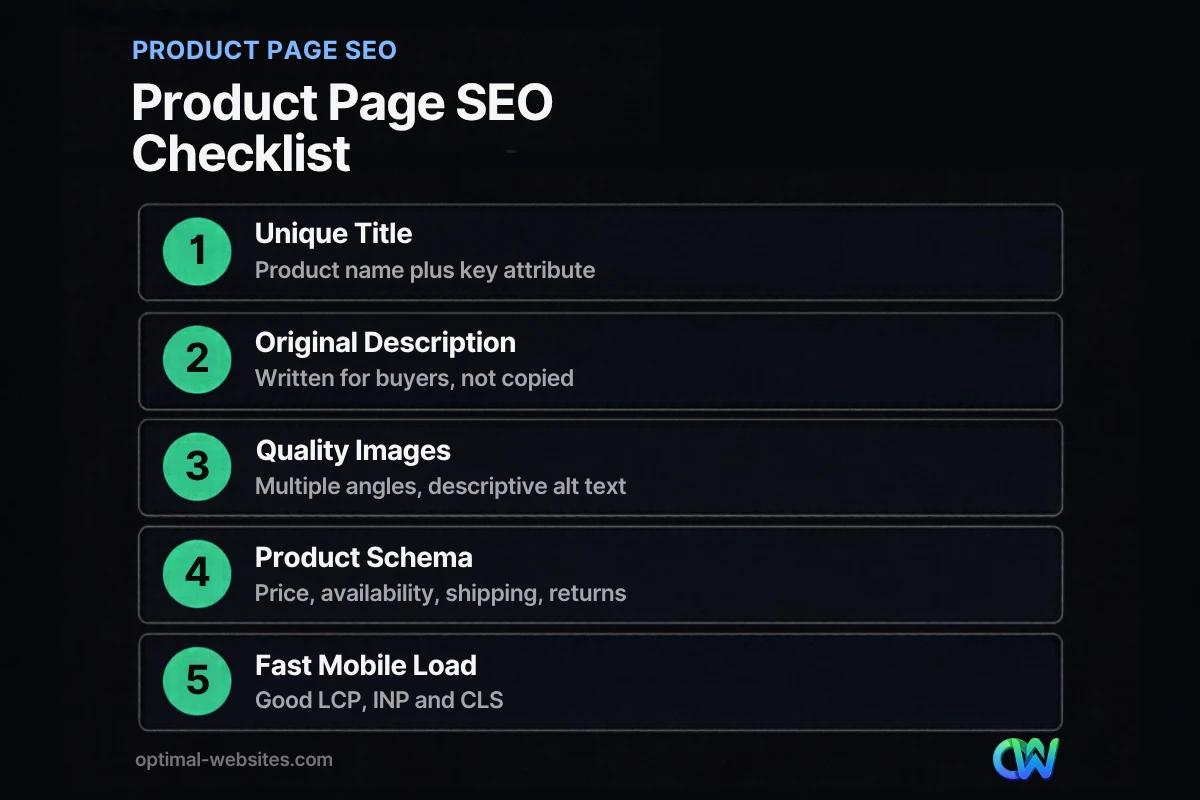
Product Page SEO Checklist
Use this checklist before you publish or update any product:
- [ ] Unique title tag with the product name and a key attribute
- [ ] Meta description with a clear reason to click
- [ ] Original description (not copied from the manufacturer)
- [ ] Specs, sizing and care details in an easy-to-scan format
- [ ] Several high-quality, compressed images with descriptive alt text
- [ ] Price, availability, shipping and returns visible above the fold or close to it
- [ ] Customer reviews displayed on the page
- [ ] Product schema validated in the Rich Results Test
- [ ] Clean URL and a single canonical version of the page
- [ ] Links to the parent category and related products
- [ ] Loads quickly on a phone with good Core Web Vitals
What is product schema and how does it help ecommerce SEO?
Product schema is structured data, usually written in JSON-LD, that labels the key facts on a product page, such as name, image, price, currency, availability and reviews, in a format Google can read reliably. It can make your pages eligible for rich results that stand out in search.
According to Google’s product structured data guide, there are two main types of product rich results:
| Type | Best for | What it can show |
|---|---|---|
| Product snippets | Pages where people can’t buy directly, like review or comparison pages | Ratings, review details, pros and cons, price |
| Merchant listings | Pages where customers can buy from you | Price, availability, shipping, returns, sizing and more |
For an online store, merchant listings are usually the goal. Google’s merchant listing documentation lists the required properties: the product `name`, an `image`, and an `offers` block with a `price` greater than zero and a `priceCurrency`. Recommended properties include `availability`, `shippingDetails`, `hasMerchantReturnPolicy`, `gtin`, `brand`, `sku` and `aggregateRating`. Google suggests setting shipping and return policies once at the organization level and only overriding them on individual products when needed.
Google also notes that pairing structured data with a Merchant Center feed maximizes eligibility. Rich results are never guaranteed, but broken markup guarantees you won’t get them.
How to check yours: paste a product URL into Google’s Rich Results Test. It flags missing or invalid fields; Search Console then reports problems across the catalog.
How do you handle faceted navigation without hurting SEO?
Faceted navigation is the set of filters, like size, color, brand and price, that shoppers use to narrow a category. It’s great for users but can create a near-endless number of URLs that waste Google’s crawl time.
Google’s guidance on managing faceted navigation names two risks: overcrawling, where crawlers fetch huge numbers of useless filter combinations, and slower discovery, where time spent on those URLs delays crawling of your new products.
Here’s how to apply that guidance:
- If you don’t want filter pages indexed, Google says blocking filter parameters in robots.txt is the most effective option, while still allowing the main category pages and product pages. `rel=”canonical”` pointing to the unfiltered page and `rel=”nofollow”` on filter links can help but are less reliable.
- If some filter pages deserve to rank (for example, “black leather work boots” has real search demand), use the standard `&` separator for URL parameters, keep filters in a consistent order, and avoid duplicate filters.
- Return a real 404 for empty results. If a filter combination has no products, the URL should return a 404 status, not redirect to a generic error page.
For most small stores: index main categories and a few high-demand filtered pages, and keep the rest out of the crawl.
What should WooCommerce stores do differently for SEO?
WooCommerce SEO comes down to configuration. WordPress and WooCommerce give you full control over URLs, content and markup, but that flexibility means your theme, plugins and hosting all affect how well the store ranks.
Set clean permalinks early
In WordPress settings, choose a product permalink structure before launch and stick with it. Changing it later means redirecting every product URL.
Use one SEO plugin and check its output
An SEO plugin can handle titles, sitemaps, canonicals and structured data. Pick one; two plugins often create duplicate tags and conflicting schema. WooCommerce and many themes also output product markup, so run a few product URLs through the Rich Results Test to make sure you have one clean, complete set of product data.
Watch plugin weight and hosting
Every extra plugin can add scripts and database queries. If your product pages feel sluggish, start with our guide to improving website speed, then review your hosting.
In our work at Optimal Websites, a WordPress web design agency based in Delaware, we build stores mobile-first with Elementor Pro and set up permalinks, sitemaps and product markup before the first product goes live. If you’re still deciding on a setup, our article on building a WordPress ecommerce website covers the full process, and our comparison on choosing the best ecommerce platform for a small business explains when WooCommerce is the right fit.
How Optimal Websites Can Help
If your store has products that should be selling but aren’t showing up in search, we can help. Our SEO services cover technical audits, product and category page optimization, structured data and speed improvements for WordPress and WooCommerce stores.
We also build online stores from the ground up, with fast, mobile-first designs in Elementor Pro and training videos so your team can add products and edit pages on its own. You can compare our website packages and pricing; most projects launch in 2–4 weeks.
Frequently Asked Questions
What are the most important ecommerce SEO tips for beginners?
Start with the basics: fix crawl and indexing issues in Google Search Console, write original product descriptions, use clean URLs, and add product schema. These ecommerce SEO tips cover most of what holds small stores back. Once those are solid, focus on category page content, page speed, and sharing your product data through Google Merchant Center free listings.
Is ecommerce SEO for small business worth the investment?
Yes, for most stores. Ecommerce SEO for small business builds traffic that keeps arriving without paying for every click, which makes it a strong complement to ads. Results take months rather than days, so it works best as a steady, long-term investment focused on the category and product pages that actually generate sales.
Does product schema improve rankings?
Product schema isn’t a direct ranking boost, but it helps Google understand your products and can make pages eligible for rich results that show price, availability and ratings. Those richer listings can earn more clicks than plain blue links. Google doesn’t guarantee rich results, so validate your markup with the Rich Results Test and keep it accurate.
Is WooCommerce good for SEO?
WooCommerce is a solid choice for SEO because it runs on WordPress and gives you full control over URLs, content, metadata and structured data. Good WooCommerce SEO depends on setup: a fast theme, quality hosting, one well-configured SEO plugin and clean permalinks. A poorly configured store on any platform will struggle, so configuration matters more than the platform itself.
Should I use manufacturer product descriptions?
It’s better not to. Manufacturer descriptions appear on many other websites, so your page offers Google nothing unique. Rewrite them in your own words, add details buyers care about, such as sizing, use cases and care instructions, and answer common questions. Strong original copy is one of the most reliable product page SEO improvements you can make.
What should I do with out-of-stock product pages?
If a product will return, keep the page live, mark it as out of stock in the page content and product schema, and offer alternatives or a back-in-stock signup. If the product is gone for good, redirect the URL to the closest replacement or its category so you keep any links and rankings the page has earned.
Ready to Get Started?
Want your products found by more shoppers? Request a free quote or call us at (302) 554-9497 to talk through your store’s SEO.


