
Last updated: October 15, 2026
Quick answer: Voice search optimization means structuring your website and Google Business Profile so voice assistants and AI answer engines can find, trust, and read back your information. Focus on a complete Business Profile, question-style headings with direct answers, accurate LocalBusiness structured data, and fast mobile pages.
When someone says “find a roofer near me” to their phone, or asks an AI assistant which law firm handles estate planning in their county, they rarely get ten blue links. They get one or two spoken suggestions, or a short AI summary with a few cited sources. If your business is not one of them, that customer calls someone else. Voice search optimization is how you become the business that gets named. This guide explains how voice assistants and AI answer engines choose what to say in 2026, which query types matter most for local businesses, and a checklist you can work through on your own WordPress site this month.
Key Takeaways
- Voice assistants are now powered by the same AI systems behind written AI answers, so voice search optimization and AI answer engine optimization are largely the same work.
- Local “near me” and “open now” questions are where voice search drives calls and visits, and your Google Business Profile is the main data source for them.
- Google says there are no special files or markup required to appear in AI Overviews or AI Mode. Indexable, helpful, well-structured pages are what count.
- FAQ rich results are no longer shown in Google Search as of May 2026, but clear question-and-answer content still helps assistants pull direct answers from your pages.
- Fast, mobile-first pages remain a baseline, since most voice queries happen on phones.
What Is Voice Search Optimization in 2026?
Voice search optimization is the practice of making your business information easy for spoken assistants and AI answer engines to find, understand, and repeat accurately. In 2026 it covers far more than smart speakers.
When we first wrote this post in 2020, voice search meant Siri, Alexa, and Google Assistant reading out a featured snippet. That world has changed. Google has been upgrading the Assistant experience on phones and Google Home devices to Gemini, its generative AI assistant. The result is that a spoken question can now get a conversational, AI-written answer that draws on several websites at once.
Voice assistants and AI answer engines now overlap
An AI answer engine is any tool that responds to a question with a written or spoken summary instead of a list of links. Google AI Overviews, Google AI Mode, Gemini, ChatGPT, and Perplexity all fit that description. When someone talks to one of these tools, the answer they hear comes from the same pool of sources as the typed version.
You do not need a separate “voice strategy.” You need pages that are clear enough for an AI system to quote and a business listing accurate enough for it to recommend.
What Google says about AI features
Google’s own guidance on AI features and your website is direct: there are no additional requirements to appear in AI Overviews or AI Mode, and no special optimizations, AI text files, or schema are needed. Your page must be indexed and eligible to show a snippet in regular Search.
Google’s recommended practices are the fundamentals: allow crawling, link to important pages internally, keep key content in text form, make structured data match visible content, and keep your Business Profile current. Traffic from these features shows up in the Search Console Performance report under the “Web” search type.
How Do People Use Voice Search for Local Businesses?
People mostly use voice search when their hands or eyes are busy and they need a fast answer: driving, cooking, walking between job sites. For local businesses, that usually means a question that ends in a call, a visit, or directions.
Spoken queries are longer and more conversational than typed ones. Someone might type “plumber Wilmington” but say “who is a good emergency plumber open right now near me?” The assistant has to understand intent, location, and urgency, then pick one or two businesses to mention. That is why the businesses with complete, consistent information tend to get named.
Voice query types and how to answer each one
The table below groups the spoken questions we see most often for service businesses, and where assistants typically look for the answer.
| Query type | Example spoken query | Where the answer usually comes from | What to optimize |
|---|---|---|---|
| Near me / discovery | “Roofing company near me” | Google Business Profile, Maps | Categories, service area, reviews, photos |
| Open now / hours | “Is the hardware store on Main open now?” | Business Profile hours | Regular and holiday hours kept current |
| Directions / contact | “Call the dentist on Route 9” | Business Profile, website contact page | Phone number, address, consistent NAP |
| Quick fact / how-to | “How long does a roof replacement take?” | Website pages, AI summaries | Question heading plus a 1–2 sentence answer |
| Comparison | “Metal roof vs shingles for Delaware weather” | AI Overviews, AI Mode, blog content | Clear comparisons, tables, honest pros and cons |
| Cost / pricing | “How much does a small business website cost?” | Pricing pages, AI summaries | Plain-language price ranges and what affects them |
Notice that the first three rows are answered almost entirely by your Google Business Profile, while the last three depend on your website content. Strong voice search SEO needs both.
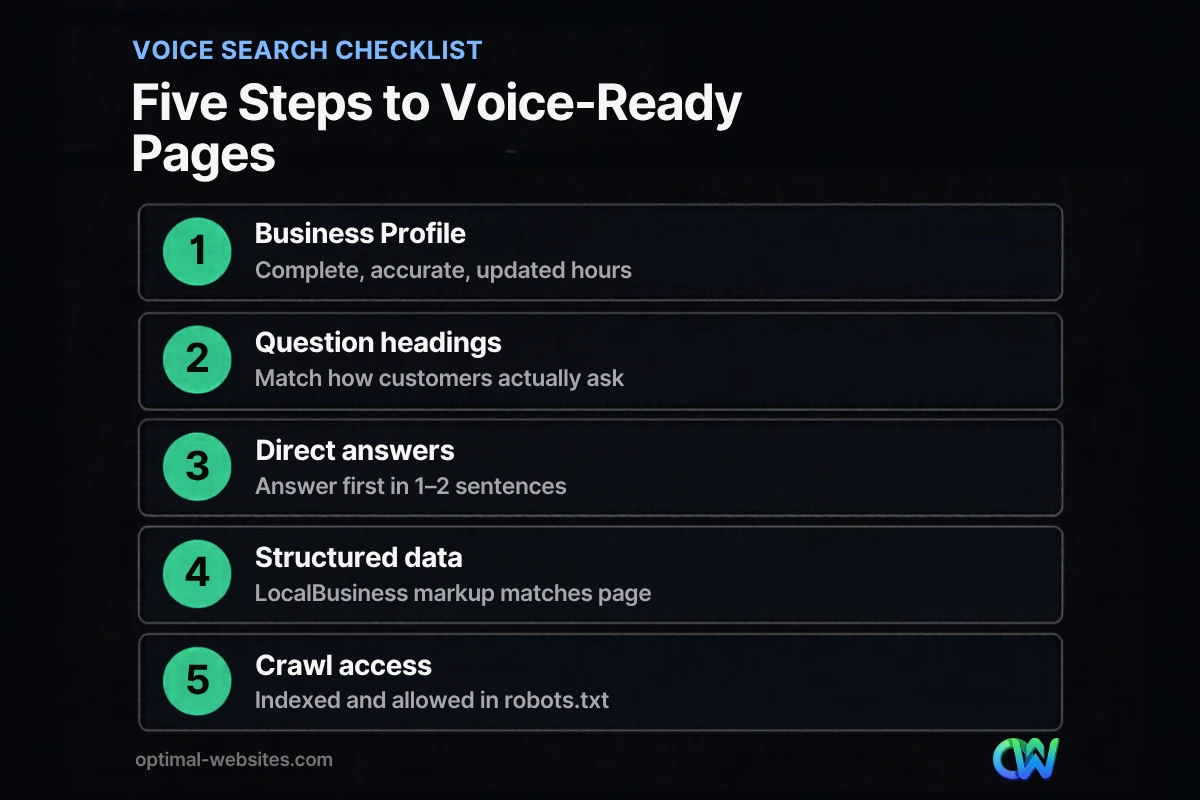
How Do You Optimize for Voice Search? A Step-by-Step Checklist
To optimize for voice search, start with your Google Business Profile, then make your website pages answer real questions directly and load quickly on mobile. The steps below are in priority order for most local businesses.
1. Complete and maintain your Google Business Profile
Your Google Business Profile (formerly Google My Business) is the single biggest source for local voice answers. Fill in your primary and secondary categories, service area, hours, phone number, website, services, and photos. Update holiday hours before every holiday. Ask happy customers for reviews and respond to them. Our step-by-step Google Business Profile optimization guide walks through every field.
2. Keep your name, address, and phone consistent
NAP stands for name, address, and phone number. Use exactly the same version on your website footer, contact page, Business Profile, and directory listings. Inconsistent details make it harder for assistants to be confident they are recommending the right business.
3. Write question-style headings with direct answers
Use H2 and H3 headings phrased the way customers actually ask, such as “How long does a kitchen remodel take?” Answer in the first one or two sentences, then add detail. This makes it easy for an AI system to lift a clean, accurate answer. Search Console’s Performance report can show the real questions people already use to find you, even though it does not separate voice queries from typed ones.
4. Add accurate LocalBusiness structured data
Structured data is code that labels information on your page so search engines can read it reliably. Google’s LocalBusiness structured data documentation lists name and address as required, with opening hours and telephone among the recommended properties. The markup must match what visitors see on the page. On WordPress, an SEO plugin can generate it for you.
5. Make pages fast and easy to use on phones
Most voice searches happen on mobile, and the person usually taps through to call or get directions. A slow or clunky page loses them. Check Core Web Vitals (LCP, INP, and CLS) in PageSpeed Insights, and review what makes a website truly mobile-friendly. If scores are weak, these practical ways to speed up your site are a good starting point.
6. Make sure Google can crawl and index your content
None of the above matters if your pages are blocked. Confirm your important pages are indexed in Search Console, that robots.txt is not blocking them, and that key information lives in text rather than only in images or PDFs.
Does FAQ Schema Still Help With Voice Search?
FAQ schema no longer produces visible FAQ rich results in Google Search. According to the Search Central documentation changelog, Google deprecated the FAQ rich result in May 2026 and removed its documentation in June 2026, after limiting it to authoritative government and health sites in 2023.
That does not make FAQ content useless. A well-written FAQ section still answers the exact questions people ask out loud, in short self-contained paragraphs that AI systems can quote. What has changed is that you should write FAQs for readers and answer engines, not for a rich result that no longer appears. Keep the questions on the page as visible headings and text.
What about Speakable markup?
Google’s Speakable markup is still in beta and limited to news content in US English on Google Assistant-enabled smart speakers. For a contractor, law firm, or clinic website, it is not worth your time. Focus on the checklist above instead.
Which Voice Search Tips From Older Guides Are Outdated?
Many voice search articles still circulate tips from 2018 to 2020 that no longer apply. Dropping these saves time and keeps your strategy focused.
- Big percentage predictions. You will still see claims that half of all searches would be voice by 2020. Those forecasts were never reliable and should not drive decisions.
- “Google My Business.” The product is now Google Business Profile, managed from Google Search, Maps, or the Business Profile dashboard.
- Cortana as a search assistant. Microsoft retired the standalone Cortana app in Windows in 2023, so it is not a channel to plan for.
- Chasing FAQ rich results. As covered above, they no longer appear.
- Robotic keyword strings. Natural language beats stuffing “best plumber near me cheap” into a page.
How Does Voice Search Fit Into Your Overall SEO?
Voice search is not a separate channel. It is a result of doing local SEO well. The same signals that help you rank in the map pack and in regular results, such as relevance, accurate business data, helpful content, and a good page experience, are the ones that get your business named by an assistant.
If you are just getting started, our guide to SEO basics for small businesses covers the foundation. Voice search optimization then becomes a set of refinements on top: question-led headings, direct answers, and a meticulously maintained Business Profile.
What we see on real WordPress builds
At Optimal Websites, a WordPress web design agency based in Delaware, we build mobile-first sites on Elementor Pro for contractors, roofers, law firms, and local service businesses. The voice-friendly pattern we use is simple: each service page opens with a plain-language summary of what the service is, who it is for, and the service area, followed by question headings that match how clients phrase things on the phone. A roofing client’s customer asks “do you do storm damage inspections?” not “residential storm damage roofing services.” Writing to that phrasing helps both people and assistants.
We also make sure the phone number on every page is a tap-to-call link, since many voice searches end with “call them.”
How Optimal Websites Can Help
If you would rather not handle structured data, Business Profile cleanup, and content rewrites yourself, our SEO services cover the local and on-page work that helps assistants and AI answer engines recommend your business. We also build fast, mobile-first WordPress sites with Elementor Pro, and every client gets video tutorials so they can keep hours, services, and FAQs up to date on their own.
You can review our website packages and pricing to see what fits. Most projects launch in 2–4 weeks.
Frequently Asked Questions
What is voice search optimization?
Voice search optimization is the process of making your website and business listings easy for voice assistants and AI answer engines to understand and recommend. It focuses on conversational, question-based content, accurate Google Business Profile details, matching structured data, and fast mobile pages, so your business is the one an assistant names when a customer asks out loud.
Is voice search still relevant in 2026?
Yes. Voice assistants are now built on generative AI, such as Gemini on Google devices, which makes spoken answers more conversational and more useful. The answers draw from the same sources as written AI summaries, so optimizing for voice also improves how your business appears in AI Overviews, AI Mode, and other AI answer engines.
How do I optimize my website for voice search?
To optimize for voice search, phrase headings as real customer questions and answer each in one or two sentences before adding detail. Add LocalBusiness structured data that matches your visible content, keep pages fast on mobile, and make sure Google can crawl and index them. Then keep your Google Business Profile complete and current.
Do I need special markup to appear in AI Overviews?
No. Google states there are no additional requirements or special schema to appear in AI Overviews or AI Mode. Your page needs to be indexed and eligible to show a snippet in regular Search. Standard structured data still helps Google understand your business, but it must match what visitors can see on the page.
Does my Google Business Profile affect voice search results?
Yes, heavily. For “near me,” “open now,” and “call” requests, assistants rely mainly on Google Business Profile data. Keep your categories, hours, holiday hours, phone number, service area, and photos accurate, and collect reviews regularly. An incomplete or outdated profile is one of the most common reasons a local business is not mentioned.
Can I see voice search queries in Google Search Console?
Not separately. Search Console does not label which queries were spoken and which were typed. You can still review the Performance report for long, question-style queries, which often reflect conversational search. Traffic from AI Overviews and AI Mode is included in the same report under the “Web” search type.
How long does voice search SEO take to show results?
Google Business Profile fixes, such as correcting hours or categories, can show up within days to a few weeks. Content and structured data changes usually take longer because Google has to recrawl and reprocess your pages. Treat voice search SEO as ongoing maintenance rather than a one-time project, and review your profile and key pages every few months.
Ready to Get Started?
Want your business to be the one assistants recommend? Request a free quote or call us at (302) 554-9497 to talk through your site and Google Business Profile.


