
Last updated: October 15, 2026
Quick answer: Facebook marketing for small business means using a free Facebook Page, regular helpful posts and small, targeted ad budgets to reach local customers. Start with a complete Page, post two to four times a week, answer messages fast, and boost the posts that already perform well to reach new people.
Most small business owners know their customers are on Facebook. The hard part is turning scattered posts into phone calls, booked jobs and store visits. Facebook marketing for small business works when it follows a simple system: a Page that answers every basic question, a steady posting rhythm, and ad spend that goes only behind content you know people like. Done well, it keeps your name in front of local buyers between the moments they need you. This guide gives you a Page setup checklist, a clear comparison of organic posts and paid ads, and a weekly posting plan you can run in about an hour.
Key Takeaways
- About seven in ten U.S. adults use Facebook, so it remains one of the widest-reaching places to meet local customers.
- A complete Facebook Business Page (category, hours, contact info, action button) does much of your marketing before you post anything.
- Organic posts build trust with people who already follow you; ads and boosted posts reach new people.
- Two to four useful posts per week beats daily filler for most small businesses.
- Every Facebook effort should send people to a fast, mobile-friendly website or a direct way to contact you.
Is Facebook Still Worth It for Small Businesses?
Yes. Facebook still reaches a large share of American adults across every age group, which makes it a practical channel for local service businesses, contractors and retailers.
According to Pew Research Center’s 2025 social media survey, published November 2025, 71% of U.S. adults report using Facebook. Pew also found that about half of U.S. adults visit Facebook at least once a day, including 37% who visit several times a day. Use is especially strong among adults 30 to 64, the age range that hires roofers, lawyers and home service companies.
What has changed since 2020 is how people use the platform. Facebook is now a place where people check reviews, message businesses, look up hours and watch short videos. In Meta’s own overview of Facebook Pages, the company notes that Pages are public and that Google may index them, which means your Page can also show up when someone searches your business name.
What Facebook does well
- Local reach: You can target ads by location, so a contractor serving one county does not pay to reach people three states away.
- Two-way contact: Page Inbox lets customers message you on Facebook, Messenger and Instagram from one place.
- Social proof: Recommendations and comments show prospects that real people use your business.
Where Facebook falls short
Facebook is rented space. Reach on organic posts is limited, rules change, and you do not own your follower list. That is why Facebook works best as a feeder to your website and your phone line, not as a replacement for them.
How Do You Set Up a Facebook Business Page the Right Way?
A Facebook Business Page is a free, public profile for your company where customers can find your contact details, read reviews, see your posts and message you. You need a personal Facebook profile to create one, but the Page stays separate from your personal account.
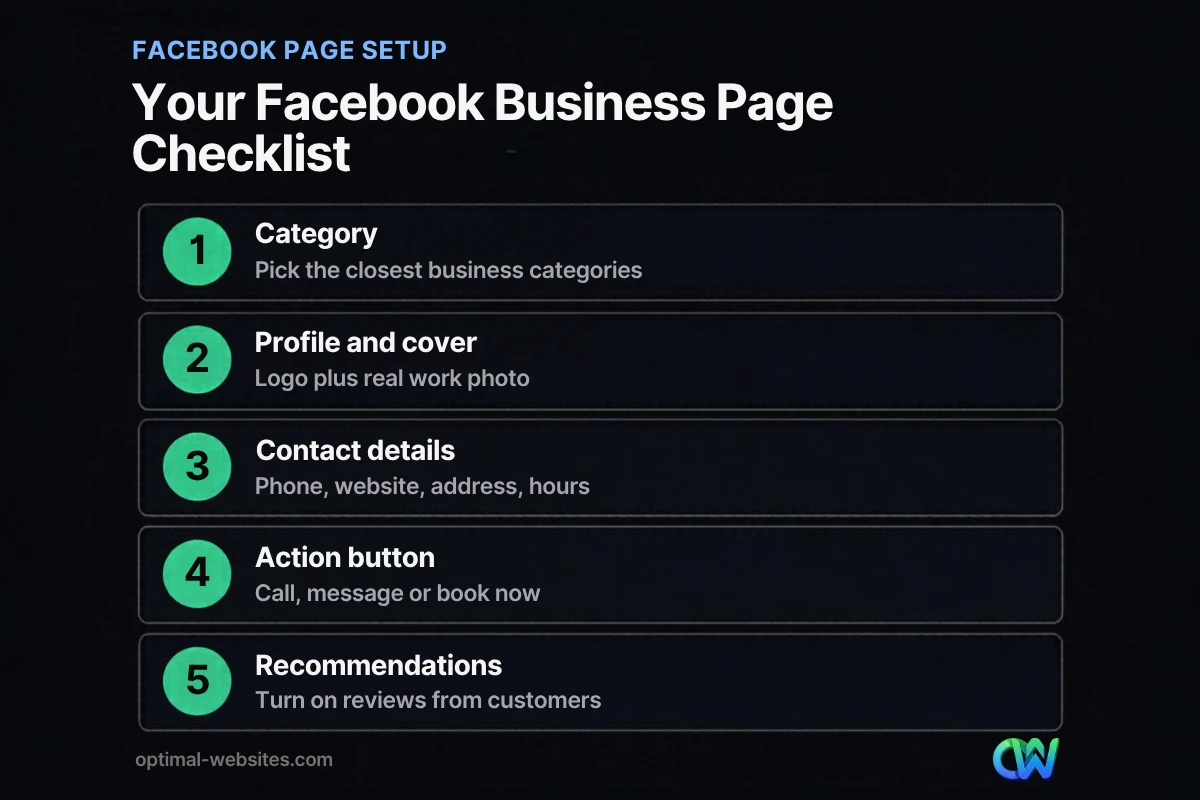
Meta’s guide to best practices for growing a Page audience lists the basics: choose accurate categories, add a profile picture and cover photo, fill in your profile info, add an action button, turn on Recommendations, add your address if you have a physical location, keep your hours updated and post when your audience is online. Meta also notes that since August 2025, people can no longer “like” Pages and can only follow them, so follower count is the number to watch.
Facebook Page setup checklist
- [ ] Business name that matches your website and Google Business Profile exactly
- [ ] Category that describes what you actually sell (for example, “Roofing Contractor,” not just “Business”)
- [ ] Profile picture: your logo, sized so it reads clearly in a small circle
- [ ] Cover photo: a real photo of your team, a finished project or your storefront
- [ ] Short bio that says what you do and where you work in one or two sentences
- [ ] Phone, website, email and service area filled in
- [ ] Hours kept current, including holidays
- [ ] Action button set to Call Now, Send Message or Book Now
- [ ] Recommendations turned on so customers can leave reviews
- [ ] Username (the vanity URL) claimed and added to your website footer and email signature
- [ ] Meta Business Suite set up so you can schedule posts and answer messages from one dashboard
Consistency matters beyond Facebook. Your name, address and phone number should match your website and the listing you build when optimizing your Google Business Profile. Matching details make it easier for both people and search engines to trust that every listing belongs to the same business.
What Is the Difference Between Organic Posts and Facebook Ads?
Organic posts are free updates that mostly reach people who already follow your Page. Facebook ads are paid placements that can reach new people based on location, interests and other targeting you choose.
A boosted post sits between the two. Meta’s help page on boosted posts defines them as ads you create from existing posts on your Page, as opposed to new ads built in Ads Manager with creative that has never appeared on your Page. Meta suggests boosting posts that already received strong engagement, since that signals the content resonated. One practical note from that page: boosting from the Facebook iOS app may carry an Apple service fee of 30%, so boost from a desktop browser or Meta Business Suite instead.
| Organic posts | Boosted posts | Ads Manager campaigns | |
|---|---|---|---|
| Cost | Free (your time) | Pay per boost, set your own budget | Pay per campaign, set your own budget |
| Who sees it | Mostly current followers | Followers plus new people you target | New and existing audiences you define |
| Best for | Trust, updates, customer service | Getting more reach on a post that already works | Leads, calls, sales, retargeting website visitors |
| Setup effort | Low | Low (a few clicks from the post) | Moderate to high |
| Creative | Anything you post | Must be an existing Page post | New ads, multiple versions, A/B tests |
| Tracking | Page Insights | Ad Center on your Page | Ads Manager reporting |
Which should a small business start with?
Start organic. Post for four to six weeks and watch Page Insights to see which topics get comments, shares and messages. Then put a small budget behind your best performer as a boosted post. Move to Ads Manager when you want lead forms, website conversion tracking or retargeting, which usually means it is time to bring in help or set aside dedicated time each week.
What Should a Small Business Post on Facebook?
Post content that helps a customer decide to hire you: proof of your work, answers to common questions and clear reasons to get in touch. Promotions should be a small slice, not the whole feed.
Content that works for local businesses
- Before-and-after photos of real jobs (roofing, remodeling, landscaping, cleaning)
- Short videos answering one question your team hears every week
- Team introductions so customers know who will show up
- Customer reviews, shared with permission
- Seasonal tips, such as storm prep for roofers or tax deadline reminders for accountants
- Behind-the-scenes posts from the shop, office or job site
- Offers and events, kept to roughly one in five posts
A useful rule: if a post would not interest someone who is not ready to buy today, make it more helpful before you publish it.
How Often Should a Small Business Post on Facebook? (A Weekly Posting Plan)
For most small businesses, two to four quality posts per week is a sustainable target. Consistency matters more than volume, and Meta recommends posting when your audience is online, which you can see in Page Insights.
Here is a simple weekly plan you can batch in about an hour using the scheduler in Meta Business Suite:
- Monday: Proof post. Share a recent project photo or video with two sentences about the problem you solved.
- Wednesday: Helpful tip. Answer one common customer question in plain language. Short vertical video works well here.
- Friday: People post. Introduce a team member, share a review or show a behind-the-scenes moment.
- Optional weekend post: Offer or event. Use this slot sparingly for promotions, open houses or seasonal deals.
- Daily, 10 minutes: Inbox and comments. Reply to every message and comment. Fast replies build trust and often turn into booked work.
- Monthly, 30 minutes: Review Insights. Note your top three posts by engagement and messages, then make more like them or boost the best one.
How Does Facebook Marketing for Small Business Connect to Your Website?
Facebook gets attention; your website closes the deal. Most Facebook traffic arrives on a phone, so the page people land on needs to load fast, explain your service clearly and make it easy to call or request a quote.
At Optimal Websites, a WordPress web design agency based in Delaware, we see this pattern often with contractors, construction firms and law firms. A business posts consistently, a prospect clicks through, and the website is slow or hard to use on mobile. That lost click is the most expensive part of social media. A fast, mobile-friendly website built in WordPress with Elementor Pro gives your Facebook traffic a clear next step.
Make each click count
- Link posts to a specific service page, not just your homepage.
- Put your phone number and a quote form above the fold on mobile.
- Add the Meta Pixel (through your WordPress setup) before running ads, so you can track leads and retarget visitors.
- Use the same offer and language on Facebook and on the landing page.
For more ideas on the website side, see how to turn more website visitors into leads.
Common Facebook Marketing Mistakes to Avoid
The most common mistakes are inconsistency, posting only sales messages and ignoring messages. Each one tells prospects your business may be hard to work with.
- Starting strong, then going silent. A Page with no posts in six months looks closed.
- Boosting everything. Boost only posts that already perform; weak posts stay weak with money behind them.
- Ignoring the Inbox. Unanswered messages are lost leads.
- Inconsistent business info. Old hours or an outdated phone number cost you calls.
- Measuring likes instead of results. Track messages, calls, quote requests and website clicks.
How Optimal Websites Can Help
Facebook works best when your Page, your posts and your website pull in the same direction. Our social media marketing services help small businesses set up and manage their presence, plan content and connect social traffic to a website built to convert it.
We build fast, mobile-first WordPress websites with Elementor Pro, and most projects launch in 2–4 weeks. You also get video tutorials so you can update your own site. Review our website packages and pricing to see which plan fits your business, starting at $999 for Starter.
Frequently Asked Questions
Is Facebook marketing for small business free?
Partly. Creating a Facebook Business Page, posting, messaging customers and using Page Insights are all free. Paid options include boosted posts and Ads Manager campaigns, where you set your own budget. Many small businesses start with free organic posting and add a small ad budget only after they know which posts get the best response from local customers.
How much should a small business spend on Facebook ads?
There is no single right number, because Facebook lets you set your own daily or total budget. Start small with a boosted post that already performs well, run it for a week or two, and measure messages, calls or quote requests. Increase spend only when you can connect it to real leads. Facebook ads for small business work best with a clear offer and a fast landing page.
Is boosting a post the same as running a Facebook ad?
A boosted post is a type of Facebook ad. Meta defines boosted posts as ads created from existing posts on your Page, while Ads Manager lets you build new ads with fresh creative, more targeting options and detailed tracking. Boosting is simpler and good for extending reach. Ads Manager is better for lead generation, website conversions and retargeting.
How often should a small business post on Facebook?
Two to four posts per week is a realistic target for most small businesses. Consistency matters more than frequency, so pick a schedule you can keep. Check Page Insights to see when your followers are online, schedule posts for those times with Meta Business Suite, and spend a few minutes each day answering comments and messages.
Do I need a website if I have a Facebook Page?
Yes. A Facebook Page is useful, but you do not own it, and organic reach is limited. A website gives you a place you control, ranks in Google, holds detailed service pages and captures leads with forms. The strongest approach to Facebook marketing for small business uses the Page to attract attention and the website to convert it.
Can people still like a Facebook business Page?
No. According to Meta, starting in August 2025 people can no longer like Pages and can only follow them. People can still like individual posts and content you share. For your reporting, track followers, post engagement, messages and clicks to your website instead of Page likes.
What should I post on my Facebook Business Page?
Post content that helps customers choose you: photos and short videos of real work, answers to common questions, team introductions, customer reviews and seasonal tips. Keep promotions to roughly one in five posts. Helpful, specific posts tend to earn more comments and shares, which also gives you better candidates to boost later.
Ready to Get Started?
Want Facebook and your website working together to bring in more calls? Request your free quote or call us at (302) 554-9497 to talk through your goals.


