
Quick answer: Product page best practices come down to answering every buyer question on one page: sharp photos from several angles, a clear price with shipping costs, a useful description with specs and sizing, real reviews, visible stock and delivery details, and a fast, mobile-friendly add to cart button that is always easy to find.
On a small online store, the product page does the selling. There is no salesperson to answer questions, no shelf to pick the item up from and no second chance if the page leaves a shopper unsure. Most abandoned visits come down to the same gaps: unclear photos, missing details, surprise costs or a page that is slow on a phone. Product page best practices fix those gaps. This guide covers what shoppers look for, how to shoot and present photos, how to write product descriptions that sell, where reviews and trust signals belong, the technical basics behind ecommerce conversion and a checklist you can apply to your top products this week.
Key Takeaways
- Treat each product page as the full sales conversation: photos, price, details, proof and a clear next step.
- Show several high-quality product photos, including scale and in-use shots, with zoom on mobile.
- Write descriptions for buyers, not search engines: benefits first, then specs, sizing and care.
- Show the full cost early, including shipping, and make return policies easy to find.
- Fast loading, structured data and genuine reviews help both shoppers and search visibility.
Why do product pages matter so much?
Product pages are where buying decisions happen, so small improvements there have an outsized effect on sales. Almost every shopper passes through a product page before adding to cart.
Baymard Institute’s product page research, based on large-scale usability testing, found that many leading ecommerce sites still have mediocre product page usability and that shoppers often abandon suitable products because of issues that could be fixed. For a small store, that means the opportunity is real: you do not need more traffic if the pages you have convert better.
What should a product page include?
A strong product page includes product photos, title, price, availability, a clear add to cart button, a description, specifications, shipping and return details, and reviews. The table below shows what each part needs to do.
| Element | What good looks like | Common mistake |
|---|---|---|
| Title | Clear product name with key variant (size, color, model) | Vague or keyword-stuffed names |
| Photos | Several angles, zoom, in-use and scale shots | One small photo on white |
| Price | Visible near the title, with sale price explained | Hidden until checkout |
| Variants | Clear swatches or buttons, out-of-stock options marked | Dropdowns that hide options |
| Add to cart | High-contrast button above the fold on mobile | Button below long text blocks |
| Description | Benefits first, then features and use cases | Copied manufacturer text |
| Specs | Dimensions, materials, compatibility, care | Missing details buyers need |
| Shipping and returns | Cost, timing and policy near the button | Only on a separate policy page |
| Reviews | Star rating near the title, full reviews below | No reviews or obviously fake ones |
How should you show product photos?
Product photos should let shoppers inspect the item as if they were holding it. Use several images, consistent lighting and a zoom that works on phones.
A practical photo set for most products:
- Main image on a clean background
- Two or three angles (front, side, back)
- Close-up of texture, material or key detail
- Scale shot next to a familiar object or on a person
- In-use or lifestyle shot showing the product in context
- Video for products where movement or assembly matters
Compress every image before uploading and use modern formats so pages stay fast. Add descriptive alt text to each photo for accessibility and image search.
How do you write product descriptions that sell?
Good product descriptions answer the questions a shopper would ask a knowledgeable salesperson. Lead with what the product does for the buyer, then give the details they need to be sure.
A simple structure
- Opening line: who it is for and the main benefit.
- Key benefits: three to five short bullet points.
- Details and specs: size, materials, compatibility, what is in the box.
- Use and care: how to use it, clean it or install it.
- Sizing or fit help: charts, measurements or comparisons.
Write original copy for every product. Copying manufacturer descriptions gives you the same text as every other retailer and does little to help you stand out. For more on getting product pages found, see our ecommerce SEO tips.
Where should price, shipping and returns appear?
Show the price next to the product title and put shipping cost, delivery estimate and return policy close to the add to cart button. Surprise costs at checkout are a common reason shoppers abandon a purchase.
Helpful details near the button:
- Shipping cost or the free shipping threshold
- Estimated delivery date or range
- Stock status (“In stock,” “Ships in 3–5 days”)
- Return window and who pays return shipping
- Accepted payment methods
How do reviews improve ecommerce conversion?
Reviews show shoppers that real people bought and liked the product, which reduces the risk of buying from a store they do not know. Place the star rating near the title and full reviews lower on the page.
Ways to get more useful reviews:
- Send a review request email after delivery, not at checkout.
- Ask specific questions about fit, quality and use.
- Encourage customer photos.
- Respond to negative reviews politely and fix the issue when you can.
Only show genuine reviews. The FTC’s rule banning fake reviews, announced in August 2024, prohibits fake reviews, buying reviews tied to a positive or negative sentiment and suppressing honest negative reviews.
What technical basics affect product page performance?
Speed, mobile layout and structured data are the technical basics that matter most. They affect how many shoppers stay on the page and how your products appear in search.
Speed and mobile
Most shoppers browse on phones. Keep the add to cart button visible without scrolling, make variant buttons large enough to tap and aim for Core Web Vitals targets: main content within 2.5 seconds, quick response to taps and no layout jumps as images load.
Structured data
Google’s product structured data documentation explains that merchant listing markup is for pages where customers can buy, and can include details like price, availability, shipping and return policy. WooCommerce and SEO plugins can generate much of this automatically, but check it with Google’s testing tools.
What we see when building online stores
On the WordPress and WooCommerce stores we design with Elementor Pro, product page templates make the biggest difference. Building one well-structured template, with consistent photo galleries, a sticky add to cart on mobile and shipping details near the button, improves every product at once. If you are planning a new store, our guide to how to build a WordPress ecommerce website covers setup, and our ecommerce website cost guide explains budgeting.
Product page best practices checklist
Use this product page best practices checklist on your top-selling products first, then roll changes into your product template.
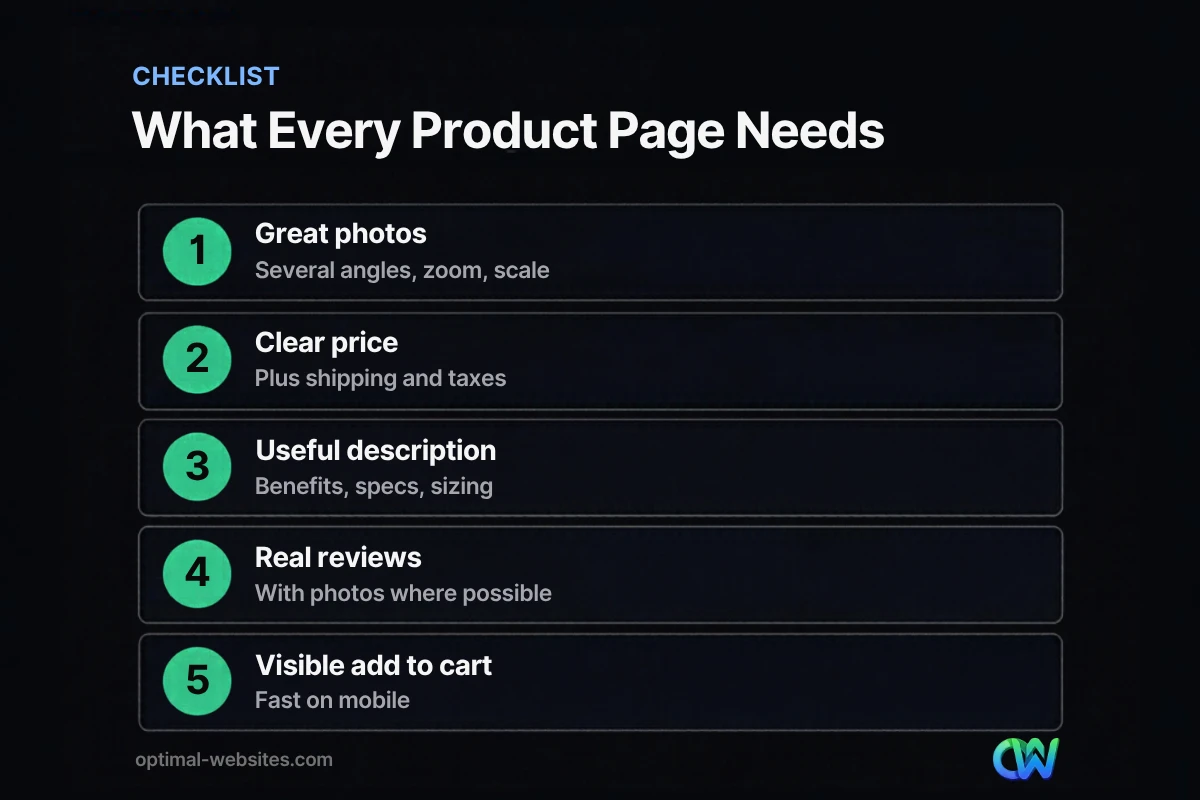
- Title names the product and key variant clearly.
- At least four photos, with zoom, scale and in-use shots.
- Price, sale price and stock status visible near the title.
- Add to cart button visible on mobile without scrolling.
- Benefit-led, original description with bullet points.
- Full specs, sizing and care instructions.
- Shipping cost, delivery estimate and returns near the button.
- Star rating near the title and genuine reviews below.
- Fast loading and no layout shift on mobile.
- Product structured data validated.
How Optimal Websites Can Help
Optimal Websites, a WordPress web design agency based in Delaware, designs fast, mobile-first online stores on WordPress and WooCommerce with product templates built to convert. Learn more about our WordPress web design and online stores, or compare our website packages, which start at $999.
Frequently Asked Questions
What are product page best practices?
Product page best practices are the elements that help shoppers decide to buy: several clear photos, a visible price with shipping costs, an original description with specs, genuine reviews, stock and delivery details and an easy add to cart button. Pages should load fast and work well on phones, where most shoppers browse.
How many product photos should a product page have?
Most product pages should have at least four to six photos: a main image, several angles, a close-up of key details, a scale shot and an in-use photo. Add video for products where movement or assembly matters. Every image should be compressed for speed and include descriptive alt text.
How long should product descriptions be?
Product descriptions should be as long as needed to answer buyer questions, usually a short benefit-led opening, a few bullet points and a details section with specs and care. Simple products may need less; technical or expensive products need more. Always write original text instead of copying manufacturer descriptions.
Where should shipping information go on a product page?
Shipping information should sit close to the add to cart button, including cost or the free shipping threshold, delivery estimate and return policy. Shoppers often abandon carts when they discover extra costs late. Showing them early on the product page builds trust and supports ecommerce conversion.
Do product reviews help SEO?
Product reviews can help SEO by adding fresh, original content in customers’ own words and by making pages eligible for review details in search when marked up correctly. More importantly, they help shoppers decide to buy. Only show genuine reviews, since fake reviews are prohibited under the FTC’s 2024 rule.
What is the most important element of product page design?
The most important element of product page design is clear, high-quality photos, because shoppers cannot touch the product. Close behind are a visible price with full costs and an easy add to cart button on mobile. Together, these answer the core questions a buyer has before purchasing.
Ready to Get Started?
Want product pages that turn browsers into buyers? Get a free quote or call (302) 554-9497.


