
Quick answer: A lead capture form is the form on your website where visitors leave their contact details to request a quote, consultation or callback. The best forms ask only for what you need to follow up, use a single column with clear labels, work smoothly on phones, use a specific button label, and are followed by a fast response.
Your website gets traffic, but the form submissions trickle in, and half of them are spam. Often the problem is not your offer or your traffic. It is the form itself: too many fields, a vague “Submit” button, a layout that breaks on phones, or a form buried at the bottom of the contact page. Every visitor who gives up halfway is a lead you paid to attract and then lost. This guide covers lead capture form best practices that get more submissions, from the fields to keep and where to place the form, to mobile details, spam control and the follow-up that turns a submission into a customer.
Key Takeaways
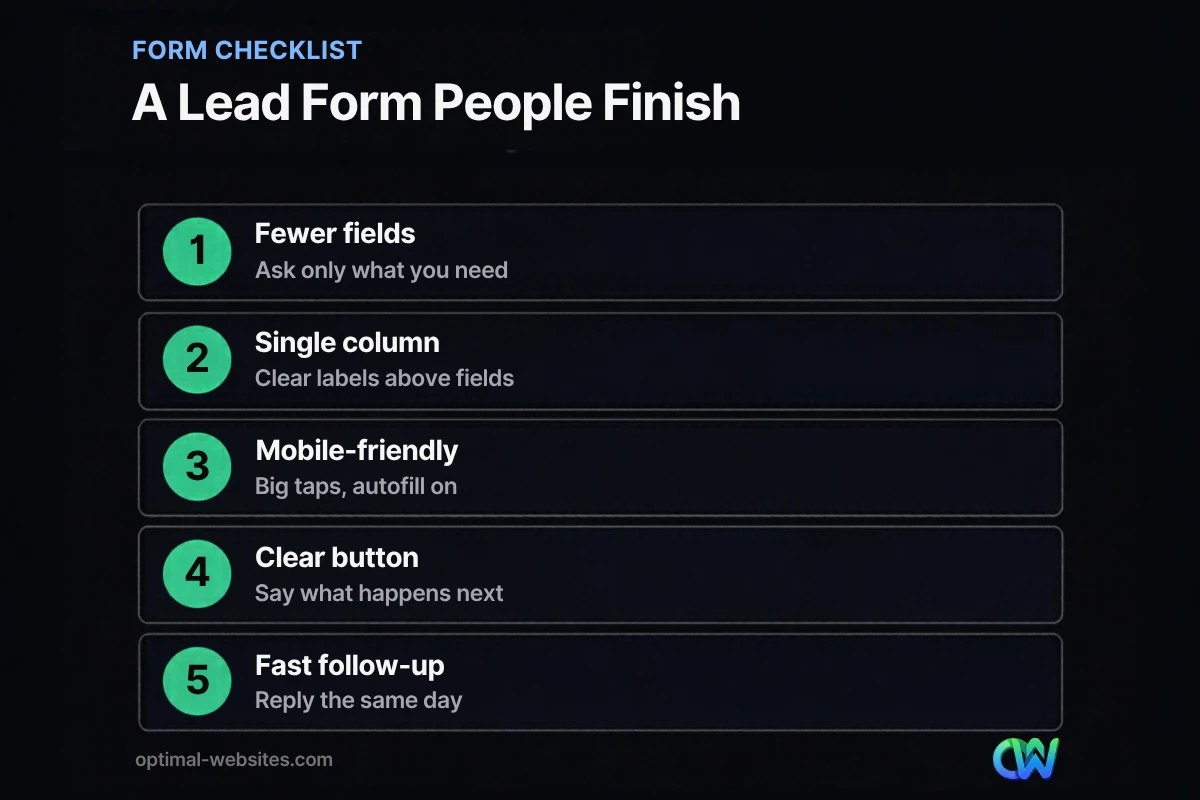
- Every field you add is a reason to quit. Ask only for what you need to make the first contact.
- Single-column layouts with labels close to the fields are easier to complete, especially on phones.
- Place a short form where the decision happens: on service pages and landing pages, not only on the contact page.
- Replace “Submit” with a specific button label, and say what happens after someone sends the form.
- A great form is wasted without fast follow-up. Reply the same business day.
What is a lead capture form?
A lead capture form is a web form that collects a visitor’s contact information in exchange for something they want: a quote, a consultation, an estimate, a callback or a download. For service businesses, it is usually a quote request form or a “contact us” form.
It is one of the most important parts of a small business website because it turns anonymous traffic into named people you can follow up with. The form is also where many sites lose leads quietly, because nobody sees the visitors who started typing and then left.
How many fields should a lead capture form have?
Use as few fields as you need to make useful first contact, which for most service businesses means three to five. Name, phone or email, and a short message or service choice usually cover it.
Nielsen Norman Group’s form usability recommendations put “keep it short” at the top of the list: remove fields that can be derived, collected later or omitted entirely. Every extra field adds effort and makes the form look like more work than it is.
| Field | Keep? | Why |
|---|---|---|
| Name | Yes | You need to know who to call |
| Phone | Yes for most local services | Fastest way to follow up and qualify |
| Yes, or make phone or email required | Needed for written quotes and confirmations | |
| Service needed (dropdown) | Yes if you offer several services | Routes the lead and prepares your reply |
| Short message | Optional | Lets people explain the problem in their words |
| Address or ZIP code | Only if you must confirm service area | Can usually wait until the call |
| Budget | Usually no | Can scare people off before you talk |
| “How did you hear about us?” | Optional, keep it last | Helpful for tracking, not essential |
If you need detailed information for an estimate, collect it in a second step after the first submission, or on the call. A shorter first form usually brings in more conversations to qualify.
What makes a lead capture form easy to complete?
Clear layout, clear labels and clear expectations. People finish forms that look simple and tell them exactly what to do.
Use a single column
Stack fields in one column so the eye moves straight down. Short related fields, like first and last name, can share a row on desktop, but keep everything in one column on mobile.
Put labels close to the fields
Labels should sit right above or beside the field they describe. NN/g also recommends avoiding placeholder text as a substitute for labels, because it disappears when people start typing and causes usability problems.
Mark required and optional fields
Make it obvious which fields are required. Better still, limit optional fields so there is little to explain.
Write specific error messages
If something is wrong, say what and how to fix it (“Please enter a 10-digit phone number”), keep what the person already typed, and do not rely on red color alone.
Use a specific button label
“Submit” tells people nothing. “Get My Free Quote,” “Request an Estimate” or “Schedule My Consultation” says what they get. Under the button, add one line on what happens next, such as “We reply within one business day.”
Where should you place a lead capture form?
Place it where visitors decide to act: on every service page, on landing pages, and near the top of the contact page. Do not make people hunt for it.
- Service pages: a short form after the main explanation and again near the bottom, or a sticky “Get a Quote” button that opens it.
- Landing pages: the form above the fold on desktop, with a clear button that scrolls to it on mobile. Our post on landing page design covers this layout in depth.
- Contact page: the form near the top, next to the phone number, hours and service area.
- Homepage: a clear call to action that leads to the form, plus click-to-call on mobile.
Add trust signals next to the form: a few reviews, licenses or certifications you actually hold, and a short privacy note like “We never share your information.”
How do you make a lead capture form work on mobile?
Make fields large and easy to tap, trigger the right keyboard for each field, and enable browser autofill. On a phone, every extra tap is friction.
- Use the right input types so phones show a number pad for phone fields and an email keyboard for email fields.
- Turn on autofill. web.dev’s guide to autofill explains that correct autocomplete values help users fill out forms faster.
- Make buttons and fields big enough to tap with a thumb, with space between them.
- Keep the form short so it fits on one or two screens.
- Offer tap-to-call next to the form for people who would rather talk.
How do you stop spam without losing real leads?
Use invisible spam protection first and visible challenges only if you must. Puzzles and confusing CAPTCHAs block real customers too.
- Add a honeypot field (hidden from humans, filled by bots) to your form plugin.
- Use your form plugin’s built-in spam filtering or an invisible verification service.
- Block repeated submissions from the same source in a short time.
- Review the spam folder occasionally so real leads do not get lost.
How do you improve your form conversion rate?
Measure it, change one thing at a time, and follow up faster. Form conversion rate is the share of visitors who submit the form, and small changes can move it.
- Track submissions as conversions in Google Analytics 4 so you know your baseline.
- Remove one field you do not truly need and compare results over a few weeks.
- Test the button label and the line under it.
- Move the form higher on key service pages.
- Respond quickly. Leads go cold fast. Set up instant email or text notifications and reply the same business day.
If the form is fine but leads are still scarce, the problem may be upstream: traffic, offer or trust. Our guides on how to get more leads from your website and why a website not generating leads usually has deeper issues cover those angles.
What we see on small business forms
On the contractor, law firm and local service websites we rebuild, the old contact form often has eight to twelve fields, a generic “Submit” button and no confirmation message. Some send submissions to an inbox nobody checks daily.
When we build forms in WordPress with Elementor Pro, we start with name, phone, email, service and a short message, send instant notifications to the right person, show a clear thank-you message, and track every submission as a conversion. For law firms and healthcare clients, we avoid collecting sensitive details in the first form and keep it to contact basics, then gather the rest by phone or secure intake.
How Optimal Websites Can Help
Optimal Websites, a WordPress web design agency based in Delaware, builds websites designed to turn visitors into leads. Our lead generation services include form design, placement on service and landing pages, spam protection, conversion tracking and follow-up notifications.
Every website in our website packages and pricing includes mobile-friendly lead capture forms and training so your team can update them later.
Frequently Asked Questions
What should a lead capture form include?
A lead capture form should include only the fields you need to follow up: usually name, phone or email, the service needed and an optional short message. Add a specific button label, a line explaining what happens next, and nearby trust signals such as reviews. Extra details can be collected on the first call.
How many fields should a contact form have?
Most small business contact forms work best with three to five fields. Every extra field adds effort and gives visitors a reason to quit. Following contact form best practices, remove anything you can collect later, make required fields obvious, and keep the form in a single column so it is easy to complete on phones.
Where should I put a quote request form on my website?
Put a quote request form on every service page, on landing pages and near the top of your contact page. Visitors decide to act while reading about a specific service, so the form should be right there. A sticky “Get a Quote” button on mobile also helps people reach it without scrolling back.
What is a good form conversion rate?
Form conversion rate varies widely by industry, traffic source and offer, so compare against your own baseline rather than a generic benchmark. Track submissions in Google Analytics 4, make one change at a time, such as removing a field or changing the button label, and measure the results over several weeks.
Should I ask for a phone number on my lead form?
For most local service businesses, yes. A phone number lets you follow up quickly and qualify the lead in one conversation. If your audience prefers email, make phone or email required rather than both. Explain how you will use the number, such as “We will call to schedule your free estimate.”
How quickly should I respond to form submissions?
Respond as quickly as you can, ideally within the same business day and sooner during working hours. Leads cool off fast, and people often contact several businesses at once. Set up instant email or text notifications for every lead capture form submission and assign one person to own the follow-up.
Ready to Get Started?
Want a website with forms people actually finish? Get a free quote or call (302) 554-9497, and we will review your current forms with you.


