Quick answer: In the WordPress vs Webflow decision, WordPress is usually the better fit for small businesses that want full ownership, a huge plugin library, flexible ecommerce and an easy talent pool to hire from. Webflow suits teams that want polished design control and all-in-one managed hosting, and accept monthly plan fees and platform lock-in.
Choosing between WordPress vs Webflow is one of the bigger decisions you will make for your business website, because it shapes what you pay every year, who can edit the site and how hard it is to move later. Both platforms can produce fast, professional, search-friendly sites. They just get there in very different ways.
This guide compares cost, ownership, editing, SEO, integrations, ecommerce and hiring in plain terms. We build on WordPress, and we say so up front, but we also cover the situations where Webflow is honestly the smarter choice.
Key Takeaways
- WordPress is free, open source software you host anywhere; Webflow is a hosted platform billed per site, per month.
- Webflow’s basic site plan has no CMS, so a blog or service directory needs the higher Premium plan.
- WordPress gives you a full content export and total portability; Webflow code export excludes dynamic CMS content and cannot be reimported.
- Both handle SEO well. Content quality, speed and site structure matter more than the platform name.
- Webflow is a strong pick for design-led marketing sites with an in-house Webflow designer and no heavy plugin needs.
What is the difference between WordPress and Webflow?
WordPress is open source content management software that you install on hosting of your choice. Webflow is a hosted visual website builder where the design tool, CMS and hosting are all sold together as one subscription.
According to WordPress.org, WordPress is licensed under the GPLv2 (or later), which gives you the freedom to run, study, change and redistribute the software. In practice, that means no single company controls whether your site stays online.
Webflow takes the opposite approach. You design visually in the browser, publish to Webflow’s own hosting, and pay Webflow for the plan your site needs. That trade gives you a tightly integrated tool, but also a single vendor that sets the prices and the rules.
WordPress vs Webflow: how do the costs compare?
WordPress costs are spread across hosting, a domain and any premium plugins you choose. Webflow costs are bundled into a per-site plan plus optional workspace and ecommerce plans, so the bill is predictable but recurring and set by one company.
What Webflow charges
As of late October 2026, the official Webflow pricing page lists a free Starter plan limited to a webflow.io address and 2 static pages. The Basic site plan starts at $15 per month billed yearly and is described as being for simple sites that do not need a CMS.
If you want a blog, project gallery, team directory or location pages managed through the CMS, you need the Premium plan, which starts at $25 per month billed yearly. Webflow lists it with up to 20,000 CMS items and 40 CMS Collections, with extra bandwidth sold as paid add-ons.
Two details matter for budgeting. Prices are per site, so a second site means a second plan. And Webflow’s FAQ notes that if you cancel, you still pay the remainder of the term you signed up for. Pricing changes often, so confirm current numbers before you commit.
What WordPress costs
The WordPress software itself is free. Your ongoing costs are hosting, a domain name, and premium tools such as a page builder, forms or security plugins. Hosting ranges from budget shared plans to managed WordPress hosting, and you can switch hosts whenever you want.
There are no CMS item caps tied to your plan. Whether you publish 20 blog posts or 2,000, the limit is your hosting resources, not a pricing tier. The trade-off is that someone has to handle updates and backups, either you, your host or a care plan.
Who owns your website on WordPress vs Webflow?
On WordPress, you own the files and the database outright and can move them to any host. On Webflow, you own your content and designs, but the site only runs on Webflow, and exporting it is limited.
WordPress includes a built-in export tool. The WordPress Export screen documentation explains that it exports posts, pages, custom post types, comments, custom fields, categories, tags and users into a file you can import elsewhere. Hosts can also move the full site, files and database included.
Webflow’s pricing FAQ says you can export your site’s code with a paid Workspace plan, but dynamic CMS content must be exported collection by collection, forms stop working, and exported code cannot be reimported into Webflow. For a content-heavy business site, that makes leaving Webflow closer to a rebuild than a move.
Lock-in is not automatically bad. Plenty of businesses happily stay on one platform for years. It just means your cost and feature roadmap depend on one vendor’s decisions, which is worth weighing before you build.
Which is easier to edit day to day?
For non-technical owners, a well-built WordPress site with a page builder like Elementor Pro is usually easier to edit, because the editor is visual and forgiving. Webflow’s Designer is powerful but built around web design concepts like classes and box models, which can intimidate owners who only want to update text.
Webflow does offer a simpler content editing mode for clients and teammates, and it works well for updating CMS items and copy. Bigger layout changes, though, usually go back to whoever knows the Designer.
From our experience building WordPress sites, the platform matters less than how the site is set up. When we hand off a site, we lock the global header, footer and styles, build reusable sections, and record short video tutorials for the tasks owners actually do: editing a page, adding a blog post, swapping a photo. That setup is what keeps owners confident editing their own site months later. Our guide to what a professional Elementor build includes walks through it in more detail.
Is WordPress or Webflow better for SEO?
Neither platform has a built-in ranking advantage. Both let you control titles, meta descriptions, URLs, alt text and redirects, and both can produce fast, mobile-friendly pages. Rankings come from your content, site structure, speed and reputation.
Webflow includes core SEO controls natively, such as metadata, alt text, Open Graph settings and canonical tags, according to its pricing page feature list. That is convenient because there is nothing extra to install.
WordPress reaches the same baseline with an SEO plugin like Rank Math or Yoast, then goes further with plugins for schema markup, local SEO, redirects and image optimization. The flexibility is greater, but so is the room for a sloppy setup. A bloated theme or too many plugins can slow a WordPress site down, which is why build quality matters.
How do WordPress and Webflow compare side by side?
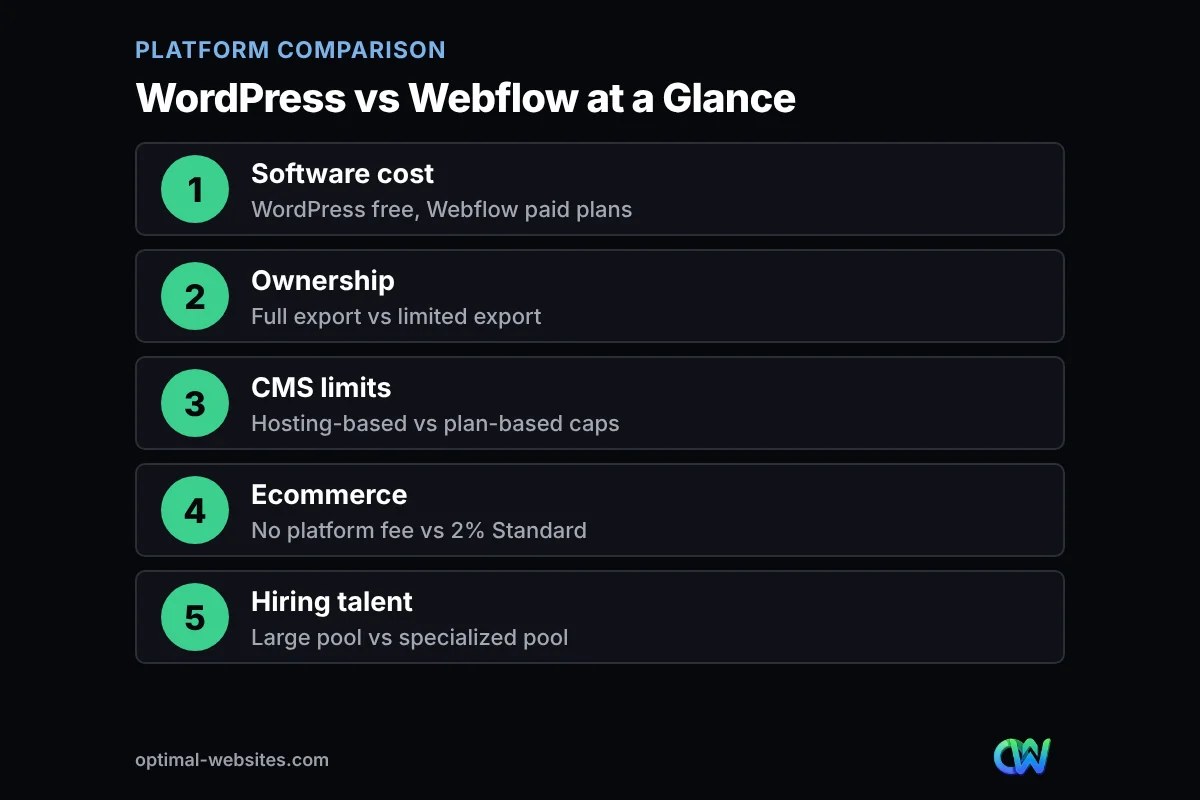
The table below summarizes the WordPress vs Webflow comparison for a typical small business site. Webflow figures come from its pricing page as of late October 2026.
| Factor | WordPress | Webflow |
|---|---|---|
| Software cost | Free, open source (GPL) | Paid site plans; free plan limited to a webflow.io address |
| Hosting | Any host you choose | Webflow hosting only |
| CMS limits | Limited by hosting, not plan | Basic plan has no CMS; Premium lists up to 20,000 items |
| Portability | Full export of content, files and database | Code export on paid Workspace plans; CMS content exported separately, no reimport |
| Editing | Visual page builders like Elementor Pro | Visual Designer plus a simpler content editor |
| SEO | Strong with an SEO plugin | Strong core controls built in |
| Integrations | Tens of thousands of free plugins | Curated Webflow Apps marketplace |
| Ecommerce | WooCommerce, no platform transaction fee | Ecommerce plans; Standard adds a 2% transaction fee |
| Hiring talent | Very large pool of developers and agencies | Smaller, more specialized pool |
How do WordPress plugins compare to Webflow apps?
WordPress plugins are add-ons that run inside your site and can change almost anything. Webflow Apps are integrations from a curated marketplace that connect your site to outside tools. WordPress offers far more choice; Webflow offers fewer, more controlled options.
The WordPress plugin directory lists tens of thousands of free plugins, and that is before counting premium ones. Booking systems, CRM connections, membership areas, multilingual tools and industry-specific features are usually a plugin away.
Webflow covers common needs like forms, analytics and marketing tools through its apps and through custom code embeds. For anything unusual, you often rely on a third-party service or a developer. The upside is less maintenance and fewer conflicts; the downside is a lower ceiling. For a sense of what WordPress sites typically use, see our list of WordPress benefits for business owners.
Which platform is better for ecommerce?
For most small online stores, WordPress with WooCommerce is more flexible and avoids platform transaction fees. Webflow Ecommerce works well for small, design-focused catalogs but has item caps and, on its entry plan, an extra fee per sale.
Webflow’s pricing page lists three ecommerce plans. The Standard plan starts at $29 per month billed yearly, allows 500 ecommerce items and charges a 2% transaction fee on top of Stripe or PayPal processing fees. The Plus and Advanced plans remove that fee and raise item limits to 5,000 and 15,000.
WooCommerce is a free plugin, and you pay only your payment processor’s fees plus any paid extensions. It handles large catalogs, subscriptions, bookings and wholesale pricing through extensions, which matters as a store grows.
Is it easier to hire help for WordPress or Webflow?
Yes, it is easier and usually cheaper to hire WordPress help, because WordPress powers millions of sites and has a very large pool of freelancers, agencies and hosts. Webflow talent is skilled but smaller in number, so availability and rates vary more.
This matters more than it seems. If your designer moves on, a WordPress site can be picked up by almost any qualified developer. A Webflow site needs someone who knows Webflow specifically. Before you hire either way, it helps to see how other platforms stack up, such as in our Wix vs WordPress comparison.
When is Webflow the better pick?
Webflow is the better pick when design precision and a managed, low-maintenance setup matter more to you than ownership and plugin choice. In those cases, its higher plan fees buy real value.
- You have an in-house designer or marketing team that already knows Webflow.
- Your site is a design-led marketing site with custom animations and interactions.
- You do not want to think about plugin updates, hosting or security patches at all.
- Your content fits comfortably inside the Premium plan’s CMS limits.
- You do not need niche features like complex booking, memberships or large ecommerce catalogs.
If most of those describe you, Webflow is a legitimate choice. If you want to own your site outright, keep running costs flexible, or grow into features over time, WordPress is usually the safer long-term bet.
How do you decide between WordPress vs Webflow for your business?
The quickest way to decide is to answer a few practical questions about budget, ownership, editing and growth. Your answers usually point clearly to one platform.
- List your must-have features. Booking, ecommerce, memberships or multilingual pages favor WordPress.
- Estimate your content volume. Count the blog posts, service pages and locations you expect in three years and compare against Webflow’s CMS limits.
- Decide how much you care about ownership. If moving hosts freely matters, WordPress wins.
- Be honest about who will edit. Owners and office staff tend to find Elementor easier; trained designers often prefer Webflow.
- Price the full year, not the first month. Add plan fees, add-ons, transaction fees and maintenance for each option.
- Plan for who maintains it. Decide now who handles updates, backups and changes after launch.
If you are also weighing other builders, our Squarespace vs WordPress breakdown for service businesses uses the same practical lens.
How Optimal Websites Can Help
Optimal Websites, a WordPress web design agency based in Delaware, builds fast, mobile-first business sites on WordPress and Elementor Pro. We chose that stack because it gives clients full ownership, an editor they can actually use, and a huge pool of tools to grow into.
If you are leaning toward WordPress, our custom WordPress web design service covers design, build, launch and training, with video tutorials so your team can edit the site on its own. Most projects launch in 2–4 weeks, and you can compare our website packages starting at $999. If Webflow turns out to be the better fit for you, we will tell you that during a free consultation.
Frequently Asked Questions
Is Webflow better than WordPress for a small business?
Not for most small businesses. In the WordPress vs Webflow comparison, WordPress usually wins on ownership, plugin choice, ecommerce flexibility and the size of the talent pool. Webflow is better when you have a designer who knows it, want a design-led marketing site, and prefer one bundled plan that covers hosting and maintenance.
Is WordPress vs Webflow cheaper in the long run?
WordPress is often cheaper long term because the software is free and you can choose your hosting. Webflow bills per site, and content-managed sites need the Premium plan, which started at $25 per month billed yearly in late October 2026. Add premium plugins and maintenance on the WordPress side when you compare.
Can I move my Webflow site to WordPress later?
Yes, but it is closer to a rebuild than a transfer. Webflow lets paid Workspace plans export HTML and CSS, but CMS content has to be exported collection by collection and forms stop working. A WordPress developer then rebuilds the design and imports the content, ideally with redirects to protect rankings.
Which is better for SEO, WordPress or Webflow?
Neither platform guarantees better rankings. Webflow has strong SEO controls built in, while WordPress reaches the same level with an SEO plugin and offers more advanced options. In the WordPress vs Webflow SEO debate, content quality, page speed and site structure matter far more than the platform.
Does Webflow charge transaction fees on ecommerce?
On its entry ecommerce plan, yes. Webflow’s pricing page lists a 2% transaction fee on the Standard ecommerce plan, on top of Stripe or PayPal processing fees. The Plus and Advanced plans list a 0% transaction fee. WooCommerce on WordPress has no platform transaction fee.
Is Webflow harder to learn than WordPress with Elementor?
For most business owners, yes. Webflow’s Designer uses web design concepts like classes and layout boxes, which suit trained designers. Elementor on WordPress is more forgiving for non-designers. Webflow does offer a simpler content editing mode for updating text and CMS items.
Do I own my website on Webflow?
You own your content and designs, but the site can only be hosted on Webflow. You cannot run Webflow’s CMS on another host, and exported code cannot be reimported. With WordPress, you own the software, files and database and can move them to any host.
Ready to Get Started?
Still weighing WordPress against Webflow? We will look at your goals and give you a straight recommendation. Request a free quote or call us at (302) 554-9497.