
Quick answer: Professional Elementor website design means a WordPress site built with Elementor Pro on a clean design system: global colors and fonts, Theme Builder templates, mobile-first layouts, fast-loading pages, working forms and SEO basics. A good build ends with training so you can edit pages yourself without breaking the design.
Elementor made it possible for almost anyone to drag and drop a website together. That is also why Elementor sites vary so much in quality. Some are fast, consistent and easy to update. Others are slow, inconsistent from page to page and fragile the moment the owner tries to change a headline. If you are considering Elementor website design for your business, the difference comes down to how the site is built, not the tool itself. This guide explains what a professional build includes, how the process works, what Elementor Pro adds, how to judge an Elementor web designer, and what you should own and be able to do after launch.
Key Takeaways
- Elementor website design quality depends on structure: global styles, templates and clean layouts.
- A pro build uses Elementor Pro’s Theme Builder, forms and dynamic templates rather than one-off pages.
- Speed and mobile performance must be planned, not fixed after launch.
- You should own the site, domain and hosting, and receive training to edit content safely.
- Ask any Elementor agency to show live sites and explain how they keep pages fast.
What Is Elementor Website Design?
Elementor website design is the process of designing and building a WordPress website with Elementor, a visual page builder that lets designers and owners edit layouts directly on the page. Professional builds usually use Elementor Pro for site-wide templates, forms and advanced widgets.
Elementor runs on WordPress, so you keep everything WordPress offers: ownership of your content, a huge plugin ecosystem and freedom to choose your host. If you are still weighing platforms, our article on the benefits of WordPress for business covers the bigger picture.
What Does a Pro Elementor Build Include?
A professional Elementor build includes a planned design system, site-wide templates, mobile-first page layouts, performance tuning, SEO basics, tested forms and owner training. The goal is a site that looks consistent today and stays consistent as you edit it.
A global design system
Colors, fonts, button styles and spacing are defined once in Elementor’s site settings and reused everywhere. Change a brand color in one place and it updates across the site. Sites built without global styles drift into a mix of slightly different blues and font sizes.
Theme Builder templates
Elementor’s overview of Elementor Pro describes the Theme Builder as the way to customize every part of a theme. In practice, that means the header, footer, blog post layout, archive pages and 404 page are templates, not copies pasted onto each page.
Purpose-built page layouts
Homepage, service pages, about, contact and landing pages each get a layout designed for their job, with clear calls to action and room for proof like reviews and project photos.
Forms that work
Elementor Pro’s form widget handles quote requests and contact forms, with email notifications, spam protection and, where needed, connections to a CRM or email tool.
Performance and SEO foundations
Optimized images, lean layouts, caching, proper heading structure, meta titles and descriptions, and a sitemap are set up before launch.
How Does the Elementor Website Design Process Work?
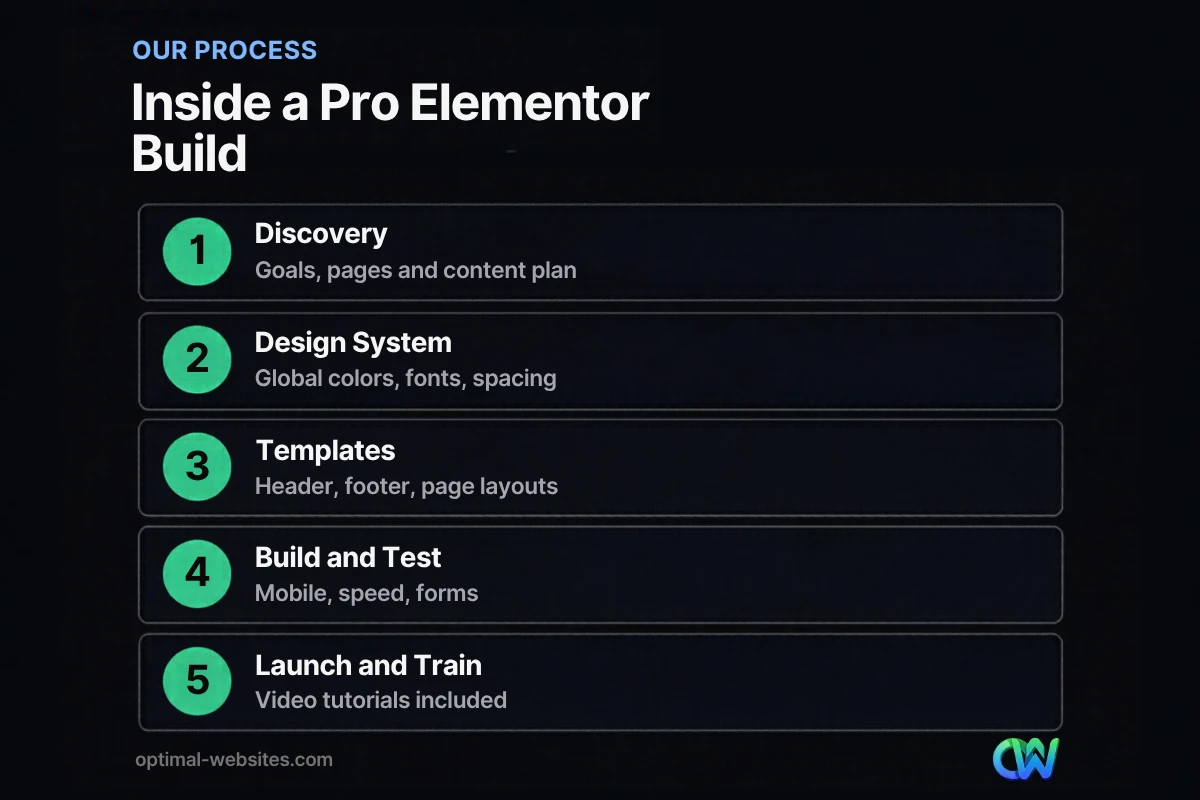
The process usually moves through discovery, design system, templates, page builds, testing and launch with training. Each stage has a clear output you can review.
- Discovery. Goals, audience, services, pages needed and the content plan.
- Design system. Global colors, typography, buttons and spacing based on your brand.
- Templates. Header, footer and reusable sections built in Theme Builder.
- Page builds. Each page laid out mobile-first, then refined for tablet and desktop.
- Testing. Phones, browsers, forms, speed, links and accessibility basics.
- Launch and training. Go live, connect analytics and walk you through editing.
At Optimal Websites, most projects launch in 2–4 weeks once content is ready, and every client gets video tutorials for the edits they make most often.
What Do Elementor Pro Features Add to a Business Website?
Elementor Pro adds the tools that turn a set of pages into a maintainable website: Theme Builder, forms, popups, dynamic content and WooCommerce templates. These are what most business sites need beyond the free version.
| Feature | What it does | Why it matters for a business |
|---|---|---|
| Theme Builder | Templates for header, footer, posts, archives | Consistent layout across every page |
| Form widget | Contact and quote forms with notifications | Captures leads without extra plugins |
| Popup builder | Targeted popups and banners | Offers and announcements on the right pages |
| Dynamic content | Pulls fields into templates | Faster updates for posts, team, services |
| WooCommerce builder | Custom product and shop templates | Branded online store layouts |
| Global widgets and styles | Reusable elements | Change once, update everywhere |
Our guide to Elementor Pro features worth paying for goes deeper on each one.
What about Elementor Editor V4?
Elementor’s newer V4 editor introduces atomic elements and class-based styling, which encourage cleaner, more reusable designs. It reached beta earlier this year, so a careful builder will tell you which parts of your site use V4 elements and which use the established editor. Our post on what Elementor Editor V4 changes explains the shift in plain language.
Are Elementor Sites Slow?
Elementor sites are not slow by default, but they become slow when built carelessly: too many nested containers, heavy widgets, large images and stacked plugins. A professional build plans for speed from the first page.
Target the Core Web Vitals benchmarks published by Google. web.dev’s Core Web Vitals thresholds define a good experience as Largest Contentful Paint within 2.5 seconds, Interaction to Next Paint of 200 milliseconds or less and Cumulative Layout Shift of 0.1 or less.
Habits that keep a custom Elementor site fast:
- Use Flexbox containers and avoid unnecessary nesting
- Reuse global styles instead of styling each widget individually
- Compress and properly size images, and set explicit dimensions
- Limit third-party widgets and add-on packs to what you actually use
- Use quality hosting with caching
- Test key pages in PageSpeed Insights before launch
How Do You Choose an Elementor Web Designer or Agency?
Choose an Elementor web designer or agency by reviewing live sites they built, asking how they structure projects and keep pages fast, and confirming you will own everything and be trained to edit it.
Questions to ask:
- Can I see live Elementor sites you built, and test them on my phone?
- Do you use global colors, fonts and Theme Builder templates?
- How do you handle speed and image optimization?
- Which add-ons or extra plugins will my site depend on?
- Who owns the domain, hosting and Elementor Pro license?
- What training and support do I get after launch?
- What is included in the price, and what costs extra?
Red flags include an Elementor agency that cannot show live work, relies on many add-on packs for basic features, or keeps the Elementor Pro license and hosting in its own name with no plan to hand them over.
How Much Does Elementor Website Design Cost?
Elementor website design cost depends on page count, custom features, content creation and integrations. Small business sites are often priced as packages, with custom functionality like ecommerce or booking adding to the scope.
At Optimal Websites, packages start at $999 for Starter, $1,499 for Professional and $1,999 for Advanced Custom, with a 50% deposit to start and the final 50% after you approve the site. See our transparent website pricing for what each package includes.
Remember ongoing costs too: hosting, domain renewal, the Elementor Pro license and maintenance.
What Happens After Launch?
After launch, you should be able to update text, images and simple sections yourself, while the design system keeps everything consistent. Plan for regular updates, backups and occasional improvements.
A healthy post-launch routine:
- Update WordPress, Elementor and plugins regularly, ideally after testing on staging
- Keep automatic backups running
- Review analytics monthly for traffic and leads
- Refresh service pages and add content over time
How Optimal Websites Can Help
Optimal Websites, a WordPress web design agency based in Delaware, specializes in fast, mobile-first, conversion-focused WordPress sites built with Elementor Pro. Our WordPress web design services include a global design system, Theme Builder templates, speed tuning, SEO foundations and video training so you can edit your own site. Browse Elementor sites we have built for contractors, construction firms, law firms and local service businesses.
Frequently Asked Questions
Is Elementor good for business websites?
Yes, Elementor is a good choice for business websites when it is built properly. It runs on WordPress, so you own your site and content, and Elementor Pro adds templates, forms and popups most businesses need. Quality depends on structure: global styles, clean layouts and careful plugin choices keep the site fast and easy to edit.
What is the difference between Elementor and Elementor Pro?
Elementor’s free version provides the visual editor and basic widgets. Elementor Pro adds the Theme Builder for headers, footers and post templates, a form widget, a popup builder, dynamic content and WooCommerce templates. Most professional Elementor website design projects use Elementor Pro because those features make a site consistent and easier to maintain.
Can I edit my Elementor website myself?
Yes. One of Elementor’s biggest advantages is visual editing, so you can change text, images and sections directly on the page. A well-built site uses global styles and templates so your edits stay on brand. Ask your Elementor web designer for training; Optimal Websites includes video tutorials with every project.
How long does it take to build an Elementor website?
Most small business Elementor websites take a few weeks once content is ready. At Optimal Websites, most projects launch in 2–4 weeks. Larger sites with ecommerce, many service pages or custom integrations take longer. Having your logo, photos, page copy and testimonials ready early is the best way to keep the timeline short.
Are Elementor websites bad for SEO?
No. A custom Elementor site can perform very well in search when it has a logical heading structure, fast pages, descriptive meta tags, quality content and an SEO plugin for sitemaps and schema. Problems usually come from slow, cluttered builds, not from Elementor itself. Test speed and mobile usability before launch.
Should I hire an Elementor agency or a freelancer?
Either can work. An Elementor agency usually offers a team for design, development, content and support, plus more continuity. A freelancer can be a good fit for smaller projects. In both cases, review live work, confirm you own the site and licenses, and ask how they keep sites fast and editable.
Ready to Get Started?
Ready for a professional Elementor website? Request a free quote or call (302) 554-9497 and we will plan a build that fits your business and budget.


