
Quick answer: A business email domain means your email address uses your own domain, like name@yourcompany.com, instead of a free address. It looks more professional, matches your website, keeps your brand consistent and, with SPF, DKIM and DMARC set up, helps your messages reach inboxes and protects customers from impostors.
Think about the last quote you received from a contractor whose email ended in a free webmail domain. It may have been a great company, but it probably made you hesitate for a second. Your email address is part of your brand, and a business email domain tells customers you are established, organized and easy to verify. It also gives you control: the address belongs to your business, not to one person’s personal account. This guide explains why a professional email address matters, how custom domain email works, how to set it up step by step, and the deliverability basics every small business should get right.
Key Takeaways
- A business email domain matches your website and makes every message look more trustworthy.
- Your business, not an individual, should own the domain and the email accounts.
- Hosted business email services are inexpensive and include spam filtering and admin controls.
- SPF, DKIM and DMARC help your mail reach inboxes and make spoofing harder.
- Set up role addresses like info@ and quotes@ so leads never depend on one person’s inbox.
What Is a Business Email Domain?
A business email domain is the part of an email address after the @ sign that matches your company’s own website domain. Instead of yourbusiness@freemail.com, you use you@yourbusiness.com.
You need two things: a registered domain name and an email service connected to it. The SBA’s advice on registering a domain name notes that your domain is your web address, that it is registered through an accredited registrar and that it needs to be renewed regularly. The same domain then powers both your website and your email.
Why Does a Small Business Need a Professional Email Address?
A small business needs a professional email address because it builds trust, reinforces the brand on every message and keeps control of communication with the business. It is one of the cheapest upgrades you can make.
It builds trust
Customers, suppliers and partners can see at a glance that the email comes from the same company as the website. Free addresses are easy for anyone to create, so they prove nothing about who is writing.
It reinforces your brand
Every email, invoice and quote repeats your domain name. That small detail adds up to thousands of brand impressions a year.
You keep control
When an employee leaves, a company-owned account can be redirected or handed over. If they used a personal free account for customer conversations, that history leaves with them.
It scales with your team
Custom domain email lets you add addresses for new staff and role-based inboxes such as info@, quotes@, billing@ and support@ without changing how customers reach you.
How Does Email at Your Domain Work?
Email at your domain works through DNS records that tell the internet which service handles your mail. Your domain stays the same; the email provider stores and delivers the messages.
The key pieces:
| Component | What it does |
|---|---|
| Domain name | Your address on the internet, such as yourbusiness.com |
| Email provider | Hosts mailboxes, filters spam, provides webmail and apps |
| MX records | DNS entries that route incoming mail to your provider |
| SPF record | Lists the servers allowed to send mail for your domain |
| DKIM | Adds a digital signature to prove messages are genuine |
| DMARC | Tells receivers how to handle mail that fails checks |
Your website host and your email provider do not have to be the same company. Many businesses host the website in one place and use a dedicated business email service, which can make each easier to manage. Our guide to choosing web hosting for a small business covers the website side.
How Do You Set Up a Custom Domain Email?
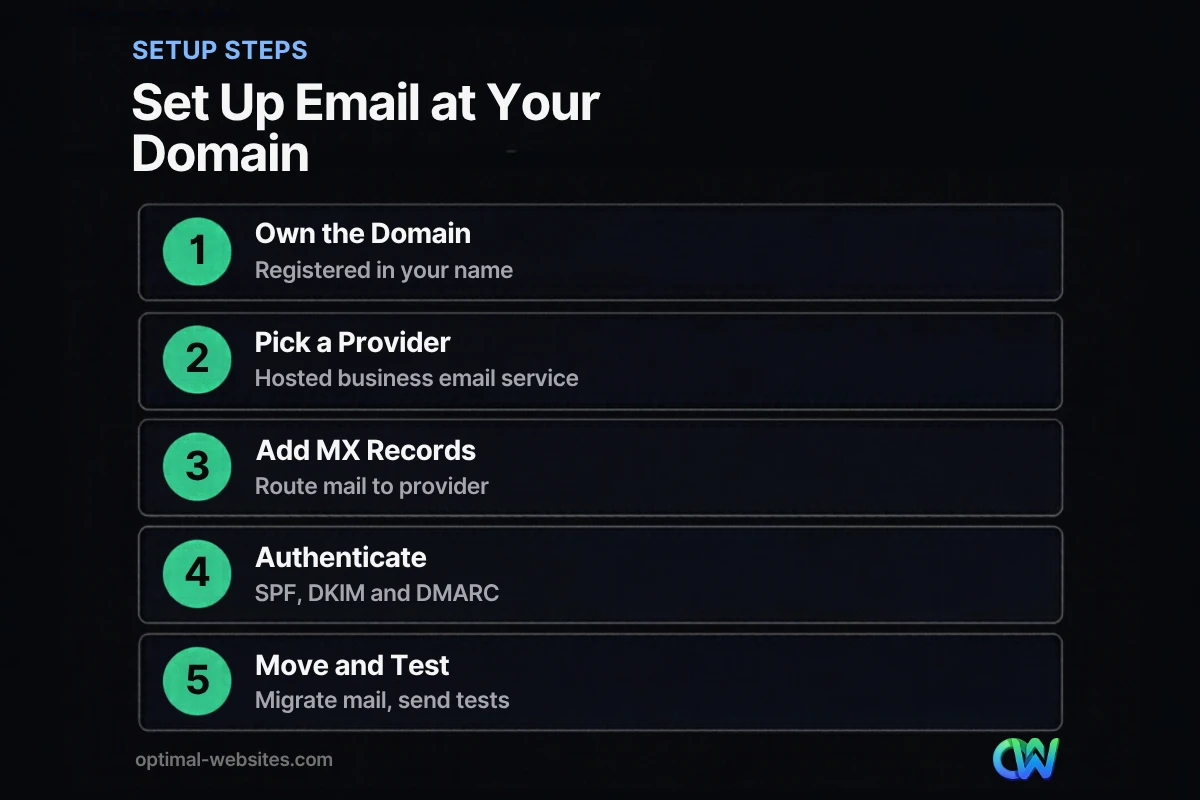
Set up custom domain email by confirming you own the domain, choosing an email provider, adding the provider’s DNS records, authenticating your domain, then migrating and testing. Most small businesses can complete it in a day.
- Confirm ownership of the domain. Make sure it is registered in your business’s name and that you have the registrar login. If a former designer registered it, transfer it to your account first.
- Choose a business email provider. Look for reliable delivery, spam filtering, mobile apps, admin controls and enough storage.
- Create mailboxes and aliases. Set up personal addresses and shared role addresses.
- Add MX records. In your DNS settings, enter the provider’s MX records so incoming mail goes to the right place.
- Authenticate the domain. Add SPF, turn on DKIM and publish a DMARC record (details below).
- Migrate old mail and contacts. Most providers offer import tools from free accounts.
- Test. Send and receive messages from several outside addresses and check they land in the inbox.
- Update everywhere. Website contact forms, Google Business Profile, invoices, email signatures and social profiles.
What Are the Email Deliverability Basics?
Email deliverability is whether your messages reach the inbox rather than spam. The basics are authenticating your domain with SPF, DKIM and DMARC, sending from your own domain, and avoiding spam-like habits.
Authentication matters more than ever
Gmail’s email sender guidelines, which took effect for senders to Gmail accounts in February 2024, require all senders to set up SPF or DKIM, and bulk senders (more than 5,000 messages a day) to set up SPF, DKIM and DMARC. Google recommends setting up all three. Even small businesses benefit, because unauthenticated mail is more likely to be filtered.
It protects you from impersonation
Authentication also makes it harder for scammers to pretend to be you. FTC guidance on email authentication for small businesses explains that SPF, DKIM and DMARC help receiving servers verify that a message claiming to come from your domain really did, and recommends asking your email host to configure them.
Do not forget your website’s emails
Contact forms and order notifications sent by your website should also be authenticated. On WordPress sites, routing form notifications through an authenticated SMTP service on your business domain makes them less likely to land in spam.
Habits that help deliverability
- Send from your domain, not a free address, especially for invoices and quotes
- Keep your contact lists clean and permission-based
- Use a recognizable sender name
- Avoid sending bulk newsletters from your everyday mailbox; use an email marketing platform authenticated on your domain
How Much Does a Business Email Domain Cost?
A business email domain usually costs a modest annual domain fee plus a per-user monthly fee for a hosted email service. Prices vary by provider and plan, so compare features like storage, security and support rather than price alone.
Typical cost components:
- Domain registration and renewal: annual
- Email hosting: usually per mailbox, per month
- Setup help: optional, one-time, if you want someone to handle DNS and migration
- Email marketing platform: separate, if you send newsletters
For most small businesses, the cost is small compared with the trust and control it adds.
What Mistakes Should You Avoid?
Avoid letting someone else own your domain, skipping authentication, and tying business email to one person’s account. These are the problems we most often help clients untangle.
- Domain registered to a former vendor or employee. Always keep it in the business’s name.
- No SPF, DKIM or DMARC. Messages land in spam and your domain is easier to spoof.
- Forwarding everything to a free account. Replies may come from the wrong address and forwarding can hurt deliverability.
- One shared password for everyone. Give each person their own account and turn on two-factor authentication.
- Letting the domain expire. Your website and email both go down. Turn on auto-renew.
How Optimal Websites Can Help
Optimal Websites, a WordPress web design agency based in Delaware, sets up the full foundation for small businesses: domain, hosting, website and the DNS records that connect professional email. Our website design and setup services include making sure your contact forms send from your domain and that the basics are in place. To make sure nothing is missing from your site, see our list of what a business website needs and our small business website design guide. Ready to switch? Talk to us about your domain and email.
Frequently Asked Questions
Why should I use a business email domain instead of a free email?
A business email domain looks more professional, matches your website and proves the message comes from your company. It also gives the business ownership of the accounts, so you keep customer conversations when staff change. With authentication set up, it helps your emails reach inboxes and protects customers from impostors using your name.
How do I get a professional email address with my domain?
Register or confirm ownership of your domain, choose a business email provider, create your mailboxes and add the provider’s MX records in your DNS settings. Then set up SPF, DKIM and DMARC, migrate any old mail and test sending and receiving. Your web designer or host can help if DNS is unfamiliar.
Can I use my domain for email if my website is hosted elsewhere?
Yes. Your website and email can be hosted by different companies. DNS records control where each service points: A or CNAME records for the website and MX records for email. Many businesses use a dedicated email provider while hosting their website separately, which often makes both easier to manage.
What are SPF, DKIM and DMARC?
SPF lists the servers allowed to send email for your domain. DKIM adds a digital signature that proves a message was not altered. DMARC tells receiving servers what to do when a message fails those checks and can send you reports. Together they are the core email deliverability basics and help prevent spoofing.
How much does custom domain email cost?
Custom domain email typically costs an annual domain renewal plus a monthly fee per mailbox from a business email provider. Exact prices depend on the provider and plan. Optional extras include setup help and an email marketing platform. Compare spam protection, storage, security and support when choosing a plan.
Will switching to email at my domain affect my old messages?
No, if you plan the move. Most business email providers include import tools to copy messages and contacts from free accounts. Keep the old account active for a while, set an auto-reply pointing to your new address, and update your website, profiles and signatures so customers start using the new one.
Ready to Get Started?
Want your email to look as professional as your work? Request a free quote or call (302) 554-9497 and we will help you set up your domain, website and email the right way.


