Quick answer: A bilingual website gives every important page its own English and Spanish version at a separate URL, connected with hreflang tags and a clear language switcher. For US small businesses, the best results come from machine translation edited by a fluent human, plus translated forms, emails and confirmation messages, so Spanish-speaking customers can actually become leads.
If a large share of your customers are more comfortable in Spanish, a bilingual website is one of the clearest ways to show them they are welcome. It also gives you a chance to show up when they search in Spanish, which many local competitors still ignore. But a Spanish version only helps if it reads naturally, can be found on Google and leads to a form, email and phone call that also work in Spanish.
This guide covers why it matters, how to choose a translation approach, how multilingual SEO works and a step-by-step plan for building an English and Spanish website on WordPress.
Key Takeaways
- A bilingual website gives each page an English and a Spanish version, each at its own URL, so both can rank in search.
- Machine translation is fast and cheap, but a fluent human should review anything customers rely on, such as services, prices and forms.
- Use hreflang tags, a visible language switcher with language names (not flags) and no automatic redirects based on location.
- Translate the whole path to a lead: forms, error messages, thank-you pages, email replies and your phone greeting.
What Is a Bilingual Website?
A bilingual website is a site that offers the same core content in two languages, with each version written so a native speaker can use it without switching back. For most US small businesses, that means English and Spanish.
The key word is “same.” A single Spanish page buried in the footer is not a bilingual website. A true English and Spanish website lets a visitor switch languages on any page and land on the matching version, from the homepage to the contact form.
Why Should a US Small Business Have an English and Spanish Website?
Because Spanish is by far the most common language other than English spoken in American homes. Serving those customers in their preferred language makes it easier for them to trust you, understand your offer and reach out.
According to US Census Bureau American Community Survey data released in June 2025, more than 1 in 5 people (22%) age 5 and older spoke a language other than English at home during 2017–2021. Among them, approximately 61% spoke Spanish. The same release notes that 62% of people who spoke another language at home also spoke English “very well.”
That last number matters. Many of your Spanish-speaking customers can read your English site, but a lot of people still prefer to compare services, read warranties or fill out a form in the language they speak at home. A bilingual site removes that friction. It also sends a simple signal: this business can serve me, and someone here will understand my questions.
Industries where this tends to matter most include home services, construction, legal, medical and dental practices, auto services, insurance and retail. If your staff already takes calls in Spanish, your website should match.
Should You Use Machine Translation, Human Translation or Both?
For most small businesses, a hybrid approach works best: use machine translation to create a first draft, then have a fluent Spanish speaker review and edit it. Pure machine output is fast but can miss tone and terminology, while full human translation costs more and takes longer.
| Approach | Cost | Speed | Quality | Best for |
|---|---|---|---|---|
| Machine translation only | Lowest | Minutes | Readable but uneven; can miss industry terms, tone and local phrasing | Low-stakes content, internal drafts, very large archives |
| Human translation only | Highest | Days to weeks | Natural and accurate when done by a qualified translator | Legal, medical and financial content, contracts, key service pages |
| Hybrid (machine draft, human edit) | Moderate | Days | Close to human quality at a lower cost | Most small business sites: home, services, about, contact and FAQs |
Whatever you choose, have someone who knows your business review service names, prices, guarantees and legal disclaimers. A mistranslated warranty or a wrong price in Spanish creates the same problem as one in English. Also decide on a style early, such as whether you address customers formally (usted) or informally (tú), and keep it consistent.
How Does SEO Work for a Bilingual Website?
Multilingual SEO works by giving search engines a separate, crawlable URL for each language version and telling them how those versions relate. Google then shows the English page to English searchers and the Spanish page to Spanish searchers.
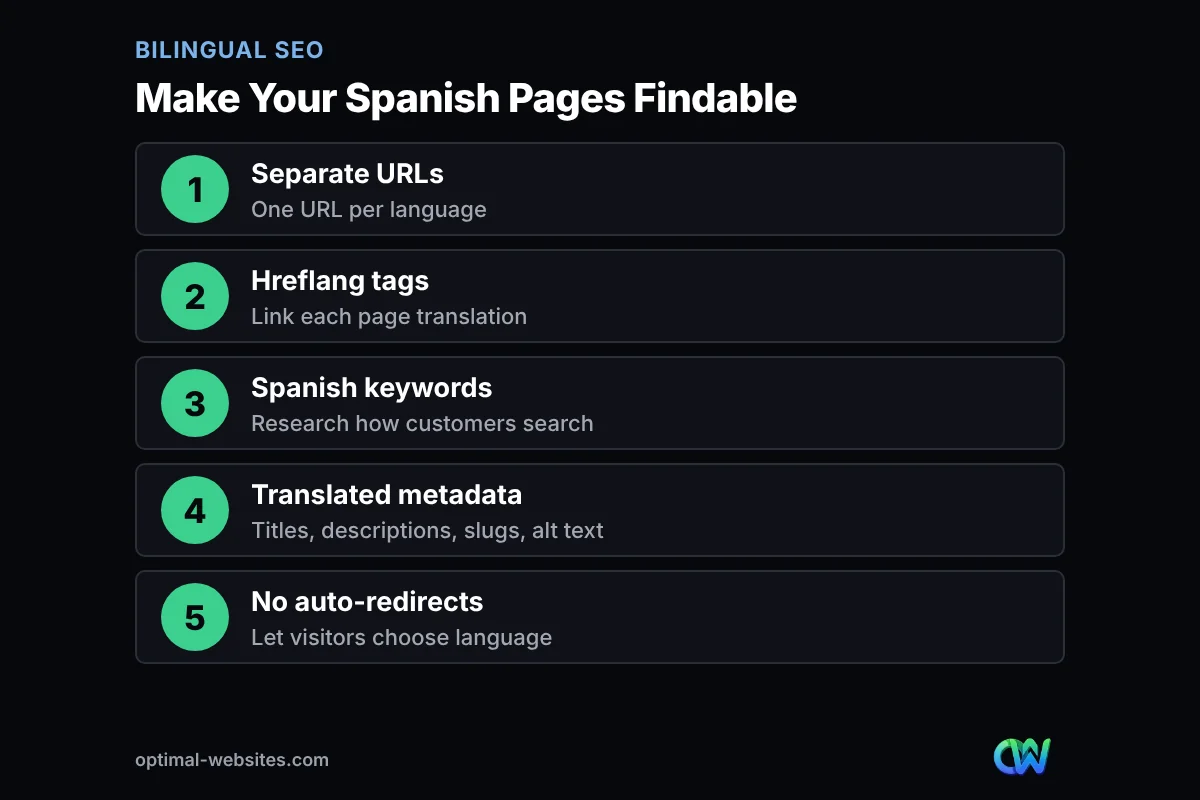
Give each language its own URL
Google’s guide to managing multi-regional and multilingual sites recommends using different URLs for each language version of a page rather than relying on cookies or browser settings to change the language. For a small business, the simplest structure is usually a subdirectory, such as example.com/es/servicios/ for Spanish. Google also advises using one language per page for content and navigation, and avoiding side-by-side translations.
Connect the versions with hreflang
Hreflang is a tag that tells search engines which pages are translations of each other and which language each one uses. Each English page points to its Spanish twin and vice versa. Most WordPress translation plugins can add these tags for you, but it is worth checking a few pages after launch to confirm they are there and point to the right URLs.
Translate the SEO details, not just the body text
Spanish searchers do not always use a word-for-word translation of your English keywords. Do separate keyword research for your local market in Spanish, then translate page titles, meta descriptions, URL slugs, image alt text and headings to match how people actually search. Pair this with a strong local SEO foundation, because a Spanish page still needs consistent business details and reviews to compete in local results.
What Are Your Options for a Multilingual WordPress Site?
A multilingual WordPress site is usually built with a translation plugin, and the most important choice is whether it creates real, indexable translated pages or only translates text in the visitor’s browser. Only indexable pages can rank in Spanish search results.
Translation plugins vs auto-translate widgets
Translation plugins store a translated version of each page in WordPress, usually under its own URL. You can edit every sentence, translate menus and forms and add hreflang tags. Auto-translate widgets add a language button that swaps the text on the fly using machine translation. Widgets are quick to set up and useful for convenience, but in many setups the translated text is not saved as separate pages, so search engines may not see the Spanish version at all.
Common plugins, described neutrally
- WPML: a premium (paid) multilingual plugin sold on annual plans from its official site. Plan levels differ in features, so check that the plan you pick supports your page builder before you buy.
- Polylang: a plugin listed on WordPress.org that lets you translate posts, pages, menus and categories and set the language through the URL. According to its WordPress.org listing, the paid Polylang Pro adds features such as machine translation with DeepL and XLIFF export for professional translators.
- TranslatePress: a plugin listed on WordPress.org that lets you translate a page visually from the front end, with support for both manual and automatic translation.
- GTranslate: a cloud-based plugin that uses Google’s machine translation. Its WordPress.org listing says its paid versions are the ones with full SEO features, and that under its terms the free translation service is not for commercial or revenue-generating use.
From our experience building WordPress sites, the plugin matters less than the setup around it. Before choosing, confirm it works with your theme and page builder, can translate your form plugin’s labels and messages and lets a human edit the machine draft. Changing translation plugins later can change your URLs, which turns into a project similar to a full website migration.
How Should a Language Switcher Work?
A good language switcher is easy to find, labeled with each language’s own name and takes visitors to the same page in the other language. Put it in the header on desktop and in the mobile menu or header bar on phones.
- Label options as “English” and “Español” (or “EN” and “ES”), so each speaker recognizes their own language.
- Link to the translated version of the current page, not back to the Spanish homepage.
- Remember the visitor’s choice as they move through the site.
- Make the switcher keyboard accessible and readable for screen readers, and set the correct page language in the HTML. Our guide to website accessibility for small business covers the basics.
Our own site at optimal-websites.com offers an EN/ES switch in the header, and the same principle applies: one clear, consistent control that is always in the same place.
What Else Needs Translating Besides Your Pages?
Everything a customer touches on the way to becoming a lead needs a Spanish version, not just the visible page copy. If the form, email reply or phone greeting switches back to English, many visitors stop there.
Forms
Translate field labels, placeholder text, dropdown options, required-field and error messages, consent text and the thank-you page. Add a hidden field or separate form so you know which language the lead used, and route Spanish inquiries to someone who can reply in Spanish.
Emails and follow-up
Auto-replies, booking confirmations, quote emails and review requests should go out in the language the customer chose. If only one person on your team speaks Spanish, say so honestly and set expectations for response times.
Google Business Profile and other listings
Your Google Business Profile is often the first thing local customers see. Mention that you serve customers in Spanish in your business description where it is accurate, reply to Spanish reviews in Spanish and make sure the phone number listed is answered by someone who can help. Keep your name, address and phone consistent across both language versions of your site.
How Do You Translate a Website to Spanish, Step by Step?
To translate a website to Spanish well, start with the pages that bring in leads, set up the technical structure once and then expand. Here is the plan we recommend for most small business sites.
- Pick your priority pages. Start with the homepage, main service pages, contact page and FAQs. These usually carry most of your leads.
- Choose a translation approach. Decide between machine, human or hybrid, and who will review the Spanish copy.
- Choose a plugin that creates indexable pages. Confirm it supports your theme, page builder and forms.
- Set your URL structure. A subdirectory such as /es/ is the simplest option for most businesses.
- Research Spanish keywords. Look at how your customers actually search, then write titles, meta descriptions and slugs to match.
- Translate, then edit. Run the draft, then have a fluent speaker check terminology, tone, prices and legal text.
- Translate the lead path. Forms, error messages, thank-you pages, email notifications and auto-replies.
- Add the language switcher and hreflang. Test that every page links to its matching translation.
- Update your listings. Refresh your Google Business Profile description and make sure Spanish calls are answered.
- Track results. Watch Spanish page traffic and form submissions, and keep translations updated whenever the English page changes.
What Mistakes Should You Avoid on a Bilingual Website?
The most common mistakes are redirecting visitors by location, using flags for languages and leaving parts of the site untranslated. Each one confuses visitors or hides your Spanish pages from search engines.
- Auto-redirecting by IP address. Google advises against redirecting users based on what you think their language may be and says IP location analysis is generally not reliable. Let people choose, and let search engines crawl both versions.
- Using flags for languages. Flags represent countries, not languages. Spanish is spoken in many countries, and a Mexican or Spanish flag can feel wrong to a visitor from somewhere else. Use language names instead.
- Mixing languages on one page. English menus, buttons or footers on a Spanish page look unfinished and send mixed signals to search engines.
- Publishing raw machine translation. Unreviewed copy can get service names, prices or legal terms wrong.
- Forgetting updates. When you change a price or service in English, update the Spanish page at the same time.
- No Spanish support behind the site. If nobody can answer the phone or email in Spanish, the website promises something the business cannot deliver.
How Optimal Websites Can Help
Optimal Websites, a WordPress web design agency based in Delaware, builds fast, mobile-first sites with Elementor Pro and can plan the bilingual structure from day one, including translated forms, a clear language switcher and indexable Spanish pages. Our WordPress web design services cover the build, and our SEO services can help your Spanish pages get found.
Most projects launch in 2–4 weeks, and every client gets video tutorials so they can update both languages themselves. You can compare our website design packages, starting at $999, to see what fits your scope.
Frequently Asked Questions
What is a bilingual website?
A bilingual website is a site that offers the same core content in two languages, such as English and Spanish, with each version on its own URL. Visitors can switch languages on any page and land on the matching translation. A properly built bilingual website also lets search engines index both versions, so the business can appear in English and Spanish search results.
How much does it cost to translate a website to Spanish?
The cost depends on how many words your site has and which approach you choose. Machine translation is the cheapest, professional human translation is the most expensive, and a hybrid of machine drafts edited by a fluent speaker usually sits in between. Plugin licenses, setup time and translating forms and emails also add to the total, so get a quote based on your page count.
Is Google Translate good enough for a business website?
Machine translation is a useful starting point, but it is rarely good enough on its own for pages customers rely on. It can miss industry terms, tone and local phrasing, and some widgets do not create pages search engines can index. Have a fluent Spanish speaker review your service pages, prices, forms and legal text before publishing.
Does a bilingual website help SEO?
Yes, when it is built correctly. Each language version needs its own URL, hreflang tags linking the translations and translated titles and meta descriptions. That lets your Spanish pages rank for Spanish searches, which many local competitors do not target. Translations that only appear in the browser through a widget usually do not provide this benefit.
What is the best plugin for a multilingual WordPress site?
There is no single best plugin. WPML, Polylang and TranslatePress create translated versions of your pages inside WordPress, while auto-translate tools such as GTranslate translate content through a cloud service. Choose based on your page builder, forms, budget and whether you need indexable Spanish pages. For most businesses that want Spanish search traffic, indexable translated pages matter most.
Should I use a flag icon for the Spanish version of my site?
No. Flags represent countries, not languages, and Spanish is spoken across many countries. A single flag can confuse or alienate some visitors. Label your language switcher with the language names, such as English and Español, or the short codes EN and ES, and place it in the same spot on every page.
Do I need to translate my contact forms and emails?
Yes. If a visitor reads your English and Spanish website in Spanish and then hits a form with English labels and error messages, many will give up. Translate form labels, errors, thank-you pages, auto-replies and confirmation emails, and route Spanish inquiries to someone who can respond in Spanish.
Ready to Get Started?
If you want to reach Spanish-speaking customers with a bilingual website that ranks and converts, we can help you plan it. Request a free quote or call us at (302) 554-9497.