

Quick answer: Good landscaping website design shows your best project photos, separate pages for each service and town you serve, real reviews, and a short estimate request form that works on a phone. Rebuild in November and December so the site is live, indexed, and collecting reviews before spring booking season starts.
Landscaping website design has one job: turn a homeowner’s or property manager’s quick search into a booked estimate. Most landscapers know their site is not doing that, but in April and May there is no time to fix it. Crews are out, phones are ringing, and the website waits another year.
November is different. The mowing season is winding down, you have a full year of project photos on your phone, and spring searches have not started yet. This guide covers the pages, photos, local SEO, quote form, and speed fixes that matter most, plus the mistakes we see most often.
Key Takeaways
- A rebuild started in November can launch in 2–4 weeks and be indexed well before spring searches pick up.
- Split services into separate pages (design and install, hardscaping, maintenance, seasonal work) instead of one long list.
- Before and after photos sell landscaping jobs, but they must be compressed and served in a modern format like WebP.
- Service area pages and a complete Google Business Profile drive most local visibility for landscapers.
- A short, mobile-friendly estimate form with a photo upload field gets more submissions than a long questionnaire.
Why is November the best time to rebuild a landscaping website?
November is the best time because your workload is lighter and spring demand has not arrived yet. A site launched in late fall has the whole winter for Google to crawl it, for you to add reviews, and for you to fix anything that breaks before the phones get busy.
Most homeowners start planning patios, plantings, and maintenance contracts in late winter and early spring. If your new site goes live in March, it is still settling in while competitors are already collecting leads. A winter launch also gives you time to gather the content a good site needs: project photos, service descriptions, and a clear list of the towns you cover.
There is a practical cash flow angle too. Many landscaping companies plan equipment and marketing spending in the off-season, so a website project fits naturally into the same budget window as next year’s truck or mower purchases.
What do homeowners and property managers check before they call a landscaper?
They check whether you do the specific job they need, whether you work in their area, and whether your past work looks like what they want. Most visitors decide within a few scrolls, usually on a phone, so the answers need to be obvious.
Homeowners tend to judge with their eyes. They look at photos, then reviews, then pricing signals such as minimum project sizes or whether you offer free estimates. Property managers and HOA boards look for different proof: commercial experience, insurance, crew size, and whether you can handle recurring maintenance across multiple sites.
- Services: Do you install patios, or only mow? Do you offer snow removal?
- Location: Is their town named on your site?
- Proof: Real project photos, not stock images of perfect lawns.
- Trust: Reviews, years in business, licensing and insurance where it applies.
- Next step: A phone number they can tap and a simple way to request an estimate.
What pages does a landscaping website design need?
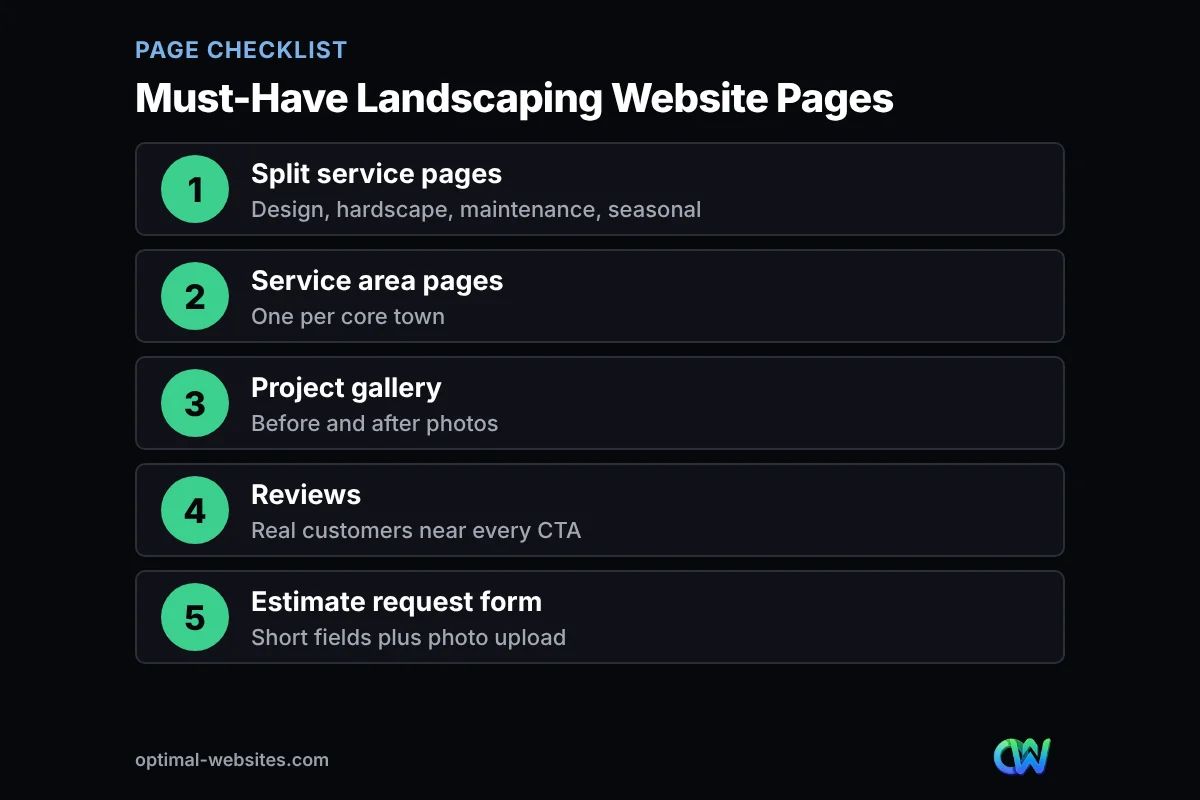
A landscaping website needs a homepage, separate service pages, service area pages, a project gallery, a reviews page, an about page, and an estimate request page. Each page answers one question a buyer has, which also helps each page rank for its own searches.
Service pages split by type of work
A service page is a page dedicated to one type of work, with its own photos, process, and call to action. One page that lists 20 services in bullets rarely ranks for any of them. Split your offer into clear groups:
- Landscape design and installation: planting plans, sod, mulch beds, trees and shrubs.
- Hardscaping: patios, retaining walls, walkways, fire pits, outdoor kitchens. A dedicated hardscape website section deserves its own gallery because these are your highest-ticket jobs.
- Lawn care and maintenance: mowing, fertilization, aeration, cleanups. A lawn care website page should explain plans and frequency.
- Seasonal services: spring and fall cleanups, leaf removal, and snow removal if you offer it, so your site keeps earning leads in winter.
Each service page should describe the work, show three to six real photos, answer common questions, and end with an estimate button.
Service area pages
Service area pages tell Google and visitors exactly which towns you work in. Build one page for each core town or county, with local project photos and details that are genuinely specific to that area. Our guide to building service area pages that rank in every town explains how to avoid thin, copy-paste pages.
Project gallery with before and after photos
A project gallery is the page that sells landscaping work. Organize it by project type (patios, plantings, walls) and pair before and after shots from the same angle. A short caption with the town and scope of work helps both visitors and search engines.
Reviews and testimonials
Show reviews near every call to action, not only on one page. Use real customer names (with permission) and mention the service each review is about, so a patio prospect sees patio feedback.
Estimate request page
Give the estimate form its own page and link to it from every page header. Explain what happens after someone submits: when you will call, whether the site visit is free, and how long quotes usually take.
How should landscapers handle photos on their website?
Landscapers should use real project photos, resize them before upload, serve them in WebP, and write descriptive alt text. Photos are your strongest sales tool, but large uncompressed images are also the most common reason landscaping sites load slowly.
Phone photos are often 3–5 MB each, far larger than a web page needs. According to web.dev, WebP images are typically 25–35% smaller than comparable JPEG or PNG files, which adds up quickly on a gallery page with dozens of shots. WordPress supports WebP uploads, and an image optimization plugin can convert existing photos automatically.
- Resize gallery images to roughly the width they actually display, often 1,600–2,000 pixels for full-width shots.
- Compress and convert to WebP before or during upload.
- Lazy load images below the first screen so the page appears quickly.
- Use descriptive file names like paver-patio-dover-de.webp instead of IMG_4821.jpg.
- Write alt text that describes the scene, following Google image SEO best practices.
For a step-by-step walkthrough, see our guide on optimizing images for the web without losing quality.
From our experience building WordPress sites for contractors and service companies, photos are usually the biggest delay in a project. Owners have hundreds of shots on their phones but none sorted by job. Spending one winter evening picking your best 30 photos, grouped by project type, makes the build move much faster.
How does local SEO work for a landscaping company website?
Local SEO for landscapers means making your website and Google Business Profile clearly match the services you offer and the towns you serve. Google says local results are based mainly on relevance, distance, and how well-known a business is (prominence), so your site has to support all three.
Google’s own tips to improve your local ranking explain that prominence is influenced by things like reviews and how many websites link to your business. You cannot change distance, but you can control relevance (clear service and town pages) and build prominence over time.
- Keep your business name, address, and phone number identical on your website and Google Business Profile.
- Choose an accurate primary category on your profile and add the services you actually offer.
- Link your profile to the most relevant page, not always the homepage.
- Ask happy customers for reviews right after a job, while the result still looks its best.
- Add LocalBusiness schema markup so search engines can read your details reliably.
Local SEO is ongoing work, not a one-time setup. If you would rather hand it off, our local SEO services cover profile management, on-page fixes, and monthly reporting.
What fields should a landscaping quote form include?
A landscaping quote form should ask only for what you need to call back and prepare: contact details, address, service type, and a short description. Every extra required field lowers the number of people who finish the form.
- Name, phone, and email
- Property address or ZIP code (to confirm your service area)
- Service needed (dropdown: design and install, hardscaping, maintenance, seasonal, other)
- Property type (residential, commercial, HOA)
- Short project description
- Optional photo upload so you can see the yard before the visit
- Preferred contact method and best time to reach them
Keep budget questions optional, or offer broad ranges instead of an open box. For more ideas, read our lead capture form best practices. Send an instant confirmation email so the customer knows the request arrived, and route the notification to whoever actually returns calls.
How fast and mobile-friendly does a lawn care website need to be?
A lawn care website should load its main content in about 2.5 seconds or less on a phone and be easy to use with one thumb. Most landscaping searches happen on mobile, often while someone is standing in their own yard.
Google’s Core Web Vitals guidance on web.dev sets good targets of 2.5 seconds or less for Largest Contentful Paint, 200 milliseconds or less for Interaction to Next Paint, and a Cumulative Layout Shift of 0.1 or less. On landscaping sites, the usual culprits are oversized hero images, autoplay background videos, and too many plugins.
- Put a tap-to-call button in the header on mobile.
- Keep the hero image compressed and avoid heavy sliders.
- Make buttons large enough to tap and forms easy to fill on a small screen.
- Use quality hosting with caching enabled.
What does a complete landscaping website page checklist look like?
A complete landscaping website design covers every service, town, and trust signal a buyer looks for. Use this table to check your current site or plan a rebuild.
| Page | Main purpose | Must include | Priority |
|---|---|---|---|
| Homepage | Show what you do and where | Best project photo, core services, service area, call button | Essential |
| Design and install page | Win planting and new landscape jobs | Process, gallery, FAQs, estimate button | Essential |
| Hardscaping page | Sell patios, walls, and walkways | Materials offered, before and after photos, warranty info | Essential if offered |
| Maintenance page | Sell recurring lawn care plans | What each visit includes, frequency, commercial options | Essential if offered |
| Seasonal or snow removal page | Keep leads coming in winter | Coverage area, contract options, how to sign up | Recommended if offered |
| Service area pages | Rank in each town you serve | Local projects, town-specific details, map | Recommended |
| Project gallery | Prove quality of work | Organized categories, captions with town and scope | Essential |
| Reviews page | Build trust | Real reviews, link to Google profile | Essential |
| About page | Show who will be on the property | Team photos, years in business, licensing and insurance | Recommended |
| Estimate request page | Convert visitors into leads | Short form, photo upload, what happens next | Essential |
What landscaping website mistakes cost the most leads?
In landscaping website design, the most expensive mistakes are hiding your service area, using stock photos, and making the estimate form hard to find. Each one sends a ready-to-buy visitor back to the search results.
- Stock photos instead of your own work. Buyers can tell, and it removes your strongest proof.
- One page for every service. It cannot rank for patios, mowing, and snow removal at the same time.
- No towns listed. Visitors and Google both need to know where you work.
- Huge, uncompressed galleries. Beautiful photos that take ten seconds to load do not get seen.
- A long or broken quote form. Test it monthly and keep it short.
- Outdated seasonal info. A spring promotion still showing in November tells visitors the site is not maintained.
- No way to tap to call. Many landscaping customers would rather call than type.
How Optimal Websites Can Help
Optimal Websites, a WordPress web design agency based in Delaware, builds fast, mobile-first sites for contractors and service businesses, with clear service pages, organized galleries, and estimate forms that send leads straight to your inbox. Our custom WordPress web design service uses Elementor Pro, so after launch you get video tutorials and training to update photos, seasonal promotions, and service pages yourself.
Most projects launch in 2–4 weeks, which makes a November start a comfortable fit before spring. You can compare our website packages starting at $999 and see what each one includes.
Frequently Asked Questions
How much does landscaping website design cost?
Landscaping website design costs depend on the number of pages, galleries, and features like service area pages or online forms. At Optimal Websites, professional WordPress packages start at $999, with larger custom builds starting at $1,999. A free consultation helps you see which package fits your services and service area.
What should a landscaping company website include?
A landscaping company website should include a homepage, separate pages for each main service, service area pages, a before and after project gallery, reviews, an about page, and a short estimate request form. A tap-to-call button and fast-loading photos on mobile are just as important as the pages themselves.
When is the best time for a landscaper to redesign their website?
Late fall and early winter are the best times. Work slows down, you have a full season of project photos, and a site launched in November or December has time to get indexed and collect reviews before homeowners start searching in spring.
Do I need separate pages for lawn care and hardscaping?
Yes. Separate pages let each service rank for its own searches and show the right photos to the right buyer. A lawn care website page should explain plans and visit frequency, while a hardscape page should focus on materials, project galleries, and the design process.
How do I get my landscaping business to show up on Google Maps?
Create and fully complete a Google Business Profile, choose accurate categories, list your services and service area, and keep your contact details consistent with your website. Steady customer reviews and helpful service and town pages on your site also help you appear in local map results.
What image format is best for a landscaping website?
WebP is usually the best format for landscaping photos because it keeps good quality at much smaller file sizes than JPEG or PNG. Resize photos to the size they display, compress them, and add descriptive alt text so galleries load quickly and can appear in image search.
How long does it take to build a landscaping website?
Most landscaping websites take about 2–4 weeks to build once photos, service lists, and service areas are ready. Gathering and sorting your best project photos ahead of time, and writing a simple list of services and towns, is the easiest way to keep a landscaping website design project on schedule.
Ready to Get Started?
If you want a landscaping website that is ready before the spring rush, now is the time to start. Request a free quote or call us at (302) 554-9497.