
Quick answer: Service area pages are website pages built for each town or region a business serves, explaining the services offered there with local details, proof and a clear call to action. Done well, they help you rank beyond your home city. Done badly, with copied text and swapped town names, they look like doorway pages.
If you run a service business, your customers rarely live on the same street as your office. A plumber in Newark might work across half the state, and a roofer might cover three counties. Yet Google tends to favor businesses that are clearly relevant to the searcher’s location. That is where service area pages come in. A strong page for each town you serve helps search engines and homeowners understand that you really work there. A weak one, copied from the last town with the name swapped, can hurt more than it helps. This guide shows you how to plan, write and connect service area pages that rank and convert.
Key Takeaways
- Service area pages connect your services to the specific towns you serve, which supports rankings outside your home city.
- Each page needs genuinely local, unique content: projects, conditions, regulations, landmarks or common local problems.
- Google’s spam policies warn against doorway pages, including near-identical pages targeting different cities that funnel users to one page.
- Link service area pages from your navigation or a service areas hub, and link them to related service pages.
- Your website supports, but does not replace, your Google Business Profile service area settings.
What are service area pages?
Service area pages are pages on your website that describe the services you provide in a specific town, city or region. They are sometimes called location pages or city pages, and they are most useful for service area businesses that travel to customers instead of serving them at a storefront.
For example, a heating and cooling company based in Wilmington might have pages for Newark, Middletown, Dover and Hockessin. Each page explains which services are available there, how quickly the team responds, local projects completed and how to book.
Service area pages vs location pages
| Page type | Best for | Main content |
|---|---|---|
| Location page | Businesses with a physical office or storefront in that city | Address, hours, directions, staff, services at that location |
| Service area page | Businesses that travel to customers | Services offered in that area, local projects, response times, reviews |
| Service page | Every business | One service in depth, regardless of location |
Multi-location businesses with real offices need location pages for each office. Service area businesses usually need service area pages instead. Many businesses need both.
Do service area pages help with local SEO?
Yes, when they add real value. Service area pages help Google match your business with searches like “AC repair in Middletown” by showing that you offer that service in that place, and they give visitors from that town a page that speaks to them directly.
Keep expectations realistic. Rankings in the Map Pack depend heavily on your Google Business Profile and on distance from the searcher, which we cover in our guide to how Google Maps ranking works. Service area pages matter most for regular organic results and for converting visitors who arrive from those towns.
How do you avoid doorway pages?
Avoid doorway pages by making every service area page useful on its own, with content that is genuinely specific to that area. If you could swap the town name and nothing else would need to change, the page is too thin.
Google’s spam policies describe doorway abuse as creating sites or pages to rank for specific, similar search queries. Among the examples Google lists is having multiple domain names or pages targeted at specific regions or cities that funnel users to one page.
Signs a page is too thin
- Same paragraphs as every other city page with only the name changed
- No projects, photos or reviews from that area
- No information a local resident would find useful
- Dozens of pages for towns you rarely or never serve
- Pages not linked from anywhere a visitor would find them
What makes a page genuinely local
- Projects you completed in that town, with photos and a short description
- Reviews from customers in that area (with permission)
- Local conditions that affect the work, such as older housing stock, hard water, coastal weather or local permit rules
- Neighborhoods and nearby towns you also cover
- Realistic response times and scheduling for that area
- Answers to questions customers there commonly ask
How do you write a service area page that ranks?
Write each service area page as if a homeowner in that town were reading it: what you do there, proof you have done it, and how to get help. Here is a structure that works.
- H1 with service and town. For example, “Roof Repair and Replacement in Middletown, DE.”
- Short intro. Who you help in this area and what makes your service there reliable.
- Services available in this area. A short list linking to your main service pages.
- Local projects. Two or three recent jobs with photos and a sentence or two each.
- Local considerations. Conditions, regulations or common problems specific to the area.
- Reviews. Quotes from customers in or near that town.
- Neighborhoods and nearby towns covered. Helpful for visitors and context.
- FAQs. Questions specific to service in that area.
- Call to action. Phone, form and expected response time.
How many service area pages should you create?
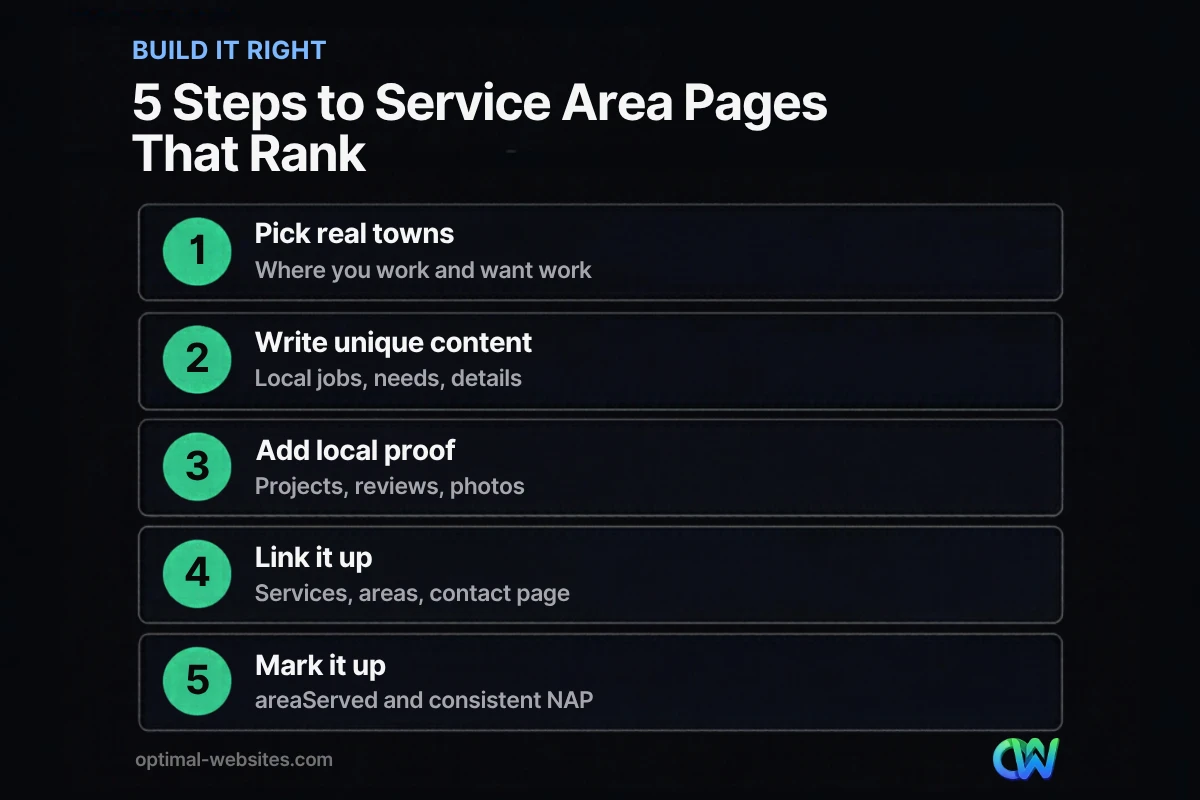
Create pages for the towns that matter most to your business: where you already do a lot of work and where you want more. Start with your top five to ten areas and do them well, rather than publishing fifty thin pages at once. Add more as you gather local projects and reviews to make each page useful.
How should service area pages connect to the rest of your site?
Service area pages should be easy to find and tightly linked to your service pages and contact page. Internal links tell visitors and search engines how your pages relate.
- Service areas hub page. A single page listing all the areas you serve, linking to each service area page. Link it from your main navigation or footer.
- Service pages link to areas. On each service page, mention and link the main areas where you offer it.
- Area pages link to services. Each area page links to the services available there.
- Every page links to contact. Make the next step obvious on every page.
- Structured data. Use the Schema.org areaServed property in your business markup to list the areas you cover. Our guide to local business schema explains how to set it up.
How do service area pages work with Google Business Profile?
Your website and your Google Business Profile should tell the same story about where you work. The profile controls how you appear in Maps; your service area pages support relevance and conversions on your site.
According to Google Business Profile guidance for service-area businesses, businesses that do not serve customers at their address should remove the address from their profile and list a service area instead. You can set up to 20 service areas, defined as cities, postal codes or other areas rather than a radius, and Google advises keeping the overall area within about two hours of driving from your base.
Make sure the towns on your website match the towns on your profile, and that your business name and phone number are identical everywhere. For the broader picture, see our guide to local SEO for small business.
How Optimal Websites Can Help
At Optimal Websites, a WordPress web design agency based in Delaware, we build service area pages for roofers, contractors and local service businesses using a consistent Elementor Pro template, then fill each one with real local content: projects, photos, reviews and area-specific questions. The template keeps pages consistent and fast; the content keeps them useful and unique.
Our SEO services include planning which areas deserve pages, writing and optimizing them, connecting them to your service pages and Google Business Profile, and tracking which towns bring in calls.
Frequently Asked Questions
What are service area pages?
Service area pages are website pages focused on a specific town or region a business serves. They explain which services are offered there and include local projects, reviews, conditions and a clear call to action. They help service area businesses show relevance for searches in towns beyond their home base.
Are service area pages considered doorway pages?
Service area pages are not doorway pages when each one offers unique, useful information for people in that area. They become a problem when they are near-identical pages created only to rank in different cities and funnel visitors to one place. Add real local projects, reviews and details to every page.
How many service area pages should a small business have?
Start with the five to ten towns where you do the most work or most want to grow. Build each one well with local projects, photos and reviews, then expand gradually. A smaller set of strong service area pages usually performs better than dozens of thin pages for towns you rarely serve.
What is the difference between location pages and service area pages?
Location pages describe a physical office or storefront in a city, with its address, hours and directions. Service area pages describe the services a business provides in a town it travels to, without a local office there. Businesses with several offices need location pages, and service area businesses usually need service area pages.
Can I use the same template for every service area page?
Yes, a shared template keeps layout, branding and calls to action consistent. The content inside must be unique for each town: different projects, photos, reviews, local conditions and FAQs. Using the same structure with fresh local information is good practice; copying text and swapping town names is not.
Do I need service area pages if I have a Google Business Profile?
Your Google Business Profile drives visibility in Maps, but service area pages support organic rankings and give visitors from each town a relevant page to land on. Both should list the same areas. Together they show search engines and customers clearly where you work and what you offer there.
Ready to Get Started?
Want to show up in more of the towns you serve? Request a free quote or call (302) 554-9497 and we will map out the service area pages worth building first.


