
Quick answer: Google Maps ranking depends on three things Google names itself: relevance, distance and prominence. To show up in the local pack, choose the right primary category, complete every profile field, earn steady reviews, keep your name, address and phone consistent everywhere, and back your profile with strong local service pages on your website.
The local pack is the box of three businesses with a map that appears above the regular results when someone searches “plumber near me” or “roofing company Dover.” For many local businesses, it is where most new calls come from. If you are not in it, you can be invisible to the customers closest to you, even with a good website. This guide explains how Google Maps ranking works, why your business may be missing from the map pack, and a practical plan to climb, with a focus on the website and reputation signals that most profile checklists skip.
Key Takeaways
- Google ranks local results on relevance, distance and prominence. You can influence relevance and prominence; distance mostly depends on where the searcher is.
- Your primary category is one of the strongest relevance signals. Pick the one that matches your main money service.
- Reviews matter for prominence. Google says more reviews and positive ratings can help local ranking.
- Your website is part of the equation. Strong service and location pages, consistent business details and links from local sites all support map rankings.
- You cannot pay Google for a better local ranking. Avoid shortcuts like keyword-stuffed business names, which can get a profile suspended.
How does Google Maps ranking work?
Google Maps ranking is driven by relevance, distance and prominence. According to Google’s own explanation of local ranking, relevance is how well a Business Profile matches the search, distance is how far the business is from the searcher, and prominence is how well-known the business is.
Google also states plainly that there is no way to request or pay for a better local ranking. Ads can appear above or within map results, but they are labeled as sponsored and do not change your organic position.
Relevance
Relevance comes from your categories, services, business description and the content of your website. A profile categorized as “Roofing contractor” with listed services like “roof replacement” and “storm damage repair” is a clear match for those searches.
Distance
Distance is the one factor you cannot fully control. A searcher standing two miles from a competitor and ten miles from you will often see the competitor first. That is why local pack results change from street to street.
Prominence
Prominence reflects how well-known your business is. Google says it is based on information such as how many websites link to your business and how many reviews you have, and that more reviews and positive ratings can help.
Why isn’t my business showing up in the local pack?
The most common reasons are a mismatched primary category, an incomplete or unverified profile, too few recent reviews, a weak website, or simply being too far from the searcher. Work through the list below before assuming something is broken.
| Symptom | Likely cause | Fix |
|---|---|---|
| You do not appear at all, even for your business name | Profile unverified, suspended or duplicated | Check verification status and remove duplicate listings |
| You appear only when searching from your street | Weak prominence, so distance dominates | Build reviews, local links and website authority |
| Competitors rank for services you offer | Wrong primary category or missing services | Update primary category and list every service |
| Rankings dropped suddenly | Profile edits, category change, guideline issue or competitor activity | Review recent edits and Google’s guidelines |
| You rank for some towns but not others | Distance from those searchers, thin location content | Add service area pages and earn local mentions there |
For service-area businesses such as roofers, plumbers and cleaners, remember that the address you verified still anchors your profile. Google’s guidelines say service-area businesses should hide their address from customers, but the map ranking still starts from that verified location.
How do you improve your Google Maps ranking?
Improve the signals you control: profile accuracy and completeness, reviews, website content, and consistent citations. Steady work over a few months usually beats one big burst of changes.
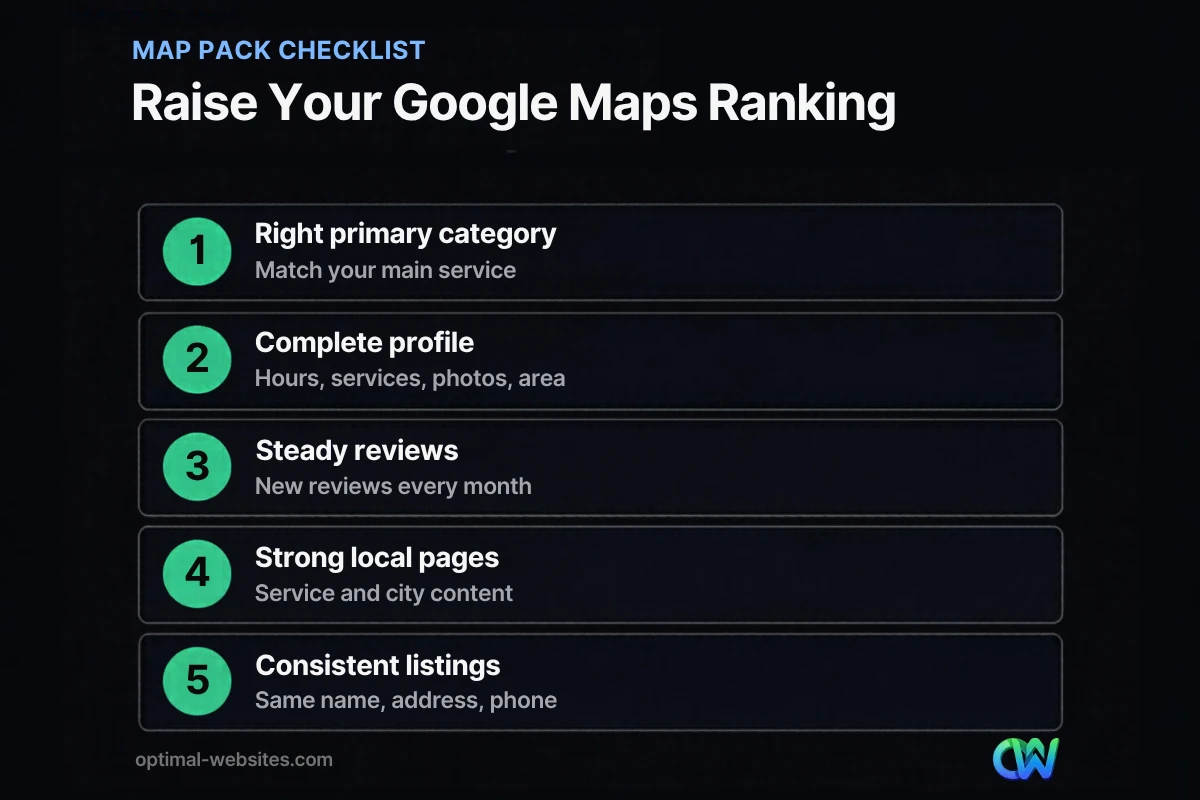
1. Choose the right primary category
Your primary category tells Google what your business mainly is. Choose the most specific option that matches your top revenue service, then add secondary categories for other core services. Look at which categories the top three competitors use for your main search.
2. Complete every profile field
Fill out services, service areas, hours, attributes, business description, opening date, and photos of real work, your team and your vehicles or storefront. Our Google Business Profile optimization checklist walks through each field, so we will not repeat it here.
3. Build a steady flow of reviews
Google says more reviews and positive ratings can help local ranking, and replying to reviews shows customers you value feedback. Aim for a consistent pace of new reviews rather than a one-time push. Our guide on how to get more Google reviews covers review links, request templates and how to respond.
4. Strengthen the website your profile links to
Your website is one of the strongest supporting signals for map pack SEO. Link your profile to the most relevant page (often your homepage or a location page), and make sure the site has:
- A dedicated page for each core service, with the city or region named naturally.
- Your business name, address (if public) and phone number in the footer, matching your profile exactly.
- Locally relevant content: projects in specific towns, local permits, regional weather or building issues.
- LocalBusiness schema markup that matches your profile details.
- Fast, mobile-friendly pages with a clear call button.
5. Keep citations consistent
Citations are mentions of your business name, address and phone number on other sites such as Bing Places, Apple Business Connect, Yelp, the BBB, industry directories and your chamber of commerce. Make sure the details match your Google profile exactly, including suite numbers and phone format.
6. Earn local links and mentions
Links and articles from local sources build prominence. Sponsor a youth team, join a trade association, get featured in local news for a community project, or partner with complementary businesses. One link from a respected local site can be worth more than dozens of random directory listings.
7. Stay active on your profile
Add new photos after each job, post updates, and answer messages and reviews quickly. Activity does not replace the signals above, but an active profile gives customers more reasons to choose you once you appear.
What should you avoid when trying to rank on Google Maps?
Avoid anything that misrepresents your business. Shortcuts can get your profile suspended, which costs far more than slow progress.
- Keyword-stuffed business names. Google’s guidelines for representing your business say that adding unnecessary information to your business name is not permitted and could lead to suspension. Use your real-world business name.
- Fake or virtual office addresses. Profiles at addresses where you do not operate risk removal.
- Buying or incentivizing reviews. Fake reviews violate Google’s policies and can trigger review removal or profile restrictions.
- Duplicate profiles. Multiple listings for the same location split your signals and can confuse customers.
- Frequent category or name changes. Constant edits can trigger re-verification and ranking swings.
How do you track Google Maps rankings?
Track rankings from several points in your service area, not just from your office. Because distance matters, a single search from your desk shows only part of the picture.
- Use Google Business Profile performance data to see searches, calls, direction requests and website clicks over time.
- Check rankings from different locations with a grid-based local rank tracker, which shows where you appear across a map of your service area.
- Watch calls and form leads in your analytics and call tracking, since the goal is customers, not positions.
- Review monthly, not daily. Local results fluctuate, and trends over several months tell you more.
What we see with local service businesses
When we build websites for roofers, contractors, law firms and other local businesses, the map pack problems we see most often are not exotic. The primary category does not match the main service, the website has one generic “Services” page, the phone number on the site differs from the one on the profile, and review requests happen only when someone remembers.
Our WordPress builds in Elementor Pro include a dedicated page for each core service, consistent business details in the header and footer, LocalBusiness schema, and click-to-call buttons on mobile. Pairing that foundation with a steady review routine is usually the most reliable way we know to improve local visibility. For the bigger picture, see our guide to local SEO for small business.
How Optimal Websites Can Help
Optimal Websites, a WordPress web design agency based in Delaware, helps local businesses build the website side of local SEO: service pages, location content, schema markup and consistent business details. Our local SEO and search services also cover Google Business Profile reviews, category recommendations and citation cleanup.
If you are not sure why competitors keep showing up in the map pack ahead of you, talk to us about your local visibility and we will point out the gaps.
Frequently Asked Questions
How long does it take to rank on Google Maps?
It depends on competition, your starting point and how far customers are from you. Fixing profile errors like the wrong category can show results within a few weeks, while building reviews, local links and website authority usually takes several months. Google Maps ranking improves most with steady, consistent effort rather than one-time changes.
Why does my Google Maps ranking change depending on where I search?
Distance is one of Google’s three local ranking factors, so results change based on the searcher’s location. A business close to the searcher often outranks a stronger business farther away. That is why you should track rankings from several points across your service area instead of only checking from your office.
Do reviews affect Google Maps ranking?
Yes. Google says more reviews and positive ratings can help your business’s local ranking, and reviews are part of prominence. Focus on a steady flow of genuine reviews, reply to them, and never buy or fake reviews. Recent reviews also help customers trust your business when they compare local pack results.
Does my website affect my local pack ranking?
Yes. Your website supports relevance and prominence through service pages, local content, consistent business details and links from other sites. Google says prominence is partly based on how many websites link to your business. A strong website with dedicated pages for each service and city gives your Business Profile more to work with.
Can I rank on Google Maps without a physical address?
Service-area businesses can rank without showing a public address. You still verify an address, but Google’s guidelines say service-area businesses should hide it from customers and list the areas they serve instead. Your verified location still influences where you rank, so rankings are often strongest near that point.
Should I put keywords in my Google Business Profile name?
No. Google’s guidelines say unnecessary information in your business name is not permitted and could result in suspension. Use your real business name exactly as customers see it on signs, vehicles and invoices. Improve your map pack SEO through categories, services, reviews and website content instead of risking your profile.
Ready to Get Started?
Want more calls from the map pack? Get a free quote or call (302) 554-9497, and we will review your profile and website together.


