
Quick answer: A website speed optimization service audits why your pages load slowly, then fixes the causes: oversized images, heavy scripts and plugins, missing caching, slow hosting and layout shifts. A good service measures real-user Core Web Vitals before and after, explains every change, and leaves your site faster without breaking design or features.
A slow website quietly costs you. Visitors on phones give up before your page appears, ads cost more per lead because landing pages lag, and search engines see a poor page experience. Many owners try a caching plugin, see a slightly better score and stop there. A professional website speed optimization service goes further: it finds the real bottlenecks and fixes them in the right order. This guide explains what is included, how WordPress speed work differs from generic tuning, what drives speed optimization cost, and how to tell whether the work actually paid off.
Key Takeaways
- A website speed optimization service should start with an audit of real-user field data and lab tests, not a single score.
- Most gains come from images, scripts and plugins, caching and hosting, and fixing layout shifts.
- Core Web Vitals (LCP, INP and CLS) are the most useful targets because they reflect what real visitors experience.
- Speed optimization cost depends on site size, page builder and plugin complexity, hosting and how much redesign is needed.
- Ask for a before-and-after report with field data, not just a screenshot of a lab score.
What is a website speed optimization service?
A website speed optimization service is a paid project, or ongoing plan, in which specialists diagnose and fix the technical reasons a website loads or responds slowly. The goal is faster, more stable pages for real visitors, measured with reliable metrics.
It is different from simply installing a speed plugin. Plugins can help, but they cannot tell you that your homepage hero image is 4 MB, that a chat widget blocks interaction on mobile, or that your hosting plan is underpowered. A good service looks at the whole stack: content, code, plugins, server and third-party scripts.
If you want the background on why speed matters to revenue and rankings, see our guide on why website optimization is important.
What does a website speed optimization service include?
A complete website speed optimization service usually includes five stages: audit, media optimization, code and plugin cleanup, caching and hosting improvements, and verification. The order matters, because fixing the biggest bottleneck first produces the biggest gains.
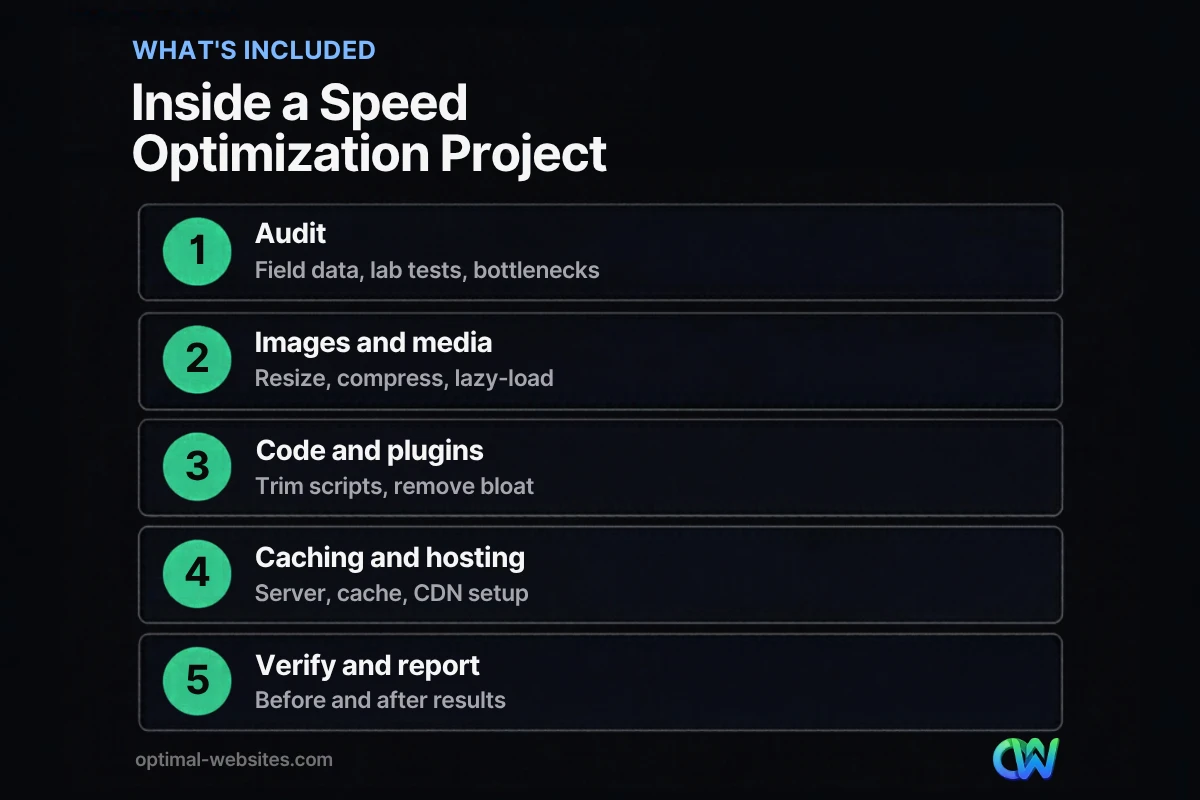
1. Audit and baseline
The audit identifies what is slow and why. It should cover:
- Real-user field data, where available, and lab tests on key templates (homepage, service pages, blog posts, product pages)
- Mobile and desktop results separately
- The largest elements on each page, render-blocking resources and long tasks
- Plugin and third-party script inventory
- Hosting response time and server configuration
PageSpeed Insights reports both field and lab data: field data from the Chrome User Experience Report reflects real users over the previous 28 days, while lab data from Lighthouse is a single simulated load that is useful for debugging. A good audit uses both. Our guide to PageSpeed Insights explains how to read each section.
2. Images and media
Images are often the single largest cause of slow pages on small business sites.
- Resize images to the dimensions actually displayed
- Compress and convert to modern formats such as WebP
- Lazy-load images below the fold, but not the main hero image
- Replace autoplay background videos with lighter alternatives or posters
- Make sure the largest image on the page loads early
3. Code, plugins and third-party scripts
- Remove plugins that are unused or duplicate other features
- Disable scripts and styles on pages that do not need them
- Minify and combine where it helps, and defer non-critical JavaScript
- Delay or replace heavy third-party widgets, such as chat, social feeds and some tracking tags
- Reduce unused CSS from themes and page builders
- Load fonts efficiently and limit the number of font files
4. Caching, hosting and delivery
- Page caching so pages are served quickly without rebuilding every time
- Browser caching for static files
- Object caching where the host supports it
- A content delivery network for visitors far from the server
- A hosting review, because no amount of front-end work fixes a slow server
5. Verification and reporting
- Re-test the same pages under the same conditions
- Compare before-and-after lab results immediately
- Track field data in the following weeks, since it updates over a rolling 28-day window
- Document every change so future updates do not undo the work
How does a Core Web Vitals service fit in?
A Core Web Vitals service focuses the optimization on the three metrics Google uses to measure page experience: loading, responsiveness and visual stability. It is the most meaningful way to define “fast.”
| Metric | What it measures | Good target |
|---|---|---|
| Largest Contentful Paint (LCP) | How quickly the main content loads | 2.5 seconds or less |
| Interaction to Next Paint (INP) | How quickly the page responds to taps and clicks | 200 milliseconds or less |
| Cumulative Layout Shift (CLS) | How much the layout jumps while loading | 0.1 or less |
These are Google’s published Core Web Vitals thresholds, evaluated at the 75th percentile of page loads. Interaction to Next Paint replaced First Input Delay as a Core Web Vital in March 2024, and INP is often harder to pass on sites with heavy JavaScript. For a deeper explanation of each metric, read our guide to Core Web Vitals.
What is different about a WordPress speed service?
A WordPress speed service needs to understand themes, page builders and plugins, because that is where most WordPress performance problems come from.
Common WordPress-specific work includes:
- Auditing plugins and replacing heavy ones with lighter alternatives
- Configuring a caching plugin correctly for the host and theme
- Cleaning the database of revisions, transients and leftover plugin tables
- Optimizing page builder output, such as Elementor’s asset loading settings and reducing nested containers
- Making sure updates to WordPress, the theme and plugins are tested so speed fixes stay in place
At Optimal Websites, a WordPress web design agency based in Delaware, we build and optimize sites on WordPress and Elementor Pro. On contractor, construction and law firm sites, the biggest wins usually come from oversized hero images, sliders, too many plugins and third-party widgets loading on every page. Fixing those, plus solid caching and hosting, typically makes the biggest difference for real visitors.
How much does a speed optimization service cost?
Speed optimization cost depends on how much needs fixing and how complex the site is. A small brochure site with a few heavy images is a much smaller job than a large store with dozens of plugins and custom scripts.
What drives the cost:
- Site size and templates. More unique templates means more pages to audit and fix.
- Plugin and script complexity. Each plugin and third-party tool needs to be reviewed and tested.
- Page builder and theme. Some themes and builders need more cleanup than others.
- Hosting. If the server is the bottleneck, a hosting move or upgrade may be part of the plan.
- Design changes. Replacing sliders, autoplay videos or heavy layouts may require design work.
- Ongoing monitoring. One-time projects cost less upfront; ongoing plans catch new slowdowns.
Ask for a fixed quote after an audit rather than an open-ended hourly estimate, and make sure the quote lists exactly which pages and issues are covered.
How do you judge whether speed optimization worked?
Judge the results on real-user Core Web Vitals and business outcomes, not a single lab score. A 100 on a lab test is nice, but passing field data and more leads matter more.
Use this checklist:
- Compare before-and-after lab tests on the same pages, devices and conditions.
- Watch field data in PageSpeed Insights and the Search Console Core Web Vitals report over the following weeks.
- Check that design, forms, tracking and integrations still work.
- Review engagement and conversion trends for key landing pages.
- Make sure you received documentation of all changes.
For do-it-yourself improvements you can make before hiring anyone, see our guide on how to improve website speed.
How Optimal Websites Can Help
Our website speed optimization service starts with a full audit of your key pages, then fixes images, plugins, scripts, caching and hosting issues in priority order. We focus on Core Web Vitals and real-user results, test every change so nothing breaks, and give you a clear before-and-after report. If your site is on WordPress and Elementor, that is exactly what we build every day.
Frequently Asked Questions
What does a website speed optimization service include?
A website speed optimization service typically includes an audit of field and lab data, image and media optimization, plugin and script cleanup, caching and hosting improvements, and before-and-after verification. The best services prioritize fixes by impact, focus on Core Web Vitals and document every change so speed improvements are not lost after future updates.
How long does website speed optimization take?
Most small business sites can be audited and optimized within a few days to a couple of weeks, depending on the number of templates, plugins and hosting changes involved. Lab results improve immediately after changes, while field data in PageSpeed Insights and Search Console updates gradually over a rolling 28-day period.
Is a WordPress speed service worth it?
A WordPress speed service is worth it when slow pages are hurting leads, ad performance or user experience and quick fixes have not helped. WordPress sites often slow down because of heavy themes, page builders, plugins and third-party scripts. A specialist can find and fix those issues without breaking design or functionality.
Can speed optimization improve Google rankings?
Speed is part of page experience, which Google considers alongside many other signals, so faster pages can support rankings but will not replace relevant content and links. The bigger, more reliable benefits are lower bounce rates, better ad performance and more conversions from visitors who no longer wait for slow pages.
What is a good PageSpeed Insights score?
In PageSpeed Insights, lab performance scores of 90 or above are rated good, 50 to 89 need improvement, and below 50 are poor. More important than the lab score is whether your field data passes Core Web Vitals: LCP of 2.5 seconds or less, INP of 200 milliseconds or less and CLS of 0.1 or less.
Do I need better hosting to speed up my website?
Sometimes. If your server takes a long time to respond, front-end fixes like image compression and caching can only help so much. A speed audit should check server response time. If hosting is the bottleneck, upgrading to a faster plan or a managed WordPress host can be one of the most effective fixes.
Ready to Get Started?
Want a faster website that keeps visitors and brings in more leads? Request a free quote or call (302) 554-9497 and we will start with a speed audit of your key pages.


