
Quick answer: To repurpose blog content, pull one core idea from each article, rewrite it as a native LinkedIn post, cut three to five short social snippets, and send a brief email that links back to the full post. Schedule everything over two weeks, then track which channel sends readers to your site.
You spent hours on a blog post. It went live, you shared the link once, and traffic dried up after three days. That is the most common content problem we see with small businesses: good articles that almost nobody reads. When you repurpose blog content, one article becomes a LinkedIn post, a handful of social snippets and an email, each written for the place it appears. You reach more of the right people without writing more from scratch. This guide gives you a repeatable system, real examples of the blog to LinkedIn post format, and a simple schedule you can run in under an hour a week.
Key Takeaways
- Content repurposing means rewriting one article for each channel, not pasting the same link everywhere.
- LinkedIn posts work best as standalone value with the link as a bonus, not the main point.
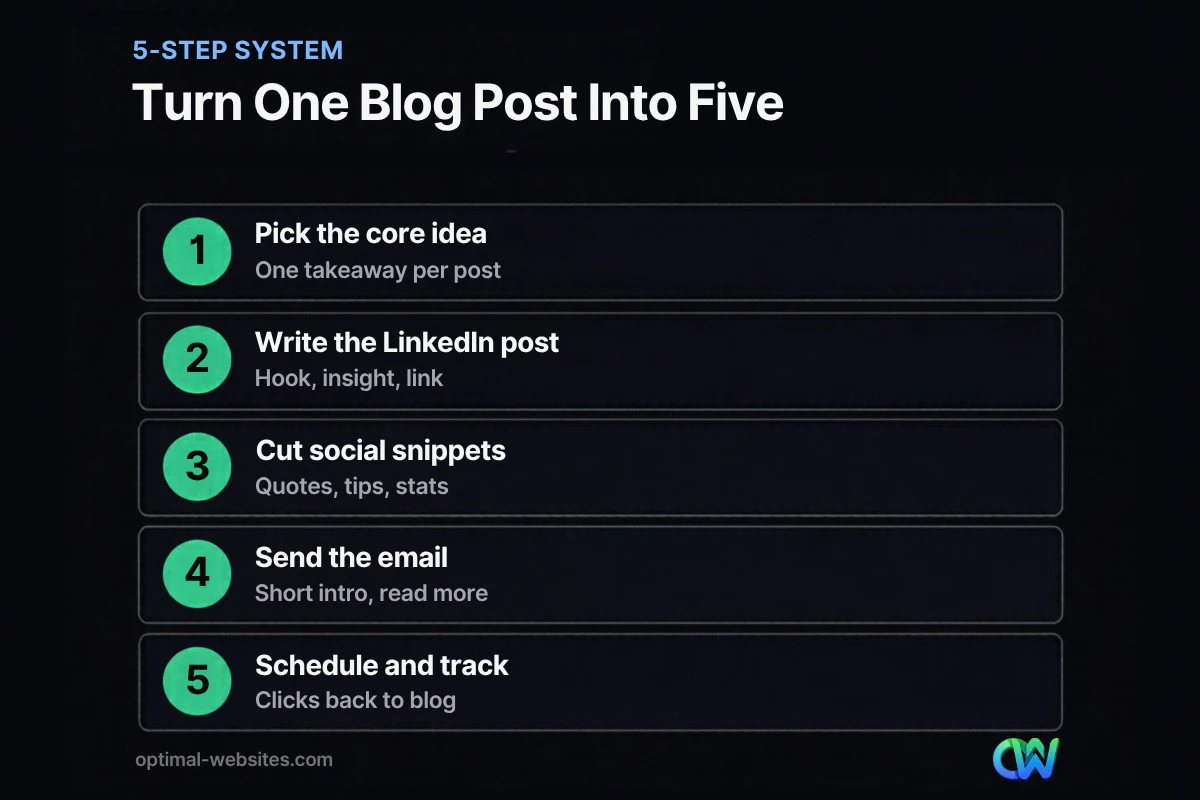
- One solid blog post can supply a LinkedIn post, three to five social snippets and an email.
- Spread repurposed pieces over one to two weeks and track clicks back to your site.
- Pick evergreen, practical posts first; news posts expire too fast to be worth the effort.
What Does It Mean to Repurpose Blog Content?
To repurpose blog content means taking the ideas in an existing article and reshaping them into new formats for other channels. The goal is reach: the same expertise meets people who would never visit your blog on their own.
It is not the same as cross-posting. Dropping the same link and title on five platforms is distribution. Repurposing changes the format: a 1,800-word article on roof maintenance becomes a five-line LinkedIn post about the one inspection most homeowners skip, a quote graphic for Instagram, and a two-paragraph email to past customers.
If you are still building the blog itself, start with our guide to content marketing for small business. This post assumes you already have a few articles worth reusing.
Why Is Content Repurposing Worth the Time?
Content repurposing is worth it because writing the original article is the expensive part. Once the research and thinking are done, adapting them for other channels takes a fraction of the time and keeps your name in front of people between new posts.
Your audience is also spread out. Pew Research Center’s social media fact sheet reports that 71% of U.S. adults say they use Facebook and 50% use Instagram, based on a 2025 survey. In Pew’s 2024 survey, 32% said they use LinkedIn. Each platform reaches a different slice of your buyers, and very few of them check your blog directly.
There is a search angle too. Repurposed posts that send real readers back to the original article help the page earn engagement, links and brand searches over time. None of that replaces good writing, but it gives good writing a fair chance.
Which Blog Posts Should You Repurpose First?
Start with posts that answer a common customer question and will still be true next year. Those give you material you can reshare for months.
Good candidates:
- How-to guides with clear steps (each step can become a post)
- Cost or pricing explainers (people save and share these)
- Checklists (easy to turn into carousels or graphics)
- Myth versus fact posts (strong hooks for social)
- Case-style stories about a type of project, without inventing results
Skip news recaps and time-sensitive announcements. They age out before your repurposed pieces finish running.
How Do You Turn a Blog Post Into a LinkedIn Post?
A good blog to LinkedIn post takes one idea from the article and delivers it in full inside the post. The reader should learn something even if they never click. The link is an extra for people who want more.
The LinkedIn post format that works
- Hook (first line): a specific claim or problem. “Most contractor websites lose leads on the contact page, not the homepage.”
- Context (two or three short lines): why it matters to the reader.
- The insight (three to five lines or bullets): the actual advice from your article.
- Close: a question to invite comments, or a plain line pointing to the full guide.
Keep paragraphs to one or two lines. People scroll LinkedIn on their phones, and dense blocks get skipped.
Personal profile or company page?
Post from your personal profile first and reshare from the company page. People tend to respond to people, so a post from the owner often reads more naturally than one from a logo. Our LinkedIn marketing plan covers how to split posting between the two.
Example
Original post section: “Why your website form is losing leads” (400 words).
LinkedIn version:
“Your website form might be the reason the phone is quiet. We see it often: a form asks for nine fields when three would do. Every extra field is another reason to quit. Name, phone, what you need. Start there. Full checklist in the comments.”
That post stands on its own, and anyone curious can still find the article.
How Do You Create Social Snippets From One Article?
Social snippets are short, self-contained pieces cut from an article: a tip, a statistic you sourced, a quote, or a before-and-after comparison. Each one should make sense without the article around it.
Here is how one blog post breaks down:
| Original section | Snippet format | Best channel |
|---|---|---|
| Intro problem | One-line hook plus image | Facebook, LinkedIn |
| Numbered steps | Carousel, one step per slide | Instagram, LinkedIn |
| A sourced statistic | Quote card with the source named | All channels |
| FAQ answer | Short text post or story | Facebook, Instagram stories |
| Checklist | Downloadable graphic | LinkedIn, Pinterest |
When you repurpose blog content this way, write a new caption for each snippet. Copying the article’s sentences word for word reads stiff on social.
What About Email and Other Content Distribution Channels?
Email is often the best channel for repurposed content, because the people on your list already know you. A short email with two or three lines from the article and a “read the full guide” link works better than pasting the whole post.
Other content distribution options worth considering:
- Google Business Profile posts: a short tip with a link back to the article, useful for local businesses.
- Short video: read the hook and one tip to camera in under a minute.
- Sales follow-ups: send the relevant article to a prospect who asked the same question.
- Internal links: link newer posts back to the original so it keeps getting found.
For more ways to share new articles the day they go live, see how to promote blog posts on social media.
A Simple Two-Week Repurposing Schedule
The easiest system is a fixed rhythm. Publish the article, then release repurposed pieces over the following two weeks so each one gets its own moment.
| Day | What goes out |
|---|---|
| Day 1 | Blog post published; link shared on company channels |
| Day 2 | LinkedIn post from your personal profile |
| Day 4 | Email to your list |
| Day 6 | First social snippet (tip or quote card) |
| Day 9 | Carousel or checklist graphic |
| Day 12 | Second LinkedIn post using a different section |
| Day 14 | Google Business Profile post or short video |
Track one number: clicks back to the article from each channel. After a month you will know where to spend your time.
Common Repurposing Mistakes to Avoid
Most repurposing problems come from rushing. These are the ones we see most:
- Same caption everywhere. Each platform has its own tone and length.
- Leading with the link. On LinkedIn especially, give the value in the post.
- Repurposing thin posts. If the original is weak, the snippets will be too.
- Losing the voice. Keep it in plain words, written by someone who does the work, which is also what Google means by people-first content.
- No tracking. Without UTM links or analytics, you are guessing.
How Optimal Websites Can Help
At Optimal Websites, a WordPress web design agency based in Delaware, we write blog content with repurposing in mind: clear headings, short self-contained sections and practical checklists that are easy to turn into posts. Our blog writing services cover research and writing for small businesses, and our social media marketing team can turn finished articles into posts for your channels. If you want a plan that connects both, we can map it out with you.
Frequently Asked Questions
How do you repurpose blog content for LinkedIn?
Pick one idea from the article and write it as a short, standalone LinkedIn post: a hook in the first line, two or three lines of context, then the key advice in short lines or bullets. Put the link at the end or in the first comment. When you repurpose blog content for LinkedIn, the reader should learn something without clicking.
How many social posts can you get from one blog post?
A well-structured article of 1,500 words or more usually supplies one or two LinkedIn posts, three to five social snippets, an email and a carousel or checklist graphic. Posts with numbered steps or FAQs give you the most material. Thin or news-style posts give you less, so start with your most practical guides.
Is content repurposing bad for SEO?
No. Content repurposing on social media and email does not hurt your search rankings, because you are creating new short pieces that link back, not copying the full article onto another website. If you republish a whole article elsewhere, keep the original on your site and link back to it clearly so readers find the source.
Should I post the blog link in the LinkedIn post or the comments?
Either can work, so test both. Many businesses put the link in the first comment and keep the post focused on the insight. What matters most is that the post delivers value on its own. A post that only says “new blog, read here” usually gets little engagement no matter where the link sits.
How often should I repurpose old blog posts?
Revisit your best evergreen posts every few months. A strong how-to or pricing guide can be reshared with a new hook several times a year. Update the article first if any details have changed, then repurpose blog content from the refreshed version so every snippet matches what readers find on the page.
What tools help with content distribution?
A scheduling tool for social posts, your email platform and Google Analytics cover most needs. Add UTM tags to each link so you can see which channel sent visitors. You do not need special repurposing software; a simple spreadsheet listing each article, its snippets and their publish dates keeps content distribution organized.
Ready to Get Started?
Want blog posts that work harder across every channel? Get a free quote or call (302) 554-9497 to talk about content and social support for your business.


