
Quick answer: Good roofing website design answers a homeowner’s questions in seconds: do you serve my area, have you done roofs like mine, are you licensed and insured, what do other customers say, and how fast can I reach you. Build every page around those answers, design for phones first and make calling or booking an inspection effortless.
When a homeowner finds a leak after a storm, they are not browsing for fun. They are on a phone, often stressed, comparing three or four roofers in a few minutes. Whoever looks the most credible and is easiest to contact usually gets the call. That is why roofing website design is less about fancy visuals and more about removing doubt quickly. This guide covers what homeowners look for before they call, the pages every roofing company website needs, the trust signals that matter, how to design for mobile and storm traffic, and the mistakes that quietly cost roofers jobs.
Key Takeaways
- Homeowners judge a roofer’s site in seconds. Service area, proof of work, credentials, reviews and a phone number must be easy to find.
- Every main service (replacement, repair, storm damage, commercial, gutters) deserves its own page.
- Real project photos beat stock images. Before-and-after galleries are one of the strongest trust signals a roofer has.
- Mobile-first design matters: a sticky call button and a short inspection form should be on every page.
- Reviews must be genuine. The FTC finalized a rule in August 2024 banning fake reviews and testimonials.
What do homeowners look for on a roofing website?
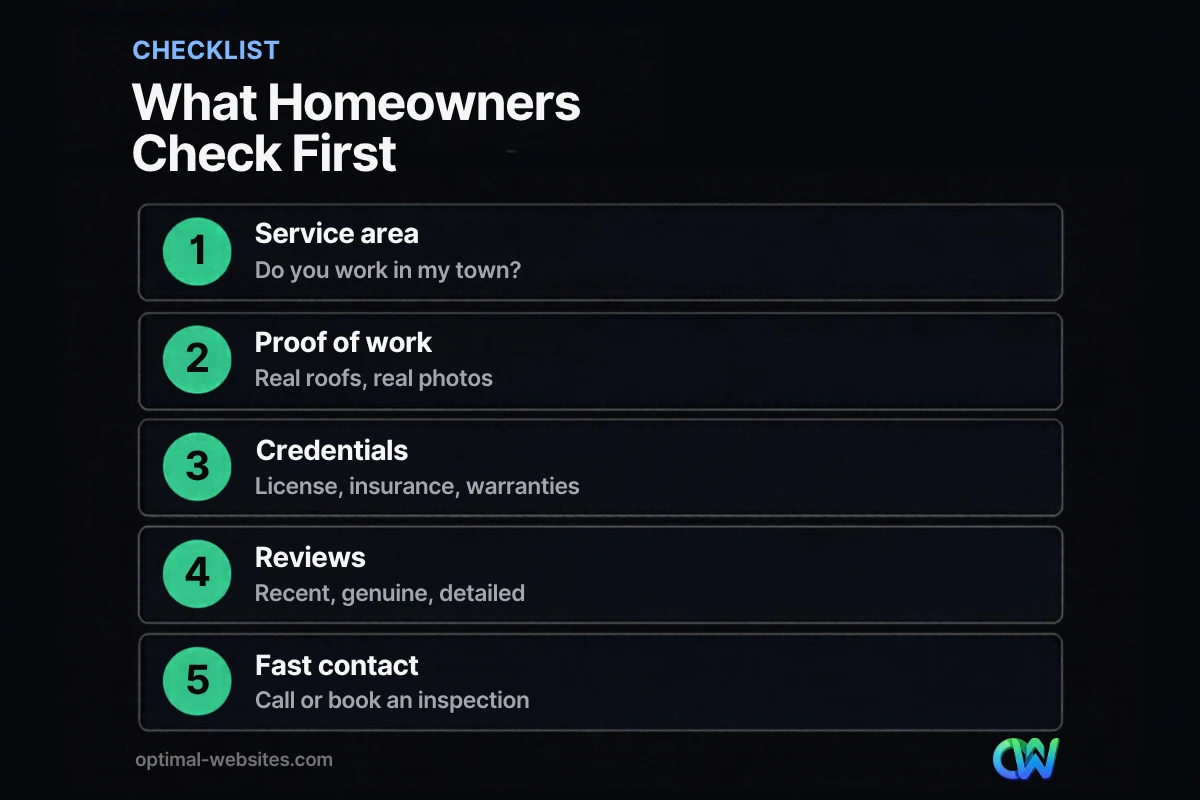
Homeowners look for five things on a roofing website: confirmation that you serve their area, proof you have done similar work, licenses and insurance, recent reviews, and a fast way to get in touch. If any of those are hard to find, many will move on to the next roofer.
Think about the questions behind those checks:
- “Do they work here?” A clear service area near the top of the homepage and on service pages.
- “Have they done roofs like mine?” Photos of asphalt, metal, flat or slate roofs, depending on what you install.
- “Can I trust them on my house?” License numbers, proof of insurance, manufacturer certifications and warranty details.
- “What do neighbors say?” Recent reviews that mention specific jobs.
- “How fast can I reach someone?” A visible phone number, a click-to-call button and a short inspection request form.
Which pages does a roofing company website need?
A roofing company website needs a homepage, one page per core service, a project gallery, an about page with credentials, a reviews page, service area pages and a contact or inspection request page. Each page should answer one set of homeowner questions clearly.
| Page | Purpose | Include |
|---|---|---|
| Homepage | Prove you are the right roofer, fast | Service area, top services, reviews, call button |
| Roof replacement | Capture the biggest jobs | Process, materials, timeline, warranty, financing if offered |
| Roof repair | Win urgent calls | Common problems, response time, photos |
| Storm damage | Serve emergency demand | Steps after a storm, insurance claim guidance, contact |
| Commercial roofing | Separate B2B buyers | Roof systems, building types, maintenance plans |
| Projects | Show proof | Before-and-after photos with location and scope |
| About | Build trust | Team photos, history, licenses, insurance, certifications |
| Service areas | Rank in nearby towns | Local details, nearby projects, reviews from the area |
| Contact | Convert | Phone, short form, hours, map |
Separate service pages do two jobs. They help homeowners find exactly what they need, and they give search engines a clear page to show for searches such as “roof repair” plus a town name. A single “Services” page with a bullet list rarely ranks for anything specific.
Service area pages done right
Service area pages work when each one has genuinely local content: projects completed in that town, common roof types in the area, local permit notes and reviews from nearby customers. Copying the same text and swapping the city name adds little value for visitors or search engines.
How do roofing websites build trust with homeowners?
Roofing websites build trust by showing verifiable proof: real project photos, license and insurance details, manufacturer certifications, warranties and genuine reviews. Specific evidence works better than general promises.
Real project photos
Use your own photos of finished roofs, crews at work and before-and-after shots. Add a short caption with the town, roof type and scope. Stock photos of perfect suburban houses are easy to spot and do little to prove anything.
Credentials and warranties
List license numbers where your state requires them, state that you carry liability insurance and workers’ compensation if you do, and explain your workmanship warranty in plain language. If you hold manufacturer certifications, name them accurately.
Genuine reviews
Show recent reviews on the homepage and next to the inspection form, and link to your Google Business Profile so visitors can read more. Keep it honest. On August 14, 2024, the Federal Trade Commission announced a final rule banning fake reviews and testimonials, including reviews from people who never used the business and undisclosed reviews from company insiders. Ask real customers for reviews instead, and never pay for positive ones.
How should a roofer website work on mobile?
A roofer website should work on mobile as if every visitor is standing in a driveway looking at a damaged roof, because many of them are. That means fast pages, a call button that is always visible and forms short enough to finish with one thumb.
Google uses the mobile version of your content for indexing and ranking, so a weak mobile experience hurts twice: in search results and in conversions. Our article on why a mobile-friendly website matters covers the fundamentals. For roofers specifically:
- Sticky call button. Keep “Call Now” visible at the bottom of the screen on every page.
- Short inspection form. Name, phone, address or ZIP and a short description is usually enough. Optional photo upload helps for repair requests.
- Fast-loading photos. Galleries are heavy. Compress images and load them as visitors scroll.
- Readable text. Large enough to read outside in daylight, with high contrast.
- Click-to-text or chat, if you staff it. Only offer channels you answer quickly.
Plan for storm surges
After a major storm, traffic can spike suddenly. Make sure hosting can handle it, add a storm damage banner that links to your storm page, and set up form notifications so no request sits unanswered.
How does roofing website design affect local search?
Roofing website design affects local search by giving Google clear, consistent information about what you do and where. Your website and your Google Business Profile work together.
Google says local results are based mainly on relevance, distance and prominence. Prominence includes how many websites link to your business and how many reviews you have. Your site supports this by:
- Matching your business name, address and phone number exactly to your Google Business Profile.
- Having a dedicated page for each service so relevance is obvious.
- Showing where you work, with service area pages that contain real local detail.
- Earning links from local suppliers, associations and community sponsorships.
A well-built site does not replace your Google Business Profile, but it gives Google more reasons to trust that profile.
What mistakes do roofing company websites make?
The most common roofing company website mistakes are hiding the phone number, using stock photos, lumping all services on one page, and ignoring mobile speed. Each one costs calls even when the site looks fine on a desktop.
- No clear service area. Visitors have to guess whether you cover their town.
- Generic headlines. “Quality roofing you can trust” says nothing. “Roof replacement and storm repair across New Castle County” says a lot.
- Long forms. Asking for ten fields before an inspection drives people to the phone, or to a competitor.
- Outdated content. Old promotions, broken links or a gallery that stopped in 2019 make a company look inactive.
- No tracking. Without call and form tracking you cannot tell which pages bring in jobs.
Our guide to fixes that bring in more website leads goes deeper on forms, calls to action and follow-up.
Roofing website examples: what the best ones have in common
Roofing website examples that perform well tend to share the same structure, regardless of style: a strong local headline, a prominent call button, a project gallery near the top, credentials in plain sight and reviews close to every call to action.
At Optimal Websites, a WordPress web design agency based in Delaware, roofing is one of the industries we know well. You can see a roofing project, PCS Roofs, in our portfolio alongside construction and engineering firms. We build these sites on WordPress with Elementor Pro so owners can add new project photos and reviews themselves, which keeps the site current without a developer. The same principles appear in our small business website design standards, adapted for the urgency and trust demands of roofing.
How Optimal Websites Can Help
If your roofing website looks dated, loads slowly on phones or does not produce steady inspection requests, we can help. Our WordPress web design for contractors includes service and service area pages, project galleries, mobile-first layouts and lead tracking. Packages start at $999, most projects launch in 2–4 weeks, and you get training to update photos and reviews yourself.
Frequently Asked Questions
What makes good roofing website design?
Good roofing website design makes it easy for homeowners to confirm you serve their area, see proof of your work, check licenses and insurance, read genuine reviews and contact you quickly. It is mobile-first, loads fast, gives each core service its own page and keeps a call button visible at all times so urgent visitors can reach you in one tap.
What pages should a roofing company website have?
A roofing company website should have a homepage, separate pages for roof replacement, roof repair, storm damage and any commercial or gutter services, a project gallery, an about page with credentials, a reviews page, service area pages and a contact page with an inspection request form. Each page should answer one clear set of homeowner questions.
How much does a roofer website cost?
A roofer website cost depends on the number of pages, service areas and features such as galleries, financing information or online booking. At Optimal Websites, professional WordPress packages start at $999, $1,499 and $1,999, and most launch in 2–4 weeks. Ongoing costs include domain, hosting and maintenance to keep the site secure and current.
Should a roofing website show prices?
Many roofers cannot list exact prices because every roof is different, but some pricing guidance helps. Explain the factors that affect cost, such as roof size, pitch, materials and tear-off, and mention whether inspections and estimates are free. Transparency builds trust and filters out leads that are not a fit for your services.
How do I get more reviews on my roofing website?
Ask every satisfied customer for a Google review soon after the job, using a direct link sent by text or email. Then show recent reviews on your roofing website near calls to action. Never buy reviews or write them yourself. The FTC’s 2024 rule bans fake reviews and undisclosed insider reviews, and genuine ones persuade better anyway.
Do roofing companies need a mobile-friendly website?
Yes. Many homeowners search for roofers on a phone, often right after spotting damage, and Google uses the mobile version of a site for indexing and ranking. A mobile-friendly roofing website loads quickly, keeps a call button visible, uses short forms and displays project photos clearly on small screens.
Ready to Get Started?
Ready for a roofing website that turns searches into inspections? Get your free quote or call (302) 554-9497 to talk about your service area and goals.


