
Quick answer: Google AI Mode is a conversational search experience, powered by a custom version of Gemini 2.5, that answers complex questions with an AI-written response and links to websites. It rolled out to all US users in May 2025. Small businesses should focus on helpful, specific content, crawlable pages and accurate business information.
Search is changing again. First came AI Overviews at the top of results. Now Google has opened a separate tab where people can ask long, detailed questions and have a back-and-forth conversation with Search. For small business owners, the obvious worry is whether fewer people will click through to websites. The honest answer is that it is too early for firm numbers, but the direction is clear: Google AI Mode rewards sites that answer real questions thoroughly and clearly. This guide explains what AI Mode is, how it works, how it differs from AI Overviews, and the practical SEO steps that protect your visibility.
Key Takeaways
- Google AI Mode is a separate search tab where people ask complex questions and follow up conversationally. It opened to everyone in the US on May 20, 2025.
- It uses a technique called query fan-out, running many related searches at once to build its answer and link to a wider range of sites.
- Google says there are no special requirements to appear in AI Mode. Pages must be indexed and eligible to show a snippet in Search.
- The best preparation is the same as good SEO: helpful, specific content, crawlable pages, a good page experience and accurate business information.
- Track impressions, clicks and leads over time rather than reacting to every change.
What is Google AI Mode?
Google AI Mode is an AI-powered search experience inside Google Search that answers questions with a generated response, supporting links and the option to ask follow-up questions. It lives in its own tab, separate from the regular results page.
Google announced on May 20, 2025 that AI Mode was rolling out to everyone in the US, without needing to sign up through Labs, after an earlier test period. Google describes it as its most powerful AI search, with more advanced reasoning, multimodal input and links to the web. It runs on a custom version of Gemini 2.5, which Google also brought to AI Overviews in the US.
Google also previewed features coming to AI Mode, many starting in Labs first, such as Deep Search for research-style reports, live camera-based search and agentic help with tasks like booking event tickets, restaurant reservations and local appointments.
How people use AI Mode differently
People tend to type longer, more specific questions in AI Mode than in a regular search box. Instead of “roof repair Wilmington,” someone might ask “my asphalt roof is 18 years old and leaking around the chimney, should I repair or replace it and what does it usually cost in Delaware?” That kind of question is exactly where detailed, expert content can earn a link.
How does query fan-out work in AI Mode?
Query fan-out is the technique AI Mode uses to break one question into several subtopics and search for each of them at the same time. It then pulls the findings together into one response with links.
Using the roofing example, AI Mode might run separate searches on signs a roof needs replacement, chimney flashing leaks, repair vs replacement costs, and roofing prices in the area. Each of those subtopics is a chance for a different website to be cited.
This matters for AI Mode SEO because:
- Depth beats a single keyword. Pages that cover a topic and its natural follow-up questions match more of the fan-out searches.
- Specific pages win specific subtopics. A dedicated page on “chimney flashing repair” is easier to match than a generic “services” page.
- More sites can appear. Google’s documentation says fan-out can surface a wider and more diverse set of helpful links than a classic search.
How is AI Mode different from AI Overviews?
AI Overviews are short AI summaries that appear on the regular results page for some searches. AI Mode is a separate, conversational experience for longer and more complex questions.
| Feature | AI Overviews | Google AI Mode |
|---|---|---|
| Where it appears | Top of the regular results page | Its own tab in Search |
| When it shows | Only when Google judges it helpful | When a user chooses AI Mode |
| Typical query | Quick questions | Complex, multi-part questions |
| Follow-ups | Limited | Conversational follow-up questions |
| Links | A handful of supporting links | Links throughout a longer response |
If you have not read it yet, our guide to AI Overviews for small business covers how those summaries work and how to appear in them. Most of that advice applies to AI Mode too.
Does Google AI Mode hurt small business website traffic?
It may reduce clicks for some simple, informational questions, but it is too early to measure the full effect, and high-intent searches still lead people to businesses. The impact will vary by industry and query type.
Here is a realistic view:
- Simple facts are most exposed. If your content only answers basic definitions, AI answers may satisfy the searcher without a click.
- Decisions still need websites. Someone choosing a contractor, lawyer or healthcare provider still wants to see reviews, credentials, photos and pricing details.
- Local intent still points to local businesses. Searches with “near me” or a town name lean on Business Profile data and local websites.
- Visibility is measured differently. Google’s documentation says traffic from sites appearing in AI features is included in Search Console’s overall Web search data, so watch trends in impressions, clicks and conversions, not only rankings.
What should small businesses do about AI Mode SEO?
Keep doing the fundamentals well and make your content more specific and complete. Google Search Central’s guidance on succeeding in AI search, published May 21, 2025, says the same practices that work for classic Search apply to its AI experiences, with a focus on unique, non-commodity content that satisfies people.
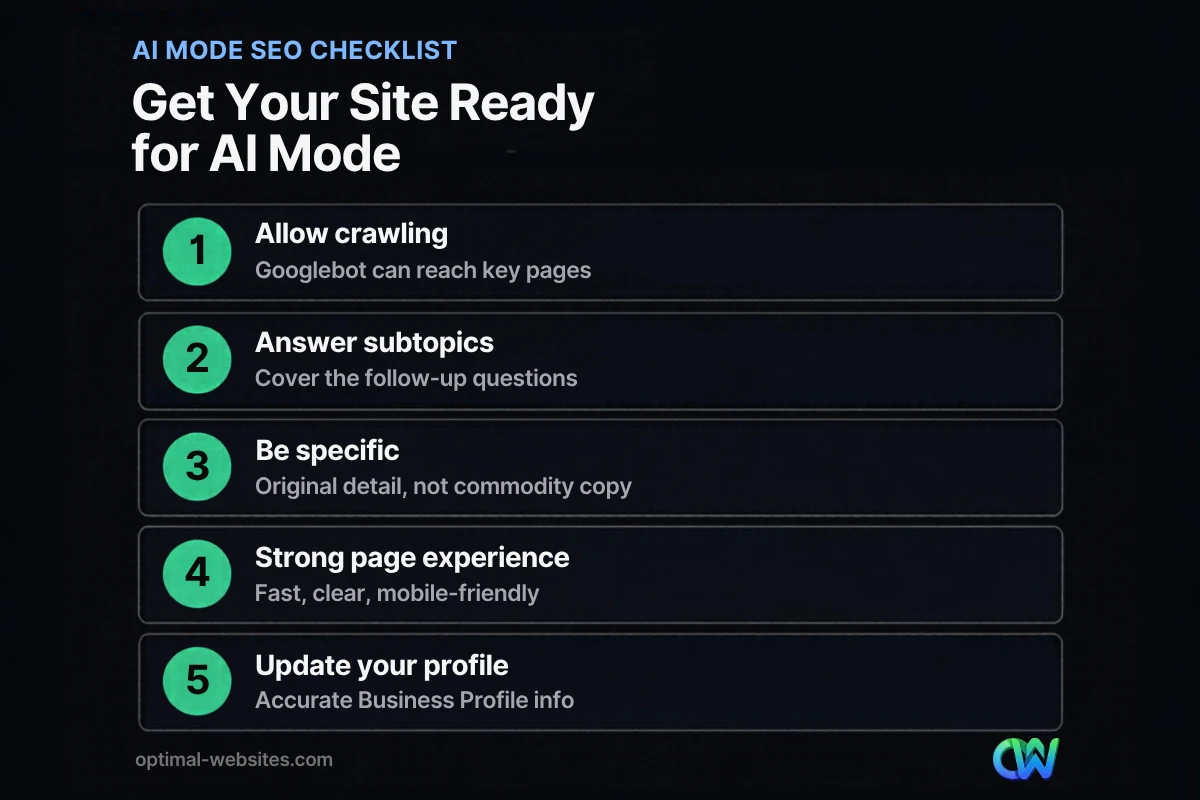
1. Make sure Google can crawl and index your pages
Google’s documentation on AI features says there are no additional requirements to appear in AI Overviews or AI Mode. A page must be indexed and eligible to be shown with a snippet. Check robots.txt, noindex tags and Search Console’s indexing report so nothing important is blocked.
2. Answer the follow-up questions
For each core service, list the questions customers ask before buying: cost, timing, process, materials, warranties, permits, risks. Cover them on the service page or in supporting articles. This matches the subtopics AI Mode fans out to.
3. Be specific and original
Generic, rewritten content is easy for AI to summarize without citing you. Add details only your business can provide: your process, local conditions, real project photos, pricing ranges and lessons from jobs you have completed.
4. Deliver a good page experience
Visitors who click through from AI Mode should land on a fast, clear page that works on a phone. Make it easy to see the main content, contact you and take the next step.
5. Keep business information accurate
Keep your Google Business Profile, website contact details and structured data consistent. Local AI answers draw on that information.
6. Measure what matters
Track leads and conversions, not just traffic. If impressions rise while clicks dip, review which pages lost clicks and whether they answered simple questions that AI now covers.
For a broader strategy on appearing in AI-generated answers across Google, ChatGPT and other tools, see our guide to generative engine optimization.
How does this look on a real small business website?
On the WordPress sites we build at Optimal Websites, a WordPress web design agency based in Delaware, AI Mode readiness mostly comes down to structure. A roofing or construction site with one page per service, an FAQ section on each page, real project photos and a clear service area gives search systems many specific, quotable answers. A site with one “Services” page and a contact form gives them very little.
That is why we build service pages in Elementor Pro with clear headings, short answer paragraphs and FAQs, and why we make sure every page loads quickly on mobile. None of it is a trick for AI. It is simply a site that answers questions well, which is what both people and AI systems look for.
How Optimal Websites Can Help
If you are not sure how your site holds up in AI-powered search, our SEO services start with a review of crawlability, content depth and local signals. We help you restructure service pages, add FAQs and structured data, and track the results in Search Console and Analytics. For the fundamentals that still drive most results, start with our guide to SEO for small business.
Frequently Asked Questions
What is Google AI Mode?
Google AI Mode is an AI-powered search experience in its own tab within Google Search. It answers complex questions with a generated response and links to websites, and it lets people ask follow-up questions. It uses a custom version of Gemini 2.5 and became available to all users in the US in May 2025.
How do I get my website to show up in Google AI Mode?
There is no special markup or submission for Google AI Mode. Make sure Google can crawl and index your pages, write helpful content that answers common questions and their follow-ups, add original detail from your experience, keep your Business Profile accurate and provide a fast, mobile-friendly page experience.
What is query fan-out?
Query fan-out is the method AI Mode and AI Overviews use to break a question into related subtopics and run multiple searches at once. The results are combined into a single answer with links. For AI Mode SEO, it means covering a topic and its follow-up questions in depth gives your pages more chances to be cited.
Is AI Mode the same as AI Overviews?
No. AI Overviews are short summaries shown at the top of the regular results page when Google decides they are helpful. AI Mode is a separate tab for longer, conversational searches with follow-up questions. Both can link to websites, and the same SEO fundamentals help a site appear in either one.
Can I see AI Mode search traffic in Google Search Console?
Google’s documentation says traffic from sites appearing in its AI features is included in Search Console’s Performance report under the Web search type, together with other search traffic. There is no separate AI Mode report, so monitor overall trends in impressions, clicks and conversions for pages likely to appear in AI answers.
Should small businesses change their SEO strategy because of AI Mode?
Small businesses should strengthen their SEO strategy rather than replace it. Focus on specific service pages, answers to real customer questions, original details, fast mobile pages and accurate business information. These steps help in classic results, AI Overviews and Google AI Mode alike, and they also improve conversions from visitors who do click.
Ready to Get Started?
Want to make sure your website is ready for AI-powered search? Request a free quote or call (302) 554-9497 and we will review your site and show you where to start.


