
Quick answer: LinkedIn profile optimization for business owners means turning your personal profile into a client-facing landing page. Use a clear, current photo, a headline that says who you help and how, a branded banner, an About section that explains the problem you solve and the next step, and Featured links that send visitors to your website.
For many business owners, LinkedIn is where prospects check them out after a referral, a meeting or a proposal. They click your name, glance at your photo and headline, skim your About section and decide in seconds whether you look credible. Too often they find a default headline, an empty banner and a summary written for a job search ten years ago. LinkedIn profile optimization fixes that first impression. This guide walks through each part of your profile, with examples for service businesses, and shows how to connect your profile to your website so the attention turns into conversations and leads.
Key Takeaways
- Treat your personal profile as a landing page for clients, not a resume for employers.
- Your headline should say who you help, what you do and what result they get.
- The About section should follow a simple pattern: problem, how you solve it, proof and next step.
- Use the banner and Featured section to point visitors to your website, case studies or booking page.
- A complete, current profile supports everything else you do on LinkedIn, from posting to outreach.
Why does LinkedIn profile optimization matter for business owners?
It matters because your profile is often the first thing a prospect checks before replying to a message, accepting a meeting or recommending you to a colleague. A clear, client-focused profile builds trust before you say a word.
Your personal profile also often gets more engagement than a company page, because people connect with people. Your LinkedIn company page still matters for credibility, but for most small businesses, the owner’s profile does the heavy lifting. If you plan to use LinkedIn actively, start here; the strategies in our guide to LinkedIn lead generation work far better when the profile behind them is strong.
How do you optimize a LinkedIn profile step by step?
Work from the top of the profile down, since that is the order visitors see it. Here are the parts that matter most for business owners.
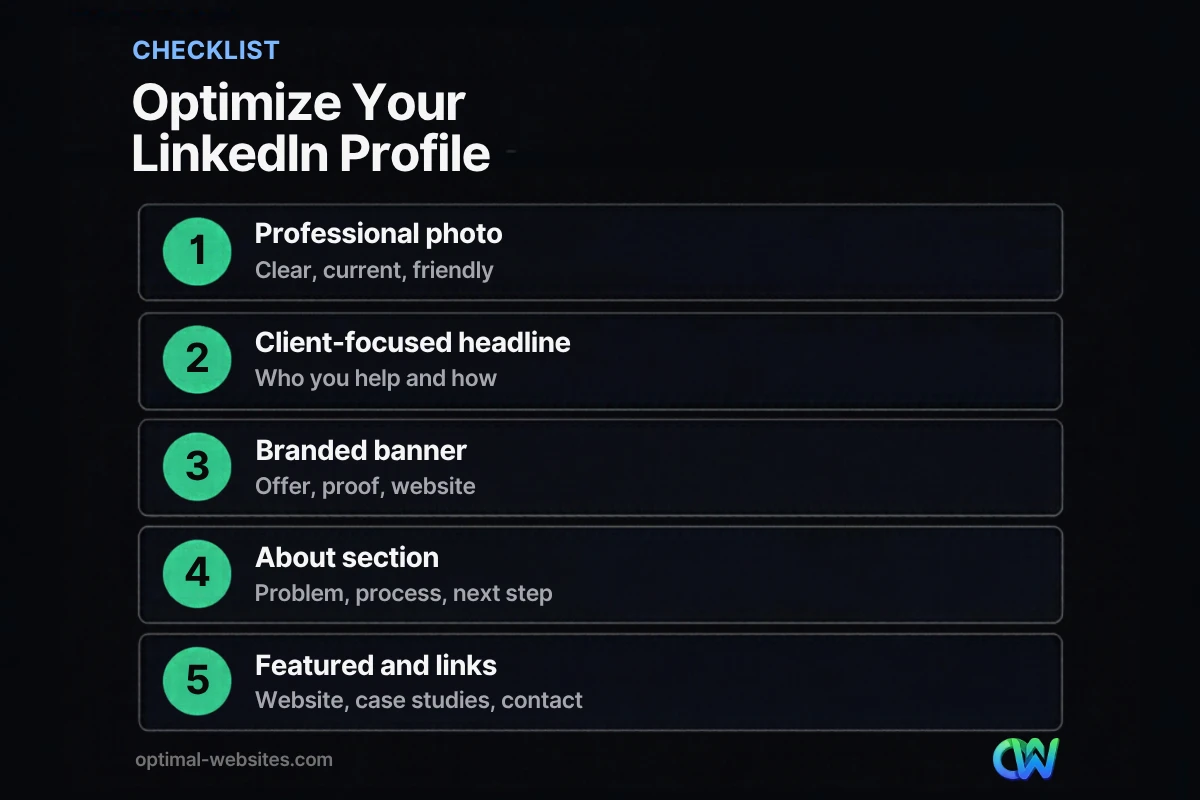
1. Profile photo
Use a recent, well-lit photo where your face is clearly visible and you look approachable. LinkedIn’s own profile guidance states that members with a profile photo receive up to 2X more profile views. Skip logos, group shots and vacation photos.
2. LinkedIn headline
Your LinkedIn headline is the line under your name, and it follows you everywhere: comments, search results, connection requests and messages. By default, LinkedIn fills it with your job title and company. Change it to describe the value you provide. LinkedIn’s help center explains how to edit your headline from the intro section of your profile.
A simple headline formula: I help [who] [get what result] through [how], plus a short credibility marker.
| Weak headline | Stronger headline |
|---|---|
| Owner at Smith Roofing LLC | Roofing contractor helping Delaware homeowners fix leaks fast and replace roofs right the first time |
| Attorney | Family law attorney helping parents in Wilmington resolve custody and divorce with less conflict |
| CEO, ABC Consulting | Helping construction firms win more bids with clear proposals and faster estimating |
3. LinkedIn banner
The LinkedIn banner (background photo) is the wide image behind your profile photo. Most owners leave the default gradient, which wastes prime space. Use it to reinforce what you do:
- A short tagline or offer in large, readable text
- A photo of your work, team or location
- Your website address
- Brand colors that match your website
Keep important text away from the lower left, where your profile photo overlaps the banner, and check how it looks on mobile.
4. LinkedIn About section
The LinkedIn About section is your chance to explain, in your own voice, why someone should work with you. LinkedIn suggests explaining your mission, motivation and skills in one or two paragraphs, and notes that bullet points are an option. For a business owner, this structure works well:
- Open with the problem your clients face, in their words.
- Explain how you solve it and what makes your approach different.
- Add proof: years in business, types of clients, certifications or recognition.
- End with a clear next step: visit your website, book a call or send a message.
The first two or three lines matter most, because visitors see only a preview until they click “see more.” Make those lines specific and client-focused.
5. Featured section
The Featured section sits near the top of your profile and can hold links, posts, documents and media. Use it to send people where you want them to go: your website, a case study, a service page, a free guide or a booking link. This is one of the easiest ways to drive LinkedIn visitors to your website.
6. Experience, skills and recommendations
- Experience: Describe your current business in client terms, not just duties. Add media such as project photos or a short video.
- Skills: List the skills clients search for, and ask colleagues to endorse the most important ones.
- Recommendations: Ask satisfied clients and partners for a short recommendation that mentions a specific result or experience.
What makes a strong LinkedIn personal brand?
A strong LinkedIn personal brand is consistent: the same message about who you help and how appears in your headline, banner, About section, posts and website. Prospects should be able to describe what you do after a ten-second glance.
Consistency also means matching your profile to your website. If your website says you specialize in commercial roofing but your LinkedIn headline says “general contractor,” visitors will be confused. Use the same core phrases, colors and photos across both. For posting cadence and content ideas, see our guide to LinkedIn marketing for small business.
How do you connect your LinkedIn profile to your website?
Connect your profile to your website by adding it in several places, then making sure the page visitors land on is ready for them.
- Add your website to the contact info section of your profile.
- Feature your website, a key service page or a case study in the Featured section.
- Mention your website address in your banner and at the end of your About section.
- Link to relevant blog posts when you share content.
- Send LinkedIn visitors to a page with a clear call to action, not just your homepage.
What we see with business owner profiles
When we build websites for law firms, construction companies and other service businesses, we often review the owner’s LinkedIn profile as part of the launch. The most common gap is a profile that links nowhere, or links to an outdated page. Pointing the Featured section and contact info to a focused, mobile-friendly landing page or service page built in Elementor Pro gives LinkedIn visitors a clear next step instead of a dead end.
What LinkedIn profile mistakes should you avoid?
Avoid anything that makes you look inactive, anonymous or unclear. The most common mistakes:
- Leaving the default headline (job title at company)
- No banner image, or a banner with tiny unreadable text
- An About section written in the third person like a press release
- Outdated experience, old logos or a defunct website link
- Listing every skill instead of the ones clients care about
- A profile that has not changed in years while your business has
How Optimal Websites Can Help
Optimal Websites, a WordPress web design agency based in Delaware, helps business owners connect their social presence to a website that converts. Our social media marketing services cover profile setup, branded visuals and content planning, and we build fast, mobile-first sites in Elementor Pro so the visitors you earn on LinkedIn land on pages designed to turn them into leads.
Frequently Asked Questions
What is LinkedIn profile optimization?
LinkedIn profile optimization is the process of improving each part of your profile, including photo, headline, banner, About section, Featured section, experience and skills, so it clearly communicates who you help and why people should contact you. For business owners, it turns a resume-style profile into a client-focused landing page.
What should a business owner put in their LinkedIn headline?
Say who you help, what result you deliver and how. For example: “Roofing contractor helping Delaware homeowners fix leaks fast and replace roofs right the first time.” Avoid the default job title format. A clear LinkedIn headline appears in search, comments and messages, so it works as your elevator pitch.
How long should my LinkedIn About section be?
Long enough to explain the problem you solve, how you solve it, your proof and the next step, usually a few short paragraphs. Focus on the first two or three lines, since visitors see only a preview before clicking “see more.” Write in the first person and keep it client-focused.
What should I put on my LinkedIn banner?
Use your LinkedIn banner to reinforce your message: a short tagline or offer, your website address, brand colors and possibly a photo of your work or team. Keep text large and away from the area covered by your profile photo, and check how it looks on a phone before publishing.
Should I optimize my personal profile or my company page first?
Start with your personal profile. For most small businesses, prospects look up the owner before the company, and personal profiles often get more engagement. Then make sure your company page is complete and consistent with your profile, so both support the same message and link to the same website.
How often should I update my LinkedIn profile?
Review it at least twice a year and whenever your business changes, such as a new service, location, award or website. Update your Featured section when you publish a new case study or offer. Ongoing LinkedIn profile optimization keeps you looking active and credible to anyone who checks you out.
Ready to Get Started?
Want your LinkedIn profile and website working together to bring in leads? Request a free quote or call (302) 554-9497 to talk with our team.


