
Quick answer: To track AI referral traffic in Google Analytics 4, open the Traffic acquisition report, switch the dimension to session source, and look for domains like chatgpt.com, perplexity.ai, gemini.google.com and copilot.microsoft.com. Then create a custom “AI assistants” channel with a regex rule, place it above Referral, and mark leads as key events.
More people now ask AI assistants for recommendations before they search Google, and some of them click through to the websites those assistants cite. For a small business, that raises a practical question: is AI search sending you any visitors, and are they turning into leads? By default, Google Analytics 4 mixes these visits in with ordinary referrals, so they are easy to miss. This guide shows you how to track AI referral traffic in GA4 step by step, how to group ChatGPT, Perplexity, Gemini and Copilot visits into their own channel, what GA4 cannot see, and how to judge whether AI traffic is worth investing in.
Key Takeaways
- AI assistants that link to sources usually show up in GA4 as referral traffic from their own domains.
- A custom channel group with a regex rule puts all AI assistant visits into one “AI assistants” channel.
- Place the AI channel above Referral, because GA4 assigns traffic to the first matching channel.
- Some AI-driven visits cannot be separated, such as clicks from Google’s AI features or copied URLs.
- Mark form submissions and calls as key events so you can see leads from AI traffic, not just visits.
What is AI referral traffic?
AI referral traffic is website traffic that arrives when someone clicks a link inside an AI assistant’s answer. Examples include links cited in ChatGPT search results, Perplexity answers, Microsoft Copilot responses and Google’s Gemini app.
These visitors are often further along in their research. They asked a detailed question, read a summarized answer and chose to click your site to learn more or take action. That makes the traffic small for most businesses today but potentially valuable. If you are working on visibility in these tools, our guides to generative engine optimization and ChatGPT search optimization explain how sites get cited in the first place.
Where does AI traffic show up in GA4?
AI traffic usually shows up in GA4 as referral traffic, with the AI tool’s domain as the session source. For example, a visit from a ChatGPT link may appear as source “chatgpt.com” and medium “referral.” Many ChatGPT links also carry a utm_source=chatgpt.com tag, which GA4 reads as the source.
You can see these sources in the Traffic acquisition report, which shows where both new and returning visitors come from. The default view groups traffic by channel, so you need to change the primary dimension to “Session source” or “Session source / medium” to see individual domains.
Common AI referral sources to look for
| AI assistant | Source domains to look for |
|---|---|
| ChatGPT | chatgpt.com, chat.openai.com |
| Perplexity | perplexity.ai |
| Google Gemini app | gemini.google.com |
| Microsoft Copilot | copilot.microsoft.com |
| Claude | claude.ai |
Domain names can change as products evolve, so review your source list a few times a year and add any new AI domains you notice.
How do you track AI referral traffic in GA4 step by step?
You track AI referral traffic in GA4 by finding the AI sources, grouping them into their own channel and connecting them to your key events. Here is the process.
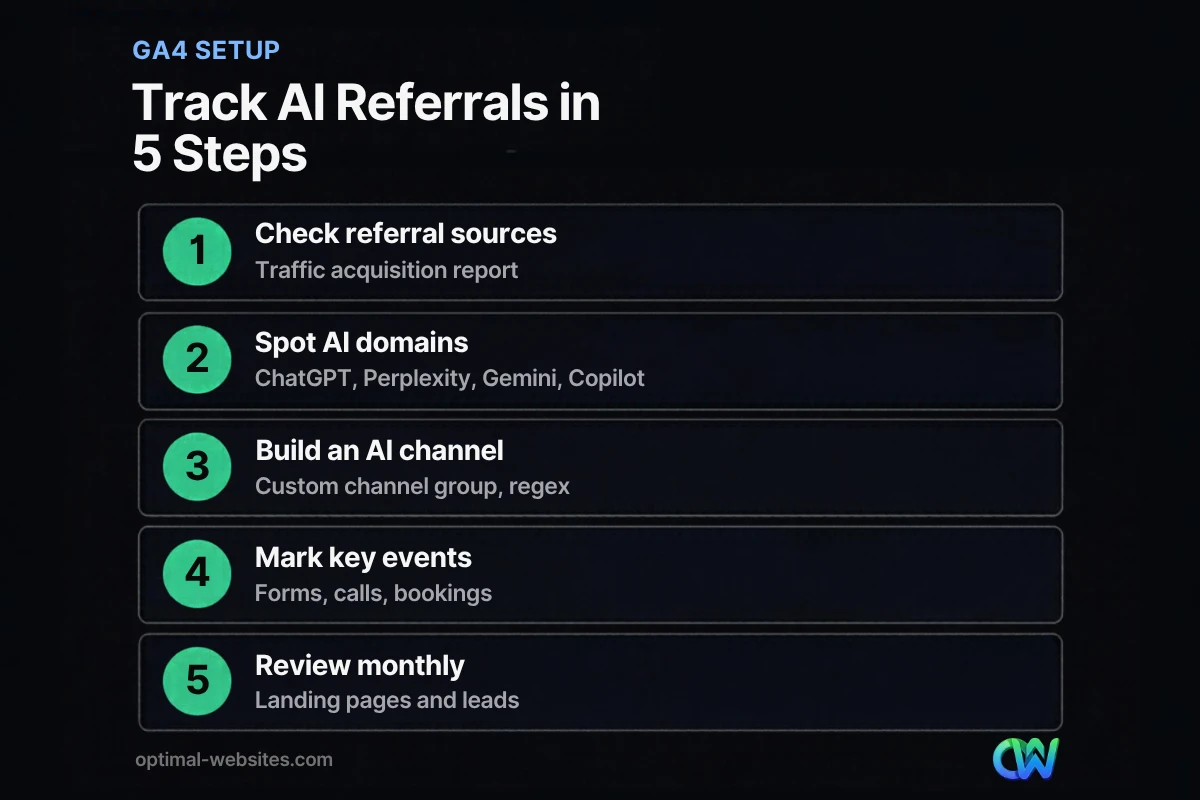
Step 1: Check your referral sources
- In GA4, go to Reports, then Acquisition, then Traffic acquisition.
- Change the primary dimension from “Session primary channel group” to “Session source.”
- Set the date range to the last 90 days or more, since AI traffic is often small.
- Use the search box to filter for terms like “chatgpt,” “perplexity,” “gemini” and “copilot.”
Step 2: Create an AI assistants channel
GA4 lets you build custom channel groups, which are rule-based categories of traffic sources. Google notes that traffic is assigned to the first channel whose definition it matches, given the order of channels in the group.
- Go to Admin, then Data display, then Channel groups.
- Copy the default channel group and give it a name such as “Channels with AI.”
- Click “Add new channel” and name it “AI assistants.”
- Add a condition: Source, matches regex, then a pattern such as: chatgpt\.com|chat\.openai\.com|perplexity\.ai|gemini\.google\.com|copilot\.microsoft\.com|claude\.ai
- Save the channel and drag it above “Referral” so AI visits are not counted as ordinary referrals.
- Save the group, then select it in your reports.
Standard GA4 properties can have up to two custom channel groups, so name yours clearly.
Step 3: Connect AI traffic to leads
Visits alone do not tell you much. Mark the actions that matter, such as quote form submissions, phone link clicks and bookings, as key events, which Google describes as a way to measure actions that are important to your business. Then compare key events by channel to see whether the AI assistants channel produces leads, not just sessions.
Step 4: Find your AI landing pages
Add “Landing page” as a secondary dimension while filtering to the AI assistants channel. This shows which pages AI tools are sending people to. Often it is a detailed guide, an FAQ or a service page with a clear answer. Those pages are your best clues about what AI assistants find useful on your site.
Step 5: Review monthly
Create a simple monthly check: AI sessions, AI key events, top AI landing pages and any new AI sources. If you are new to GA4 reports, start with our guide to Google Analytics 4 for small business.
What AI traffic can GA4 not see?
GA4 cannot separate every AI-influenced visit. Some AI interactions send no referral information, and some are blended into other channels.
| Situation | How it appears in GA4 |
|---|---|
| Clicks from Google AI Overviews or AI Mode | Generally reported as Google organic search, not separately |
| Links opened from an AI mobile app that strips referrer data | Often appears as Direct |
| Someone copies your URL from an AI answer | Direct |
| Someone reads about you in an AI answer, then searches your name | Organic search (branded) |
| AI agents or bots visiting without a browser session | Usually not recorded as a normal session |
Because of these gaps, treat your AI assistants channel as a minimum count. Growth in branded searches and direct traffic can also be a sign that AI tools are mentioning your business. For more on how Google’s AI search experience changes clicks, see our post on Google AI Mode.
How should you use AI referral data?
Use AI referral data to learn which content AI tools trust and to decide where to invest. Do not expect it to replace search traffic; for most small businesses it is a small but growing share.
Practical ways to act on it:
- Strengthen the pages AI tools already cite. Update facts, add clear answers near the top and make the next step obvious.
- Create more content in the same format. If detailed FAQs get cited, write more of them for your other services.
- Check conversion paths. AI visitors land deep in your site. Make sure every page they reach has a clear call to action and contact option.
- Compare quality, not just volume. A channel with 20 visits and 3 leads beats one with 500 visits and none.
What we see when setting up client analytics
When we launch WordPress sites, we set up GA4 key events for quote forms and click-to-call buttons from day one. Adding an AI assistants channel takes only a few minutes at the same time. For service businesses in industries like construction, legal and home services, the AI channel is usually small, but its visitors tend to land on detailed service pages and FAQs, which is a useful signal for planning new content.
How Optimal Websites Can Help
Optimal Websites, a WordPress web design agency based in Delaware, builds sites with analytics and lead tracking configured from launch, including channel groups for AI assistants. Our SEO services help you understand where visitors come from, which pages AI tools and search engines value, and what to improve next.
Frequently Asked Questions
How do I track AI referral traffic in GA4?
Open Reports, then Acquisition, then Traffic acquisition, and change the dimension to Session source. Look for chatgpt.com, perplexity.ai, gemini.google.com and copilot.microsoft.com. To track AI referral traffic over time, create a custom channel group with an AI assistants channel using a regex rule, and place it above Referral.
Does ChatGPT traffic show up in Google Analytics?
Yes, when someone clicks a link in ChatGPT and their browser passes referral information, the visit usually appears as a referral from chatgpt.com. Many ChatGPT links also include a utm_source=chatgpt.com tag. Some visits from apps or copied links may appear as Direct instead, so totals are likely undercounted.
Can GA4 show traffic from Google AI Overviews?
Not separately. Clicks from Google AI Overviews and AI Mode are generally reported as Google organic search traffic in GA4, alongside regular search results. You can watch overall organic trends and Search Console data, but GA4 does not currently break out these AI features as their own source.
What regex should I use for AI traffic in GA4?
A simple starting pattern for the Source dimension is: chatgpt\.com|chat\.openai\.com|perplexity\.ai|gemini\.google\.com|copilot\.microsoft\.com|claude\.ai. Use the “matches regex” condition in a custom channel group, and update the pattern when new AI tools or domains appear in your referral reports. Test it first in an exploration report to confirm it catches the sources you expect.
Is AI referral traffic worth tracking for a small business?
Yes, because it takes only minutes to set up and shows whether AI assistants are recommending your business. Even small volumes can be valuable if those visitors convert. Tracking also reveals which pages AI tools cite, helping you decide which content to expand and improve.
Why is my AI traffic showing as Direct in GA4?
AI traffic shows as Direct when the visit arrives without referral information. This happens when some mobile apps open links without passing a referrer, when people copy and paste your URL, or when privacy settings strip referral data. Treat your AI channel totals as a minimum, not a complete count.
Ready to Get Started?
Want a website that tracks every lead source, including AI assistants? Request a free quote or call (302) 554-9497 to talk with our team.


