
Quick answer: Elementor V4 is a new editor architecture, often called the atomic editor, that separates structure, styling and content. It adds leaner atomic elements, reusable global classes, central design variables and synced components. It is opt-in and runs alongside Version 3, so existing sites keep working; most business owners should test it before rebuilding anything.
If your website runs on Elementor, you have probably seen the announcements about Version 4 and wondered whether you need to do anything. Some coverage makes it sound like every site needs a rebuild; other posts treat it as a developer-only change. The truth is in between. Elementor V4 changes how pages are built and styled under the hood, which matters for consistency, maintenance and long-term performance. It does not break your current site. This guide explains in plain language what Elementor V4 is, what is new, what it means for a typical small business website, and how to decide when to start using it.
Key Takeaways
- Elementor V4 is a new architecture that separates structure, styling and content more clearly.
- Key features include atomic elements, global classes, a Variables Manager and synced Components.
- As of the 3.35 release, Version 4 is a beta that Elementor describes as ready for production use, and it must be activated manually.
- Elementor says existing sites and features are not going away, and Version 3 and Version 4 can be used together.
- For most business sites, the smart move is to test V4 on staging and use it for new pages, not to rebuild everything at once.
What is Elementor V4?
Elementor V4 is the next generation of the Elementor editor for WordPress, built on what Elementor calls an atomic architecture. In its Version 4 beta announcement, Elementor says V4 “introduces a new architectural foundation that separates structure, styling, and content more clearly.”
In practical terms, the older editor attached styles to each individual widget. If you wanted ten buttons to look the same, each one carried its own settings. V4 moves toward a CSS-first, class-driven system where you define a style once and reuse it, much like professional front-end development. Elementor first released V4 as an alpha for testing in 2025 and opened a broader beta with Elementor 3.35.
What is new in Elementor V4?
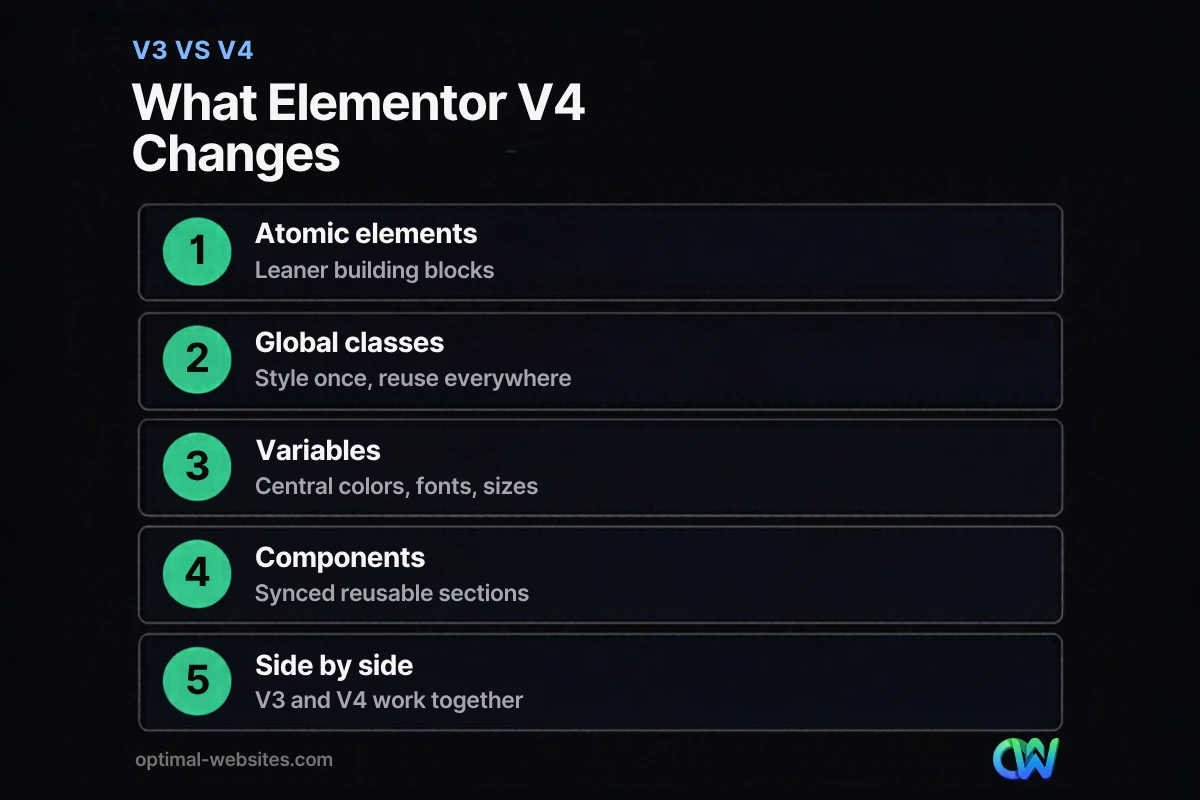
The main changes are atomic elements, global classes, variables and components. Together they make sites more consistent and easier to maintain.
Atomic elements
Atomic elements are smaller, simpler building blocks such as headings, paragraphs, images and buttons, designed to work with the new styling system. Elementor’s 3.33 release notes describe V4’s atomic elements and new architecture as built “for faster rendering and better performance.” Version 4 also added inline text editing directly on the canvas for atomic heading and paragraph elements.
Elementor classes
Elementor classes (global classes) let you save a set of styles, such as a button style or a card layout, and apply it to any element on any page. Change the class once and every element using it updates. This is the biggest shift for agencies and site owners who care about brand consistency.
Variables
Variables store design values like brand colors, font sizes and spacing in one place. The Variables Manager, introduced in Elementor 3.33, gives a single panel to view and edit all variables. When a brand color changes, you update the variable instead of hunting through dozens of pages.
Components
Components are reusable layout sections that stay synchronized across your site. According to the Elementor 3.35 developers update, any Flexbox or DIV Block can become a Component, layout edits update every instance, and site admins can choose which content properties (such as text, media and links) editors are allowed to change. Elementor describes this as layout-level reuse replacing the older widget-level globals.
How is Elementor V4 different from Version 3?
The core difference is where styling lives. Version 3 stores most styling on each widget; V4 encourages reusable classes and variables, with simpler elements underneath.
| Area | Elementor Version 3 | Elementor V4 |
|---|---|---|
| Styling | Set per widget | Global classes and variables, reused site-wide |
| Building blocks | Feature-rich widgets | Leaner atomic elements |
| Reusable sections | Global widgets and templates | Components with controlled editable properties |
| Design changes | Often page by page | Update a class or variable once |
| Text editing | Mostly in the side panel | Inline editing on the canvas for atomic text elements |
| Status (early 2026) | Stable, default | Beta, opt-in, can run alongside V3 |
Does Elementor V4 improve performance?
Elementor positions V4’s atomic architecture as built for faster rendering and better performance, and a class-based approach generally means less repeated styling code across a site. Real-world results will depend on how a site is built, which plugins it uses, image sizes and hosting.
For most small business websites, the biggest speed wins still come from the basics: optimized images, good hosting, caching and fewer heavy plugins. V4 can help by encouraging cleaner, reusable styling, but it does not replace those fundamentals. Think of Elementor performance in V4 as a stronger foundation, not an automatic speed boost for an existing V3 page.
Should you upgrade your Elementor site to V4 now?
Most business owners do not need to rush. Elementor states that “existing sites and features aren’t going anywhere” and that you can use Version 4 and Version 3 together. The 3.35 developers update describes the beta as ready for production use, with V4 planned to become the default on new sites when the editor moves to 4.0.
A sensible Elementor upgrade path:
- Update to the latest Elementor and Elementor Pro on a staging site first, with a full backup.
- Activate Version 4 on staging from the Elementor editor settings and explore classes and variables.
- Build new pages or sections with V4, such as a new landing page, rather than converting old ones.
- Set up variables and classes for your brand (colors, fonts, buttons) so new work stays consistent.
- Plan gradual migration of key templates only when there is a clear benefit, such as a redesign.
Who should start with V4 now
- Businesses planning a new website or a full redesign in the coming months
- Teams that add pages often and struggle to keep styling consistent
- Agencies and in-house marketers comfortable testing on staging
Who can wait
- Stable sites that rarely change and perform well
- Sites that rely heavily on third-party Elementor add-ons, which may need time to support V4
- Owners without a staging environment or reliable backups
What does Elementor V4 mean for our clients?
We build business websites on WordPress with Elementor Pro, so V4 matters directly to the sites we launch and maintain. Our approach is to test V4 features on staging, adopt global classes and variables for new builds where they are stable, and leave existing client sites running on Version 3 until there is a clear reason to migrate, such as a redesign or a major new section.
For clients, the practical benefit is consistency: when brand colors, buttons and section layouts are defined once, updates are faster and less error-prone, and the video tutorials we provide stay relevant as the site grows. If you are comparing builders, our posts on Elementor Pro features, Elementor vs Divi and Elementor AI cover the rest of the picture, and our overview of the benefits of WordPress for business explains why the platform itself is a solid long-term choice.
How Optimal Websites Can Help
Optimal Websites, a WordPress web design agency based in Delaware, builds fast, mobile-first sites with Elementor Pro and keeps up with changes like Elementor V4 so you do not have to. Our web design services include planning a clean, reusable design system for new builds and advising existing clients on if and when to adopt V4, with packages starting at $999 and most projects launching in 2–4 weeks.
Frequently Asked Questions
What is Elementor V4?
Elementor V4 is a new version of the Elementor editor for WordPress, built on an atomic architecture that separates structure, styling and content. It introduces atomic elements, global classes, a Variables Manager and synced Components. It is designed to make sites more consistent, easier to maintain and better performing over time.
Is Elementor V4 available now?
Elementor V4 is available as a beta in Elementor 3.35, which Elementor describes as ready for production use. You activate it manually in the editor settings. Elementor plans to make Version 4 the default for new sites when the editor moves to 4.0, while existing sites continue to work.
Will Elementor V4 break my existing website?
No. Elementor says existing sites and features are not going away, and Version 3 and Version 4 can be used together. Your current pages keep working. Still, always test updates on a staging site with a backup first, especially if you use third-party Elementor add-ons that may need updates for V4.
What are Elementor classes?
Elementor classes are reusable sets of styles that you can apply to any element across your site. Instead of styling each button or heading individually, you style a class once and apply it everywhere. When you change the class, every element using it updates, which keeps your design consistent.
Is Elementor V4 faster than Version 3?
Elementor positions its atomic architecture as built for faster rendering and better performance, and reusable classes reduce repeated styling. Actual Elementor performance still depends on images, hosting, caching and plugins. V4 gives a stronger foundation, but it will not automatically speed up existing V3 pages without rebuilding them.
Should I rebuild my site in Elementor V4?
Usually not right away. If your current site works well, keep it on Version 3 and use V4 for new pages or a future redesign. If you are already planning a rebuild, starting with V4 classes, variables and components can make the new site easier to maintain for years.
Ready to Get Started?
Planning a new Elementor site or wondering whether V4 is right for yours? Request a free quote or call (302) 554-9497 to talk it through with our team.


