
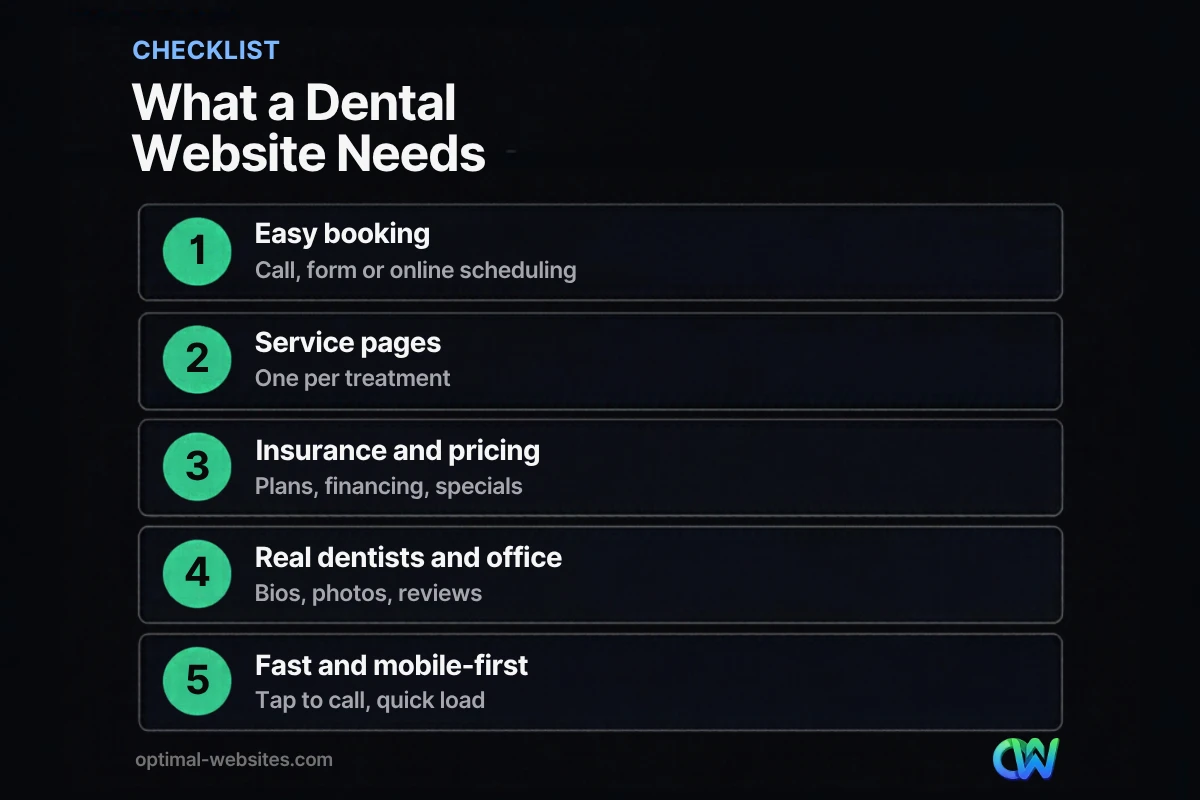
Quick answer: Effective dental website design makes booking easy, answers the questions new patients ask and builds trust fast. A strong dentist website needs a clear booking path, a page for each treatment, insurance and payment details, real photos of dentists and the office, genuine reviews, fast mobile performance and local SEO so nearby patients can find it.
Choosing a dentist is personal. People want someone nearby, someone who takes their insurance and someone they feel comfortable with, and they decide most of that from your website before they ever call. If the site is slow, hides the phone number or looks like every other template, they move on to the next result. Good dental website design changes that. It answers questions quickly, shows the real people behind the practice and makes booking a cleaning or an emergency visit effortless. This guide covers the pages a dental practice website needs, the design choices that turn visitors into patients, how to handle booking and new patient specials, and the local SEO basics that bring nearby patients to your site.
Key Takeaways
- The main job of a dentist website is to make booking easy: tap-to-call, a short form or online scheduling on every page.
- Separate pages for each treatment (implants, Invisalign, emergency care, cleanings) help patients and search engines.
- Insurance, payment options and new patient specials are among the first things people look for.
- Real photos of your dentists, team and office build more trust than stock images.
- Local SEO, reviews and fast mobile performance decide whether nearby patients find you at all.
What makes a good dental website design?
A good dental website design is clear, fast, trustworthy and built around booking. Within a few seconds, visitors should know what you offer, where you are, whether you take their insurance and how to book.
Most dental practices compete in a small area against a handful of other practices. That makes first impressions decisive. The practice with a warm, professional site that answers questions on the first screen often wins the appointment, even against an established competitor with an outdated site.
What pages should a dental practice website have?
A dental practice website should have a homepage, individual service pages, an about or team page, a new patients page, an insurance and financing page, reviews, and a contact or booking page. Practices that serve several towns can add location pages.
| Page | What it should include |
|---|---|
| Homepage | Clear headline, booking button, top services, insurance summary, reviews, location |
| Service pages | One per treatment: what it is, who it helps, process, recovery, cost factors, FAQ |
| New patients | What to expect at the first visit, forms, what to bring, new patient specials |
| Insurance and financing | Accepted plans, in-network status, payment options, membership plans if offered |
| About and team | Dentist bios, credentials, education, team photos, office tour |
| Reviews | Genuine patient reviews and a link to your Google Business Profile |
| Contact and booking | Phone, address, map, hours, parking, online booking or request form |
| Emergency dental care | Same-day availability, what counts as an emergency, call now button |
Treatment pages that match how patients search
Patients search by problem and treatment: “dental implants near me,” “Invisalign cost,” “emergency dentist open Saturday.” Each major treatment deserves its own page with plain-language explanations and a booking button. This mirrors the advice in our guide to medical practice website design, applied to the specific services a dental office offers.
A new patient specials page
A new patient specials page explains any introductory offers your practice actually provides, such as a cleaning and exam package or free consultation for certain treatments. Make the terms clear, keep it current, and give it a direct booking button. Only promote offers you really honor; outdated specials damage trust quickly.
How do you turn dental website visitors into booked patients?
You turn visitors into patients by removing friction from booking and answering the questions that cause hesitation. Every page should make the next step obvious.
Make booking effortless
- Put a tap-to-call phone number and a “Book an appointment” button in the header on every page.
- Offer online scheduling or a short request form for people who do not want to call.
- Use a sticky call or book bar on mobile so it is always within reach.
- Highlight emergency availability clearly for patients in pain.
Answer the big questions up front
New patients usually want to know: Do you take my insurance? Are you accepting new patients? What will it cost? How soon can I get in? Answer these on the homepage and repeat them on service pages. A short FAQ section on each treatment page handles the rest.
Show the real practice
Use professional photos of your dentists, hygienists, front desk and treatment rooms. Add short bios with education, years in practice and a personal note. Many patients feel anxious about dental visits, so a friendly face and a calm, bright office do a lot of the persuading.
Handle patient information carefully
If your forms collect health or insurance details, use secure, HTTPS-protected forms and talk with your compliance advisor about HIPAA requirements before collecting that data online. A short appointment request form that asks only for name, phone, email and reason for visit keeps things simple until the practice follows up.
Why does mobile design matter so much for dentist websites?
Mobile design matters because many patients search for a dentist on their phones, often while in pain or on the go. If the site is hard to use on a small screen, the call goes to someone else.
A mobile-friendly website for a dental practice should load quickly, show the phone number and booking button without scrolling, use large tap targets and keep forms short. Google’s Core Web Vitals set “good” thresholds for loading (LCP within 2.5 seconds), responsiveness (INP of 200 milliseconds or less) and visual stability (CLS of 0.1 or less), which are useful targets for any practice site. Large before-and-after photo galleries are a common culprit for slow pages, so optimize those images.
How does dental web design support local SEO?
Dental web design supports local SEO by giving Google clear, consistent information about your services and location, and by giving patients reasons to choose you. Google explains how Google ranks local results mainly by relevance, distance and how well known a business is, and your website influences relevance and reputation.
Practical steps:
- Create a page for each treatment with the service and city in the title and headings.
- Keep your practice name, address and phone number consistent across the website and Google Business Profile.
- Add local business structured data. Google’s local business structured data guidance recommends using the most specific LocalBusiness subtype possible, and schema.org includes a Dentist type.
- Embed a map and directions on the contact page.
- Ask happy patients for reviews; our guide on how to get more Google reviews covers ethical ways to do it.
For a deeper look at search for healthcare practices, see our post on medical practice SEO.
What we see when building healthcare websites
Healthcare practices are one of the client groups we work with, and dental sites share a pattern: the homepage often looks good, but service pages are thin and the booking path is buried. When we build dental practice websites in Elementor Pro, we use one consistent template for every treatment page with a booking bar, insurance note, short FAQ and real photos. That keeps the site easy for the front office to update and makes every page capable of turning a visitor into an appointment.
How much does a dental website cost?
A dental website’s cost depends on the number of treatment pages, custom photography, online booking integrations and content writing. At Optimal Websites, website packages start at $999 for Starter, $1,499 for Professional and $1,999 for Advanced Custom, with most projects launching in 2–4 weeks. You can compare our website packages to see what each includes.
How Optimal Websites Can Help
Optimal Websites, a WordPress web design agency based in Delaware, designs fast, mobile-first dental practice websites focused on booking. Our web design services cover page planning, treatment page templates, booking and call buttons, local SEO foundations and training videos so your team can update specials, hours and bios without calling a developer.
Frequently Asked Questions
What should a dental website include?
A dental website should include a clear homepage, a page for each treatment, a new patients page, insurance and financing details, dentist and team bios with real photos, genuine reviews, emergency care information and an easy booking path. Tap-to-call buttons, short forms or online scheduling should appear on every page.
How do I get more new patients from my dental website?
Make booking effortless, answer insurance and cost questions up front, show real photos of your dentists and office, and keep the site fast on mobile. Add a page for every major treatment so you appear for specific searches, and ask satisfied patients for Google reviews to strengthen your local visibility.
Should a dentist website have online booking?
Online booking helps many practices because some patients prefer not to call, especially outside office hours. If full scheduling is not practical, use a short appointment request form. Either way, keep a tap-to-call button visible for patients who want to talk to someone, particularly for emergencies.
What is a new patient specials page?
A new patient specials page explains introductory offers a dental practice provides, such as an exam and cleaning package or a consultation for certain treatments. It should state terms clearly, stay up to date and include a direct booking button. Only list offers your practice actually honors.
How important is mobile design for a dental practice website?
Very important. Many people search for a dentist on their phones, sometimes while in pain. Good dental website design shows the phone number and booking button without scrolling, loads quickly, uses large buttons and keeps forms short. A slow or awkward mobile site sends patients to the next practice in the results.
How long does it take to build a dental website?
Most dental websites can launch in two to four weeks once content, photos and service details are ready. Larger sites with many treatment pages, custom photography or booking integrations may take longer. Having insurance lists, bios and treatment information prepared early is the best way to keep the project on schedule.
Ready to Get Started?
Ready for a dental website that books more appointments? Request a free quote or call (302) 554-9497 to talk with our team.


