
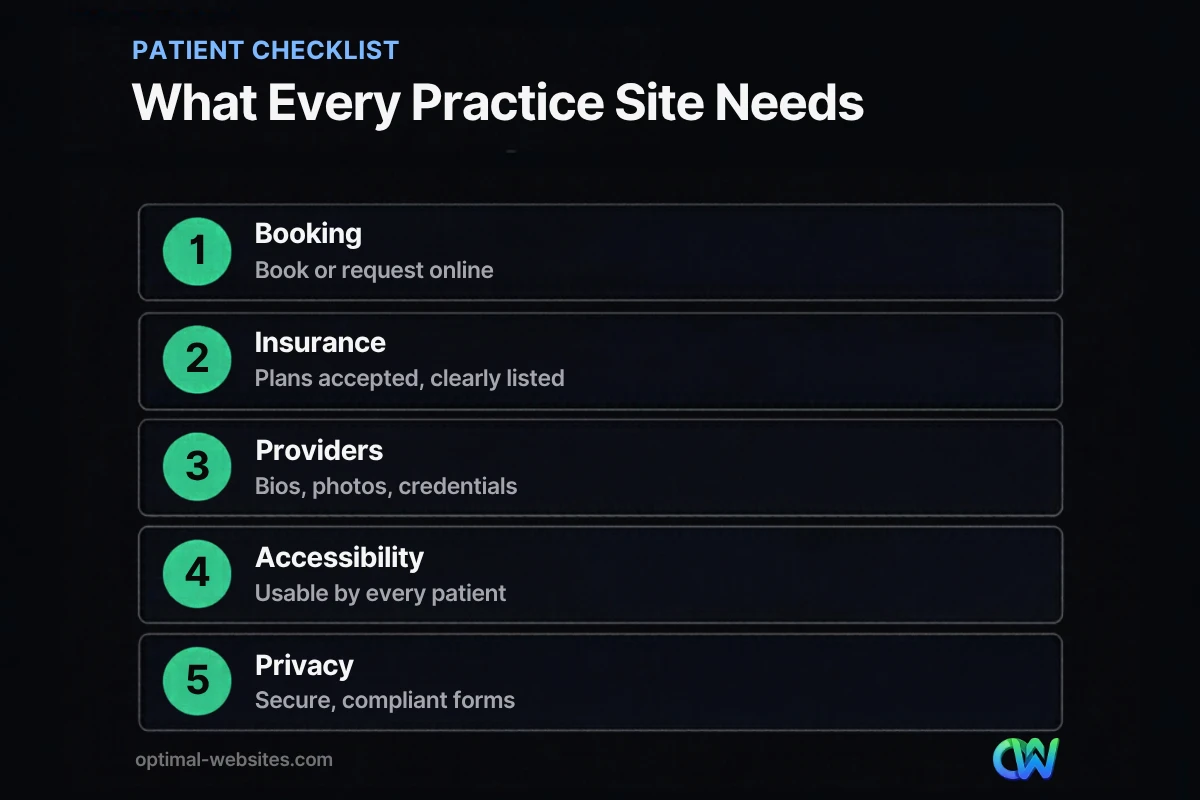
Quick answer: Good medical practice website design makes it easy for patients to find you, trust you and book a visit. That means a mobile-first layout, online appointment booking or requests, clear insurance and location details, provider bios, accessible design and secure, privacy-conscious forms. Everything else is secondary to those basics.
Patients now choose doctors the way they choose most services: they search, compare a few websites, and book with the practice that looks trustworthy and makes the next step easy. If your site is slow, hard to read on a phone, or hides basic details like insurance and hours, many will call the next clinic instead. That costs you new patients and adds phone calls your front desk has to handle. This guide covers what patients expect from medical practice website design, the pages and features that matter most, and how to handle accessibility and privacy the right way.
Key Takeaways
- Patients expect to find hours, location, insurance accepted and a way to book within seconds.
- Online appointment booking or request forms reduce phone volume and capture after-hours patients.
- Provider bios with photos and credentials build trust before the first visit.
- Accessibility matters: the Justice Department lists medical offices among businesses open to the public under the ADA.
- Forms and tracking tools that touch health information need a privacy and HIPAA review.
What Do Patients Expect from a Medical Practice Website?
Patients expect quick answers and an easy way to book. In practice, that means five things are visible and easy to use on a phone: services, location and hours, insurance accepted, providers, and how to make an appointment.
Most people arrive on your site with a specific question. Do you treat my condition? Do you take my insurance? Are you accepting new patients? How soon can I be seen? Good healthcare website design answers those questions on the homepage and the relevant service page, without making patients dig through menus or download PDFs.
Which Pages Does a Clinic Website Need?
A clinic website needs a clear homepage, a page for each major service, provider bios, a patient resources section, insurance and billing information, and a contact and location page. Multi-location practices need a page per location.
| Page | What it should include |
|---|---|
| Homepage | Who you treat, top services, booking button, phone, location, new-patient status |
| Service pages | One page per major service or condition, written in plain language |
| Providers | Photo, credentials, specialties, languages spoken, short personal note |
| New patients | What to bring, forms, first-visit expectations, insurance steps |
| Insurance and billing | Plans accepted, payment options, how to check coverage |
| Locations | Address, map, parking, hours, phone, accessibility notes |
| Patient portal link | Clear link to your existing portal, labeled the same way your staff refers to it |
| Contact and booking | Booking tool or request form, phone, after-hours instructions |
For the general building blocks every business site shares, see our guide to what a business website needs. Professional services follow similar patterns, and our guide to law firm website design covers trust signals that apply to medical practices too.
How Should Online Appointment Booking Work?
Online appointment booking should take a patient from “I need an appointment” to a confirmed request in a few taps. Put the booking button in the header and repeat it on every service page.
There are two common approaches:
- Real-time scheduling, connected to your practice management or scheduling system, where patients pick an open slot.
- Appointment request forms, where patients share preferred times and your staff confirms by phone or email.
Real-time booking is more convenient for patients but depends on what your scheduling software supports. Request forms are simpler to set up and work for practices that need to triage new patients. Either way, keep the form short, explain what happens next, and never ask for detailed medical history on a basic website form.
What Makes a Doctor Website Trustworthy?
A doctor website earns trust with real people, real credentials and clear information. Patients want to know who will treat them before they book.
- Provider bios with professional photos, board certifications, training and specialties.
- Real photos of your office, team and waiting area instead of generic stock images.
- Patient reviews, shared in line with your professional and privacy obligations.
- Affiliations and memberships you actually hold, such as hospital affiliations.
- Clear, current information on hours, insurance and services, updated whenever they change.
- Plain-language content that explains conditions and treatments without jargon.
Why Does Mobile-First Medical Practice Website Design Matter?
Many patients search for care on their phones, often while they are unwell or in a hurry. Mobile-first medical practice website design means the phone layout is planned first, with large tap targets, readable text and the booking button always within reach.
Test your current site on your own phone: can you find the phone number, tap it to call, see your hours and start a booking within a few seconds? If not, that is the first thing to fix. Our guide to building a mobile-friendly website covers the technical details.
Speed matters for the same reason. Large hero images, sliders and video backgrounds slow pages down on mobile connections. A clean, fast site feels more professional and keeps patients from giving up.
How Do You Make a Healthcare Website Accessible?
Build to the Web Content Accessibility Guidelines, test with real assistive technology, and fix issues on an ongoing basis. Accessibility is part of patient care, not an optional extra.
The Department of Justice guidance on web accessibility explains that Title III of the ADA covers businesses open to the public and lists hospitals and medical offices among them. The guidance points to the Web Content Accessibility Guidelines as helpful technical standards. WCAG 2.2, published by the W3C in October 2023, is the current version.
Practical steps include:
- Sufficient color contrast and text that can be resized without breaking the layout.
- Alt text for meaningful images and labels on every form field.
- Full keyboard navigation, with visible focus states.
- Captions for videos and transcripts for audio.
- Clear headings and link text that make sense out of context.
How Should a Medical Website Handle Patient Privacy?
Treat any form that collects health information as sensitive. Use secure, HIPAA-appropriate tools for patient intake, keep website forms limited to basic contact details, and review tracking tools with your compliance advisor.
A general website contact form is not the place for symptoms, diagnoses or insurance numbers. Route that information through your patient portal or a form service that offers a business associate agreement. Be careful with marketing pixels and analytics on booking and portal pages, since federal regulators have issued guidance on how tracking technologies interact with HIPAA. Your website team should work alongside your compliance lead, not around them.
How Optimal Websites Can Help
At Optimal Websites, a WordPress web design agency based in Delaware, we build fast, mobile-first WordPress sites with Elementor Pro for healthcare and other local service businesses. Our web design services cover page planning, provider and service pages, booking integrations and accessibility-minded design, and we train your staff with video tutorials so they can update hours and providers themselves. Compare our website packages or read more about our approach to small business website design.
Frequently Asked Questions
What should a medical practice website include?
A medical practice website should include clear service pages, provider bios, insurance accepted, locations and hours, new-patient information, a patient portal link and an easy way to book or request an appointment. It should load quickly on phones, meet accessibility standards, and keep any health information out of basic contact forms.
How much does medical practice website design cost?
Costs depend on the number of pages, locations, booking integrations and content you need. A small practice site with core pages costs far less than a multi-location clinic with real-time scheduling. Our WordPress website packages start at $999, and we provide a free quote based on your practice’s specific needs.
Do medical websites need to be ADA compliant?
The Justice Department’s web accessibility guidance says Title III of the ADA covers businesses open to the public and lists medical offices among them. Building to WCAG standards, testing with assistive technology and fixing issues promptly is the safest approach for healthcare website design. For legal questions, consult your attorney.
Can patients book appointments directly on our website?
Yes. Many practices add real-time scheduling connected to their practice management system, while others use appointment request forms that staff confirm. The best choice depends on your scheduling software and how much triage new patients need. Either way, online appointment booking should be quick, mobile friendly and clearly explained.
Is a contact form on a doctor website HIPAA compliant?
A standard contact form is fine for names, phone numbers and general questions, but it is not designed for protected health information. Ask patients not to include medical details, and use a HIPAA-appropriate intake tool or your patient portal for anything clinical. Review your doctor website forms and tracking tools with your compliance advisor.
How can a clinic website attract more new patients?
A clinic website attracts new patients by ranking for local searches, answering common questions clearly and making booking effortless. Build a page for each service and location, keep your Google Business Profile accurate, collect reviews, and make sure the booking button and phone number are visible on every page, especially on mobile.
Ready to Get Started?
Ready for a website that patients trust and staff can manage? Request a free quote or call (302) 554-9497 to talk about your practice website.


