

Quick answer: Good chiropractor website design makes it easy for a new patient to find you, trust you and book a visit from a phone. That means clear pages for conditions and services, a new patient page that explains the first visit and insurance, real photos of your doctors and clinic, online booking, and strong local SEO basics.
Most people looking for a chiropractor are in pain, searching on a phone, and comparing two or three clinics nearby. They want to know quickly whether you treat their problem, whether you take their insurance, and how soon they can get in. If your website makes them hunt for answers or call during busy hours, they book somewhere else. This guide covers chiropractor website design that turns those searches into appointments: the pages a chiropractic website needs, how online booking for chiropractors should work, which trust signals matter, and the local SEO basics that help your clinic show up in the first place.
Key Takeaways
- A chiropractic website should answer three questions fast: do you treat my problem, do you take my insurance, and when can I come in?
- Separate pages for main conditions and services help both patients and search engines.
- A dedicated new patient page reduces first-visit anxiety and front-desk calls.
- Online booking that works well on phones can capture patients outside office hours.
- Real photos of doctors and the clinic build more trust than stock images.
What Makes Chiropractor Website Design Different?
Chiropractor website design differs from a general business site because visitors are often in discomfort, unsure what to expect, and comparing clinics on trust and convenience. The site has to reassure and make booking simple.
Patients also arrive with different goals. Some know they want an adjustment. Others are searching symptoms, like lower back pain or headaches, and wondering if a chiropractor can help. A strong chiropractic website serves both: fast booking for the ready, and clear, honest information for the curious.
Chiropractic sits close to other healthcare sites, so many principles from medical practice website design apply here, along with patterns we cover in dental website design.
Which Pages Does a Chiropractic Website Need?
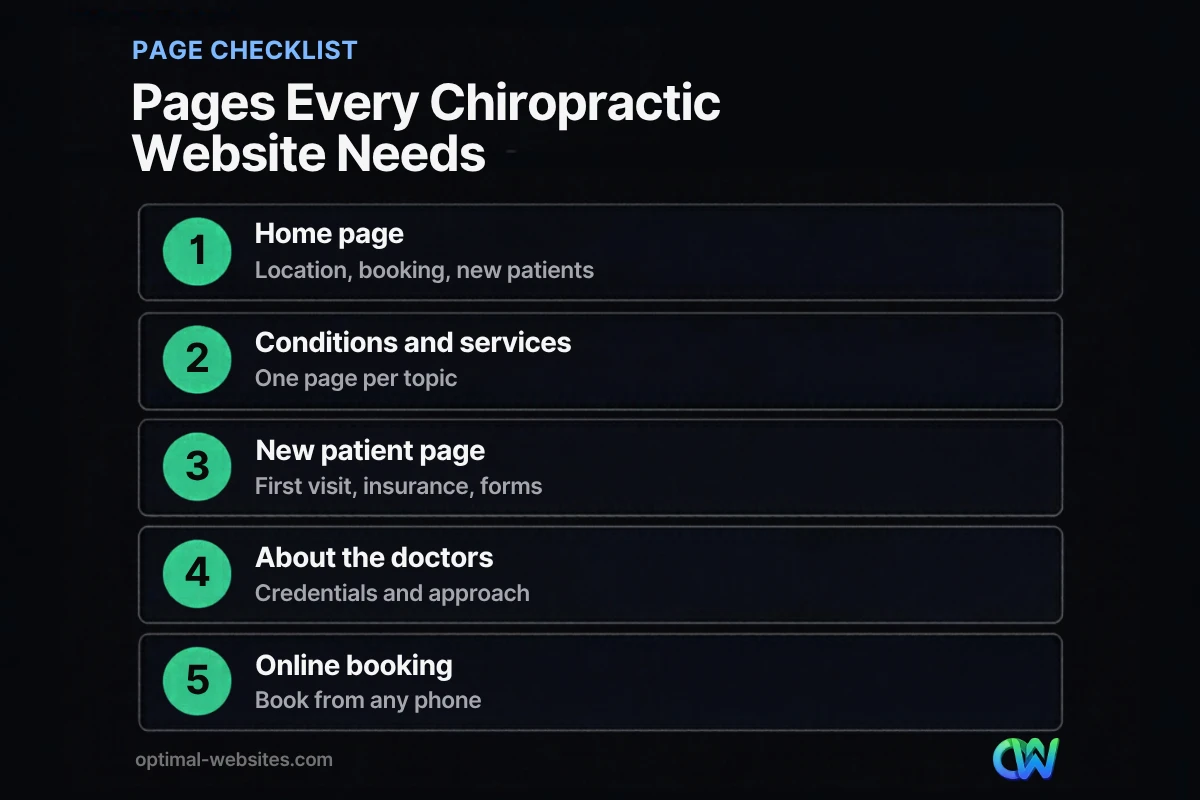
A chiropractic website needs a home page, pages for conditions and services, a new patient page, an about page for each doctor, an insurance and pricing page, a contact page with location details, and a booking path from every page.
| Page | Purpose | Must include |
|---|---|---|
| Home | Orient visitors, route them to booking | Location, main services, new patient CTA, reviews |
| Conditions treated | Match symptom searches | One page per major condition, what to expect |
| Services | Explain treatments | Adjustments, therapies offered, session length |
| New patients | Reduce first-visit anxiety | What happens at the first visit, forms, what to bring |
| Insurance and payment | Answer cost questions | Plans accepted, self-pay options, how billing works |
| About the doctors | Build trust | Credentials, approach, real photos |
| Contact and location | Make visiting easy | Address, map, parking, hours, phone |
Conditions and services pages
Give each major condition or service its own page, such as lower back pain, neck pain, sciatica, headaches, sports injuries or prenatal care. Explain the condition in plain language, how you approach it, what a typical visit looks like, and when someone should see a medical doctor instead. Avoid promising cures or specific outcomes.
The new patient page
This is often the most valuable page on a chiropractic website. Explain what happens at the first visit, how long it takes, what to wear, which forms to complete in advance, and whether imaging is involved. Answering these questions online reduces no-shows and front-desk calls.
How Should Online Booking for Chiropractors Work?
Online booking for chiropractors should let a patient choose a visit type, see available times and confirm in a few taps on a phone. It should be reachable from every page, not buried on the contact page.
Most local visitors browse on phones: Pew Research Center’s mobile fact sheet reports that 91% of U.S. adults own a smartphone. Booking that is clumsy on mobile loses patients, especially those searching in the evening when the office is closed.
Best practices:
- Show a “Book Now” button in the header on every page.
- Separate new and returning patients so each sees the right visit types.
- Keep forms short. Nielsen Norman Group’s form guidelines recommend removing fields you can collect later.
- Confirm by email or text with the address, parking notes and what to bring.
- Offer a call option for people who prefer to talk first.
If your practice management software includes online scheduling, connect it to the site rather than building a separate booking system. If you collect health information online, ask your software provider and web team how forms and data are protected.
Which Trust Signals Matter Most for a Chiropractic Website?
The trust signals that matter most are real photos of your doctors and clinic, clear credentials, genuine patient reviews and a transparent explanation of your approach and costs. Visitors are deciding whether they feel safe in your hands.
- Doctor bios with education, licensing and areas of focus
- Real clinic photos: treatment rooms, front desk, the team at work
- Patient reviews with first names and the reason they came in, used with permission
- Professional memberships you can link to or verify
- Clear policies on cancellations, insurance and payment
Be careful with claims. Describe what you treat and how, but avoid promising outcomes or using testimonials that suggest guaranteed results.
How Does Local SEO Help a Chiropractic Website?
Local SEO helps a chiropractic website appear when people nearby search for “chiropractor near me” or a symptom plus your town. Your website and Google Business Profile work together to earn those visits.
Practical basics:
- Google Business Profile: keep hours, categories, photos and booking links current. Google’s Business Profile guidelines allow individual practitioners who see patients directly to have their own profiles, in addition to the practice.
- Location details on the site: address, map, parking and neighborhoods you serve.
- Condition pages written for real local searches.
- Reviews: a simple process to request them after visits.
- Consistent name, address and phone everywhere online.
For deeper strategy, see our guide to medical practice SEO, which applies to chiropractic clinics as well.
What Design Choices Help Patients Book?
Design choices that help patients book are the ones that reduce effort: a calm, clean layout, readable text, obvious buttons and fast pages. Wellness clinic website visitors respond to a sense of calm and clarity, not busy design.
- Mobile-first layouts with large tap targets
- Sticky header with phone and Book Now
- Short sections with clear headings for scanning
- Fast loading, especially on mobile data
- Accessible design: good contrast, readable font sizes, descriptive alt text
How We Approach Chiropractor Web Design
At Optimal Websites, a WordPress web design agency based in Delaware, our chiropractor web design projects follow the same principles we use for healthcare and local service clients: mobile-first layouts built in Elementor Pro, a page for each core service or condition, a clear new patient path, and a booking button on every page. We connect your existing scheduling tool, set up tracking for calls and bookings, and train your team with video tutorials so you can update hours, services and staff yourself.
How Optimal Websites Can Help
If your current site makes patients dig for answers, we can help you rebuild it around booking. Our web design services cover planning, design and a fast WordPress build, with packages starting at $999 and most projects launching in 2–4 weeks. See the pricing page for package details.
Frequently Asked Questions
What should a chiropractor website include?
A chiropractor website should include a home page with booking, pages for main conditions and services, a new patient page explaining the first visit, insurance and payment information, doctor bios with real photos, location and contact details, and patient reviews. Online booking should be reachable from every page, especially on mobile.
Do chiropractors need online booking on their website?
Online booking is strongly recommended. Many patients search for care in the evening or on weekends, when the office is closed. Letting them book on their phone in a few taps captures appointments you might otherwise lose. Keep a phone option too, since some patients prefer to call before their first visit.
How much does chiropractor website design cost?
Chiropractor website design cost depends on the number of pages, booking integration, content needs and custom features. Optimal Websites packages start at $999 for Starter, $1,499 for Professional and $1,999 for Advanced Custom, with most projects launching in 2–4 weeks. A free consultation will confirm the right scope for your clinic.
How can a chiropractic website get more new patients?
A chiropractic website gets more new patients by ranking for local searches, answering common questions clearly and making booking easy. Build pages for the conditions you treat, keep your Google Business Profile current, collect reviews, explain the first visit on a new patient page, and place a Book Now button on every page.
Should each chiropractor in a clinic have their own page?
Yes, a short page or detailed bio for each doctor helps patients choose and builds trust. Include credentials, areas of focus, approach to care and a real photo. Google’s guidelines also allow individual practitioners who see patients directly to have their own Business Profile, separate from the clinic profile.
What makes a good wellness clinic website?
A good wellness clinic website feels calm and clear, loads quickly on phones and makes the next step obvious. It explains services in plain language, shows the real team and space, shares honest information on costs and insurance, includes genuine reviews and offers simple online booking from every page.
Ready to Get Started?
Want a chiropractic website that fills your schedule? Request a free quote or call (302) 554-9497 to talk about your clinic.


