
Quick answer: To reduce bounce rate, make each page match what visitors searched for, load fast on mobile, show your value and next step on the first screen, and give people an obvious reason to click further. In GA4, bounce rate is the share of sessions that were not engaged, so improving engagement lowers it.
A high bounce rate can feel alarming, especially when you have spent money to bring visitors to your site. Sometimes it signals a real problem: a slow page, a confusing layout or content that does not match the search. Sometimes it means nothing at all, because the visitor found your phone number and called. Knowing how to reduce bounce rate starts with knowing which bounces matter. This guide explains how bounce rate works in GA4, how to find the pages that need attention, and the practical fixes that keep visitors engaged long enough to become customers.
Key Takeaways
- In GA4, bounce rate is the opposite of engagement rate: the percentage of sessions that were not engaged.
- A session counts as engaged if it lasts longer than 10 seconds, includes a key event, or has two or more page or screen views.
- Not every bounce is bad. A visitor who calls you from the first page may still count as a bounce unless the call click is tracked.
- The biggest causes of bounces are mismatched intent, slow mobile pages, unclear first screens and no obvious next step.
- Fix the highest-traffic pages with the worst engagement first, then measure the change.
What is bounce rate in GA4?
Bounce rate in GA4 is the percentage of sessions that were not engaged sessions. It is the inverse of engagement rate, so if your engagement rate is 60%, your bounce rate is 40%.
Google Analytics defines an engaged session as one that meets at least one of these conditions:
- Lasts longer than 10 seconds
- Has a key event (an action you mark as important, such as a form submission)
- Has two or more page or screen views
This is different from the old Universal Analytics definition, where a bounce was any single-page session, even if the visitor read for five minutes. In GA4, someone who reads a page for a minute and leaves is engaged, not a bounce.
Bounce rate vs exit rate
Bounce rate looks at sessions that were not engaged. Exit rate looks at the last page people viewed before leaving. Every visit ends with an exit, so a high exit rate on a thank-you page is normal. A high exit rate on a pricing or quote page, however, may mean visitors are hitting a barrier right before converting. Reviewing your exit pages helps you spot those leaks.
For a walkthrough of setting up reports and key events, see our guide to Google Analytics 4 for small business.
Is a high bounce rate always bad?
No. A high bounce rate is a problem only when the page’s goal requires more engagement than visitors give it. Context matters more than the number.
| Situation | High bounce rate means… | Action |
|---|---|---|
| Blog post that answers a quick question | Visitor may have gotten the answer | Add a related link or next step, but do not panic |
| Contact page where people call | The call may not be tracked | Track click-to-call as a key event |
| Service page from Google Ads | Ad and page may not match | Align headline and offer with the ad |
| Homepage with slow mobile load | People leave before it loads | Fix speed first |
| Pricing page with high exits | Visitors stall before converting | Clarify packages and the next step |
Before you fix anything, make sure your key events track real actions: form submissions, click-to-call taps, email clicks and booking confirmations. Many small business sites look like they have a bounce problem when they really have a tracking problem.
How do you find pages with a high bounce rate?
Start with pages that get the most traffic and have the lowest engagement. Fixing one high-traffic page usually helps more than fixing ten low-traffic ones.
- In GA4, open the Pages and screens report, or Landing page report, under Engagement.
- Customize the report to add bounce rate and engagement rate if they are not shown.
- Sort by views or sessions to focus on your most visited pages.
- Compare engagement rate across similar pages, such as all service pages.
- Segment by device. If mobile engagement is much lower than desktop, look at mobile speed and layout first.
- Check the traffic source. A page that performs well from organic search but poorly from paid ads usually has a message mismatch with the ad.
How to reduce bounce rate: 10 fixes that work
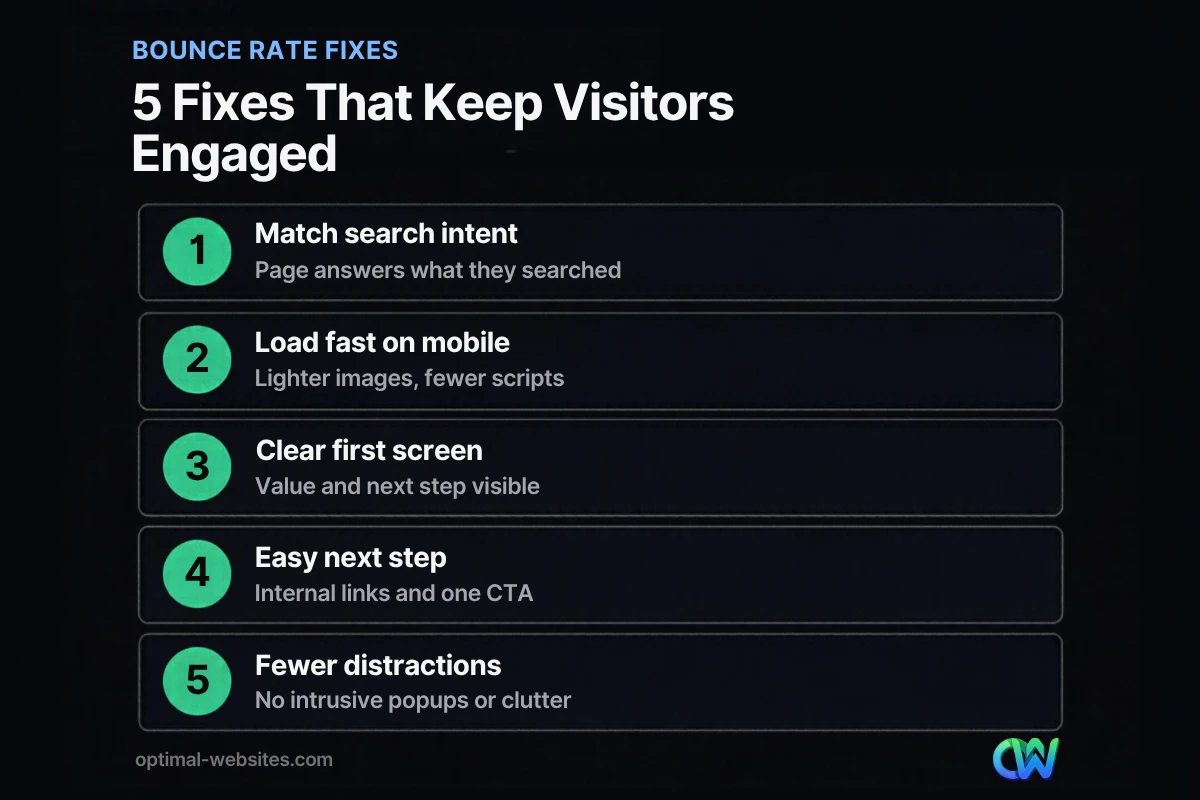
Most bounce rate improvements come from a small set of fixes: matching intent, loading faster, clarifying the first screen and making the next step obvious.
1. Match the page to search intent
If someone searches for “emergency plumber” and lands on a general company history page, they leave. Make sure the headline and first paragraph answer exactly what the visitor came for. Check your top landing pages in Search Console to see which queries bring people in.
2. Make pages load fast on mobile
Speed is often the biggest bounce driver on phones. Compress images, use modern formats, limit heavy sliders and third-party scripts, and use good hosting. Google measures real-user loading, responsiveness and stability through Core Web Vitals. Our guide on how to improve website speed covers the full list of fixes.
3. Make the first screen count
Visitors decide quickly whether to stay. Nielsen Norman Group found that people often leave within 10 to 20 seconds unless a page clearly communicates its value. Your first screen should show what you offer, who it is for, and what to do next.
4. Give visitors an obvious next step
Every page should have one primary action, such as “Request a quote,” “Call now” or “See pricing.” Put it above the fold and repeat it after key sections.
5. Add helpful internal links
Link to related services, case examples and guides where they genuinely help. A visitor who clicks to a second page becomes an engaged session.
6. Improve readability
Use short paragraphs, clear headings, bullet lists and enough contrast. Walls of text on a phone screen are a fast way to lose people.
7. Remove intrusive popups and clutter
Popups that cover the page as soon as it loads, autoplay video and cluttered sidebars all push visitors away. If you use popups, delay them and make them easy to close.
8. Show trust signals early
Reviews, credentials, guarantees and real photos reassure visitors that they are in the right place. Place them near the top of service and landing pages.
9. Fix broken links and errors
Broken links, missing images and 404 pages create dead ends. Check them regularly and redirect old URLs.
10. Use clear, honest titles and descriptions
If your search result promises something the page does not deliver, visitors bounce. Make titles and meta descriptions accurately describe the page content.
How does website design affect engagement rate?
Website design affects engagement rate because layout, navigation and visual hierarchy decide how quickly visitors find what they need. Good design guides people to the next step without making them think.
On the WordPress sites we build at Optimal Websites, a WordPress web design agency based in Delaware, we design mobile-first in Elementor Pro: a clear headline, a short value statement, a visible call to action and real project photos on the first screen. Navigation stays simple, service pages link to each other, and every page ends with a next step. For contractors, law firms and local service businesses, a click-to-call button in the header is often the single change that turns “bounces” into tracked calls.
For more on layout, navigation and readability, see our website user experience tips.
How Optimal Websites Can Help
If your analytics show visitors leaving faster than they should, we can find out why. Our WordPress web design service builds fast, mobile-first pages with clear calls to action, and our website speed optimization service fixes slow pages that drive visitors away. We also help set up key events in GA4 so you can see the calls and form submissions that bounce rate alone does not show.
Frequently Asked Questions
What is a good bounce rate for a small business website?
There is no single good number, because it depends on the page type, traffic source and industry. Instead of chasing a benchmark, compare similar pages on your own site, track changes over time and focus on pages where visitors should take a next step. Rising engagement on key pages matters more than any average.
How is bounce rate calculated in GA4?
Bounce rate in GA4 is the percentage of sessions that were not engaged. A session is engaged if it lasts longer than 10 seconds, includes a key event or has at least two page or screen views. Bounce rate is the inverse of engagement rate, so the two always add up to 100%.
Does bounce rate affect SEO rankings?
Bounce rate as shown in GA4 is an analytics metric for you, not a confirmed Google ranking factor. However, the problems that cause bounces, such as slow pages, poor mobile experience and content that misses search intent, also hurt how useful your page is to searchers. Fixing them helps visitors and supports SEO.
How do I reduce bounce rate on a landing page?
To reduce bounce rate on a landing page, match the headline to the ad or search that brought people in, keep one clear offer and call to action, load the page quickly on mobile and remove distracting navigation. Add trust signals like reviews near the form, and track form submissions and calls as key events.
What is the difference between bounce rate and exit rate?
Bounce rate measures the share of sessions that were not engaged. Exit rate measures how often a page was the last one viewed in a session. A high exit rate is normal on confirmation pages, but on pricing, quote or checkout pages it can signal a barrier stopping visitors right before they convert.
Why is my bounce rate high on mobile?
High mobile bounce rates usually come from slow loading, layouts that are hard to use on small screens, popups that cover content or tap targets that are too small. Test your key pages on a real phone over a cellular connection, check PageSpeed Insights and simplify the first screen.
Ready to Get Started?
Want visitors to stay longer and contact you more often? Request a free quote or call (302) 554-9497 and we will review your top pages and analytics.


