
Last updated: October 15, 2026
Quick answer: Social media video marketing means creating short, useful videos for platforms like YouTube, Instagram Reels, TikTok and LinkedIn to reach and convert customers. For a small business, the formula is simple: one clear message per video, a strong first few seconds, the right shape for each platform, captions, and a specific call to action.
Most small business owners know they should be posting video. The hard part is knowing what to film, where to post it, and how to make it pay off without hiring a production crew. Social media video marketing does not need a studio. It needs a plan, a phone, and a repeatable process. Video matters to revenue because it is where your customers already spend time, and a 45-second clip can show your work, your team and your expertise faster than any page of text. This guide gives you a platform-by-platform spec table checked against each platform’s own help pages, a practical production checklist, and the habits that turn views into calls and quote requests.
Key Takeaways
- Social media video marketing works best when every video has one goal and one call to action.
- Use the right shape for each platform: vertical for Shorts, Reels and TikTok, horizontal 16:9 for standard YouTube videos.
- Specs change often, so confirm length and size limits on each platform’s help page before you film a series.
- Captions, a strong opening and native uploads matter more than expensive gear.
- Consistency beats volume. A simple monthly calendar you can keep is better than a burst of posts you abandon.
What is social media video marketing?
Social media video marketing is the practice of planning, producing and publishing video on social platforms to build awareness, trust and sales. It covers everything from a 20-second job-site clip on Instagram Reels to a 10-minute how-to on YouTube.
The audience is already there. According to Pew Research Center’s 2025 survey, 84% of U.S. adults say they ever use YouTube, 71% use Facebook, half use Instagram, and 37% use TikTok. For a local contractor, law firm or clinic, that means your next customer is very likely watching video somewhere this week.
Which platforms should a small business use for video?
Start with the one or two platforms where your customers already are, not all five. A roofing company may get more from YouTube and Facebook, while a boutique or restaurant may see faster traction on Instagram Reels and TikTok. B2B firms often do well with LinkedIn video.
Pick based on your audience and your offer
Before you film anything, answer three questions:
- Who is the viewer? A homeowner comparing roofers, a business owner looking for a lawyer, or a parent choosing a pediatric clinic all watch different content.
- What do they need to see before they buy? Proof of quality, a friendly face, pricing context, or answers to common objections.
- What can you offer through video? Walkthroughs, before-and-after reveals, quick tips, FAQs, or behind-the-scenes clips.
Honest, specific videos earn more loyal followers than polished ads that overpromise.
Watch what’s working in your niche
Note which topics, lengths and formats get comments from creators in your industry. Adapt useful trends to your brand rather than copying them.
What are the video specs for each social media platform?
Each platform has its own length limits and preferred shape. The table below lists only what each platform’s official help page states, checked on October 15, 2026.
| Platform | Shape / aspect ratio | Length limit | Notes from the official help page |
|---|---|---|---|
| YouTube (standard videos) | 16:9 is the standard on computers | Up to 15 minutes by default; longer after account verification | Max upload is 256 GB or 12 hours, whichever is less |
| YouTube Shorts | Vertical | Up to 3 minutes | Upload vertical video to post as a Short |
| Instagram Reels | Between 1.91:1 and 9:16 | Record and edit up to 20 minutes | Reels over 3 minutes won’t be recommended to new audiences; minimum 30 FPS and 720 pixels |
| TikTok | Not stated on the help page (vertical is the native format) | Record up to 10 minutes in the app; upload up to 60 minutes | Uploads from a web browser keep the full video length |
| LinkedIn video | 1:2.4 to 2.4:1 | Up to 15 minutes | Max file size 5 GB; MP4 and MOV among supported formats |
Sources: YouTube Help on Shorts plus YouTube Help’s upload-length and aspect-ratio articles, the Instagram Help Center pages on recording reels and reel sizes, TikTok Support on camera tools, and LinkedIn Help’s video specifications page.
Platforms update these limits regularly, so double-check before you plan a long series. A practical rule: shoot vertical 9:16 at 1080 x 1920 for Shorts, Reels and TikTok, and shoot a separate horizontal take when you plan a full YouTube video.
How long should social media videos be?
Shorter is usually better for discovery, and longer works when viewers are actively searching for answers. The length limit is a ceiling, not a target.
On Instagram, the Help Center notes that Reels over 3 minutes won’t be recommended to new audiences, so keep discovery-focused Reels under that mark. For quick tips and project reveals, 15–60 seconds is a comfortable range on any short-form platform. Save longer formats, like a 6–10 minute walkthrough, for YouTube, where people search for detailed how-to content.
Keep a consistent structure
Use the same structure for a series: hook, main point, call to action. A recurring format like “Roof Question of the Week” speeds up production and helps viewers recognize you.
How do you make social media videos people actually watch?
Win the first few seconds, deliver one useful idea, and make the video easy to follow with the sound off. Those three things matter more than camera quality.
Make a strong first impression
The opening seconds and the cover decide whether someone keeps watching. Many feeds autoplay without sound, so put the payoff on screen right away. Show the finished kitchen, the before-and-after roof, or the question you are about to answer. Make sure the title, cover and description promise exactly what the video delivers.
Add captions
Captions help people watching without sound and viewers who are deaf or hard of hearing. YouTube can generate automatic captions, but always proofread them for names, prices and industry terms.
Optimize titles, descriptions and hashtags
Never leave a title or description blank. Use plain-language titles that match how people search, such as “How long does a roof replacement take?”, plus your service area and a few relevant hashtags.
Tell your brand story
What makes you different: your history in the trade, your response time, how you explain options? Let your team appear on camera and show the real work. Confidence grows with practice, so start short.
Upload natively to each platform
Upload the file directly to each platform instead of posting a YouTube link on Facebook or LinkedIn. Native uploads play inline and get each platform’s caption and cover tools.
Which types of videos work best for small businesses?
The best small business videos answer real customer questions or show real work. Reliable formats include:
- FAQ videos: Answer one common question per video. These also make great material for your website’s FAQ page.
- Before-and-after reveals: Ideal for contractors, roofers, landscapers and remodelers.
- Behind the scenes: Show your crew, your shop, or how a project gets planned.
- Customer stories: With permission, let happy clients share their experience in their own words.
- Live video: Host a live Q&A or event walkthrough so people can ask questions in real time.
- User-generated content: Encourage customers to tag you, and reshare the best clips with credit.
In our work building mobile-first WordPress sites with Elementor Pro for contractors and law offices, the businesses that get the most from video reuse it everywhere. A single job-site clip can become a Reel, a Short, a LinkedIn post, and an embedded video on a project page. If you post photos and updates to your Google Business Profile, add short videos there too.
What does a small business video production checklist look like?
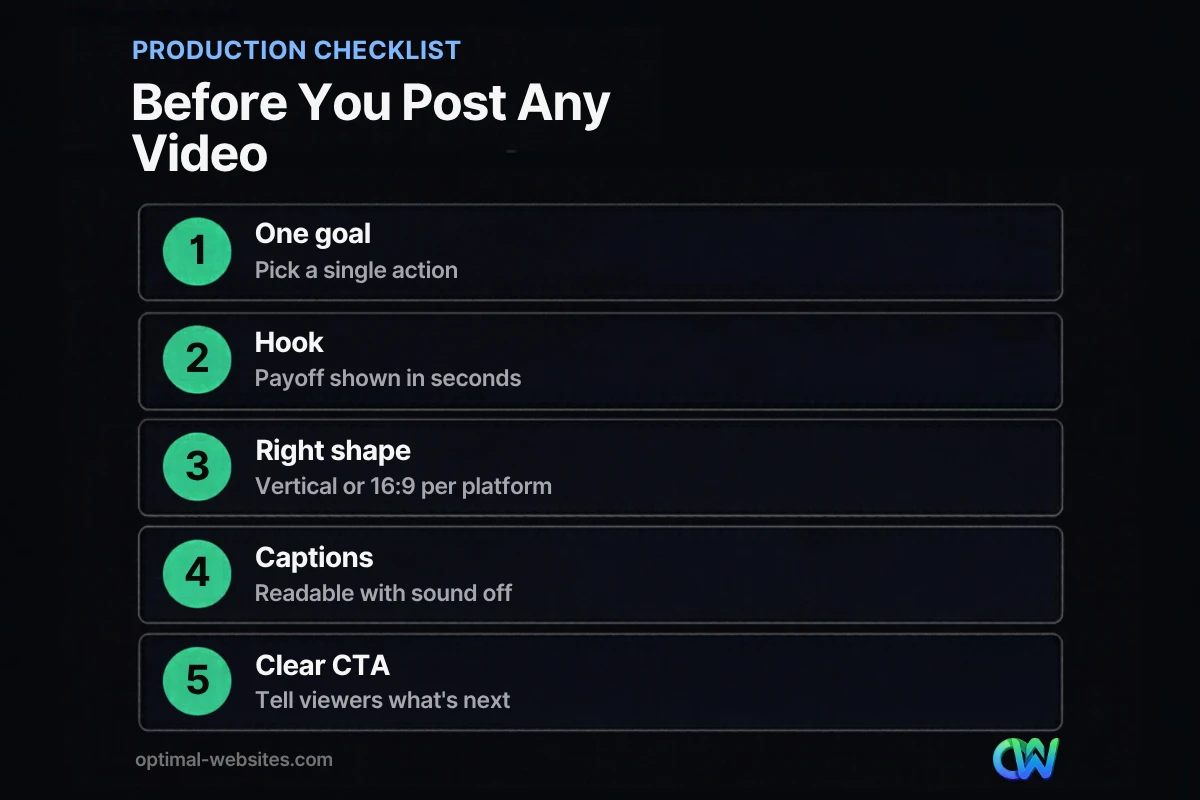
A production checklist keeps every video focused and on brand, even when different team members film. Run through these steps before you hit publish.
- Set one goal. Decide the single action you want: call, book, visit a page, or follow.
- Write a 3-line script. Hook, main point, call to action.
- Choose the platform first. Then pick the shape: vertical 9:16 for Shorts, Reels and TikTok, horizontal 16:9 for standard YouTube.
- Check the spec. Confirm length limits on the platform’s help page if you are near a limit.
- Get clean audio. A clip-on mic often helps more than a new camera.
- Light and steady the shot. Face a window and use a tripod.
- Keep it short. Cut anything that does not serve the goal.
- Open with the payoff. Show the result or ask the question in the first seconds.
- Add captions and a cover. Proofread every caption.
- Write the title, description and hashtags. Include your city or service area when it fits.
- Watch it all the way through. Catch mistakes and dead air.
- Upload natively and schedule. Post when your audience is most active, based on your own analytics.
How often should you post videos on social media?
Post on a schedule you can keep. For most small businesses, one to three short videos a week on one or two platforms is sustainable and enough to build momentum.
Build a monthly calendar with a recurring weekly theme, and batch-film several clips in one session.
Test your posting times
Generic “best time to post” guides are a starting point. Check your own analytics, test a few time slots for a month, and keep what works.
Once a video performs well organically, a small paid boost can put it in front of a wider, targeted audience.
How do you turn social media video views into leads?
Views are only useful when they lead somewhere. Every video needs a clear next step, and that step should land on a page built to convert.
Use a specific call to action, such as “Book a free roof inspection” or “Call for a consultation,” and send viewers to a matching landing page rather than your homepage. Most social traffic arrives on phones, so a fast, mobile-friendly website is essential. If the page loads slowly or the form is hard to use on a phone, you lose the lead you just earned.
Embed your best videos on service pages too. For more ways to turn more website visitors into leads, review your forms, calls to action and page speed.
Turning a popular video into a blog post adds search traffic. If writing is not your strength, see our guide to hiring a blog writer.
How Optimal Websites Can Help
Optimal Websites, a WordPress web design agency based in Delaware, helps small businesses connect social media and their website so video actually produces leads. Our social media marketing services can support your content planning and posting, and we build fast, mobile-first WordPress websites with Elementor Pro so viewers land on pages that convert.
Most website projects launch in 2–4 weeks, and clients get video tutorials to edit their own site. See our website packages and pricing to find the right fit.
Frequently Asked Questions
What is the best platform for social media video marketing?
The best platform for social media video marketing is the one your customers already use. YouTube has the widest reach among U.S. adults, which makes it a strong choice for how-to and search-driven content. Instagram Reels and TikTok work well for quick, visual businesses, while LinkedIn suits B2B services. Start with one or two platforms and expand once you have a routine.
What aspect ratio should I use for social media videos?
Use vertical video for short-form platforms and horizontal for standard YouTube. YouTube’s standard aspect ratio on computers is 16:9, while Shorts are vertical. Instagram accepts Reels between 1.91:1 and 9:16, and LinkedIn supports 1:2.4 to 2.4:1. Filming vertical 9:16 at 1080 x 1920 covers Shorts, Reels and TikTok in one shoot.
How long can a YouTube Short be?
According to YouTube Help, Shorts can be up to 3 minutes long, and you create one by uploading vertical video. Standard YouTube videos can run up to 15 minutes by default, and verified accounts can upload longer videos. For most small business Shorts, 15–60 seconds is enough to share one tip or show one project result.
Do I need expensive equipment for social media videos?
No. A recent smartphone, a clip-on microphone, natural window light and a basic tripod are enough for most small business videos. Clear audio and a steady shot matter far more than camera specs. Spend your effort on a strong hook, a useful message and captions. Upgrade gear only after you know which video formats bring in customers.
How often should a small business post video content?
Most small businesses do well with one to three short videos per week on one or two platforms. The key is a schedule you can sustain for months. Batch-film several clips in one session, plan topics in a monthly calendar, and check your analytics to see which topics and posting times drive the most engagement and inquiries.
Should I add captions to my social media videos?
Yes. Captions make your videos understandable when people watch with the sound off, and they make content accessible to viewers who are deaf or hard of hearing. YouTube, Instagram, TikTok and LinkedIn all offer caption tools, and YouTube can create automatic captions. Always review auto-captions for errors, especially names, prices and technical terms, before your video goes live.
How do I measure the success of social media video marketing?
Measure social media video marketing by the actions that matter to your business, not just views. Track watch time, comments, shares, profile visits, link clicks and, most importantly, calls and form submissions from your website. Use each platform’s built-in analytics plus your website analytics to see which videos send real leads, then make more of those.
Ready to Get Started?
Want your videos to bring in calls, not just likes? Talk to us about a website and social strategy that work together. Request your free quote or call (302) 554-9497.


