
Quick answer: llms.txt is a proposed Markdown file placed at the root of a website to give AI tools a short, curated guide to its most useful pages. It is not a standard, and no major AI provider has confirmed using it. Most small business websites do not need one yet; fix crawl access and content first.
AI chatbots and AI-powered search are changing how people find businesses, so it is natural to wonder whether your website needs new technical files to keep up. One that keeps coming up is llms.txt. Some articles describe it as “robots.txt for AI” or a must-have for AI visibility. Neither is accurate. Spending time on the wrong fix means less time for the work that does help customers and AI tools understand your business. This guide explains what an llms.txt file is, how it differs from robots.txt, what we know about AI crawlers such as GPTBot, and what a small business should actually do.
Key Takeaways
- llms.txt is a proposal from September 2024, not an official web standard. It suggests a Markdown file that summarizes a site for large language models.
- It does not block or allow crawlers. That is still the job of robots.txt.
- No major AI company has publicly confirmed that its crawlers or answer engines read llms.txt for ranking or citations.
- For most small businesses, crawl access, clear service pages and accurate business information matter far more.
- Adding an llms.txt file is low risk and low effort if you want to experiment, but it should not replace real SEO work.
What is llms.txt?
llms.txt is a proposed plain-text file, written in Markdown, that sits at the root of a website (yoursite.com/llms.txt) and points large language models to the site’s most important content. The idea is to give AI tools a clean, short summary instead of making them parse menus, scripts and layout code.
According to the llms.txt proposal, published by Jeremy Howard on September 3, 2024, the file follows a simple structure:
- An H1 with the name of the project or site (the only required part)
- A short summary in a blockquote
- Optional paragraphs or lists with more detail
- H2 sections containing lists of links to key pages, each with an optional short note
- An optional section named “Optional” for secondary links that can be skipped
The proposal was written mainly with documentation sites in mind, such as software libraries and developer tools, where an AI assistant needs to find the right reference page quickly.
A simple llms.txt example for a local business
Here is what a basic llms.txt file could look like for a roofing company. Each line below is one line of the file, and in the real file each page name would be a Markdown link to that page:
- # Example Roofing Co.
- > Licensed roofing contractor serving northern Delaware. Residential and commercial roof repair, replacement and inspections.
- ## Services
- Roof replacement (link to the page): asphalt shingle and metal roofs
- Roof repair (link to the page): leaks, storm damage, flashing
- ## Company
- About us (link to the page): license, insurance, service area
- Contact (link to the page): phone, hours, free estimates
That is the whole idea: a curated table of contents in plain language.
How is llms.txt different from robots.txt?
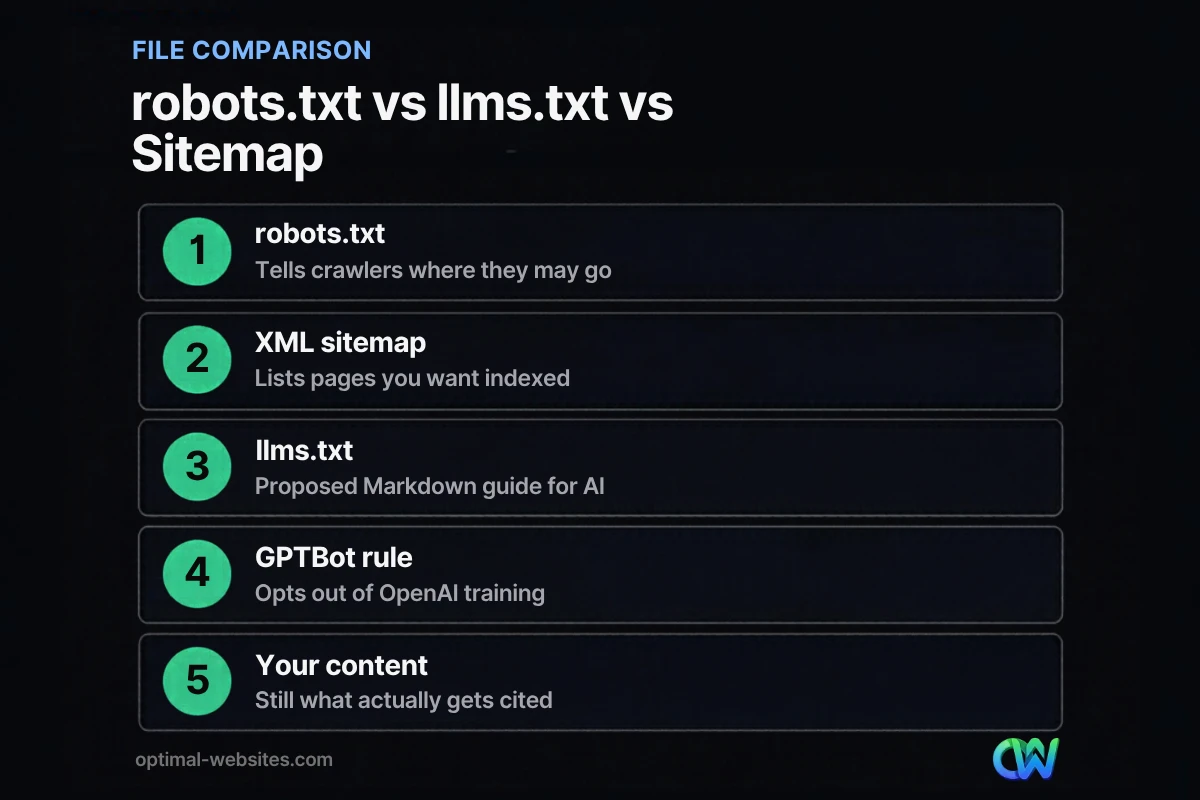
robots.txt controls access; llms.txt only suggests what to read. They solve different problems, and one cannot replace the other.
A robots.txt file tells crawlers which URLs they may request. Google’s robots.txt documentation explains that it is used mainly to avoid overloading a site with requests and that it is not a way to keep a page out of Google. An llms.txt file has no access rules at all. It is a reading list, and crawlers are free to ignore it.
| File | Purpose | Status | Who reads it |
|---|---|---|---|
| robots.txt | Allow or disallow crawling of URLs | Long-established web standard | Search engines and most reputable bots |
| XML sitemap | List the URLs you want discovered | Widely supported | Search engines |
| llms.txt | Summarize key pages for AI tools | Proposal, not a standard | Unconfirmed for major AI providers |
Which AI crawlers visit business websites?
Several AI companies run their own crawlers, and the controls that matter today live in robots.txt, not llms.txt. Knowing the names helps you make informed choices.
GPTBot and other OpenAI crawlers
OpenAI documents its crawlers and how robots.txt controls each one:
- GPTBot collects content that may be used to train OpenAI’s models. Disallowing it signals that your content should not be used for training.
- OAI-SearchBot is used to surface websites in ChatGPT’s search features. Blocking it can keep your pages out of those search answers.
- ChatGPT-User visits pages when a person asks ChatGPT to look at something. Because a user triggers it, robots.txt rules may not apply in the same way.
These settings are independent, so a business can block training (GPTBot) while still allowing search visibility (OAI-SearchBot).
Google-Extended
Google offers a robots.txt token called Google-Extended that controls whether content can be used to train and ground Gemini models. Google states that it does not affect a site’s inclusion or ranking in Google Search. In other words, blocking it will not remove you from regular search results, and allowing it does not boost rankings.
What this means for robots.txt for AI
If you want to manage AI crawlers, robots.txt is the tool that works today. A typical decision for a small business looks like this:
- Want to be found in AI search answers? Allow search-focused bots such as OAI-SearchBot and keep Googlebot allowed.
- Uncomfortable with model training on your content? Disallow training-focused bots such as GPTBot and the Google-Extended token.
- Not sure? Leave defaults alone. Blocking bots by accident is a common reason sites disappear from results, which we cover in our guide on why a website is not showing up on Google.
Does your business website need an llms.txt file?
For most small business websites, no, not yet. An llms.txt file is optional, unproven for local and service businesses, and far less important than the basics AI tools already rely on.
Ask yourself these questions:
- Do search engines and AI crawlers have access to your important pages?
- Does each service have its own clear page with a descriptive title?
- Is your name, address, phone number and service area consistent across your site and listings?
- Do your pages answer real customer questions in plain text, not just images or PDFs?
If any answer is no, that is where your time should go. These are the same signals behind generative engine optimization, and they help with traditional search too.
When an llms.txt file might be worth adding
- You publish product documentation, a knowledge base or technical guides that people ask AI assistants about.
- You have a large site where a curated summary makes the most important pages obvious.
- You already have solid SEO and want a low-cost experiment.
Even then, treat it as a bonus. There is no confirmed ranking or citation benefit, so do not expect measurable traffic from it.
How do you create an llms.txt file?
Creating an llms.txt file takes less than an hour for a typical business site. The key is keeping it short and accurate.
- List your most important pages. Services, pricing, about, contact and your best guides.
- Write a one-sentence summary of your business. Include what you do and where you do it.
- Format it in Markdown. An H1 with your business name, a blockquote summary, then H2 sections with linked lists.
- Save it as llms.txt and upload it to your site root, so it loads at yoursite.com/llms.txt. On WordPress, this is usually done through your hosting file manager or SFTP.
- Keep it updated. When you add or remove services, update the file, or it will point AI tools at outdated pages.
Do not paste your whole website into the file, and do not include anything you would not want quoted publicly.
What should small businesses focus on instead?
The work that helps your business appear in AI answers is the same work that helps it appear in Google: crawlable pages, clear content and trustworthy business information.
- Check crawl access. Review your robots.txt and make sure you are not blocking Googlebot or search-focused AI bots by mistake.
- Write strong service pages. One page per service, with clear headings and direct answers.
- Add structured data. LocalBusiness and FAQ markup help machines understand your details.
- Keep business information consistent. Your Google Business Profile, website and directory listings should match.
- Earn mentions. Reviews, local news coverage and industry directories build the reputation AI tools draw on.
At Optimal Websites, a WordPress web design agency based in Delaware, we see the same pattern on the WordPress sites we build and maintain: the businesses that show up well in search are the ones with clean structure, fast pages and specific content, not the ones with the most technical files.
How Optimal Websites Can Help
If you are not sure whether AI crawlers can reach your site, or whether your pages are set up to be understood, our SEO services start with a technical review of robots.txt, sitemaps, structured data and content. We can also add an llms.txt file if it makes sense for your site, as part of a broader plan rather than a quick fix. For the fundamentals, start with our guide to SEO for small business.
Frequently Asked Questions
What is an llms.txt file?
An llms.txt file is a proposed Markdown file placed at the root of a website that gives large language models a short summary of the site and links to its most useful pages. It was proposed in September 2024. It is not an official standard, and major AI providers have not confirmed that they use it.
Is llms.txt the same as robots.txt?
No. robots.txt tells crawlers which URLs they may or may not request, and reputable bots follow it. llms.txt contains no access rules; it only suggests which pages are most useful to read. If you want to block or allow AI crawlers, robots.txt is still the file that does that job.
Does llms.txt help SEO or AI rankings?
There is no confirmed evidence that llms.txt improves Google rankings or AI citations. Google and the major AI companies have not announced support for it in their search or answer products. Focus on crawl access, clear content, structured data and consistent business information, which are proven to help search visibility.
Should I block GPTBot on my business website?
It depends on your goals. Blocking GPTBot signals that your content should not be used to train OpenAI’s models. It does not block OAI-SearchBot, which OpenAI uses for ChatGPT search features. Many businesses that want visibility allow search-focused bots and decide separately about training bots based on their comfort level.
How do I check which AI crawlers visit my site?
Look at your server access logs or your hosting control panel for user agents such as GPTBot, OAI-SearchBot, ChatGPT-User and Googlebot. Some security and firewall plugins for WordPress also show bot traffic. Compare what you find with your robots.txt rules to confirm crawlers can reach the pages you want found.
Can I add an llms.txt file to a WordPress site?
Yes. Create the llms.txt file in a text editor, then upload it to your WordPress site root using your host’s file manager or SFTP so it loads at yoursite.com/llms.txt. Keep it short, link only to pages you want highlighted and update it whenever your services or key pages change.
Ready to Get Started?
Want to know whether search engines and AI tools can find and understand your website? Request a free quote or call (302) 554-9497 for a review of your site’s technical SEO.


