
Last updated: October 15, 2026
Quick answer: The main benefits of WordPress for business are ownership of your site and content, flexibility to add almost any feature, strong SEO control, and room to grow without switching platforms. The trade-offs are real: you handle hosting, updates and security, or pay someone to. For most growing businesses, that control is worth it.
Choosing a website platform is a business decision, not just a technical one. It decides how fast you can launch new pages, how easily customers find you on Google, and whether you can add booking, payments or lead forms later without starting over. This guide covers the honest benefits of WordPress for business, the downsides nobody mentions in the sales pitch, a side-by-side comparison with Wix and Squarespace, and how we build with WordPress and Elementor Pro so business owners can edit their own sites with confidence.
Key Takeaways
- WordPress powers 39.7% of all websites and holds a 58.5% share of sites with a known content management system, according to W3Techs data dated October 15, 2026.
- You own your WordPress site outright, so you can change hosts, designers or agencies without rebuilding from scratch.
- WordPress gives you more control over SEO, speed and integrations than hosted builders like Wix and Squarespace.
- The cost of that control is responsibility: updates, backups and security need a plan.
- Pairing WordPress with Elementor Pro gives business owners visual, drag-and-drop editing without giving up flexibility.
What Is WordPress, and Why Do So Many Businesses Use It?
WordPress is a free, open-source content management system (CMS) that lets you build and manage a website without writing code for every change. Businesses use it because it combines ownership, flexibility and a huge ecosystem of tools and professionals.
WordPress is licensed under the GPL as open source software, which means the software itself costs nothing and anyone can use, study or modify it.
The W3Techs content management system survey reports that WordPress is used by 39.7% of all websites, a 58.5% share of sites whose CMS is known (data dated October 15, 2026). For comparison, the same survey shows Wix at 4.2% and Squarespace at 2.4% of all websites. That scale means plenty of developers, hosts and tools already know the platform.
This guide covers self-hosted WordPress from WordPress.org, not the separate WordPress.com hosted service.
What Are the Benefits of WordPress for Business?
The core benefits of WordPress for business are ownership, flexibility, SEO control, scalability and a large support ecosystem. Here is what each one means in practice.
You own your website and your data
With WordPress, your site files and database belong to you. If you are unhappy with your host, you can move. If you part ways with your web designer, the next one can pick up where they left off. Hosted builders work differently: your site lives on their platform, and leaving usually means rebuilding.
Flexibility to add almost any feature
The official WordPress plugin directory lists over 75,000 free plugins, and thousands more premium options exist. Plugins add contact forms, booking, memberships, multilingual content, CRM integrations and online stores, so your site can grow as your business does.
More control over SEO
No platform ranks your site by itself. WordPress gives you control: clean URLs, editable title tags and meta descriptions, schema markup through SEO plugins, XML sitemaps, redirects and full access to page structure. That control is a big reason it pairs well with a real small business SEO strategy.
Room to scale
A WordPress site can start at five pages and grow into hundreds, with ecommerce through WooCommerce or client portals added later. If you plan on selling online with a WordPress ecommerce website, you can build on the site you already have.
Freedom to choose your hosting and performance setup
Because WordPress is self-hosted, you choose the server, and that affects speed, rankings and conversions. We cover this in our guide to choosing web hosting for a small business.
What Are the Downsides of WordPress?
WordPress has real drawbacks: you are responsible for maintenance and security, too many plugins can slow a site down, and the learning curve is steeper than an all-in-one builder. None of these are deal breakers, but they need a plan.
- Maintenance is on you. WordPress core, themes and plugins release updates regularly. Skipping them invites security and compatibility problems.
- Security takes ongoing attention. The WordPress hardening guide describes security as an ongoing concern and notes that older versions of WordPress are not maintained with security updates. Strong passwords, updates, backups and a reputable host are the baseline.
- Plugin bloat is common. Every plugin adds code. Sites with dozens of overlapping plugins often load slowly and break more easily after updates.
- Costs are spread out. The software is free, but hosting, a domain, premium tools and design work are not.
WordPress rewards businesses that treat their website as an asset worth maintaining.
WordPress vs Wix vs Squarespace: Which Is Better for a Business Website?
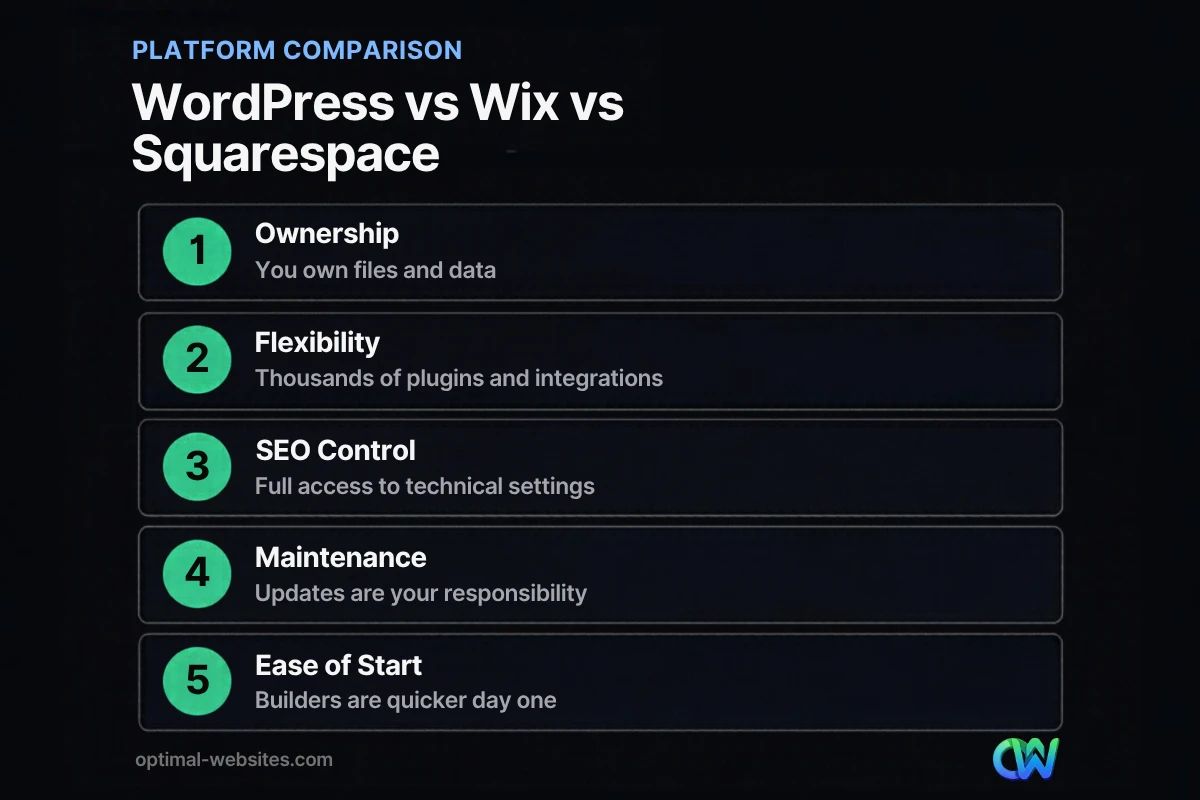
WordPress is usually the better choice for a business that wants to grow, rank in search and own its site, while Wix and Squarespace suit very simple sites that need to launch fast with minimal upkeep. The table below compares them on what matters most to business owners.
| Factor | WordPress (self-hosted) | Wix | Squarespace |
|---|---|---|---|
| Ownership | You own files and database; move hosts anytime | Site lives on Wix; cannot be exported as a working site | Site lives on Squarespace; limited export |
| Software cost | Free; pay for hosting, domain and premium tools | Monthly subscription | Monthly subscription |
| Design flexibility | Unlimited with themes and builders like Elementor Pro | Drag and drop within Wix templates | Polished templates, fewer layout options |
| Features and integrations | 75,000+ free plugins plus premium tools | App market, smaller selection | Built-in features, smaller selection |
| SEO control | Full technical control with SEO plugins | Good basics, less low-level control | Good basics, less low-level control |
| Maintenance | You or your agency handle updates and backups | Handled by Wix | Handled by Squarespace |
| Ease on day one | Moderate learning curve | Very easy | Very easy |
| Best for | Growing businesses, lead generation, content and SEO | Very small or short-term sites | Portfolios and simple brand sites |
When Wix or Squarespace makes sense
For a one-page event site, a personal portfolio or a business that will never need more than a few pages, a hosted builder is reasonable. You trade control for convenience.
When WordPress is the stronger choice
If your website needs to generate leads, rank for local and service keywords, connect to your CRM or grow into dozens of pages, WordPress gives you room that hosted builders do not. Still weighing your options? Our breakdown of whether you need a custom website or a template covers the design side of the same decision.
Is WordPress Good for Small Business?
Yes. WordPress is a strong fit for most small businesses, especially service businesses that depend on Google search and website leads. The key is a clean build and a maintenance plan.
Small businesses benefit most when:
- You rely on local search. Contractors, roofers, law firms and healthcare providers need fast, well-structured service and location pages.
- You plan to publish content. WordPress started as a blogging platform, and its content tools remain excellent.
- You want to edit your own site. With a visual builder, updating hours or adding a project photo does not require a developer.
- You expect to grow. A second location or an online store means adding pages and plugins, not migrating platforms.
If you only need a digital business card you will never update, WordPress may be more than you need.
Why Use WordPress With Elementor?
Using WordPress with Elementor gives you the flexibility of WordPress with a visual, drag-and-drop editor, so you can see changes as you make them. Elementor Pro adds a Theme Builder, form builder and pop-ups that cover most of what a business site needs.
Elementor is a page builder plugin for WordPress. You click directly on the page and change headings, images, buttons and sections in a live preview. Elementor Pro lets you design headers, footers and templates once, build quote forms, and fine-tune layouts for desktop, tablet and phone.
The common worry about page builders is speed. Built carefully, with a lightweight base theme, optimized images and only the plugins you need, an Elementor site can be fast and mobile friendly. That is why we pair every build with website speed optimization best practices instead of treating speed as an afterthought.
How We Build WordPress Sites at Optimal Websites
Our approach is simple: WordPress for ownership and flexibility, Elementor Pro for visual editing, and a lean, mobile-first build so the site stays fast.
- Free consultation. We learn what the site needs to do, from generating calls to selling products.
- Mobile-first design. Most local service searches happen on phones, so we design for small screens first and scale up.
- Lean build with Elementor Pro. Only the plugins the site needs, for speed and easier upkeep.
- Conversion-focused layout. Clear calls to action, click-to-call buttons and short quote forms.
- Client training. Every client gets video tutorials showing how to edit text, swap images and update pages in Elementor, so you are not dependent on us for small changes.
We have built sites this way for contractors, roofing companies and law firms, including PCS Roofs, Care Facilities Construction and F. J. Collins Law. Most projects launch in 2–4 weeks.
How Optimal Websites Can Help
If you are weighing the benefits of WordPress for business and want a site that is fast, easy to edit and built to bring in leads, we can help. Optimal Websites, a WordPress web design agency based in Delaware, builds conversion-focused sites with WordPress and Elementor Pro, and we train you to manage your own content after launch.
Explore our WordPress web design and development services or see our website packages and pricing. Packages start at $999 for Starter, $1,499 for Professional and $1,999 for Advanced Custom, with a 50% deposit to start and the final 50% after you approve the site. We also offer hosting, support and maintenance if you would rather not handle updates.
Frequently Asked Questions
What are the main benefits of WordPress for business?
The main benefits of WordPress for business are full ownership of your site and data, flexibility to add features through plugins, strong control over SEO, and the ability to scale from a few pages to a large site without switching platforms. It also has a huge pool of developers and hosts, so you are never locked into one provider.
Is WordPress good for small business websites?
Yes, WordPress is good for small business websites, especially service businesses that rely on Google search and online leads. It handles service pages, location pages, blogs and quote forms well. The main requirement is a plan for updates, backups and security, which you can handle yourself or through a maintenance plan with your web designer.
WordPress vs Wix: which is better for SEO?
WordPress generally offers more SEO control than Wix because you can edit technical details, add schema with SEO plugins, manage redirects and choose faster hosting. Wix covers the basics well for simple sites. Rankings depend more on content, speed and relevance than the platform, but WordPress gives you more tools to improve each of those.
Is WordPress secure enough for a business website?
WordPress can be very secure when it is maintained properly. Most problems come from outdated plugins, weak passwords or low-quality hosting rather than WordPress itself. Keep core, themes and plugins updated, remove unused plugins, use strong passwords, run regular backups and choose a reputable host. A maintenance plan takes these tasks off your plate.
Can I edit my own WordPress website with Elementor?
Yes. Using WordPress with Elementor lets you edit pages visually by clicking on text, images and buttons in a live preview. Most business owners learn to update content, swap photos and add pages within a short training session. At Optimal Websites, every client receives video tutorials so they can make everyday changes without calling a developer.
Why use WordPress for a business website instead of a website builder?
Businesses use WordPress instead of a hosted builder when they want ownership, flexibility and long-term growth. A builder is quicker for very simple sites, but WordPress lets you add integrations, scale content, control SEO and move hosts freely. If your website is a lead source you plan to invest in, WordPress is usually the better foundation.
Ready to Get Started?
Want a WordPress website that is fast, easy to manage and built to win customers? Request a free quote or call us at (302) 554-9497 for a free consultation.


