
Quick answer: Core Web Vitals are three Google metrics that measure real visitors’ experience: Largest Contentful Paint (loading, good at 2.5 seconds or less), Interaction to Next Paint (responsiveness, good at 200 milliseconds or less) and Cumulative Layout Shift (visual stability, good at 0.1 or less). Passing all three helps both users and search.
If you have ever run your website through a speed test, you have probably seen three acronyms: LCP, INP and CLS. Together they are Google’s Core Web Vitals, and they turn the vague idea of “a fast, smooth website” into numbers you can track. They matter for two reasons. Visitors who wait for a page or tap a button that does nothing tend to leave, and Google uses page experience signals, including Core Web Vitals, in its ranking systems. This guide explains each metric in plain English, the scores to aim for, how to check your own site and what usually fixes problems on a small business WordPress site.
Key Takeaways
- Core Web Vitals are three metrics: LCP (loading), INP (responsiveness) and CLS (visual stability).
- Good scores are LCP of 2.5 seconds or less, INP of 200 milliseconds or less and CLS of 0.1 or less, measured at the 75th percentile of visits.
- INP replaced First Input Delay (FID) as a Core Web Vital on March 12, 2024.
- Use PageSpeed Insights and the Core Web Vitals report in Google Search Console to see real-user data.
- Most problems on small business sites come from oversized images, heavy scripts, slow hosting and elements that load late and push content around.
What are Core Web Vitals?
Core Web Vitals are a set of three metrics Google uses to measure the real-world experience of loading, interacting with and viewing a web page. They are part of Google’s broader idea of page experience.
According to web.dev’s Core Web Vitals guide, the three metrics are:
- Largest Contentful Paint (LCP), which measures loading performance.
- Interaction to Next Paint (INP), which measures interactivity.
- Cumulative Layout Shift (CLS), which measures visual stability.
The same guide recommends measuring each one at the 75th percentile of page loads, segmented across mobile and desktop. In practice, that means most of your visitors, not just the ones on fast connections, should get a good experience.
What is Largest Contentful Paint (LCP)?
Largest Contentful Paint is the time it takes for the largest visible element on the screen, usually a hero image or a big headline, to finish loading. A good LCP is 2.5 seconds or less.
LCP is the closest metric to what visitors feel as “the page has loaded.” On small business sites, the LCP element is often a large homepage banner photo or slider.
What usually hurts LCP
- Hero images that are too large in file size or dimensions.
- Slow hosting or no page caching, which delays the server response.
- Render-blocking CSS and JavaScript loaded before the main content.
- Sliders and carousels that load several large images at once.
- Lazy-loading the hero image, which tells the browser to wait on the most important image.
What is INP, and why did it replace FID?
INP, or Interaction to Next Paint, measures how quickly a page responds visually after a visitor clicks, taps or types. A good INP is 200 milliseconds or less.
Google’s web.dev team announced that INP would replace First Input Delay, and on March 12, 2024, INP officially replaced FID as a Core Web Vital. The change matters because FID only measured the delay before the browser started handling the first interaction. INP looks at interactions throughout the visit and reports one of the slowest, so it gives a fuller picture of how responsive a page really feels.
What usually hurts INP
- Too much JavaScript running on the page, often from plugins, chat widgets and tracking scripts.
- Heavy third-party embeds such as social feeds and video players.
- Menus, filters and forms that run expensive code on every click.
- Page builders loading features a page does not use.
What is Cumulative Layout Shift (CLS)?
Cumulative Layout Shift measures how much visible content moves around unexpectedly while a page loads. A good CLS is 0.1 or less.
You have seen layout shift when you go to tap a button and it jumps down because an image or banner loaded above it. Besides being annoying, it can cause mis-taps on phone numbers and forms.
What usually hurts CLS
- Images and videos without set width and height.
- Cookie banners, promo bars or ads that push content down after the page appears.
- Web fonts that swap in late and change the size of text.
- Content injected by scripts above existing content.
What are good Core Web Vitals scores?
Good Core Web Vitals scores are an LCP of 2.5 seconds or less, an INP of 200 milliseconds or less and a CLS of 0.1 or less. Google groups results into three bands for each metric.
| Metric | Good | Needs improvement | Poor |
|---|---|---|---|
| LCP (loading) | 2.5 s or less | Over 2.5 s up to 4 s | Over 4 s |
| INP (responsiveness) | 200 ms or less | Over 200 ms up to 500 ms | Over 500 ms |
| CLS (visual stability) | 0.1 or less | Over 0.1 up to 0.25 | Over 0.25 |
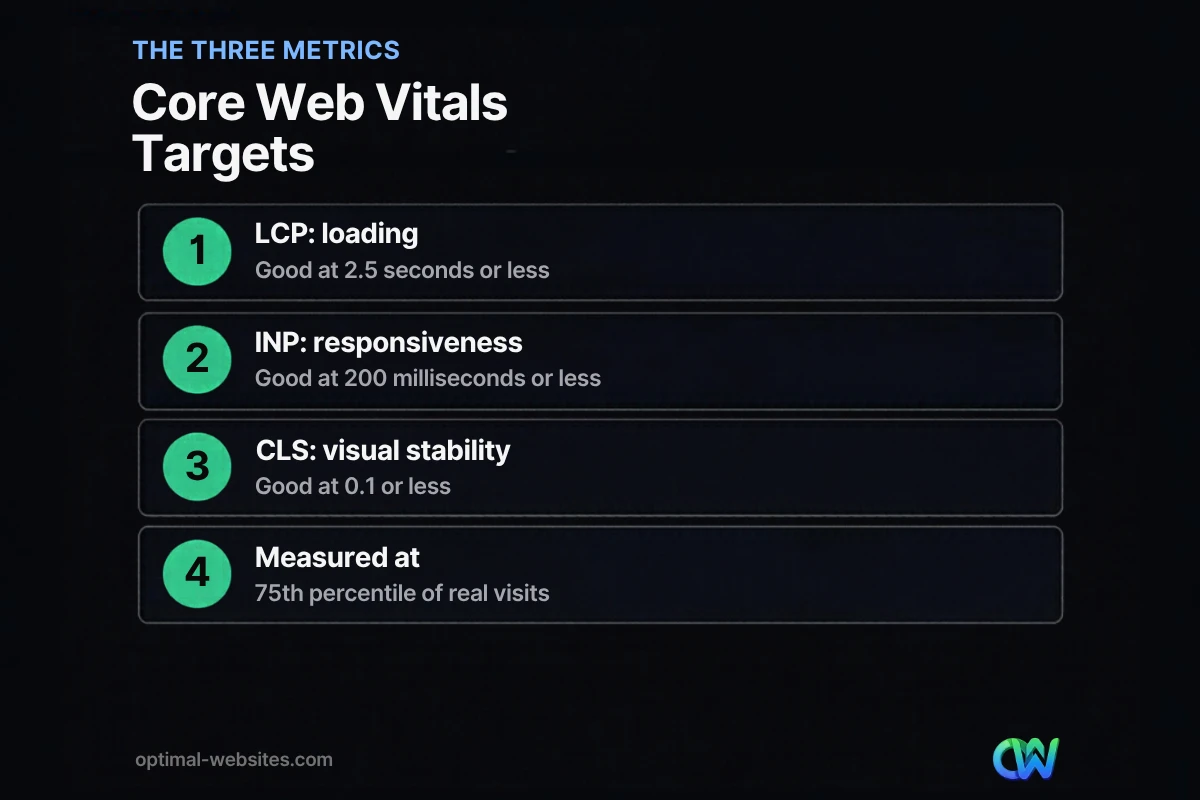
A page passes the Core Web Vitals assessment when all three metrics are in the good range at the 75th percentile.
How do you check your Core Web Vitals?
Check your Core Web Vitals with two free Google tools: PageSpeed Insights for individual pages and the Core Web Vitals report in Google Search Console for your whole site. Both use data from real Chrome users when enough data is available.
- Run PageSpeed Insights. Enter a URL and look first at the section that shows what your real users are experiencing. That field data is what counts. The lab score below it is a simulation that helps diagnose problems.
- Open Search Console. The Core Web Vitals report groups your URLs into good, needs improvement and poor, for mobile and desktop separately.
- Test mobile first. Mobile results are usually worse, and most local customers browse on phones.
- Check key templates. Homepage, service pages, blog posts and contact page often share layouts, so fixing one template can fix many URLs.
Small sites with little traffic may not have enough real-user data. In that case, use the lab results as a guide and focus on the fixes below.
Do Core Web Vitals affect SEO?
Yes, Core Web Vitals affect SEO as part of page experience, but they are not the most important ranking factor. Google’s Search Central documentation says it highly recommends achieving good Core Web Vitals and that they align with what its core ranking systems seek to reward.
Relevance and helpful content still come first. A fast page with thin content will not outrank a genuinely useful page because of speed alone. Think of Core Web Vitals as a way to avoid losing visitors and rankings you have otherwise earned. For the business case beyond SEO, read why website optimization is important.
How do you improve Core Web Vitals on a WordPress site?
Improve Core Web Vitals on a WordPress site by fixing the biggest bottleneck for each metric first: images and server speed for LCP, scripts for INP and reserved space for CLS. Work from the field data, not guesses.
- For LCP: compress and resize hero images, serve modern formats such as WebP, use page caching and quality hosting, and preload the main image instead of lazy-loading it.
- For INP: remove plugins you do not need, delay non-essential scripts such as chat and social widgets, and limit heavy third-party embeds.
- For CLS: set dimensions on images and embeds, reserve space for banners, and load fonts in a way that avoids big size changes.
Our step-by-step guide to 10 fixes to improve website speed covers each technique in more detail.
What we see on small business WordPress sites
When we review sites built on WordPress with page builders, the same culprits show up repeatedly: full-size photos uploaded straight from a camera or phone, a homepage slider, several plugins doing overlapping jobs, and a chat or review widget that loads on every page. On our own Elementor Pro builds, we plan image sizes, keep plugins lean and test mobile performance before launch.
How Optimal Websites Can Help
Optimal Websites, a WordPress web design agency based in Delaware, offers a website speed optimization service that diagnoses Core Web Vitals issues using real-user data and fixes the causes: images, caching, scripts, fonts and layout stability. If your site needs a rebuild rather than a tune-up, you can see our packages for new sites built with performance in mind from day one.
Frequently Asked Questions
What are Core Web Vitals in simple terms?
Core Web Vitals are three Google metrics that measure how a page feels to real visitors. Largest Contentful Paint measures how fast the main content appears, Interaction to Next Paint measures how quickly the page responds to taps and clicks, and Cumulative Layout Shift measures how much content jumps around while loading.
What is a good INP score?
A good INP score is 200 milliseconds or less, measured at the 75th percentile of visits. Between 200 and 500 milliseconds needs improvement, and above 500 milliseconds is poor. INP replaced First Input Delay as a Core Web Vital in March 2024 and is usually improved by reducing heavy JavaScript and third-party scripts.
What causes a poor largest contentful paint?
A poor largest contentful paint is usually caused by large, unoptimized hero images, slow server response, missing page caching, render-blocking CSS or JavaScript, and sliders that load many images. Lazy-loading the main hero image can also delay LCP. Compressing images, improving hosting and preloading the key image are common fixes.
How do I fix cumulative layout shift?
Fix cumulative layout shift by giving images, videos and embeds fixed width and height, reserving space for banners and cookie notices, avoiding content inserted above what is already visible, and loading web fonts carefully. Check results in PageSpeed Insights and the Search Console Core Web Vitals report after making changes.
Are Core Web Vitals a ranking factor?
Core Web Vitals are part of page experience, which Google’s ranking systems seek to reward, but relevance and helpful content matter more. Good scores will not make a weak page rank, while poor scores can hold back a page that otherwise deserves to do well. They also directly affect whether visitors stay and convert.
How often should I check my Core Web Vitals?
Check your Core Web Vitals at least monthly and after any major change, such as a redesign, new plugin, theme update or added tracking script. Field data in Search Console updates over a rolling period, so improvements can take a few weeks to show. Regular checks catch regressions before they affect visitors.
Ready to Get Started?
Want to know where your site stands? Get a free quote or call (302) 554-9497 and we will review your Core Web Vitals with you.


