
Quick answer: A website audit checklist is a structured review of how your site performs for visitors and for Google. At year end, check indexing in Search Console, Core Web Vitals, mobile usability, security updates and backups, broken links, and every form and phone link. Then fix the issues that cost you leads first.
The end of the year is a natural time to look under the hood of your website. Traffic is often slower, budgets for next year are being set, and small problems that crept in over twelve months are still cheap to fix. A broken contact form, a plugin that stopped updating or a page that dropped out of Google can quietly cost you calls for months before anyone notices. This website audit checklist walks you through a practical site health check you can run in an afternoon. You will learn what to check, which free tools to use, how to prioritize the fixes, and when it makes more sense to rebuild than to patch.
Key Takeaways
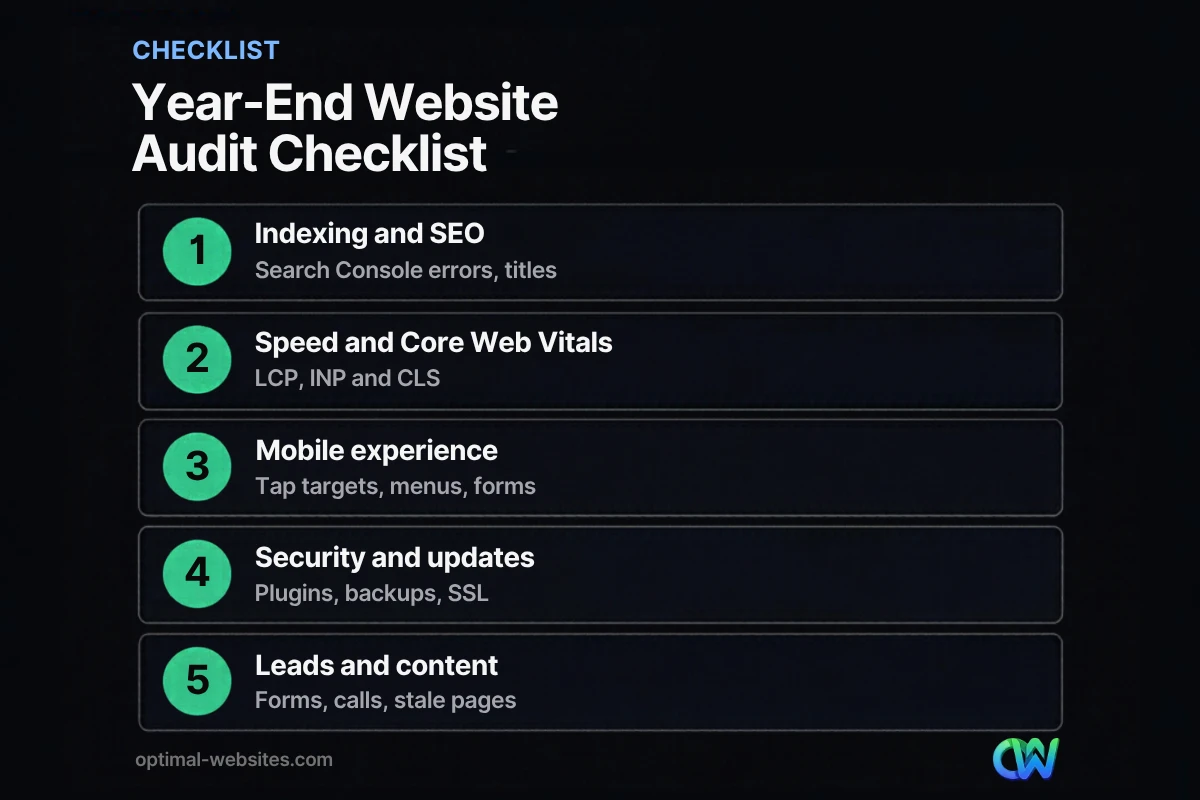
- A website audit has five parts: indexing and SEO, speed, mobile experience, security, and lead paths.
- Free tools cover most of it: Google Search Console, PageSpeed Insights and a manual test of every form.
- Fix anything that blocks leads (broken forms, wrong phone numbers) before anything cosmetic.
- Track Core Web Vitals against Google’s “good” thresholds: LCP 2.5 seconds, INP 200 milliseconds, CLS 0.1.
- If the audit turns up dozens of structural problems, a redesign may cost less than years of patches.
What is a website audit?
A website audit is a systematic review of a site’s technical health, search visibility, performance, security and conversion paths. It answers one question: is anything stopping visitors from finding you, trusting you or contacting you?
A full technical SEO audit for a large site can take days. For most small business sites with 10 to 50 pages, a focused site health check is enough. You are not trying to score 100 on every tool. You are looking for problems that cost you visibility or leads, then fixing them in order of impact.
Why run a website audit at the end of the year?
Year end is a good time because you can review a full year of data, plan fixes into next year’s budget and catch problems before the busy season. Many service businesses also see slower weeks in December, which makes it easier to schedule changes.
There is also a compounding effect. WordPress core, themes and plugins update constantly. If nobody has logged in for months, small issues pile up: a form plugin that broke after an update, an expired SSL certificate, or a page builder template that now shifts on mobile. Our post on the hidden costs of an outdated website explains how these issues turn into lost revenue.
The year-end website audit checklist
Work through the five areas below in order. Each one lists what to check and where to check it.
1. Indexing and search visibility
Start with Google Search Console, because it shows how Google actually sees your site. The Page indexing report lists which pages are indexed and the reasons others are not. Google notes that “not indexed” is not always bad (for example, redirected URLs or intentional noindex pages), so review each reason rather than panicking.
- Confirm your key service pages, homepage and contact page are indexed.
- Check that your XML sitemap is submitted and has no errors.
- Look for accidental “noindex” tags, often left over from a staging site.
- Review the Performance report for pages that lost clicks compared with last year.
- Check that each page has a unique title tag and meta description.
If you are new to the tool, read our guide on how to use Google Search Console first.
2. Speed and Core Web Vitals
Core Web Vitals are Google’s metrics for real-user loading, responsiveness and visual stability. Google’s published Core Web Vitals thresholds for a “good” experience are LCP within 2.5 seconds, INP of 200 milliseconds or less and CLS of 0.1 or less, measured at the 75th percentile of page loads.
- Run your homepage and top service pages through PageSpeed Insights on mobile.
- Check the Core Web Vitals report in Search Console for groups of failing URLs.
- Look for oversized images, unused plugins and heavy sliders or video backgrounds.
- Confirm caching is active and your hosting plan still fits your traffic.
3. Mobile experience
Google uses the mobile version of a site’s content for indexing and ranking, a practice called mobile-first indexing. If something is missing or broken on mobile, it may as well be missing for Google.
- Open every main page on your own phone, not just a desktop browser resized.
- Test the menu, tap targets and click-to-call buttons.
- Make sure text is readable without zooming and nothing scrolls sideways.
- Confirm that content hidden on mobile (tabs, accordions) still exists on the page.
4. Security, updates and backups
A site health check is not complete without security. Hacked sites can be flagged in search results and lose trust immediately.
- Update WordPress core, your theme and all plugins, after taking a backup.
- Delete plugins and themes you no longer use.
- Confirm your SSL certificate is valid and every page loads over HTTPS.
- Review admin users and remove anyone who no longer needs access.
- Test that a recent backup actually exists and can be restored, stored off the server.
5. Lead paths, content and broken links
This is the part most audits skip, and it is the part that pays for itself. A site can pass every technical test and still lose leads because a form sends to an old inbox.
- Submit every form yourself and confirm the email arrives where it should.
- Tap every phone number on mobile and confirm it dials the right line.
- Scan for broken links and 404 errors, including links to old blog posts.
- Update prices, team members, service areas, hours and copyright year.
- Check that reviews and testimonials are current and real.
- Review analytics: which pages bring leads and which get traffic but no action?
How do you prioritize website audit fixes?
Prioritize fixes by their effect on leads and visibility, then by effort. Something that stops customers from contacting you is always first, even if it takes five minutes.
| Priority | Issue type | Examples |
|---|---|---|
| Fix now | Blocks leads or indexing | Broken form, wrong phone number, key page set to noindex, site hacked |
| Fix this month | Hurts rankings or trust | Failing Core Web Vitals, missing SSL, outdated plugins, broken links |
| Plan for next quarter | Improves results | Thin service pages, missing location pages, weak calls to action |
| Nice to have | Cosmetic | Minor design tweaks, small score improvements |
A useful habit is to write each finding as a task with an owner and a date. An audit that ends as a PDF nobody opens has not helped anyone.
Which tools do you need for a site health check?
You need surprisingly few tools for a small business website audit. Most of the work can be done with free Google tools and a phone.
| Tool | What it checks | Cost |
|---|---|---|
| Google Search Console | Indexing, queries, Core Web Vitals, security issues | Free |
| PageSpeed Insights | Lab and field speed data per page | Free |
| Google Analytics 4 | Traffic, engagement, conversions | Free |
| Your own phone | Mobile layout, click-to-call, forms | Free |
| A link checker or crawler | Broken links, redirects, missing titles | Free tiers available |
If you want to go deeper, desktop crawlers can scan every URL on the site for broken links, redirect chains and duplicate titles. For a 20-page site, a careful manual review often finds the same issues.
Should you fix your current site or redesign it?
Fix your current site if the audit finds a manageable list of issues on a solid foundation. Consider a redesign if the problems are structural: an old theme that cannot pass Core Web Vitals, a layout that breaks on mobile, or a site so hard to edit that nobody updates it.
In our experience building WordPress sites for contractors, law firms and local service businesses, the tipping point is usually the mobile experience and the editing workflow. When a site was built years ago on a heavy theme, each fix tends to break something else. Rebuilding on a clean, mobile-first Elementor Pro layout is often faster than chasing dozens of small patches, and it gives the owner a site they can actually update themselves.
If you would rather not run this checkup yourself every year, a website care plan handles updates, backups and monitoring month to month.
How Optimal Websites Can Help
Optimal Websites, a WordPress web design agency based in Delaware, reviews sites like yours and tells you plainly whether a set of fixes or a rebuild makes more sense. When a rebuild is the right call, our web design services deliver a fast, mobile-first WordPress site built with Elementor Pro, usually in 2–4 weeks, with packages starting at $999. Every client also gets video tutorials so the site stays easy to keep current after launch.
Frequently Asked Questions
What should a website audit checklist include?
A website audit checklist should cover five areas: indexing and SEO (Search Console errors, titles, sitemaps), speed and Core Web Vitals, mobile experience, security and updates (plugins, SSL, backups), and lead paths (forms, phone links, broken links and outdated content). Fix anything that blocks leads or indexing first, then work down the list.
How often should I audit my website?
Run a full website audit at least once a year, and a quick monthly check of forms, updates and Search Console alerts. Also audit after any major change, such as a redesign, new hosting, a theme switch or a big batch of new pages. Sites that change often or depend heavily on search traffic benefit from quarterly reviews.
Can I do a website audit myself for free?
Yes. Google Search Console, PageSpeed Insights, Google Analytics 4 and your own phone cover most of a small business website audit at no cost. The time-consuming part is interpreting results and fixing issues. If the list of problems is long or technical, an agency can prioritize and handle the fixes for you.
What is a technical SEO audit?
A technical SEO audit checks whether search engines can crawl, index and understand your site. It reviews indexing status, sitemaps, robots rules, redirects, broken links, duplicate titles, page speed, mobile usability and HTTPS. It is one part of a full website audit, which also reviews content quality, security and how well the site turns visitors into leads.
How do I find broken links on my website?
Start with the Page indexing report in Google Search Console, which lists URLs returning “Not found (404).” Then run a free link checker or crawler to scan internal and outbound links. Fix each broken link by updating it, redirecting the old URL to the most relevant live page, or removing the link entirely.
How much does a website audit cost?
A basic site health check can cost nothing if you run it yourself with free tools. Professional audits vary widely depending on the size of the site and how deep the review goes. For small business sites, the bigger cost is usually fixing what the audit finds, so ask for a prioritized list rather than a long generic report.
Ready to Get Started?
Not sure whether your site needs a tune-up or a fresh start? Request a free quote or call (302) 554-9497, and we will give you an honest answer.


