
Quick answer: A LinkedIn company page is a free business profile on LinkedIn that shows who you are, what you do and who works for you. To make it work, complete every section, write a clear tagline and About section, link to your website, and post useful updates at least weekly. Then connect it to your team’s personal profiles.
When a potential client, partner or job candidate hears your company name, one of the first places they check is LinkedIn. If they find an empty page with no logo, a one-line description and a last post from three years ago, that silence says something about your business. A well-built LinkedIn company page does the opposite: it confirms you are real, established and active. This guide covers how to set up a LinkedIn company page, what to put in each section, a realistic posting routine for a small team, and the mistakes that keep pages from bringing in followers and leads.
Key Takeaways
- A LinkedIn company page is free to create and works as a trust signal for clients, partners and hires.
- LinkedIn says pages with complete information get 30% more weekly views, so fill in every field.
- Your tagline and About section should say who you help, what you do and where.
- Posting weekly is a realistic target; LinkedIn reports that weekly posting doubles engagement.
- Personal profiles of owners and employees usually reach more people than the page, so use both.
What Is a LinkedIn Company Page?
A LinkedIn company page, also called a LinkedIn business page, is an official profile for an organization on LinkedIn. It lists your services, location, website and employees, and it lets you publish posts that followers see in their feed.
It is different from your personal profile. Your profile represents you; the page represents the business. Employees can link their job titles to the page, which shows visitors the people behind the company. For service businesses that sell to other businesses, such as contractors bidding on commercial work, law firms and B2B providers, the page is often checked before a first meeting.
How Do You Create a LinkedIn Company Page?
You create a LinkedIn company page from your personal LinkedIn account, and it is free. According to LinkedIn’s guide to creating a Page, you need a LinkedIn account and must confirm you are authorized to act on behalf of the company.
- Log in to your personal account on a desktop browser.
- Open the For Business menu in the top right and choose to create a Company Page.
- Choose the page type. Most businesses choose Company. Showcase pages are for distinct brands or divisions.
- Enter your details: company name, public URL, website, industry, company size and type.
- Add your logo and tagline, then confirm the verification box.
- Create the page, then finish the remaining sections before you invite anyone to follow it.
Once the page exists, you are its super admin and can add other admins. Add at least one other trusted person so you never lose access if someone leaves.
What Should You Include on Your LinkedIn Business Page?
Fill in every section LinkedIn offers. LinkedIn’s Help Center says pages with complete information, such as a logo, description and website URL, are more discoverable and can receive 30% more weekly views.
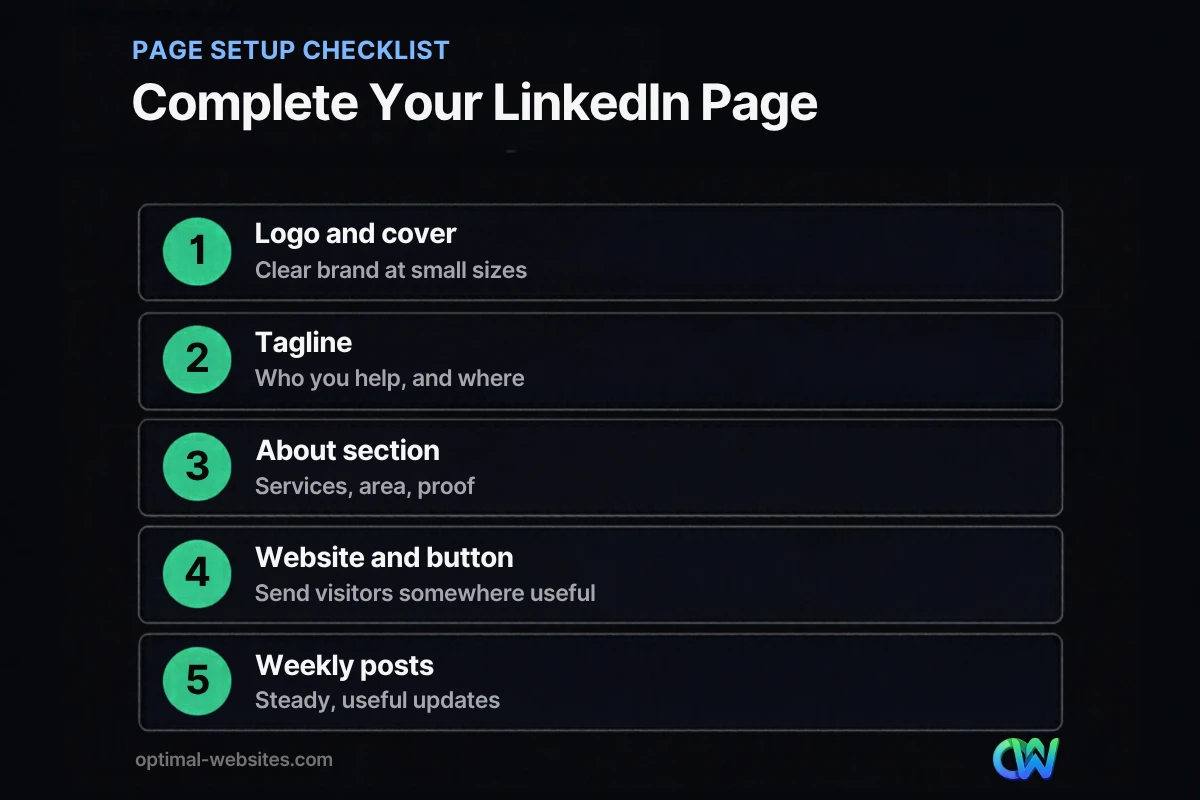
Logo and cover image
Use a square version of your logo that stays readable at small sizes. The cover image is wide banner space: use a project photo, your team or a simple branded graphic with your main service and service area.
Tagline
The tagline appears under your company name. Make it specific: “Commercial roofing for property managers in Delaware and Maryland” beats “Excellence in every project.”
About section
Write the About section in plain language. Cover what you do, who you serve, where you work, and what makes you different. Include the phrases people use to search, such as your main services and city, but write for humans first.
Website and call-to-action button
Link to your website and use the custom button to send visitors somewhere useful, such as your contact page or a service page. A LinkedIn page should feed your website, where visitors can request a quote.
Company details
Complete industry, company size, headquarters location, and specialties. These fields help LinkedIn show your page in searches and help visitors size up your business quickly.
How Do You Optimize a LinkedIn Company Page?
LinkedIn page optimization means making your page easy to find, easy to understand and worth following. Most of the gains come from complete information, consistent branding and regular posting.
| Area | What to do | Why it matters |
|---|---|---|
| Name and URL | Use your exact business name and a clean public URL | Easier to find and link to |
| Keywords | Mention core services and locations in tagline and About | Helps LinkedIn and Google searches |
| Branding | Match logo, colors and wording to your website | Builds recognition and trust |
| Employees | Ask your team to link their profiles to the page | Shows real people and grows reach |
| Button | Point it to a contact or service page | Turns visits into inquiries |
| Activity | Post at least weekly | Shows the business is active |
What Should a Small Business Post on LinkedIn?
Post content that helps your ideal client make a decision or shows your expertise in action. Keep it practical and specific to your field.
- Project spotlights: a short write-up with photos of a completed job (with client permission).
- How-to tips: answers to the questions customers ask during sales calls.
- Team posts: new hires, certifications, safety milestones, community work.
- Company news: new services, new locations, awards you have actually earned.
- Blog posts and guides: share articles from your website with a summary and one key takeaway.
LinkedIn posting tips
LinkedIn’s Page best practices report that companies that post weekly see twice the engagement, and that images typically get twice the comment rate. Those are LinkedIn’s own figures, but the pattern matches common sense: steady, visual, useful posts beat irregular bursts.
- Lead with a strong first line, since only the start of a post shows before “see more.”
- Add a photo or short video to most posts.
- Use a few relevant hashtags, not a wall of them.
- Reply to comments within a day.
- Reshare important page posts from personal profiles.
How Often Should a Business Post on LinkedIn?
Once a week is a realistic, sustainable target for most small businesses. More often is fine if you can keep quality high, but consistency matters more than volume.
A simple routine works: plan four posts at the start of each month, one per week, mixing a project spotlight, a tip, a team update and a link to a website article. Batch the writing in one sitting and schedule them. That is about an hour or two a month, which is manageable even for a busy owner.
Do Personal Profiles Matter More Than the Company Page?
For reach, usually yes. Posts from people tend to travel further than posts from company pages, so the strongest approach uses both: the page for credibility and the team’s profiles for reach.
Ask the owner and key staff to complete their profiles, link them to the company page, and reshare page posts with a sentence of their own. If you want to turn that activity into conversations with buyers, our guide to LinkedIn lead generation covers outreach and profile tactics, and our list of B2B lead generation ideas shows where LinkedIn fits among other channels.
What Mistakes Should You Avoid on LinkedIn for Small Business?
The most common mistakes are leaving the page half-finished, posting only sales pitches, and going silent for months. Each one makes the business look smaller or less active than it is.
- Duplicate pages: search before you create one, and claim or merge old pages instead of starting another.
- Vague descriptions: “Full-service solutions provider” tells nobody anything.
- Only selling: a feed of ads gives nobody a reason to follow.
- No website link: the page should send interested visitors to your site.
- Inconsistent branding: an old logo or different business name confuses people.
How Optimal Websites Can Help
At Optimal Websites, a WordPress web design agency based in Delaware, we help small businesses connect social profiles to websites that convert. Our social media marketing services cover profile setup, content planning and consistent posting, and we make sure your LinkedIn page points to service pages built to turn visitors into calls and quote requests. For a wider plan across platforms, see our guide to social media marketing for small business.
Frequently Asked Questions
Is a LinkedIn company page free?
Yes. Creating and running a LinkedIn company page is free. You need a personal LinkedIn account to create it, and you must confirm you are authorized to represent the business. Paid options such as sponsored posts and ads are available, but most small businesses get real value from a complete free page and regular posting.
What is the difference between a LinkedIn profile and a LinkedIn business page?
A personal profile represents an individual, with their work history, skills and connections. A LinkedIn business page represents the company, with its services, location, website and employees. People connect with profiles but follow pages. Small businesses benefit most when the owner’s profile and the company page link to each other and share content.
How do I get followers on my LinkedIn company page?
Start by inviting your own connections to follow the page, asking employees to link their profiles to it, and adding a LinkedIn link to your website and email signature. Then post useful content weekly and reply to comments. Followers grow slowly at first, so focus on attracting the right people rather than large numbers.
What should I write in my LinkedIn company page About section?
Explain what your company does, who you serve, where you work and what makes you different, in plain language. Mention your main services and service area naturally, since those words help people find you. Add proof such as years in business or certifications, and end with how to contact you or request a quote.
Does a LinkedIn company page help SEO?
A LinkedIn company page can appear in Google results for your business name, which helps people find accurate information about you. It does not directly boost your website’s rankings, but it supports your brand and can send visitors to your site. Treat LinkedIn for small business as a trust and visibility channel that points back to your website.
How often should a small business post on LinkedIn?
Aim for at least one post per week. LinkedIn’s own best practices say companies that post weekly see twice the engagement of those that do not. A steady weekly rhythm of project spotlights, tips and team updates is more effective than bursts of daily posts followed by months of silence.
Ready to Get Started?
Want a LinkedIn page and website that work together to bring in leads? Request a free quote or call (302) 554-9497 to talk with our team about your social media and website.


