
Quick answer: In the WooCommerce vs Shopify decision, Shopify is the faster, simpler choice if you want a hosted store with predictable monthly fees and little technical work. WooCommerce is better if you want full ownership, unlimited customization and a store that lives inside a content-rich WordPress website. Costs end up similar; control is the real difference.
Choosing an ecommerce platform is one of those decisions that is easy to make and expensive to undo. Pick the wrong one and you can end up paying for apps you do not need, fighting a theme that will not do what you want, or migrating hundreds of products a year later. For most small businesses, the choice comes down to two names. This WooCommerce vs Shopify comparison breaks down real costs, fees, ease of use, flexibility and SEO, then gives a clear verdict for different types of businesses, so you can choose once and get back to selling.
Key Takeaways
- Shopify is a hosted, all-in-one platform with a monthly subscription. WooCommerce is a free, open-source plugin that turns a WordPress site into a store.
- Shopify is quicker to set up; WooCommerce gives you more control over design, data and features.
- Total costs are often closer than people expect once you add apps, themes, hosting and payment fees.
- Shopify adds an extra transaction fee if you use a third-party payment provider instead of Shopify Payments.
- If content, SEO and a custom website matter to your business, WooCommerce on WordPress is usually the better long-term fit.
What is the difference between WooCommerce and Shopify?
Shopify is a hosted ecommerce platform: you pay a monthly fee and Shopify handles hosting, security and updates. WooCommerce is an open-source plugin for WordPress: the software is free, but you provide hosting and manage the site (or hire someone to).
The WooCommerce plugin on WordPress.org describes itself as the open-source ecommerce platform for WordPress, with a free core and full ownership of your store’s content and data. Shopify, by contrast, is software you rent. It is polished and reliable, but you work within its rules, its theme system and its app store.
Think of it like renting a fully furnished storefront in a mall versus owning a building on Main Street. The mall is ready on day one and handles maintenance. The building takes more setup but you can renovate it however you like.
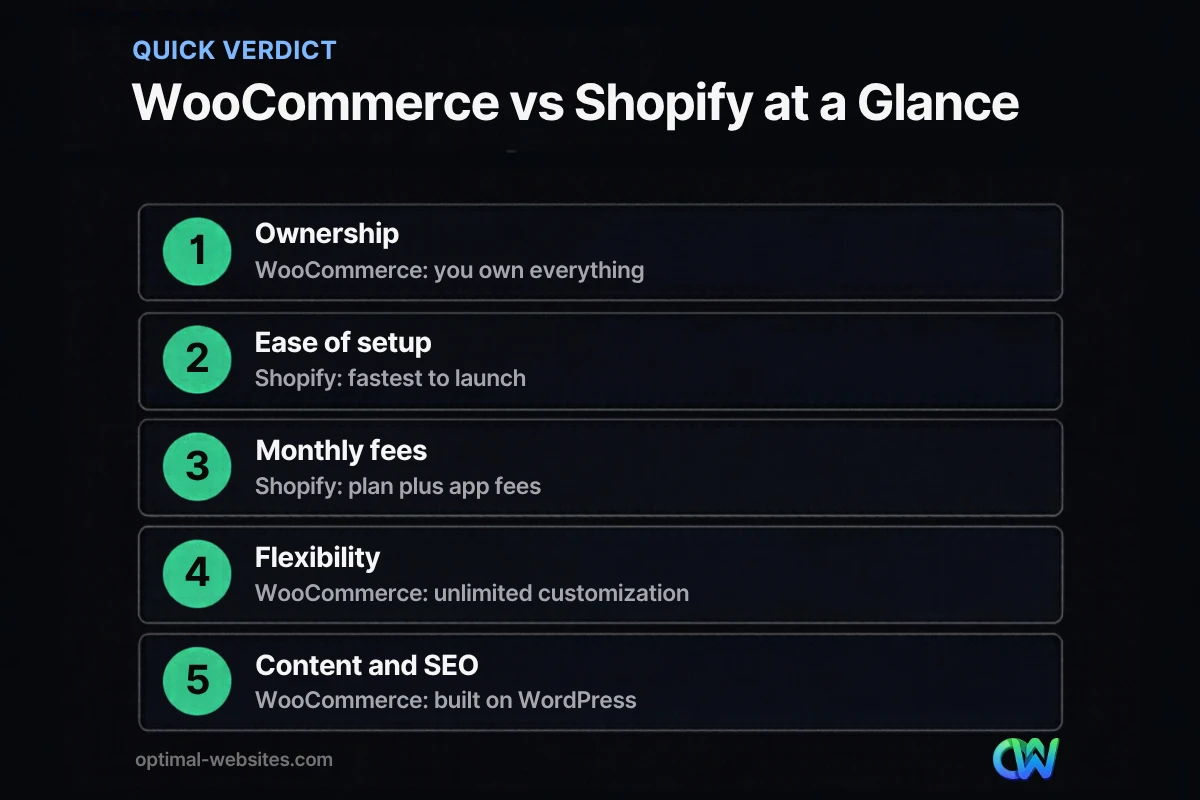
WooCommerce vs Shopify: side-by-side comparison
Here is how the two platforms compare on the factors small businesses ask about most.
| Factor | WooCommerce | Shopify |
|---|---|---|
| Software cost | Free plugin | Monthly subscription |
| Hosting | You choose and pay for hosting | Included |
| Setup speed | Slower; needs WordPress setup | Fast; guided setup |
| Design flexibility | Unlimited with WordPress and Elementor Pro | Flexible within Shopify themes |
| Payment options | Many gateways, no platform transaction fee | Shopify Payments, or extra fee for third-party providers |
| Content and blogging | Full WordPress content tools | Basic blog |
| Data ownership | You own your site and data | Data lives on Shopify’s platform |
| Maintenance | You or your developer handle updates | Shopify handles platform updates |
| Best for | Businesses that want control and content | Product-first stores that want simplicity |
How much does WooCommerce cost compared to Shopify?
Shopify’s costs are mostly predictable monthly fees; WooCommerce’s costs are spread across hosting, extensions and maintenance. For a typical small store, the totals often land in a similar range.
Shopify costs and fees
According to Shopify’s pricing page, the Basic plan costs $39 per month billed monthly, or $29 per month billed yearly, with higher tiers for growing stores. On top of the plan, budget for:
- Payment processing through Shopify Payments, charged per transaction.
- An extra transaction fee on each sale if you use a third-party payment provider instead of Shopify Payments (2% on the Basic plan).
- Apps for features like reviews, subscriptions, upsells or advanced filters, many billed monthly.
- A premium theme if the free themes do not fit your brand.
WooCommerce costs
The WooCommerce plugin itself is free. Your costs come from:
- Hosting suited to ecommerce. Quality managed WordPress hosting matters for speed and security.
- Payment processing. The WooPayments fee schedule lists 2.9% + $0.30 per transaction for U.S. cards, with no monthly fee for online payments. WooCommerce itself does not add a platform transaction fee.
- Extensions for subscriptions, bookings, advanced shipping or memberships, often billed yearly.
- Maintenance: updates, backups and security monitoring, done in-house or through a care plan.
- Design and development, which is usually the largest one-time cost.
The honest cost comparison
Shopify looks cheaper at first because there is no build cost on a basic theme. WooCommerce looks cheaper because the plugin is free. In practice, a professionally built store on either platform involves design, setup, product entry and ongoing fees. The bigger question is which platform matches how you want to run and grow your business.
Which is easier to use: WooCommerce or Shopify?
Shopify is easier for a first-time store owner to set up alone. WooCommerce is just as easy to run day to day once it is properly built, especially with training.
Shopify’s admin is clean and guided: add products, connect payments, choose a theme, and you are live. WooCommerce requires WordPress setup, hosting, a theme and some configuration, which is why many businesses have it built professionally. After launch, adding products, processing orders and running sales are straightforward on both.
Which is better for SEO and content?
WooCommerce usually has the edge for SEO and content because it runs on WordPress, which offers full control over pages, URLs, structured content and blogging. Shopify handles SEO basics well, but its content tools are more limited.
If your strategy depends on helpful content (buying guides, how-to articles, comparison pages, project galleries), WordPress gives you more room. Many small businesses sell products and services together, and WordPress handles both without bolting a separate blog onto a store. For practical tips on either platform, see our ecommerce SEO tips.
When should you choose Shopify?
Choose Shopify if you want the fastest path to a working store and prefer a predictable monthly bill over flexibility.
- You sell physical products and the store is the whole business.
- You want to manage everything yourself without a developer.
- You plan to use Shopify Payments and Shopify’s built-in tools.
- You value an all-in-one platform with support from one vendor.
When should you choose WooCommerce?
Choose WooCommerce if the store is part of a bigger website, or if you want full control over design, features and data.
- You already have a WordPress website or want one.
- You sell products alongside services, bookings or memberships.
- You want a custom design and checkout experience.
- Content and SEO are central to how customers find you.
- You want to avoid platform transaction fees and keep your options open.
Our guide on how to build a WordPress ecommerce website walks through the setup in more detail, and our roundup of the best ecommerce platform for small business covers alternatives beyond these two.
What is the verdict on WooCommerce or Shopify?
For a product-only business that wants simplicity, Shopify is a strong, low-friction choice. For a small business that wants its store to be part of a fast, content-rich website it fully owns, WooCommerce is usually the better long-term investment.
- Pick Shopify if speed to launch and hands-off maintenance matter most.
- Pick WooCommerce if control, content and customization matter most.
- Either way, plan for professional product photos, clear shipping and return policies, and a fast mobile checkout. Those affect sales more than the platform logo.
What we see when building online stores
At Optimal Websites, we build online stores on WordPress with WooCommerce and Elementor Pro, so the store and the rest of the website share one design system, one login and one content strategy. That works especially well for businesses that sell products and services together, such as a contractor selling materials or a local shop that also takes bookings.
We are not against Shopify. When a client only needs a straightforward product catalog and wants to run everything alone, we say so. But most small businesses we talk to want a website that explains, persuades and sells, and that is where WordPress shines. Every store we deliver includes training videos so your team can add products, update pages and run promotions without calling a developer.
How Optimal Websites Can Help
Optimal Websites, a WordPress web design agency based in Delaware, designs and builds fast, mobile-first online stores. Our web design and online store builds cover product setup, payments, shipping, speed and SEO basics. You can compare our website packages to see what is included, and we will give you an honest recommendation on WooCommerce or Shopify during a free consultation.
Frequently Asked Questions
Is WooCommerce cheaper than Shopify?
WooCommerce can be cheaper because the plugin is free and there is no platform transaction fee, but you pay for hosting, extensions and maintenance. Shopify has a monthly subscription plus app fees. For a typical small store, total costs are often similar, so compare WooCommerce vs Shopify based on control and features, not just price.
Does Shopify charge transaction fees?
Shopify charges payment processing fees on each sale through Shopify Payments. If you use a third-party payment provider instead, Shopify adds an extra transaction fee on top of that provider’s charges, which is 2% on the Basic plan. Using Shopify Payments avoids the extra fee but still includes standard card processing rates.
Can I move from Shopify to WooCommerce later?
Yes. Products, customers and orders can be migrated from Shopify to WooCommerce with import tools or a developer’s help. You will need to rebuild the design, set up redirects from old URLs, and reconnect payments and shipping. Planning the move carefully protects your search rankings and avoids broken links for returning customers.
Is WooCommerce good for beginners?
WooCommerce is beginner-friendly to run once it is set up, but the initial setup involves WordPress, hosting, a theme and payment configuration. Many small businesses have it built professionally and then manage products and orders themselves. With good training, day-to-day WooCommerce costs and effort are manageable for non-technical owners.
Which platform is better for SEO?
Both platforms handle SEO basics such as editable titles, descriptions and clean URLs. WooCommerce usually has the advantage for content-heavy strategies because it runs on WordPress, with more control over pages, structure and blogging. Shopify works well for product-focused stores that do not plan to publish much content.
Should a service business with a few products use Shopify or WooCommerce?
A service business that sells a few products alongside its services is usually better served by WooCommerce on WordPress. You keep one website for services, content and the store, without paying for a separate platform. Shopify makes more sense when products are the main business and the website exists mainly to sell them.
Ready to Get Started?
Not sure which platform fits your store? Request a free quote or call (302) 554-9497, and we will help you choose and build the right one.


