
Quick answer: Website accessibility for small business means making your site usable by people with disabilities, including those who use screen readers, keyboards or magnification. The ADA applies to businesses open to the public, and while the Justice Department has not set a technical standard for private businesses, WCAG 2.1 AA is the widely used benchmark for meeting that obligation.
Many small business owners first hear about website accessibility from a demand letter, a lawsuit headline, or an ad for a one-click “compliance” widget. None of those is a good way to learn. Accessibility is really about whether every potential customer can read your services, fill out your form and call you, including people who are blind, have low vision, cannot use a mouse, or have hearing or cognitive disabilities. That is a large audience, and an inaccessible site turns them away. This guide explains website accessibility for small business in plain terms: what the ADA requires, what WCAG means, the most common problems, and a practical checklist to fix them.
Key Takeaways
- The ADA applies to businesses open to the public, and the Justice Department says that includes making online services accessible.
- There is no detailed federal web standard for private businesses, but WCAG 2.1 Level AA is the most common benchmark.
- Most websites have accessibility errors; low contrast text, missing alt text and unlabeled form fields are the most frequent.
- Overlays and widgets do not make a site accessible on their own. Fixing the underlying design and code does.
- Building accessibility into your website from the start is easier and cheaper than retrofitting it later.
What is website accessibility?
Website accessibility means designing and building a site so people with disabilities can perceive, understand, navigate and interact with it. That includes people who use screen readers, keyboard navigation, voice control, screen magnifiers or captions.
In practical terms, an accessible site has text with enough contrast, images with meaningful descriptions, forms with clear labels, content that works without a mouse, and videos with captions. These same features also make sites easier for everyone, including older visitors and anyone using a phone in bright sunlight.
Does the ADA apply to small business websites?
Yes, for businesses open to the public. The U.S. Department of Justice guidance on web accessibility and the ADA, published in March 2022, explains that businesses open to the public must provide full and equal enjoyment of their goods and services to people with disabilities, and that inaccessible websites can limit that access.
The same guidance notes that the Department does not have a regulation setting detailed technical standards for businesses, so businesses currently have flexibility in how they make their online offerings accessible. It points to existing standards such as the Web Content Accessibility Guidelines as helpful guidance.
A 2024 Justice Department rule does set WCAG 2.1 Level AA as the standard for state and local government websites under ADA Title II, but that rule covers public entities, not private businesses. Many private businesses still use the same standard as their target because it is clear and widely recognized.
This post is general information, not legal advice. If you receive a demand letter or have specific legal questions, talk to an attorney.
What is WCAG 2.1 AA?
WCAG (Web Content Accessibility Guidelines) is the international standard for web accessibility, published by the World Wide Web Consortium. Level AA is the middle conformance level and the one most organizations target.
The Web Content Accessibility Guidelines overview from the W3C organizes requirements around four principles:
| Principle | What it means | Examples |
|---|---|---|
| Perceivable | People can perceive the content | Alt text, captions, sufficient color contrast |
| Operable | People can use the interface | Keyboard access, enough time, no flashing content |
| Understandable | Content and controls make sense | Clear labels, predictable navigation, helpful errors |
| Robust | Works with assistive technology | Clean code that screen readers can interpret |
WCAG 2.2 adds a few newer success criteria on top of 2.1. If you build to WCAG 2.2 AA, you also meet 2.1 AA.
What are the most common website accessibility problems?
The most common problems are low contrast text, missing image descriptions, unlabeled form fields and empty links. They are also some of the easiest to fix.
The WebAIM Million report, an annual automated scan of the top one million home pages, found detectable WCAG 2 failures on 94.8% of home pages in its 2025 analysis. The most common issues were:
- Low contrast text on 79.1% of home pages.
- Missing alternative text for images on 55.5%.
- Missing form input labels on 48.2%.
- Empty links on 45.4%.
Automated tools catch only part of the picture, so a clean scan does not guarantee an accessible site. But if these basics are broken, real users are almost certainly running into trouble.
What does website accessibility for small business look like in practice?
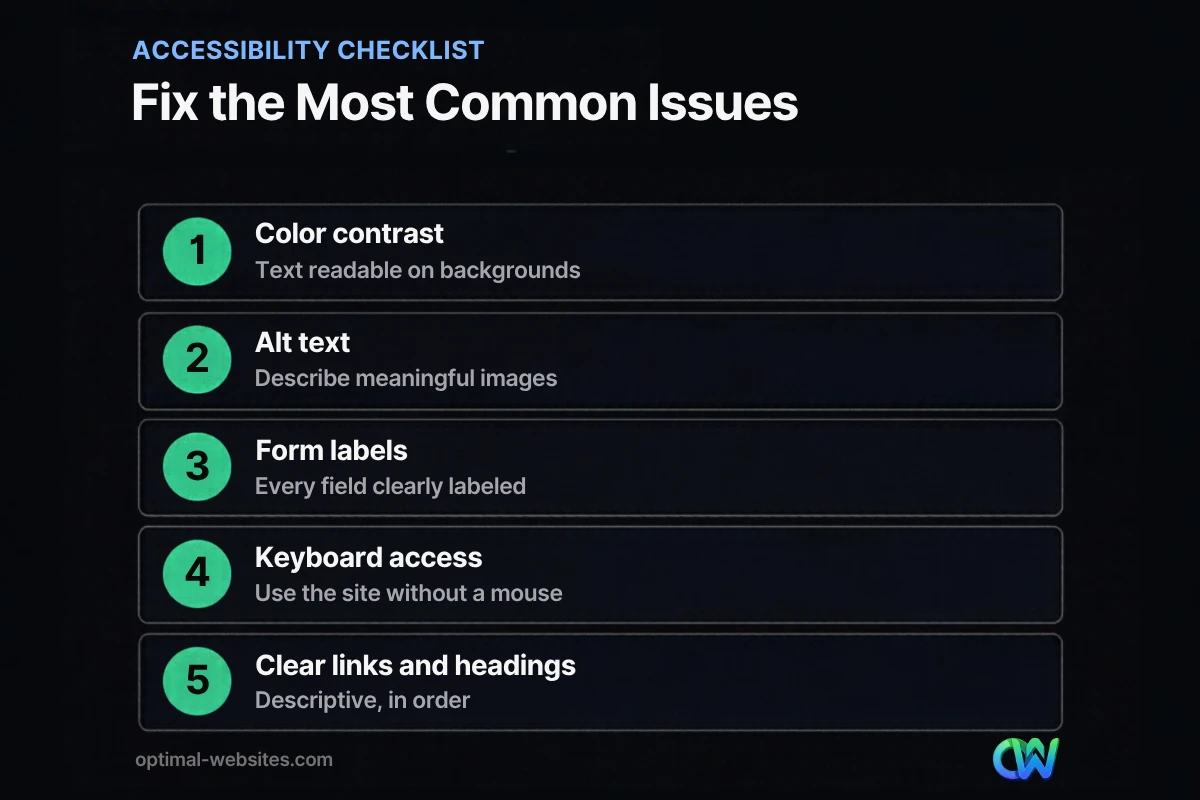
Start with the issues that affect the most people and the most important pages: home, services, contact and checkout. Work through this accessibility checklist page by page.
Visual design
- Text has enough contrast against its background (WCAG AA requires at least 4.5:1 for normal text).
- Information is not conveyed by color alone, such as red text for errors with no message.
- Text can be zoomed to 200% without breaking the layout.
Images and media
- Meaningful images have alt text that describes their purpose; decorative images are marked so screen readers skip them.
- Videos have captions; audio content has transcripts.
- Nothing flashes more than three times per second.
Navigation and structure
- Pages use headings in a logical order (one H1, then H2s and H3s).
- Links describe their destination (“View roofing services,” not “Click here”).
- Every interactive element can be reached and used with the Tab key, with a visible focus outline.
- A “skip to content” link helps keyboard users bypass repeated menus.
Forms
- Every field has a visible label connected to it in the code.
- Required fields are clearly marked, and errors explain how to fix the problem.
- CAPTCHAs, if used, offer an accessible alternative.
Content
- Plain language and short paragraphs.
- The page language is set in the code.
- PDFs you rely on are accessible or offered as web pages too.
Many of these overlap with good usability in general; our website user experience tips and guide to a mobile-friendly website cover related improvements.
Do accessibility overlays and widgets work?
Overlays and toolbar widgets do not make a website accessible on their own. They can add features like text resizing, but they do not fix underlying problems such as unlabeled forms, poor heading structure or inaccessible menus.
Many screen reader users already have their own tools and settings, and an overlay can interfere with them. The reliable path is to fix the design and code: contrast, labels, alt text, keyboard support and structure.
How do you test your website for accessibility?
Combine automated tools with simple manual checks. Automated scanners find many common issues quickly; manual testing finds what they miss.
- Run an automated checker such as WAVE or Lighthouse’s accessibility audit on key pages.
- Navigate with only the keyboard: can you reach every link, button and form field, and see where you are?
- Zoom to 200% and make sure nothing overlaps or disappears.
- Try a screen reader (VoiceOver on Mac and iPhone, NVDA on Windows) on your contact form.
- Check color contrast with a contrast checker for text and buttons.
- Retest after every redesign or major content update.
How we build accessible WordPress websites
When we build websites with WordPress and Elementor Pro for contractors, law firms, healthcare practices and local businesses, we design with accessibility in mind from the first layout: readable contrast, logical heading structure, labeled forms, descriptive links, alt text on meaningful images, and keyboard-friendly menus and buttons.
Our brand colors and fonts are checked for contrast before they go into the design system, which prevents the most common error from appearing across every page. We also train clients to add alt text and use headings correctly, because accessibility depends on content updates as much as on the original build. For a broader view of what every site should include, see our guide to what a business website needs.
How Optimal Websites Can Help
Optimal Websites, a WordPress web design agency based in Delaware, offers accessible web design services for small businesses. We can review your current site for common accessibility issues, fix contrast, forms, alt text and navigation, or build a new site with accessibility built in.
Every site in our website packages is designed mobile-first with accessible structure, and we will tell you honestly which fixes matter most for your site.
Frequently Asked Questions
Does my small business website need to be ADA compliant?
If your business is open to the public, the Justice Department says the ADA requires you to provide equal access to your goods and services, including online. There is no detailed federal technical standard for private business websites, but following WCAG 2.1 AA is the common benchmark for website accessibility for small business. Consult an attorney for legal advice.
What is the difference between ADA and WCAG?
The ADA is a U.S. civil rights law that prohibits discrimination against people with disabilities. WCAG is a set of technical guidelines from the World Wide Web Consortium that explains how to make web content accessible. The ADA sets the obligation; WCAG is the most widely used way to measure and meet it on a website.
How much does it cost to make a website accessible?
The cost depends on the size of the site, how it was built and how many issues it has. Fixing contrast, alt text, form labels and headings on a small site is often a modest project, while a large or poorly coded site may need a rebuild. Building accessibility in from the start is usually the most cost-effective approach.
Are accessibility overlays enough for ADA website compliance?
No. Overlays and widgets can add display options, but they do not fix the underlying issues that block people with disabilities, such as unlabeled forms, missing alt text or menus that do not work with a keyboard. Real ADA website compliance work means fixing the design and code so the site works with assistive technology.
What is WCAG 2.1 AA?
WCAG 2.1 AA is a level of conformance with the Web Content Accessibility Guidelines version 2.1. Level AA covers the most important requirements for most users, such as color contrast, keyboard access, captions and form labels. It is the standard most organizations target, and it was adopted for state and local government websites.
How can I check if my website is accessible?
Start with a free automated checker such as WAVE or the Lighthouse accessibility audit, then test manually. Navigate your site using only the keyboard, zoom to 200%, check color contrast and try a screen reader on your contact form. Automated tools catch common errors, but manual testing finds problems they miss.
Ready to Get Started?
Want a website every customer can use? Get a free quote or call (302) 554-9497, and we will review your site’s accessibility with you.


