
Quick answer: A lead generation website is built to turn visitors into inquiries, not just to look good. It states a clear offer, repeats one main call to action, uses short forms and tap-to-call buttons, places proof next to every CTA, and tracks every call and form so you know which pages bring in business.
Plenty of small business websites look professional and still produce almost nothing. Traffic comes in, people browse, and the inbox stays quiet. The difference between a brochure site and a lead generation website is not the color scheme or the photos. It is structure: what the site asks visitors to do, how easy it makes that action, and whether you can measure what happens. This guide explains what makes a website that generates leads, the pages and features it needs, how lead gen website design differs from a typical build, and how to measure whether yours is working.
Key Takeaways
- A lead generation website is designed around one goal: getting qualified visitors to call, book or request a quote.
- Every page needs a clear offer, one primary call to action, and proof close to that action.
- Short forms and tap-to-call buttons matter because most local visitors browse on phones.
- Service pages and landing pages do most of the lead generation work, not the homepage alone.
- Without call and form tracking, you cannot tell which pages or channels produce leads.
What Is a Lead Generation Website?
A lead generation website is a business website designed and measured by how many qualified inquiries it produces. Every page has a job, and that job ends with a visitor taking a next step: calling, filling out a form, booking a consultation or requesting an estimate.
Compare that with a brochure site, which mainly describes the company. Brochure sites answer “who are you?” Lead generation sites answer “can you help me, can I trust you, and how do I get started right now?”
If your current site already gets some traffic and you want quick wins first, start with our guide on how to get more leads from your website. This post covers how to design one from the ground up.
What Makes a Website That Generates Leads?
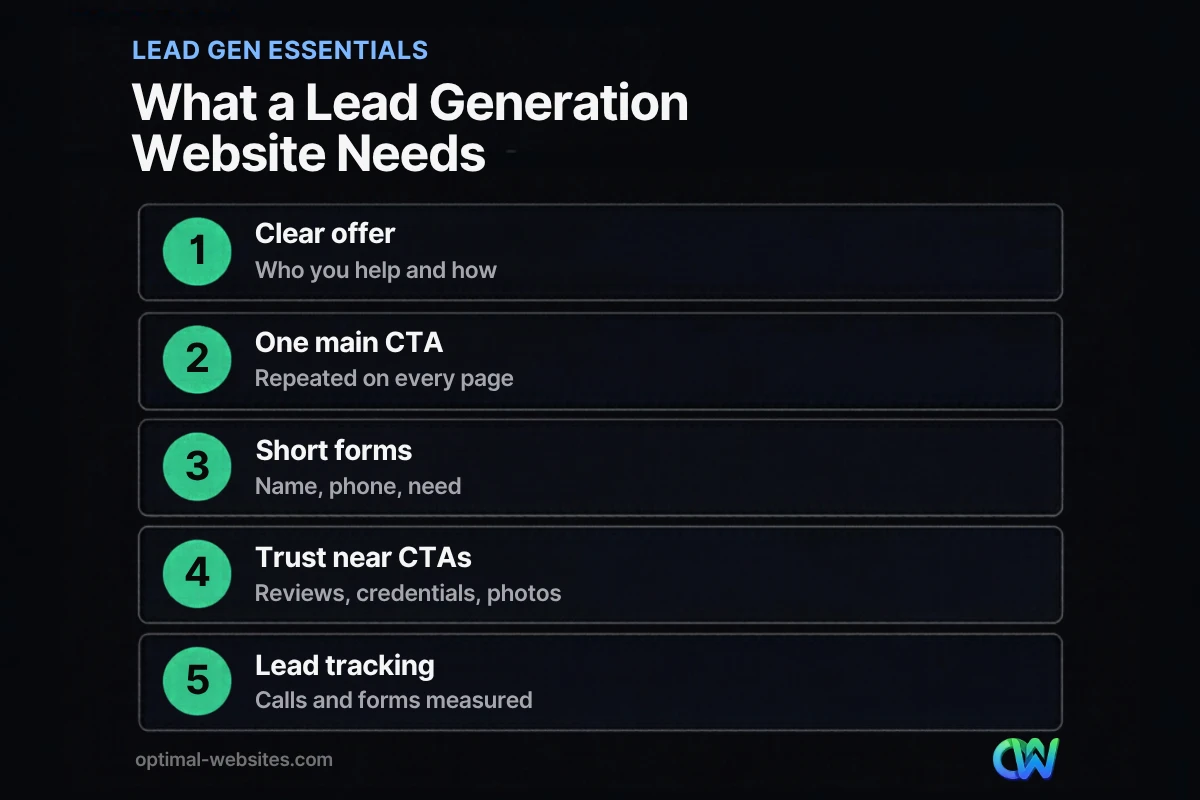
A website that generates leads combines five elements: a clear offer, a single main call to action, low-friction contact options, visible proof, and tracking. Remove any one of them and results drop.
1. A clear, specific offer
Visitors should know within seconds what you do, who you do it for and where. “Commercial HVAC repair for offices and retail in New Castle County” beats “Comfort solutions you can trust.”
2. One primary call to action
Decide what a lead looks like for your business (a quote request, a booked call, an inspection) and make that the main button on every page. Secondary options, like a phone number, support it rather than compete with it.
3. Low-friction contact options
Every extra step loses people. Nielsen Norman Group’s form usability guidelines recommend keeping forms short and removing fields you can collect later. For most service businesses, name, phone or email, and a short description of the need are enough to start a conversation.
4. Proof next to every CTA
Reviews, star ratings, licenses, certifications, years in business and photos of real work belong beside your forms and buttons, not only on a testimonials page.
5. Tracking
You need to know which pages and traffic sources produce calls and form submissions. Without that, you are guessing about what to improve.
Which Pages Does a Lead Generation Website Need?
A lead generation website needs a homepage that routes visitors, a dedicated page for each service, location or service area pages if you serve several towns, a short contact page, and focused landing pages for paid campaigns.
| Page | Lead generation job | Key elements |
|---|---|---|
| Homepage | Route visitors to the right service quickly | Clear offer, service links, main CTA, proof |
| Service pages | Convert people searching for a specific service | Details, process, FAQs, pricing guidance, form |
| Service area pages | Win local searches in each town you serve | Local projects, area details, CTA |
| Landing pages | Convert paid traffic from ads or campaigns | One offer, one form, no distractions |
| Contact page | Make reaching you effortless | Short form, phone, hours, map or area |
| Thank-you page | Confirm the lead and set expectations | Next steps, response time, tracking |
Service pages are usually where leads happen, because they match what people search for. A single “Services” page listing everything rarely converts as well as one strong page per service.
How Is Lead Gen Website Design Different?
Lead gen website design puts conversion paths first and decoration second. Layout decisions are judged by one question: does this help a qualified visitor take the next step?
In practice that means:
- Mobile-first layouts. Pew Research Center reports that 91% of U.S. adults own a smartphone. Buttons must be easy to tap and forms easy to complete with a thumb.
- Sticky headers with tap-to-call. The phone number stays visible as people scroll.
- Repeated CTAs. The main action appears after each major section, not only at the top and bottom.
- Fast pages. Slow pages lose visitors before they ever see your offer.
- Fewer distractions. No autoplay sliders, pop-ups that cover the screen on mobile, or links that pull people away mid-page.
How Do You Build Forms That Convert?
Forms convert when they are short, clear and reassuring. Ask only for what you need to respond, explain what happens next, and remove anything that feels like a hurdle.
- Limit fields. Three to five fields for a first contact.
- Use a single column. It is easier to complete on phones.
- Label clearly. Put labels above fields, not inside them as placeholder text.
- Write a specific button. “Get My Free Estimate” beats “Submit.”
- Set expectations. “We reply within one business day” near the button.
- Send to a thank-you page. It confirms the lead and makes tracking reliable.
Our guide to building a lead capture form goes deeper into field choices, spam protection and follow-up.
How Do You Measure a Lead Generation Website?
Measure a lead generation website by tracking leads, not just traffic. Set up form submissions and phone calls as key events in Google Analytics 4, connect them to traffic sources and landing pages, and review the numbers monthly.
Track at minimum:
- Form submissions (via a thank-you page or form event)
- Clicks on tap-to-call links
- Calls from tracked numbers, if you use call tracking
- Lead source (organic search, Google Business Profile, ads, social, referrals)
- Conversion rate by page, so you know which pages need work
Then improve the weakest pages first. Our post on conversion rate optimization explains how to test changes without guessing.
What Mistakes Stop a Website From Producing Leads?
Most underperforming sites share the same few problems:
- No clear offer above the fold. Visitors cannot tell what you do or where.
- Too many competing buttons. Choice slows decisions.
- Long forms asking for budget, timeline and how they found you before first contact.
- Hidden phone number on mobile.
- Proof buried on a separate page that few people visit.
- No tracking, so nobody knows which pages work.
How We Build Lead Generation Websites
At Optimal Websites, a WordPress web design agency based in Delaware, every build starts with the lead path: what counts as a lead, where it should come from, and what the visitor needs to see first. We design mobile-first in Elementor Pro, give each core service its own page, keep forms short, and set up tracking before launch. We apply the same approach for contractors, law firms, healthcare practices and local service businesses, adjusting the offer and proof to fit each industry.
How Optimal Websites Can Help
If your site gets visitors but few inquiries, we can help you rebuild it around leads. Our lead generation services and conversion-focused web design work together, from page structure and copy to forms and tracking. Packages start at $999, and most projects launch in 2–4 weeks; see the pricing page for details.
Frequently Asked Questions
What is a lead generation website?
A lead generation website is a business site built and measured by how many qualified inquiries it produces, such as calls, quote requests or booked consultations. It uses a clear offer, a single main call to action on every page, short forms, visible proof and tracking, so every page helps move visitors toward contacting you.
How is a lead generation website different from a regular website?
A regular brochure website mainly describes your company. A lead generation website is structured around conversion: each page has a goal, calls to action are repeated, contact options are easy on mobile, and results are tracked. The design still matters, but it serves the goal of turning visitors into leads.
How many leads should my website generate?
There is no universal number, because it depends on your traffic, industry, offer and how well the site converts. Start by measuring your current form submissions and calls each month, then track your conversion rate by page. Improve the pages with the most traffic and the weakest results first, and compare month to month.
What makes a conversion-focused website?
A conversion-focused website makes the next step obvious and easy. It states a clear offer, uses one primary call to action, keeps forms short, shows reviews and credentials near buttons, loads quickly on phones and removes distractions. It also tracks conversions so you can see which changes improve results over time.
Do I need landing pages for lead generation?
You need landing pages if you run paid ads or campaigns, because sending ad traffic to a focused page with one offer and one form usually converts better than a general homepage. For organic search, strong service pages often act as landing pages. Many lead generation websites use both.
How do I track leads from my website?
Set up form submissions and tap-to-call clicks as key events in Google Analytics 4, ideally using a thank-you page after each form. Add call tracking if phone calls are a major lead source. Then review leads by page and by traffic source each month to see where your website generates leads and where it falls short.
Ready to Get Started?
Want a website that brings in calls and quote requests, not just visits? Request a free quote or call (302) 554-9497 to talk about your goals.


