
Quick answer: Website video helps when it has a clear job, such as explaining a service, showing real work or sharing customer stories, and loads only when visitors want it. It hurts when large autoplay background videos slow the page, distract from the call to action, or play without captions or a way to pause.
Video can make a small business website feel real in a way text and photos struggle to match. A 60-second walkthrough of a finished roof, a short introduction from a law firm’s founding partner, or a quick explainer of how your service works can answer questions before a prospect ever calls. But website video also has a cost. A heavy background clip can add megabytes to your homepage, push the headline down on phones and quietly drag down your Core Web Vitals. This guide explains when video earns its place, which types work best, and how to add it without slowing your site or hurting conversions.
Key Takeaways
- Use website video when it does a clear job: explain, show proof, or build trust with real people.
- Large autoplay background video is the most common way video hurts page speed and focus.
- Host video on a streaming platform and load the player only when someone clicks play.
- Add captions and pause controls so video works for everyone, including people browsing with sound off.
- Measure the effect: compare engagement, leads and Core Web Vitals before and after adding video.
When Does Website Video Help a Small Business?
Website video helps when it answers a buying question faster or more convincingly than text and photos could. If a visitor finishes the video more confident about hiring you, it is doing its job.
Video tends to work well for:
- Showing real work. Before-and-after footage, project walkthroughs or a time-lapse of an install.
- Introducing people. A short message from the owner or team builds familiarity, which matters for law firms, healthcare practices and home services where trust drives the decision.
- Explaining a process. A two-minute explainer video on how a consultation, estimate or onboarding works removes uncertainty.
- Customer stories. Real clients describing their experience in their own words.
- Product demos. For online stores, a short clip showing a product in use.
In our builds for contractors and construction firms, short project videos on service pages often fit better than one big video on the homepage. They sit right next to the details a visitor is already reading.
When Does Website Video Hurt?
Website video hurts when it slows the page, competes with your call to action, or annoys visitors. The most common culprit is a large, autoplaying background video at the top of the homepage.
Warning signs:
- Slow first load. The hero video delays the headline and button, especially on mobile data.
- Layout shifts. The player pops in late and pushes content around.
- Distraction. Motion pulls attention away from your offer and phone number.
- Sound surprises. Audio that starts automatically drives people away.
- No purpose. Generic stock footage that says nothing specific about your business.
If your video exists mostly because it “looks modern,” it is probably costing more than it earns. Our guide on how to reduce bounce rate covers other reasons visitors leave too quickly.
Is a Background Video Bad for Page Speed?
A background video is not automatically bad, but it is usually the heaviest element on the page, and it often becomes the element that determines how fast your page feels. Treat it as a design choice that has to justify its weight.
Video and page speed are closely linked because browsers may start downloading video data as soon as the page loads. web.dev’s guide to lazy loading video recommends using `preload=”none”` for videos that do not autoplay so the browser fetches nothing until a visitor presses play, and using a poster image instead of loading a video that would otherwise be the largest element on screen.
If you still want a background video:
- Keep it short, silent and looping, a few seconds of subtle motion.
- Compress it heavily and keep the resolution modest.
- Show a lightweight poster image first, so the page looks complete immediately.
- Consider showing only the poster image on mobile.
- Make sure text on top stays readable against every frame.
Then test the page in PageSpeed Insights before and after. If Largest Contentful Paint gets noticeably worse, simplify or remove the video. For broader fixes, see our ways to improve website speed.
What Types of Website Video Work Best?
The best types of website video are short, specific and placed where a visitor is making a decision. Here is how the common formats compare.
| Video type | Best placement | Ideal length | Main risk |
|---|---|---|---|
| Background or hero loop | Homepage hero | A few seconds, looping | Page speed, distraction |
| Explainer video | Service or homepage section | 60–120 seconds | Too long or too generic |
| Project walkthrough | Service pages, portfolio | 30–90 seconds | Poor audio or shaky footage |
| Team introduction | About page | 30–60 seconds | Overly scripted |
| Customer testimonial | Near quote forms | 30–60 seconds | Weak or edited-down stories |
| Product demo | Product pages | 15–60 seconds | Slows product page |
Most small businesses get the best return from two or three short, purposeful videos placed on the pages where people decide, rather than one long video on the homepage.
How Do You Add Video to a Website Without Slowing It Down?
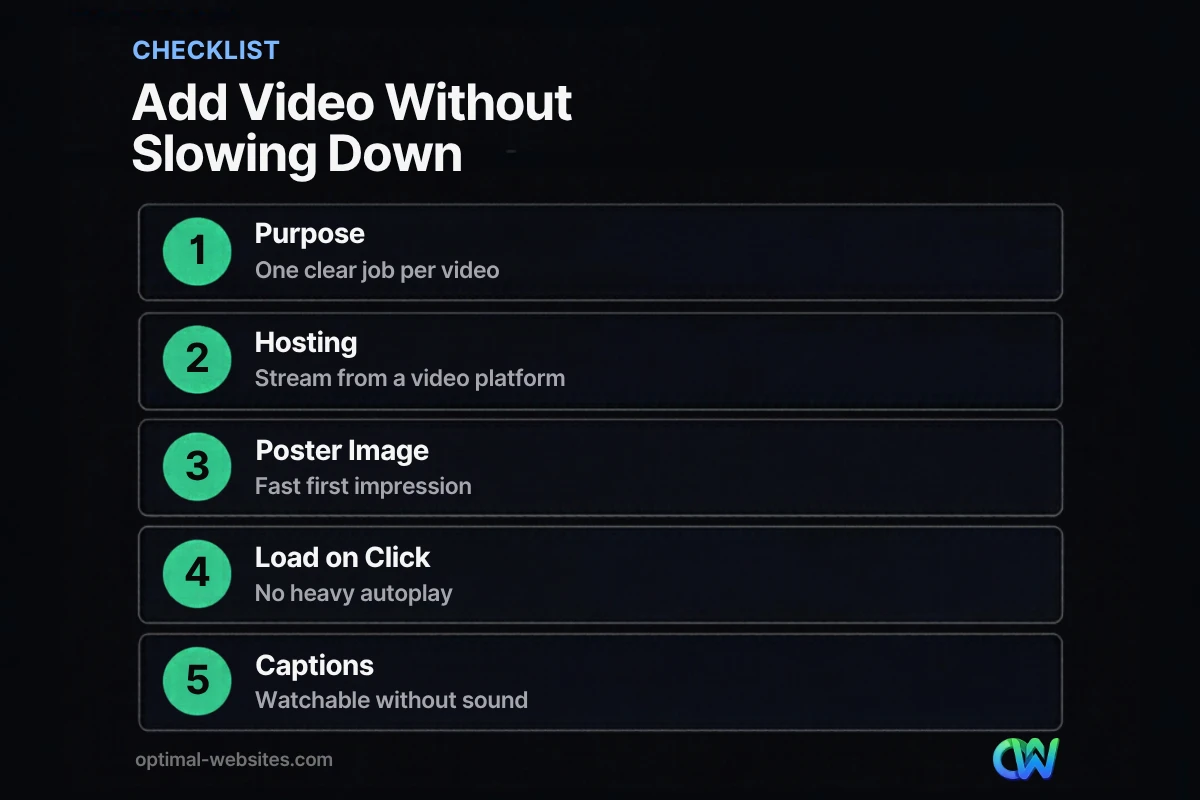
Add video without slowing your site by hosting it on a streaming platform, showing a poster image first and loading the player only when a visitor clicks play. This keeps the initial page light while still offering the video to anyone who wants it.
Follow these steps:
- Host externally. Upload to YouTube, Vimeo or another streaming service rather than your WordPress media library. Streaming platforms adapt quality to each visitor’s connection.
- Use a facade. Display a thumbnail with a play button and load the actual player on click. In Elementor Pro, the Video widget includes an image overlay option that works this way.
- Set dimensions. Give the video container a fixed aspect ratio so nothing shifts when it loads.
- Avoid autoplay with sound. If anything autoplays, it should be muted, short and pausable.
- Add captions. Many people watch with sound off, and captions make video accessible.
- Test on a phone. Load the page on mobile data to see what real visitors experience.
Accessibility basics for website video
Accessibility matters for usability and compliance. WCAG’s Pause, Stop, Hide requirement says moving content that starts automatically, lasts more than five seconds and appears alongside other content needs a way for users to pause, stop or hide it. Add a visible pause control to any looping background video, and provide captions for videos with speech.
Does Website Video Help SEO?
Website video can support SEO when it improves the page for visitors and is set up so search engines can understand it. Video SEO is about clear context, not just embedding a player.
Google’s video SEO best practices recommend a dedicated watch page where the video is the main content if you want it to appear in video results, plus a unique title, description and thumbnail for each video. For most small business sites, the practical takeaways are:
- Surround each video with relevant text so the page is useful on its own.
- Write a descriptive title and description for every video.
- Use a clear custom thumbnail rather than an auto-generated frame.
- Add a transcript or summary for longer videos.
If you already make videos for social channels, many can be reused on your site. Our guide to social media video marketing covers how to plan clips that work in both places.
How Optimal Websites Can Help
Optimal Websites, a WordPress web design agency based in Delaware, builds fast, mobile-first WordPress sites with Elementor Pro that use video where it earns its place. Our custom web design services include planning which pages benefit from video, setting up lightweight click-to-play embeds and checking the result against Core Web Vitals. To see how we balance visuals and speed for contractors, law firms and local service businesses, see our portfolio.
Frequently Asked Questions
Should I put a video on my homepage?
Put a video on your homepage only if it does a clear job, such as introducing your team or explaining your service quickly. Use a click-to-play embed with a poster image so it does not slow the first load. For many small businesses, short videos on service pages convert better than one large homepage video.
Does website video slow down a site?
Website video slows a site when it loads automatically or is hosted as a large file on your own server. Streaming the video from a platform, showing a poster image first and loading the player only on click keeps the page fast. Always test video and page speed together in PageSpeed Insights.
Is a background video a good idea for a business website?
A background video can work if it is short, silent, compressed and adds real context, such as footage of your actual work. It becomes a bad idea when it delays the headline, distracts from the call to action or has no pause control. Many sites show a still image on mobile instead.
How long should an explainer video be?
An explainer video for a small business site usually works best at about one to two minutes. Lead with the problem you solve, show how the process works and end with a clear next step. Shorter is better if the message is simple. Captions help people who watch with sound off.
Should I upload videos to WordPress or use YouTube?
For most businesses, upload videos to YouTube, Vimeo or another streaming service and embed them on WordPress. Streaming platforms adjust quality to each visitor’s connection and keep large files off your hosting. Self-hosting is usually reserved for very short, silent background clips that are carefully compressed.
Does video help with video SEO and rankings?
Video can support video SEO when it is surrounded by useful text, has a unique title, description and thumbnail, and sits on a page that is indexed and performs well. A video alone will not make a weak page rank. It works best when it improves a page that already answers the searcher’s question.
Ready to Get Started?
Want to add video without slowing your site down? Get a free quote or call (302) 554-9497 and we will help you plan where video belongs on your website.


